
Enterprise risk assessment software is your command centre for health and safety. It’s designed to pull you out of the mess of scattered spreadsheets, paper forms, and never-ending email chains, giving you a single, reliable source of truth for everything risk-related. The whole point is to shift risk management from a once-a-year chore into a live, active process, giving you real-time oversight of every single job site.
From Paperwork to Proactive Control
Think about how risk assessments are traditionally handled. A supervisor on a construction site scribbles on a paper form, it gets chucked in a filing cabinet back at the office, and that information is stale almost immediately. The moment a new hazard pops up, the entire slow process has to start again. It’s a manual approach that creates information silos and makes it nearly impossible to see the bigger picture across all your projects.
This is exactly the problem enterprise risk assessment software solves. It creates a digital, connected system where a risk assessment is a live record, not a static document. It can be updated instantly from a phone or tablet right there in the field, meaning managers see new risks the second they’re identified.
Moving Beyond Manual Methods
The real goal here is to stop being reactive and start taking proactive control over your operations. This is non-negotiable for businesses juggling multiple worksites or relying heavily on subcontractors. You get:
- Centralised Information: Every risk assessment, incident report, and safety document lives in one place, accessible to anyone who needs it. No more hunting through folders.
- Consistent Standards: You can finally enforce the same safety procedures across every site and for every subcontractor. It removes the guesswork.
- Immediate Notifications: High-risk issues can trigger automatic alerts to the right people, so nothing critical ever falls through the cracks.
This isn't just about digitising forms; it's about fundamentally changing how you see and manage risk. You get the ability to spot trends, identify recurring problems, and actually fix them before they lead to an incident.
To really get what this software can do, it helps to have a solid understanding of risk assessment methods first. Knowing the fundamentals makes it clear how software simply automates and sharpens these core processes.
The move towards these platforms is picking up pace, largely driven by tougher regulations. Here in Australia, the risk management market is forecast to hit USD 782.48 million by 2033, with high-risk industries like construction and manufacturing leading the charge. This isn't just a random number; it shows a clear industry-wide shift towards more robust, technology-driven safety systems.
Core Features That Replace Spreadsheets and Paperwork
Good enterprise risk assessment software should do more than just digitise your old paper forms. It’s about moving from a state of chasing paperwork to having genuine command over your operations. The goal isn't to find a fancier way to do the same old tasks; it's to fundamentally change how you see, track, and control risk using specific, practical tools.
These are the core features that make spreadsheets and filing cabinets obsolete.
This diagram shows the journey most businesses take: from scattered, reactive data in spreadsheets to a centralised, proactive system that actually prevents incidents.
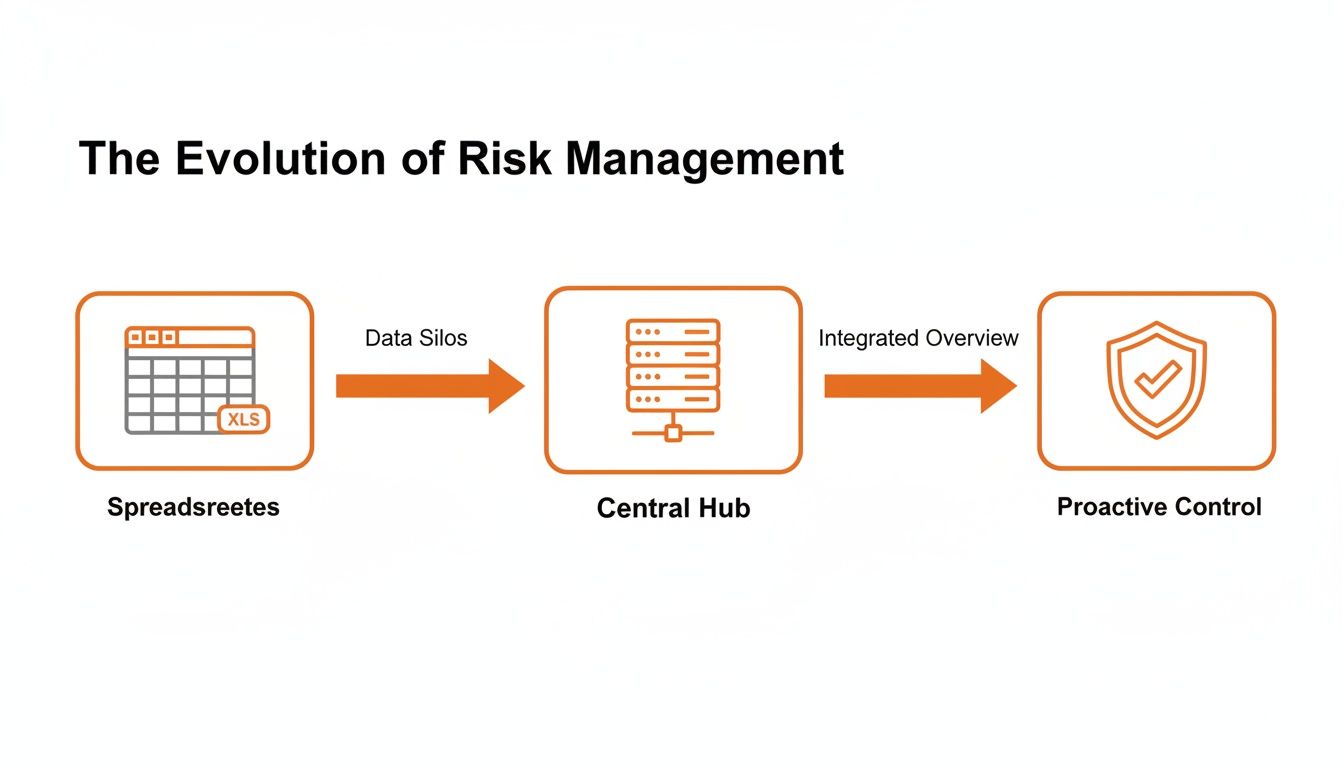
The key shift is moving from isolated information that’s always out of date to a single, live system that allows your team to get ahead of problems.
Centralised Risk Registers
Remember hunting for the right risk assessment, wondering if it was saved on someone’s laptop or buried in a site folder? A digital risk register puts an end to that. It becomes the single source of truth for every single hazard identified across your entire business.
- What it does: It creates a live, central database of all risks, from a simple trip hazard on a factory floor to a major equipment malfunction waiting to happen.
- Why it matters: Everyone from the site supervisor to the operations director sees the same information in real-time. A hazard logged at one site is immediately visible to all, preventing the same issue from catching another team by surprise.
Automated Scoring and Workflows
This is where the software starts doing the heavy lifting for you. Instead of relying on a manager’s gut feel or waiting for someone to flag a serious issue, the system does it automatically. You define the rules, and the software ensures they’re followed, every single time.
Imagine a worker spots a fault with a machine and logs it on their phone, rating its severity. If the risk score crosses a critical threshold you’ve set, an automated workflow instantly pings the maintenance manager an email or SMS. This simple step removes human delay and guarantees high-priority risks get immediate attention. These features also help you streamline security documentation management by linking corrective actions directly back to the initial report.
Real-Time Reporting and Dashboards
Right now, how long would it take you to figure out the most common safety issue across all your projects in the last quarter? For most, it’s a painful job digging through paperwork and spreadsheets. With good risk software, it takes seconds.
Dashboards give you an instant, visual summary of your entire risk landscape. You can spot trends, identify high-risk sites, and see which control measures are actually working, all without compiling a single report by hand.
This means you’re making decisions based on what’s happening today, not what was reported weeks ago. For a deeper look into how software helps manage and verify these measures, check out our guide on risk control software.
The difference between old-school methods and a modern software approach is night and day. It’s not just about efficiency; it’s about effectiveness.
Manual Risk Management vs. Software Automation
| Core Task | The Old Way (Spreadsheets/Paper) | The New Way (Risk Software) |
|---|---|---|
| Hazard Reporting | Paper forms filled out on-site, manually entered later (if you’re lucky). | Instant reporting from any mobile device, complete with photos and location data. |
| Risk Prioritisation | Relies on a manager’s gut feel or a slow, subjective review process. | Automated risk scoring triggers instant alerts for high-priority issues. |
| Tracking Actions | Chasing people with endless emails and phone calls to see if a fix is done. | Actions are assigned and tracked with automatic reminders and close-out proof. |
| Overall Visibility | A fragmented, historical view based on outdated and incomplete information. | A live, company-wide view of all risks and controls from a single dashboard. |
Ultimately, the new way gives your team the time and the data to focus on what matters most: keeping people safe and operations running smoothly.
Managing Subcontractor and Multi-Site Risk
Anyone managing health and safety across multiple sites or juggling a long list of subcontractors knows the headache. It’s a massive operational challenge. The risk of just one non-compliant contractor slipping through the cracks can have a huge, costly impact on your entire operation.
This is where enterprise risk assessment software really shines. It moves beyond simple hazard tracking to become a powerful control system for your entire network of sites and contractors.
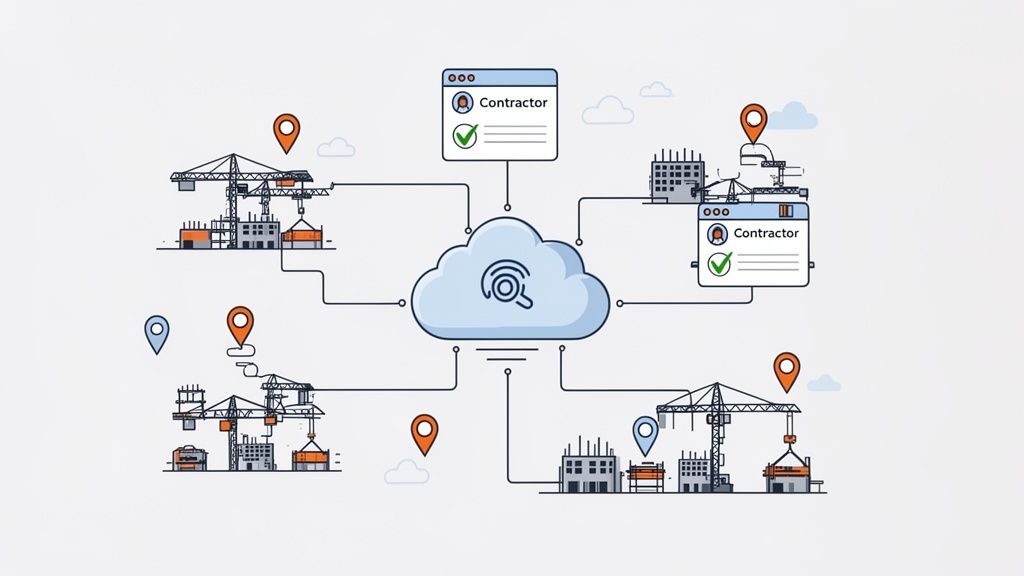
Picture a construction firm with five active developments. Each site has dozens of different trades, electricians, scaffolders, plumbers, you name it. Without a central system, you're forced to rely on individual site managers to manually check that every single subcontractor has the correct licences, insurances, and a valid Safe Work Method Statement (SWMS) for their specific job. It's an administrative nightmare, and it’s full of gaps.
A dedicated platform puts an end to this by systemising your entire vendor and subcontractor management process.
Centralised Contractor Onboarding and Verification
Instead of chasing paperwork through endless emails and phone calls, the software gives you a single portal for all your subcontractors. Before they can even set foot on-site, they have to upload their required documents.
- Automated Verification: The system can automatically flag things like expired insurance policies or missing high-risk work licences, instantly highlighting non-compliant vendors.
- Digital SWMS Workflows: Subbies submit their SWMS through the platform. Your team can then review, request changes, and approve them digitally, creating a clean, auditable trail.
- One Source of Truth: Every site manager can see the compliance status of any contractor in real-time, right from their phone or tablet.
This approach means consistent safety standards are enforced across every single site, every single time. Compliance stops being about which manager is on-site that day and becomes a non-negotiable part of how you do business.
This level of oversight is precisely why the vendor risk management software market is expanding so rapidly. In Australia, this market is projected to hit USD 70.2 million by 2030, driven by industrial operators who desperately need better control.
By bringing everything into a central platform, you get a complete, real-time picture of third-party risk. A dedicated contractor management system is designed to give you this exact level of control. It’s technology that directly cuts down the legal and operational dangers that come from using unverified subcontractors, protecting both your workers and your bottom line.
How to Choose the Right Risk Assessment Software
Picking the right enterprise risk assessment software isn’t about ticking boxes on a long feature list. It’s about finding a tool that genuinely fits how your people work on the ground, whether they’re on a construction site or a factory floor. A flashy system that your team ignores is just an expensive mistake, so let's focus on what actually works in the real world.
Forget the sales pitch for a moment. Instead, start by zeroing in on three core criteria. These will quickly tell you whether a platform is going to solve your problems or just create a bunch of new ones. A smart selection process stops you from investing in a system that ends up complicating everyone's life.
Key Evaluation Criteria
Making a good choice really boils down to a few non-negotiables. Any platform you’re seriously considering needs to stack up in these areas.
- Configurability: Can the software actually match your existing safety forms and processes? You've already got established methods your team knows and uses. The right software should adapt to your workflow, not force you to change everything to suit it. If you can't easily replicate your current SWMS or hazard report forms, your team simply won't use it.
- Mobile Access: Is the mobile app simple enough for a worker to use on-site, possibly with gloves on? Field use is everything. If it takes five minutes of fiddling with menus to log a hazard, it’s just not going to happen. The app needs to be dead simple, fast, and reliable, even when the internet connection is flaky.
- Integration: Does the software talk to your other business systems? Your risk data is far more powerful when it’s not stuck on an island. Check if the platform can connect with your project management, HR, or accounting software. This creates a single, connected view of your operations instead of a dozen separate spreadsheets.
The best software feels like a natural extension of your existing workflow, not a clunky add-on. Usability for your frontline workers is the most important factor for successful adoption.
Looking Beyond the Feature List
Once you’ve got a shortlist, it’s time to dig into the practical side of things. Far too many businesses get caught out by hidden costs and rigid contracts that look great on paper but become a major headache down the track.
Ask direct questions about the total cost of ownership, not just the monthly subscription fee. Are there extra charges for setup, training, or adding more users? A transparent pricing model without long-term lock-in contracts gives you the breathing room to make sure the software is truly delivering value.
Here in Australia, we're seeing a huge shift towards cloud-based platforms, largely because they can adapt so well to local WHS regulations. It’s a global trend, too, software now makes up around 70% of total risk management technology spend, which shows just how central these tools have become.
Ultimately, choosing the right platform is about aligning technology with your operational reality. A solid system makes your processes simpler and gives you clear oversight, which is absolutely vital for maintaining effective health and safety compliance software across all your projects.
Getting Your Team Onboard and Actually Using the Software
Let’s be honest, buying the enterprise risk assessment software is the easy part. The real challenge is getting your team to use it. A rushed, top-down rollout is a recipe for disaster, creating confusion and resistance that turns a powerful tool into just another login everyone ignores.
The secret is a practical, phased approach. You need to prove the software's value on the ground from day one, rather than just demanding compliance.
First thing's first: ditch the idea of a company-wide "big bang" launch. That rarely works. Instead, pick one specific project team or a single site to act as your pilot group. This gives you a controlled environment to iron out any kinks before you roll it out to the entire company.
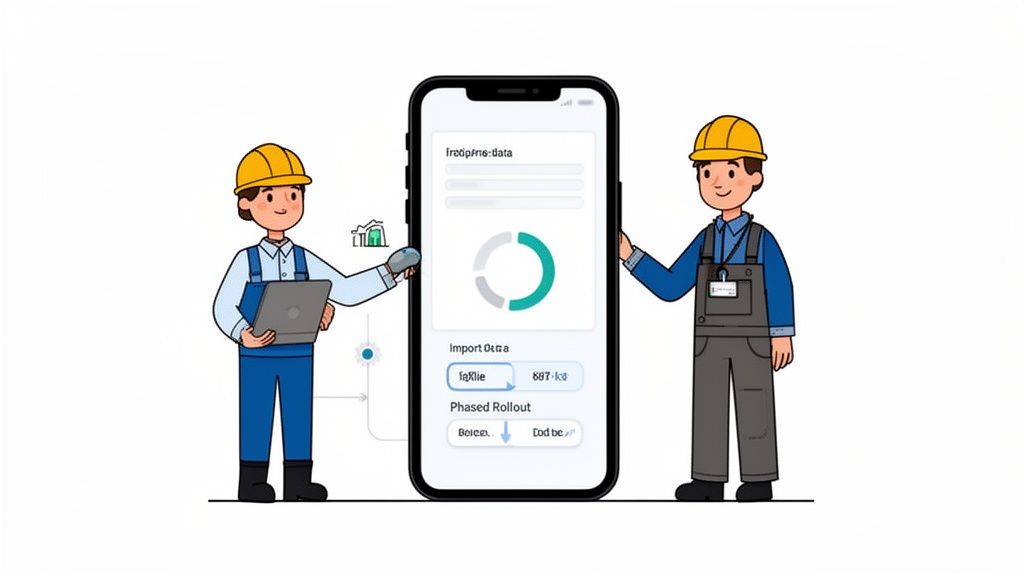
This initial phase is the perfect time to handle all the technical groundwork, like importing data from old spreadsheets and getting user roles configured. A smooth data migration is critical. It means your team logs in to find familiar information, not a scary blank slate.
Make Training Practical and to the Point
Forget generic, classroom-style training sessions. They just don't stick, especially for teams in the field. Your workers and supervisors need to see exactly how this software makes their job easier, not harder.
Keep the training short, hands-on, and focused squarely on the mobile app they’ll be using every day.
Show them precisely how to knock over their most common tasks, like lodging a hazard report from their phone or running through a pre-start checklist in a couple of taps. Highlight the time-saving features. For instance, show them how AI-powered tools can auto-fill parts of a report from a single photo, saving them from tedious typing.
When your team sees the software as a tool that gets them off the tools faster, adoption happens naturally. The goal is to show them it solves their problems, not just management’s.
This approach proves that the new enterprise risk assessment software isn’t just more admin; it’s a practical solution built for the reality of their work.
A Simple Onboarding Checklist
To keep your pilot program on track, follow a clear, step-by-step plan.
- Define User Roles: Get your permissions sorted from the start. Decide who can create risk assessments, who approves them, and who just needs to view reports.
- Import Core Data: Get your existing risk registers, SWMS templates, and subcontractor details loaded in. This makes the platform immediately useful.
- Run Targeted Training: Hold separate, brief sessions for field workers and their supervisors. Focus only on the features they will actually use daily.
- Get Direct Feedback: Actively ask the pilot team what’s working and what isn’t. Use their real-world input to tweak your setup before the wider rollout.
By proving the system’s value with a small, focused group first, you create internal champions. These are the people who will become your best advocates, showing the rest of the company that the new system is a genuine improvement, not just more paperwork from head office.
Measuring Your Return on Investment
Let's be honest, justifying new software often feels like an uphill battle. It's easy for leadership to see it as just another line item on the expense sheet. The trick is to reframe the conversation. This isn't about a compliance cost; it's a direct investment in operational efficiency and, ultimately, profit protection.
The ROI isn't just about preventing accidents, though that's a huge part of it. It’s about the tangible financial and operational wins you get every single day. To build a business case that actually lands, you need to track the right metrics from the get-go.
A great place to start is with the most obvious saving: admin time. Think about how many hours your site managers and safety coordinators are currently burning on paperwork, chasing subbies for their documents, or manually stitching together reports. Even a conservative reduction of 5-10 hours per week for each person adds up to some serious payroll savings when you multiply it across all your sites.
Key Metrics to Track
Go beyond the standard safety stats. The numbers that really turn heads are the ones tied to operational performance. These figures paint a clear picture of the software's real-world value.
- Faster Incident Reporting: How long does it currently take from when an incident happens to when it's properly logged and reviewed? Slashing this time means you can jump on corrective actions immediately, stopping a repeat issue in its tracks.
- Quicker Subcontractor Onboarding: Clock the average time it takes to get a new subcontractor fully compliant and ready to start work. When you cut this down from a couple of days to a few hours, you get projects moving and productive far sooner.
- Reduced Work Stoppages: Keep a close eye on how often, and for how long, work grinds to a halt because of a safety breach or missing paperwork. Preventing just one of these shutdowns can save you thousands in lost productivity.
The goal is to shift the conversation from, "How much does it cost?" to, "How much is it saving us?" Your ROI comes from dodging unnecessary costs and simply getting things done faster.
Calculating Cost Avoidance
A massive part of your return on investment is what we call cost avoidance. This is about all the money you didn't have to spend. It includes the obvious stuff, like hefty regulatory fines for safety breaches, which can be crippling in high-risk industries like construction and manufacturing.
But it also covers the less obvious savings. For instance, demonstrating a structured, organised approach to risk management can lead to lower insurance premiums. That’s real money back in your pocket.
Think about it this way: if the software helps you prevent just one serious incident that would have triggered a work stoppage and a potential fine, it’s probably paid for itself several times over. When you track these metrics, you’re not just buying software; you’re making a smart investment that directly protects your bottom line.
Your Questions Answered
We get asked a lot about how risk assessment software works in the real world. Here are some straight answers to the most common questions that come up.
Is This Software Suitable for a Small Construction Company?
Yes, absolutely. Gone are the days when powerful software was only for the big players. Modern, cloud-based systems are designed to be scalable.
Think of it like a subscription service. Smaller businesses can tap into the same high-level tools as major firms without the huge upfront cost. The best platforms grow with you, matching your needs whether you’re running two sites or twenty.
How Long Does It Take to Get Set Up?
You can be up and running surprisingly fast. With a user-friendly platform, getting your initial setup sorted and importing data from old spreadsheets can often be done in just a few days.
The trick is to partner with a provider who offers proper setup support. They’ll help you get started correctly from day one and steer you clear of the common traps.
The whole point is to get a quick, practical start that delivers immediate value to your team, not to kick off a long, complicated project that gets in everyone’s way.
Can the Software Handle Australian Requirements Like SWMS?
It has to. Any platform worth its salt in the Australian market will have built-in tools specifically for local compliance.
This means having ready-to-go workflows for creating, approving, and tracking Safe Work Method Statements (SWMS), managing high-risk work licences, and staying aligned with both national and state WHS laws. Honestly, if a system doesn't have this, it's a non-starter for Aussie construction and manufacturing.
Ready to see how a simple, powerful system can give you total control over your health and safety? Book a free demo with Safety Space and let us show you how to protect your people and your projects.
Ready to Transform Your Safety Management?
Discover how Safety Space can help you implement the strategies discussed in this article.
Explore Safety Space FeaturesRelated Topics
Safety Space Features
Explore all the AI-powered features that make Safety Space the complete workplace safety solution.
Articles & Resources
Explore our complete collection of workplace safety articles, tools, and resources.