
For anyone running a construction site or managing a factory floor, risk management software is your single source of truth for safety. It takes all the scattered paper forms, chaotic spreadsheets, and dusty compliance binders and pulls them into one clear, live picture of what's happening across your operation.
It’s about getting on the front foot, giving you a practical way to spot, track, and sort out hazards before they turn into incidents.
What Is Risk Management Software
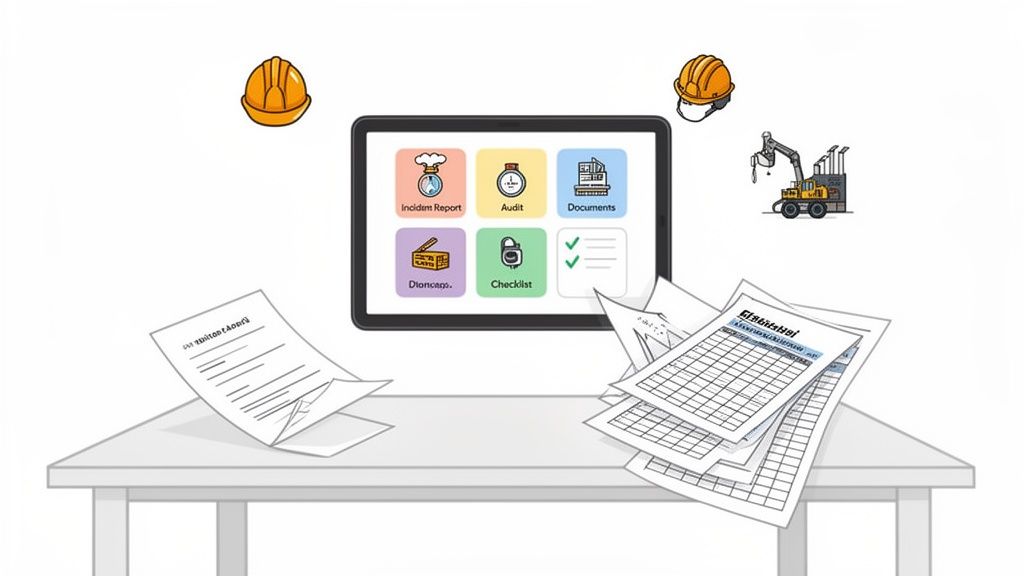
Think of it as the brain of your entire safety operation. No more chasing down paperwork, second-guessing if a team is using an old SWMS, or wondering if a critical fix was actually completed. Everything lives and gets updated in one central spot.
This simple shift moves your team out of the constant "firefighting" mode that drains time and energy. Instead, you get a structured, organised way to manage safety proactively. For a site manager juggling a dozen subcontractors or a plant manager overseeing complex machinery, it means you can finally get ahead of the curve instead of just reacting to problems.
Moving Beyond Spreadsheets and Paper
Let's be honest, the old way of doing things is broken. Filing cabinets stuffed with paper and spreadsheets that only one person understands just don't cut it anymore. This approach is slow, clunky, and creates dangerous gaps where crucial safety information gets lost, ignored, or becomes hopelessly out of date.
That’s the core problem this software solves. By digitising your safety processes, it creates a clean, unbroken audit trail for every single action. When an inspector from Safe Work Australia asks for a specific training record or incident report, you can pull it up in seconds, not spend hours digging through folders. That’s how you prove due diligence.
A strong risk management program protects an organisation’s data, reputation, and operational continuity. It makes sure that business relationships remain a strategic asset rather than a liability.
And this isn't just about physical site safety. The same principles apply to digital threats. A good system provides the framework for effective cybersecurity risk management, helping you identify and handle digital risks right alongside physical ones.
The Practical Benefits for Your Operation
Bringing a proper risk management platform into your business isn't just a box-ticking exercise. It delivers real, tangible benefits that you'll feel every single day. It provides a consistent, reliable way to manage safety across multiple sites, different teams, and all your subcontractors.
Here’s what that actually looks like on the ground:
- A Unified View: All your safety intel, from hazard reports and near-misses to compliance documents and toolbox talks, is in one dashboard. Nothing falls through the cracks.
- Improved Accountability: Corrective actions, follow-ups, and sign-offs are assigned to a specific person with a clear deadline. It creates real ownership.
- Real-Time Information: When a worker on site logs an incident with their phone, managers get an alert instantly. You can respond in minutes, not days.
- Simplified Compliance: The system automates the painful parts of record-keeping and reporting, making it far easier to meet your WHS obligations without drowning in admin.
At the end of the day, it's all about giving you better visibility and control. This software gives you the tools to build dependable safety processes that protect your people, your projects, and your business.
What Health & Safety Managers Actually Need from Their Software
When you start shopping around for risk management software, it's easy to get bogged down by endless feature lists. But let's be honest, flashy extras don't make a site safer. The key is to focus on practical tools that solve the real-world headaches your team faces every day, whether they're on a noisy factory floor or a muddy construction site.
Good software isn’t about ticking boxes; it's about making the core parts of your job simpler, faster, and far more reliable. These are the non-negotiable modules that every H&S manager should be looking for. Think of them as the foundations for turning a chaotic, paper-based system into an effective safety operation.
Instant Incident Reporting and Investigation
When a near-miss or an injury happens, speed is everything. Relying on a worker to fill out a paper form at the end of a long shift is a recipe for disaster. Critical details get forgotten, facts become fuzzy, and immediate risks are left to fester.
Modern software completely flips this on its head. A worker should be able to pull out their phone, open an app, and log an incident in minutes, complete with photos and a quick description. This should instantly trigger a notification for the site supervisor or H&S manager, letting them kick off the investigation process right away. It's not just about being faster; it's about capturing accurate, in-the-moment information when it matters most.
Digital Risk Assessments and SWMS
Let’s face it, static documents like Risk Assessments and Safe Work Method Statements (SWMS) become a liability the moment they're printed and stuffed in a folder. They're a pain to update, a nightmare to distribute, and you can never be 100% sure your team is working off the latest version. This is where serious compliance gaps open up.
The right software transforms these documents into active, living tools. When a new hazard pops up or a procedure changes, you update it once in the system, and it's instantly available to everyone. Workers can then review and sign off on the SWMS directly on a tablet before starting a high-risk job. This creates a clear, time-stamped digital trail proving everyone was brought up to speed.
This approach gives you genuine control over high-risk work. By digitising these crucial documents, you gain real visibility, making sure the procedures you planned are the ones being followed. You can see how integrated platforms provide better risk control software that directly connects your assessments to what’s happening on the ground.
A key function of risk management software is turning static compliance documents into active, trackable tools. It makes sure the plan you made in the office is the one being used on the ground, every single time.
Automated Audits and Inspections
Regular site inspections and safety audits are non-negotiable, but managing them with a clipboard and a spreadsheet is painfully inefficient. You’re left manually scheduling checks, chasing people for updates, and trying to track corrective actions. It's a massive admin drain where crucial tasks can easily slip through the cracks.
Good software automates this entire workflow. You can schedule recurring inspections for specific gear or work areas, assign them to the right people, and get notified the second they’re done. If an inspection flags an issue, like a missing guard on a machine, the system can automatically create a corrective action and assign it to a maintenance tech with a firm deadline. This closed-loop process guarantees that problems don't just get found; they get fixed.
This automated approach is quickly becoming the standard in high-risk industries. While it’s often talked about in healthcare, the growth of Australia's patient safety and risk management software market, hitting USD 21.7 million in 2024, shows a much broader trend. That market is tipped to reach USD 47.4 million by 2030, proving how much businesses are relying on software to prevent harm in complex environments. That principle is just as critical on a construction site as it is in a hospital. You can check out the market growth projections for more detail.
Centralised Document Control
Your safety management system is only as strong as the documents that back it up. If your subcontractors are using an outdated procedure, or a new starter can’t find the emergency plan, your whole system is undermined. Proper document control is all about making sure everyone has the right information, right when they need it.
A centralised document library is the only real solution here. It acts as the single source of truth for all your policies, procedures, manuals, and training records. With built-in version control, you can rest easy knowing that only the most current document is in circulation, killing the risk of people working from old information. This is absolutely vital for managing subcontractors, as you can give them direct access to your required safety docs, making sure they're aligned with your standards before they even set foot on site.
How to Choose the Right Software for Your Business
Picking the right software for risk management is about more than just ticking boxes on a feature list. It’s about finding a tool that actually fits how your business operates on the ground. A platform can look brilliant in a sales demo but be completely impractical for your teams, so a careful, considered approach is essential before you sign on the dotted line.
The real goal is to find a system that makes safety management a seamless part of your daily workflow, not another administrative hurdle for your staff to jump over. This means looking beyond the bells and whistles to how it handles compliance, manages complex teams, and performs in real-world site conditions.
Aligning With Australian WHS and ISO Standards
First things first: any software you consider must support your legal and regulatory obligations. Compliance with Australian Work Health and Safety (WHS) laws isn't optional, and the right platform should make this easier, not harder. You need a system that provides a clear, auditable trail for everything you do.
Look for systems built with standards like ISO 45001 in mind. This makes sure the software’s framework for identifying hazards, assessing risks, and implementing controls aligns with internationally recognised best practices. It should help you generate the reports and documentation needed to demonstrate due diligence without having to spend days compiling paperwork.
Multi-Site and Subcontractor Management
For most businesses in construction and manufacturing, operations are a messy mix of multiple sites and a constantly changing roster of subcontractors. Trying to manage this complexity with spreadsheets or disconnected systems is a recipe for disaster. Your software needs to give you a single, unified view of your entire operation.
The right platform lets you see what’s happening at every site, with every team, in real time. It means a project manager in Perth can have the same visibility over subcontractor compliance as a manager in Sydney.
Think about how the software actually handles this. Can you set up different sites with their own specific risk profiles and documentation? More importantly, does it offer a portal for subcontractors to upload their licenses, insurance, and SWMS before they even step on site? This one feature alone can dramatically reduce your administrative load and your compliance risk.
This decision tree shows a simple way to think about your core needs when selecting H&S software.
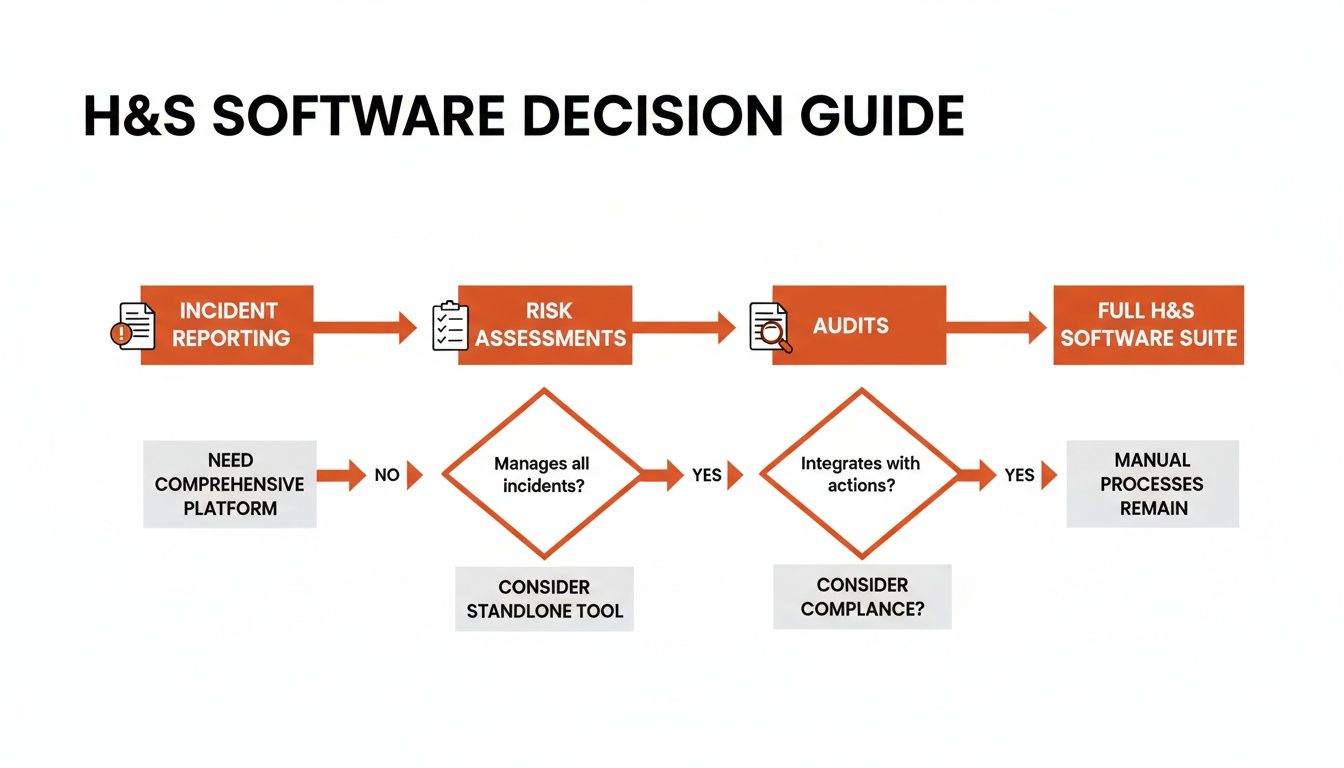
Starting with the essentials like incident reporting and risk assessments helps you build a system that can grow with your company.
Integration and Connectivity
Your risk management software doesn’t exist in a bubble. It needs to talk to the other systems you already rely on, like project management tools, HR platforms, or accounting software. Without proper integration, you’re just creating another information silo and forcing your team into painful double data entry.
Check out the platform's API capabilities. A good API allows for a smooth exchange of data, so information like worker details or project timelines can be automatically synced. For example, integrating with your HR system can make sure new starters are automatically assigned mandatory safety inductions, and their training records are kept up to date without anyone lifting a finger. You can explore how a connected system provides a better foundation for your health and safety management software and builds a more complete operational picture.
Mobile and Offline Functionality
For any business with teams in the field, mobile access is completely non-negotiable. Your workers on a construction site or in a remote manufacturing plant won't always have a reliable internet connection. If your safety app stops working the moment the signal drops, it’s just not fit for purpose.
True offline functionality is critical. This means a worker can complete an inspection, fill out a risk assessment, or log an incident on their tablet or phone without any internet. The app should then automatically sync all that data back to the main system as soon as a connection is restored. This simple capability is often the difference between a tool that actually gets used and one that gets ignored.
Reporting and Analytics
Finally, the data you collect is only useful if you can turn it into actionable information. The best software for risk management goes beyond just storing information; it helps you understand it. Look for platforms with customisable dashboards and reporting tools that let you spot trends and identify recurring problems before they escalate.
For example, can you easily pull a report showing the most common types of near-misses across all your sites in the last quarter? This kind of insight allows you to be proactive, letting you address a small issue before it becomes a major incident. The market for these tools is growing because they deliver real value. In Australia, the risk-based monitoring software market reached USD 23.2 million in 2024 and is expected to hit USD 43.06 million by 2033, with cloud-based systems leading the way. This growth reflects the demand for flexible, real-time oversight in industries like construction and manufacturing.
Software Selection Checklist
Choosing the right software can feel overwhelming. This simple checklist breaks down the key criteria to help you compare your options and find the best fit for your operational needs.
| Selection Criterion | Why It Matters | What to Look For |
|---|---|---|
| WHS & ISO Compliance | Your software must support legal obligations and provide a clear audit trail. | Features aligned with Australian WHS laws and ISO 45001 standards. Look for automated compliance reporting. |
| Multi-Site & Subcontractor Oversight | You need a single view of all operations, especially with a distributed workforce. | A centralised dashboard, site-specific profiles, and a dedicated subcontractor portal for document uploads (licenses, SWMS). |
| System Integrations | To avoid data silos and manual entry, the software must connect with your existing tools. | A robust API that can connect to your HR, project management, and accounting systems. |
| Reporting & Analytics | Data is useless without insight. Good reporting helps you identify trends and prevent incidents. | Customisable dashboards, trend analysis, and automated report generation for leading and lagging indicators. |
| Mobile & Offline Capability | Field teams need a tool that works anywhere, regardless of internet connectivity. | A native mobile app with true offline functionality that syncs data automatically once a connection is re-established. |
By working through these points, you can move past the sales pitch and focus on how a platform will perform in the real world. It’s the difference between buying a tool and investing in a solution.
How AI Is Making Risk Management More Practical
Talk of Artificial Intelligence often gets complicated and futuristic, but when it comes to software for risk management, its real value is much more down-to-earth. It’s not about replacing safety managers; it’s about giving them smart tools that spot hidden patterns and automate tedious tasks, freeing them up to focus on what actually keeps people safe.
The whole point of these AI-driven features is to be forward-looking. Instead of just reacting to incidents after they’ve happened, the software helps you anticipate where the next problem might crop up.
Predictive Analytics That Actually Work
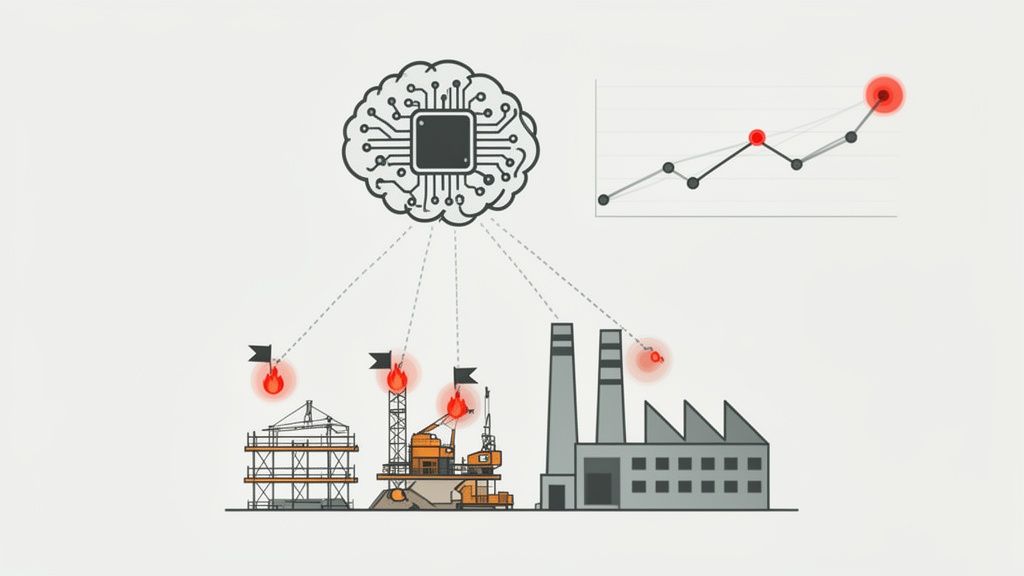
One of the most powerful applications of AI is predictive analytics. The system constantly sifts through your historical data, like incident reports, near-misses, inspection findings, and audit results, to pick up on subtle trends that are almost impossible for a person to see. Think of it as having a tireless assistant who never stops looking for trouble spots.
For example, the software might notice a small but consistent rise in minor hand injuries on a specific production line every Friday afternoon. It could then automatically flag this pattern for the plant manager, suggesting worker fatigue or a pre-weekend rush is creating a high-risk situation. This gives you a crucial window to step in before a minor cut becomes a serious injury.
The core function of predictive AI in safety is to connect the dots between seemingly unrelated, minor events to reveal a bigger risk. It turns your past data into a practical warning system for the future.
AI That Reduces Your Admin Load
A massive chunk of a safety manager's day is consumed by paperwork. AI-assisted form completion tackles this head-on. Instead of building every risk assessment or SWMS from scratch, the system can pre-fill documents with relevant hazards and controls based on the job type, location, and equipment being used.
This does more than just save time; it drives consistency. It makes sure known risks tied to a particular task are always included, reducing the chance of human error or simple oversight. The manager’s job then shifts to reviewing and refining the document, not building it from the ground up.
Automated Reporting and Real-Time Alerts
Gathering data is easy. Turning it into something useful for a management meeting is the hard part. AI-powered software automates this grind by generating clear, management-ready reports from raw site data. You can get instant insights on your leading and lagging indicators without spending hours battling spreadsheets.
The system can also be set up to send real-time alerts for specific issues. For instance, advanced techniques like biometric solutions for fraud risk reduction can add another layer of security for site access or critical sign-offs. More simply, if multiple workers flag the same piece of equipment during their pre-start checks, the AI can automatically generate a maintenance request and notify the supervisor. You can discover more about how AI is revolutionising workplace safety and making these forward-looking tools more accessible.
How Top Industries Use This Software
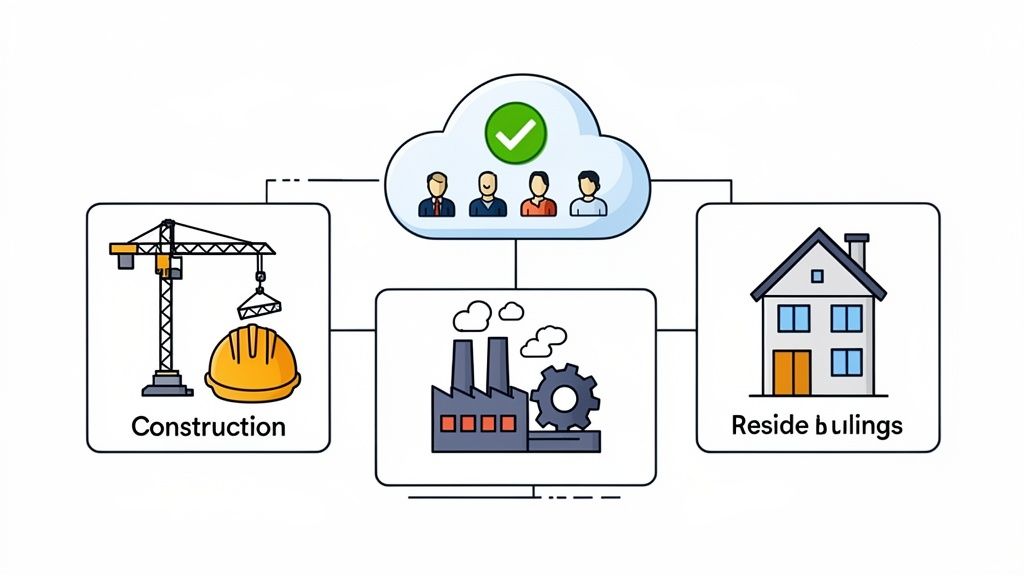
The real test of any software for risk management isn’t a long list of features, but how it solves costly, on-the-ground problems. For directors and managers in high-stakes fields like construction and manufacturing, a generic, one-size-fits-all solution just doesn’t cut it. The software has to be practical, addressing the unique pressures of managing complex machinery, scattered job sites, and dozens of subcontractors.
This is where the theory stops and real-world application begins. Let's look at how specific roles in these key industries use this kind of software to get out from under chaotic paperwork and gain genuine control over their operations.
For Construction Directors Managing Subcontractors
A construction director’s biggest headache is often the risk that comes attached to subcontractors. With multiple teams spread across different sites, making sure every single one is compliant is a logistical nightmare. Inconsistent paperwork, missing credentials, and outdated SWMS are all too common, creating serious liability.
The software tackles this head-on by creating a single, undisputed source of truth for subcontractor management.
- The Problem: Constantly chasing subcontractors for their insurance certificates, licenses, and SWMS, with no central place to track what's been submitted. This chaos often means non-compliant contractors end up on-site, ready to work.
- The Software Solution: A dedicated subcontractor portal where they must upload and verify all required documents before they're even approved for work. The system automatically flags expired licenses or missing paperwork, blocking site access until everything is in order. This gives the director a live, unified view of compliance across every single project.
By forcing compliance upstream, the software shifts the administrative burden off your project managers. It builds a system where safety and compliance are prerequisites for getting paid, not an afterthought.
For Manufacturing Plant Managers
For a plant manager, the world revolves around machinery, hazardous materials, and the rigid procedures that keep the production line moving safely. The risk isn't just a one-off incident; it's a systemic failure in processes like lockout-tagout (LOTO) or chemical handling that can lead to catastrophic accidents and expensive shutdowns.
Here, the software acts as a digital enforcer of correct procedure, making sure critical checks and balances are actively followed every single time, without fail.
- The Problem: Relying on paper checklists for pre-start machinery inspections or LOTO procedures. We all know what happens: forms get lost, pencil-whipped, or filled out incorrectly, creating a dangerous false sense of security.
- The Software Solution: Digitised, mandatory inspection forms on a tablet. Workers are guided step-by-step and simply can't skip critical checks. For LOTO, the system can require photographic evidence that a machine is correctly isolated before work starts, creating a time-stamped, unchangeable record.
For Large Residential Builders
Large residential builders face a different kind of challenge: managing dozens of crews spread across numerous sites, all performing similar high-risk tasks. The key risk here is inconsistency. A toolbox talk delivered perfectly on one site might be rushed or completely missed on another, creating uneven safety standards across the business.
This is where the software drives standardisation and accountability.
- The Problem: There's no standard way to conduct and record daily toolbox talks or pre-start meetings. This makes it impossible to prove that critical safety information was actually communicated, especially when an auditor comes knocking.
- The Software Solution: A central library of approved toolbox talk templates. Site supervisors run the meeting on a tablet, record attendance with digital sign-offs, and submit the record instantly. Management gets immediate visibility, confirming safety briefings are happening consistently across every crew, every single day.
Common Implementation Mistakes to Avoid
Even the best risk management software on the market will fall flat if the rollout is clumsy. Bringing in a new system is a big deal for any team, and if you don't lay the proper groundwork, you’ll find it gets ignored, misused, or abandoned completely.
The goal here is a smooth transition, one that shows everyone from day one how this new tool makes their job easier, not harder. You can sidestep the usual headaches by planning ahead and avoiding these three common pitfalls that trip up even the most well-intentioned businesses.
Overly Complex Systems That Workers Ignore
Let’s be honest. The single biggest reason new software fails is a lack of buy-in from the people who need it most: your crew on the ground. If a safety app is confusing, slow, or cluttered with bells and whistles they’ll never touch, they will simply find a way to work around it. It’s just human nature.
The fix? Involve your team before you buy.
- Bring a few supervisors or team leads into the demos. They’re the ones in the trenches and know exactly what will work in the field and what will get rejected.
- Prioritise simplicity and a clean mobile interface. The system should feel as intuitive to use as any other app on their phone.
- Run a small pilot program with one team or on one site before going all-in. This is your chance to get real feedback and iron out the kinks early.
When a system is built with the end-user in mind, it’s a system that will actually get used.
Messy Data Migration From Old Systems
Pulling all your historical safety data from scattered spreadsheets, old paper forms, and clunky databases into a shiny new system is a make-or-break step. If you rush this or plan it poorly, you risk poisoning the well from the start with inaccurate or incomplete information. Garbage in, garbage out, and all those powerful new reporting tools become useless.
A clean data migration is the foundation of your new system. When you start with organised, accurate historical data, your new software can deliver reliable insights from day one.
Treat the data migration like its own mini-project. Set aside proper time to clean up your existing records before the transfer. That means weeding out duplicate entries, standardising formats, and archiving old files that are no longer relevant. Get on the phone with your software provider, understand their process, and lean on their expertise to make sure it all goes smoothly.
Training That Doesn’t Connect to Daily Work
A single, four-hour training session that crams every single software feature down everyone's throat is a monumental waste of time. Your site supervisors have completely different needs from your plant operators or subcontractors. Generic, one-size-fits-all training just doesn't stick because it fails to show people how the tool solves their specific, everyday problems.
Instead, create short, sharp, role-specific training modules. Show a supervisor how to approve a SWMS on their tablet in under two minutes. Show a worker how to log a near-miss with their phone in 60 seconds flat.
When people immediately see how the software replaces a tedious part of their day, they don’t just accept it, they embrace it.
Your Questions, Answered
When you're looking at bringing in a new system, a lot of practical questions come up. Let's get straight into the most common ones we hear from businesses just like yours.
How Long Does This Actually Take to Set Up?
Let's be realistic: this isn't an overnight switch. Getting new software properly bedded in involves a few distinct phases: the initial setup, moving your existing safety data across, and then getting your people comfortable using it.
For a smaller, single-site business with clean data, you could be up and running in a matter of weeks. But for larger, more complex operations with multiple sites, unique workflows, and years of historical records to import, it’s more realistic to think in terms of a few months. A good provider won't sugarcoat this; they'll give you a clear, achievable timeline from day one.
The most successful rollouts are treated like a dedicated project, not a side-hustle. The key is to allocate the right people and give them the time to do it properly. That’s how you get it done right, the first time.
Will My Team in the Field Actually Use It?
This is probably the most critical question of all, and it's a fair one. Whether your team on the ground adopts the new tool comes down to one simple, non-negotiable rule: it has to be faster and easier than what they were doing before. If it’s not, they’ll find a workaround.
We see the highest adoption rates when the mobile app is dead simple and, this is crucial, works offline. Think about it: a worker on a remote site with dodgy reception can't stop what they're doing to find a signal. They need to be able to complete their inspection or log a hazard right there and then, without a fuss.
Once they realise the app genuinely cuts down their paperwork and helps them get on with the real work, they’ll use it. It's that simple.
Isn't This Kind of Software Just for Big Corporations?
Not anymore. It's true that large enterprises were the first ones on board with this technology, but the game has completely changed. Today, many of the best platforms are built on scalable, subscription-based models designed specifically with small and medium-sized businesses in mind.
For a lot of smaller companies, the time and admin costs of wrestling with spreadsheets and paper forms are surprisingly high. A modern software subscription is often far more cost-effective than you'd think, giving you a level of organisation and compliance tracking that’s nearly impossible to achieve manually.
Ready to see how a modern, all-in-one platform can simplify safety and compliance for your business? Safety Space offers a fully customisable solution to protect your people and your profits. Book a free demo and H&S consultation to see it in action.
Ready to Transform Your Safety Management?
Discover how Safety Space can help you implement the strategies discussed in this article.
Explore Safety Space FeaturesRelated Topics
Safety Space Features
Explore all the AI-powered features that make Safety Space the complete workplace safety solution.
Articles & Resources
Explore our complete collection of workplace safety articles, tools, and resources.