
For years, site safety has been bogged down by paper forms and clunky clipboards. A worker spots a hazard, fills out a form, drops it in a tray, and hopes for the best. Workplace safety apps change all that.
Think of them as a digital toolkit in every worker's pocket. Whether you call them workplace health and safety apps, WHS apps, or simply a health and safety app, the job is the same: using a simple app on their phone or tablet, anyone can instantly report a hazard, run through a safety check, or log an incident. The days of important information getting lost or delayed between the field and the office are over.
What Workplace Safety Apps Actually Do

At its heart, a workplace safety app is a direct line from your frontline crew to your safety team. It’s like a digital Swiss Army knife, giving everyone on site a quick, simple way to flag issues the moment they appear. This single function cuts through some of the most stubborn problems in managing workplace health and safety.
The old paper-based system was slow, inefficient, and full of holes. Delayed reports meant hazards could sit unfixed for hours or even days, putting more people at risk. Missing paperwork created massive compliance headaches, while bad handwriting made it impossible to get a clear picture of what was actually happening.
Safety apps were designed to fix these exact problems.
Solving Old Problems with New Tools
Instead of grabbing a clipboard, a worker can now snap a photo of a frayed electrical cord and submit a report in seconds. A machine operator completes their pre-start check on a tablet, and that data is instantly available to the safety manager. No more chasing down paper checklists at the end of the day.
This immediate access to accurate information is the foundation of any modern health and safety management system. To see how these digital tools fit into the bigger picture, you can explore our guide on the 9 key elements of a health and safety management system.
The whole point is to get vital safety information from the field to the office without delay. This real-time flow allows teams to stop just reacting to incidents and start preventing them.
More Than Just Reporting
While incident reporting is a core feature, these apps do so much more. They bring structure and accountability to safety processes that are often chaotic.
- Digital Checklists: Ensure daily equipment checks and site inspections get done properly and on time, with a clear digital trail.
- Instant Notifications: Automatically alert supervisors or maintenance teams the second a high-risk hazard is reported, so they can take immediate action.
- Centralised Information: Keep all your safety documents, procedures, and training materials in one place, accessible to any worker right from their device.
These tools are becoming critical in Australia, especially as worker concerns about safety continue to rise. The Safety Gap Report 2025 found that 65% of workers have faced aggression from customers, and a staggering 76% don't feel safe enough to make mistakes without facing serious consequences. Apps give them a direct, documented channel to report these issues, helping everyone monitor and address workplace hazards.
To get a feel for how apps can build a broader sense of safety, especially in the digital space, have a look at this complete guide to security awareness training. At the end of the day, workplace safety apps are about one thing: getting the right information to the right people at the right time.
What Are the Must-Have Features in a Health and Safety App?
Not all safety apps are built the same. When you’re picking a tool that your team will rely on every day, you need to cut through the marketing fluff and look at the features that will actually get used on site. It’s like buying any other critical piece of gear. It has to be reliable, functional, and simple enough for your crew to pick up and use without needing a manual.
Choosing the right app is about knowing what's non-negotiable. These are the core functions that make the difference between a genuinely useful tool and just another icon cluttering up a phone. Without them, you’re just digitising old headaches instead of actually solving them.
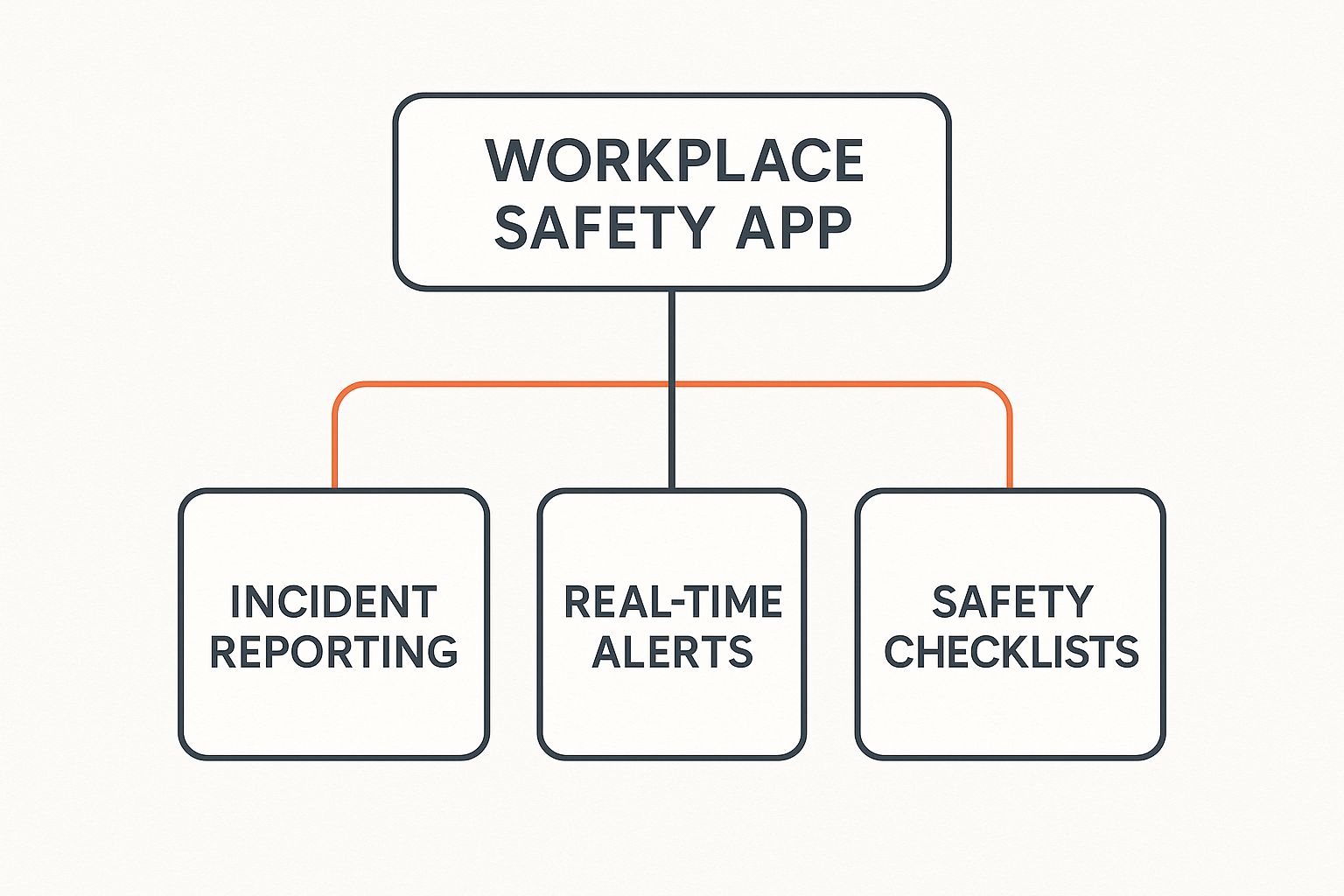
This image shows how essentials like incident reporting, alerts, and checklists are the true foundation of any solid digital safety system.
Instant Incident and Hazard Reporting
The single most basic feature is the ability for any worker to report an issue the second they spot it. This closes that dangerous time gap between a hazard appearing and a supervisor actually knowing about it. A good app makes this process take seconds, not minutes.
Your app must let workers attach photos and videos right from their phone. A picture of a frayed cable or a short video of a leaking drum tells a much more powerful story than a written description ever could. It’s instant, clear proof that helps managers gauge the urgency from wherever they are.
Digital Safety Checklists and Forms
Let's face it: paper checklists are a liability. They get lost, ruined by rain, or filled out with handwriting you can’t even read. A quality safety app swaps them for clean, customisable digital forms for everything from pre-start checks to full site safety inspections.
This creates an immediate, organised record of every check. A supervisor can see in real-time that a machine was inspected before the shift, confirming procedures are actually being followed. For example, a crane operator completes their daily inspection on a tablet, and the safety manager instantly gets a notification that it’s done and compliant.
The goal here is simple accountability. Digital forms provide a clean, time-stamped record that proves safety procedures are being completed correctly, which is vital during an audit or incident investigation.
SWMS, JSAs and Compliance Records in One Place
For Australian sites, checklists are only half the paperwork story. A good WHS app also puts Safe Work Method Statements (SWMS) and Job Safety Analyses (JSAs) on the device, so a crew can pull up the right document, review it, and sign off on a tablet right where the work is happening. No more hunting down the site folder.
The same goes for compliance records. Look for an app that tracks training records, licences and certifications, and equipment maintenance schedules, with automated alerts when something is about to expire. It saves you running a separate spreadsheet, and it means nothing critical falls through the cracks. For the full picture of how these records fit together, our guide to WHS software covers it in more depth.
Corrective Action Tracking
Reporting a hazard is only step one. What really matters is making sure it gets fixed. A solid workplace safety app must include a system for assigning and tracking corrective actions. This is what turns a report into a resolved issue.
Imagine a worker reports a trip hazard. Through the app, a supervisor can immediately assign the task of clearing the area to a specific person, set a deadline, and get a notification, often with a photo of the cleared space, once it's done. It’s a closed-loop system that documents the entire life of a risk, from identification to resolution.
Offline Functionality Is Non-Negotiable
Many worksites, whether it’s a remote construction project or a factory floor, have spotty mobile reception or unreliable Wi-Fi. An app that only works when it’s online is completely useless in these environments. That’s why offline functionality is an absolute must-have.
This means a worker can complete an inspection, fill out a form, or draft an incident report without any internet. The app saves everything securely on the device. The moment it reconnects to a network, it automatically syncs all the saved data, guaranteeing nothing ever gets lost.
Real-Time Alerts and Communication
Finally, the app has to be able to get critical information to the right people, fast. This includes automated push notifications that alert key personnel the moment a high-risk incident is logged.
For bigger emergencies, a robust app should offer comprehensive emergency evacuation features, guiding everyone through a crisis efficiently. This instant communication loop ensures that problems are seen and acted on immediately, leading to a much faster, more organised response.
How New Tech is Changing WHS Apps
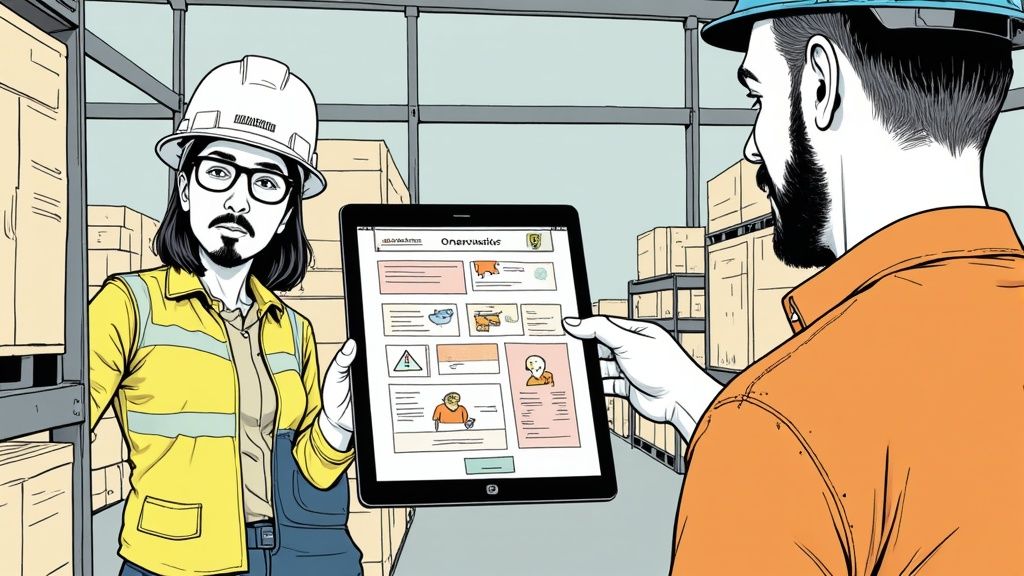
Workplace safety apps are getting a whole lot smarter. They’re moving beyond being simple digital clipboards for filling out forms and are starting to use new tech to spot problems before they even happen.
This is a huge shift. We’re moving from reacting to incidents to preventing them. It’s like the difference between documenting an accident after it’s happened and having a tool that helps you stop it from occurring in the first place. These apps use the devices your crew already carry to gather and analyze site information in powerful ways.
Using AI to Spot Risks in Real-Time
One of the most practical upgrades is coming from artificial intelligence, or AI. It might sound complex, but its application on a work site is very simple. Modern safety apps can now use a phone's camera to automatically identify hazards.
This technology, known as computer vision, can be trained to recognise specific things in its line of sight. Imagine it scanning a work area and instantly flagging that a team member isn't wearing their hard hat in a designated zone. It can also spot if a fire extinguisher is blocked or if a safety guard is missing from a machine, sending an immediate alert straight to a supervisor.
This isn’t about playing 'big brother'. It’s about having an extra set of digital eyes on site, eyes that never get tired and can catch small risks before they snowball into big problems. If you're interested in digging deeper, you can learn more about how AI is revolutionising workplace safety and its real-world uses.
Predicting Problems with Data
Beyond just seeing hazards, new tech helps safety apps understand them. Every incident report, near miss, and safety observation your team logs creates a data point. When you have thousands of these points, you can start to see patterns you’d never notice otherwise.
This is where predictive analytics steps in. A smart app can process all your historical safety data to forecast where an incident is most likely to happen next. It might reveal that a certain type of injury consistently occurs on a specific machine during the night shift, or that trip hazards are most common in one particular corner of the warehouse.
This data-driven approach means you can focus your safety efforts where they'll actually make a difference. Instead of generic toolbox talks, you can deliver targeted training for that night shift crew or schedule more frequent inspections for that high-risk warehouse zone.
Protecting Your Lone Workers
Technology is also fundamentally changing how we look after employees who work by themselves. For anyone in remote locations, think mining, transport, or utilities, lone worker monitoring features are becoming non-negotiable.
These systems use a worker's phone or a wearable device to keep them connected and safe.
- GPS Tracking: Supervisors can see a worker's real-time location on a map.
- Automated Check-Ins: The app prompts the worker to confirm they’re okay at set times. If they miss a check-in, an alert is sent automatically.
- Fall Detection: Using the device's built-in sensors, the app can detect a sudden fall and trigger an emergency alert, even if the worker is unconscious or unable to call for help.
From AI-powered hazard detection in construction to wearable devices that monitor fatigue in manufacturing, these tools are making a tangible difference.
New technologies like augmented reality are also completely changing how we train people, which has a massive knock-on effect for safety. You can learn more about how it works by checking out these resources on Augmented Reality for Training Your Workforce.
Getting Your Crew to Actually Use a Safety App
Right, so you've found the perfect workplace safety app. It's got all the bells and whistles. But here's the cold, hard truth: the best app in the world is totally useless if it just sits on your crew’s phones, unopened.
Getting your team to actually use a new bit of tech is often the biggest hurdle you'll face. The secret isn't forcing it on them. It's showing them in plain terms how it makes their job easier and safer, not just piling more digital paperwork onto their day.
If the app feels like just another box-ticking exercise for management, your team will see right through it. But if they see it as a tool that gets hazards fixed faster and genuinely protects them on site, you’ll get the buy-in you need. This isn't about a single big announcement, but a series of simple, practical steps.
Start by Answering "What’s In It For Me?"
Before you even think about a rollout date, you need a solid answer to the one question every single worker is thinking: "What's in it for me?" You have to frame the entire conversation around how the app benefits them, directly. Forget leading with compliance or data collection.
Instead, zero in on the practical improvements they'll see on the job, every single day.
- Faster Fixes: Explain that when they snap a photo of a hazard and report it, that report goes straight to the person who can actually fix it. No more lost paperwork or hoping a supervisor remembers to pass the message along.
- Less Paperwork: Show them how a five-minute digital checklist replaces a clunky, wet, and often-lost paper form. It’s quicker, cleaner, and means less time spent on admin at the end of a long, hard shift.
- A Voice That's Heard: Position the app as a direct line to the safety team. It gives everyone on site an equal and immediate way to flag concerns, making them feel like their input is valued and, more importantly, acted upon.
When your crew sees the app as a tool that helps them, not a system that monitors them, you've won half the battle. This is about making their work life better, not just adding a new rule.
A Practical Plan for Rollout and Training
A massive, site-wide "big bang" launch is a recipe for disaster. It just creates confusion, frustration, and overwhelms your team. A much smarter approach is a phased rollout, starting with a small, receptive group who can help you iron out the kinks.
Run a Pilot Program: Pick a single crew or a small team to be your test group. These should be people you trust to give honest, unfiltered feedback. Let them use the app for a week or two and tell you what works and what doesn't. Their feedback is pure gold for fixing issues before you go live for everyone.
Use Toolbox Talks for Training: Forget dragging everyone into a classroom for a long, boring presentation. The best training happens in short, sharp bursts right there on the job. Dedicate a five-minute toolbox talk to a single app feature. This week, show everyone how to submit a hazard report. Next week, focus on completing a pre-start check.
Keep it simple and focused. The goal is to build confidence one small task at a time. This micro-learning approach is far more effective than trying to teach them everything all at once.
- Appoint On-Site Champions: In every crew, there are a few people who are a bit more tech-savvy or just generally enthusiastic. Make them your 'app champions'. Give them a little extra training so they can help their colleagues with basic questions. Peer-to-peer support is often way more effective and less intimidating than having to ask a supervisor every time.
Get Your Supervisors on Board First
Before the wider crew ever hears about the app, your supervisors and team leaders need to be completely confident using it. They are the ones answering questions and setting the example on site, and if they treat the app as a burden, so will their teams.
Run dedicated sessions with your leadership group first, and let them play around with the app for a week before the pilot kicks off. When a supervisor runs their daily checks, toolbox talks, and hazard reports through the app, it sends a clear message: this is how work gets done now, not an optional extra.
Tackling Common Problems Head-On
Even with the best plan in the world, you'll hit a few roadblocks. The trick is to see them coming and have simple, practical solutions ready to go.
Problem: "The site has bad internet." This is a huge one for construction and remote sites. The only real answer here is to choose an app with solid offline functionality. Make it clear to your team they can fill out reports and checklists anytime, anywhere, and the app will automatically sync everything up when they're back in range.
Problem: Resistance from "old school" workers. Some of your most experienced people might be the most resistant to new technology. Don't try to force it. Instead, pair them up with one of your app champions who can patiently walk them through it. Often, once they see for themselves how quick and easy it is, they'll come around.
Problem: "I forgot to use the app." In the beginning, old habits die hard. Use simple, visual reminders. Put up QR codes around the site that link directly to a specific checklist in the app (e.g., a "Safe Work Area Setup" checklist at the entrance to a new zone). Gentle, consistent nudges work far better than stern warnings.
Ultimately, getting everyone on board with a workplace safety app comes down to proving its value in the real world. When your team sees that their reports lead to real, visible action, a dodgy ladder being replaced, a spill being cleaned up immediately, they won’t need convincing to use it. They'll want to.
Using App Data For Real Safety Improvements
A workplace safety app is more than a digital logbook. It's a powerful engine for gathering intel from the frontline. But collecting all that information is only half the job. The real value comes when you turn those numbers and reports into tangible safety improvements on your worksite.
You don't need to be a data scientist to do this. It’s about using the app’s dashboard to spot patterns in a practical, boots-on-the-ground way. The information your crew submits every single day paints a clear, honest picture of the risks they face, letting you get ahead of incidents instead of just reacting to them.
This data gives you the hard evidence needed to make smart, targeted decisions. You can finally stop guessing where the next problem might pop up and start using real information to fix the root causes before anyone gets hurt.
From Raw Data To Actionable Insights
Most safety app dashboards are designed to make finding these patterns pretty straightforward. They lay out the information visually, often with simple graphs and charts, so you can quickly see what’s going on without getting lost in spreadsheets.
Your goal here is to look for trends. Are you seeing a spike in specific types of reports? Do certain issues keep appearing in the same location? This is where the data starts telling a story about your worksite’s health.
Look for recurring themes like these:
- Time-Based Patterns: Are more incidents reported during a particular shift or on a certain day of the week? This could point to issues like fatigue or the pressure of specific weekly tasks.
- Location-Based Hotspots: Is one corner of the factory or a specific area of the construction site generating a heap of hazard reports? That’s a massive red flag that a persistent environmental or equipment problem needs a closer look.
- Incident Type Clusters: Seeing a lot of what is a near miss reports related to moving vehicles or dodgy scaffolding? This helps you pinpoint which procedures or gear need immediate attention.
Making Data-Driven Decisions
Once you’ve identified a pattern, you can take specific, targeted action. This is how the data from your app creates real-world change.
For example, if the data shows a high number of trip hazards reported near a fabrication area, the solution is direct. You might reorganize the workflow in that zone, install better cable management, or run a toolbox talk focused specifically on housekeeping for that team. Without the data, you might never have noticed that cluster of small issues building up.
The information collected by the app provides the 'why' behind your safety initiatives. It allows you to explain to your team exactly why you are changing a procedure or providing extra training, grounding your decisions in real-world evidence from their own reports.
You can also see how your company’s safety performance stacks up against others in your field. For instance, Safe Work Australia's data reporting tool lets you measure your injury frequency rates against industry benchmarks. By analysing this data alongside your app's reports, you can build safety programs that tackle both common industry risks and your site-specific problems.
Common Questions About Workplace Safety Apps
When you start digging into workplace safety apps, a few practical questions always bubble to the surface. It's one thing to see the feature list on a website, but another thing entirely to figure out how an app will actually fit into your daily operations and, just as importantly, your budget.
We’ve tackled some of the most common, and critical, questions that managers and business owners ask. The answers are straight to the point, designed to give you the clarity you need without the confusing jargon or sales fluff.
How Much Do Workplace Safety Apps Typically Cost?
The cost for a workplace safety app can swing pretty wildly, mostly depending on your company's size and the exact features you need. The most common setup is a subscription model, usually billed ‘per user, per month’. For a small crew, you might see prices floating around the $10 to $30 per user each month mark.
For bigger companies, providers nearly always create custom pricing plans. Many apps also offer different tiers. A basic plan might just cover simple incident reporting and be more affordable, while a premium plan with advanced analytics and software integrations will naturally cost more.
The trick is to look past the monthly fee and think about the total cost. Always ask if there are any one-time setup fees or extra charges for initial training and ongoing support. The best way forward is to get a detailed quote based on your exact number of users and the list of features your operation genuinely needs.
Will My Workers Actually Use a Safety App?
This is probably the most important question of all. The answer really boils down to two things: how easy the app is to use and how you introduce it to your team. If an app is clunky, slow, or a pain to navigate, your crew will find every excuse to avoid it.
Look for an app with a simple, clean design where key jobs, like reporting a hazard, can be done in under a minute. The rollout process is just as critical. Instead of just sending out a memo, explain why you're bringing in the app and how it makes their job safer and less frustrating.
A key selling point for your team is speed. Show them how using the app gets hazards fixed faster than the old paper system ever could. When they see their reports are being seen and acted on quickly, they will be much more likely to use it consistently.
Simple training is also essential. Run short, sharp demonstrations during a toolbox talk instead of scheduling a long, formal training session. Focus on one feature at a time to build their confidence.
What Happens If There Is No Internet on Site?
This is a make-or-break issue for any business in construction, mining, or with remote field teams. A good workplace safety app must have solid offline functionality. This isn't just a ‘nice to have’; it's completely non-negotiable.
Offline mode means a worker can fill out a form, complete an inspection checklist, or log an incident on their phone or tablet without any internet connection. The app simply saves all the information securely on the device itself.
As soon as that device reconnects to a Wi-Fi or mobile data network, the app should automatically sync up and upload all the stored reports. This ensures that no data is ever lost, even when your teams are working in the most remote spots with bad reception.
How Secure Is the Data We Put into a Safety App?
Data security is a perfectly valid concern. When you're logging sensitive incident details and employee information, you need to know it's locked down tight. Reputable workplace safety app providers use several layers of security to keep your information safe.
This typically includes data encryption, which scrambles the data both when it's being sent from a device and when it's stored on the provider's servers. They should also be using secure, well-established cloud hosting services, like Amazon Web Services (AWS) or Microsoft Azure.
Before you commit to an app, ask the provider directly about their security protocols. They should be able to give you clear documentation on their data protection policies, where their servers are located (which is important for data sovereignty rules here in Australia), and their compliance with major privacy standards.
How Long Does It Take to Get Set Up?
Setup can take anywhere from a few hours to a few weeks, depending on how much you want to tailor the app to your business. The simpler, ready-to-go options can be live in an afternoon: upload your current forms, add your team, and dial in the basic settings.
More powerful systems that link up with your other business software will take a bit longer. A good provider will walk you through a clear onboarding plan, help you migrate your existing safety documents, and give you a realistic timeline before you sign anything, so ask for one up front.
Ready to see how a truly simple and effective safety management system can work for your business? Safety Space replaces outdated paper forms and complex software with a single, easy-to-use platform. Book your free demo and get a complimentary H&S consultation today!
Ready to Transform Your Safety Management?
Discover how Safety Space can help you build a safer, more compliant workplace with our comprehensive safety management platform.
Book a Free DemoRelated Topics
Safety Space Features
Explore all the AI-powered features that make Safety Space the complete workplace safety solution.
Articles & Resources
Explore our complete collection of workplace safety articles, tools, and resources.