
A signed JSA can be the wrong buying target. Safe Work Australia's guidance on high risk construction work requires controls to be implemented, monitored and reviewed, not merely documented before work starts. The best JSA app therefore needs to preserve evidence of what happened at the workface, especially when conditions change after sign-on.
Template count says little about that capability. A better comparison starts with disconnected devices, mixed crews, revised controls and the supervisor who must decide whether work can proceed.
Table of Contents
- Quick Picks for Each Type of Site
- Criteria That Separate Usable JSA Apps
- Testing Offline Sync and Revised JSAs in the Field
- Work That Needs More Than a Generic JSA
- Why the Recommended Platform Suits Multi-Site Teams
- What JSA App Pricing Actually Covers
- Confirm the Shortlist Before You Book a Demo
Quick Picks for Each Type of Site
No single app is best for every site. Most app categories can produce a signed form. The meaningful differences appear when supervisors coordinate subcontractors, change a control mid-task or retrieve the approved record after the crew has left.
Site count matters, but workforce structure matters just as much. A manufacturer with stable employees has different access needs from a residential builder managing changing trades across scattered projects.
Quick picks by app type
| App type | Best for | Test first | Pricing shape |
|---|---|---|---|
| Full WHS platform | Multi-site builders, manufacturers and waste operators running JSAs, SWMS, inspections and contractor records | Offline sync, subcontractor document expiry, record history | Vendor quote based on selected modules and access requirements |
| Field-first JSA form app | Single-site crews needing quick mobile sign-off | Offline conflict handling, revision history, worker sign-on | Check whether billing counts users, forms or submissions |
| Project suite with safety module | Head contractors already using project software | Whether JSA data links to site and project records | Check whether safety access is included or separately licensed |
| Template and spreadsheet approach | One small team on one or two sites | Version control and record retention | Low software cost; supervisor time is the main cost |
A full WHS platform suits organisations that need actions, contractor documents and task assessments under common site records. The trade-off is configuration: someone must maintain permissions, templates and ownership rules.
A field-first form app suits crews whose main problem is completing and acknowledging the assessment at the job. It deserves preference when a broader system adds office administration without improving field decisions.
Choose the category before the product
A project suite with a safety module can avoid another disconnected project record. However, an existing project licence isn't proof that visiting workers can access the assessment or acknowledge changed controls.
A template and spreadsheet approach remains workable for a small, stable team with disciplined supervision. Its real burden appears when someone must chase signatures, distinguish current copies and assemble records manually.
Feature and price details change. Each vendor's own website should establish the shortlist, followed by written confirmation of access and licensing conditions.
The useful row is the one matching the organisation's sites, workforce and subcontractor mix, not its purchasing ambition. Its test-first column should become a procurement requirement rather than a question left until implementation.
Criteria That Separate Usable JSA Apps
Safe Work Australia's national statistics recorded approximately 146,700 serious workers' compensation claims in 2023–24, including 17,600 in construction and 14,800 in manufacturing. Serious claims involve at least a week of working time lost.
At that scale, records need to support operational decisions, not merely document completion. An assessment should identify the task, link each hazard to a usable control and show who checked that control.
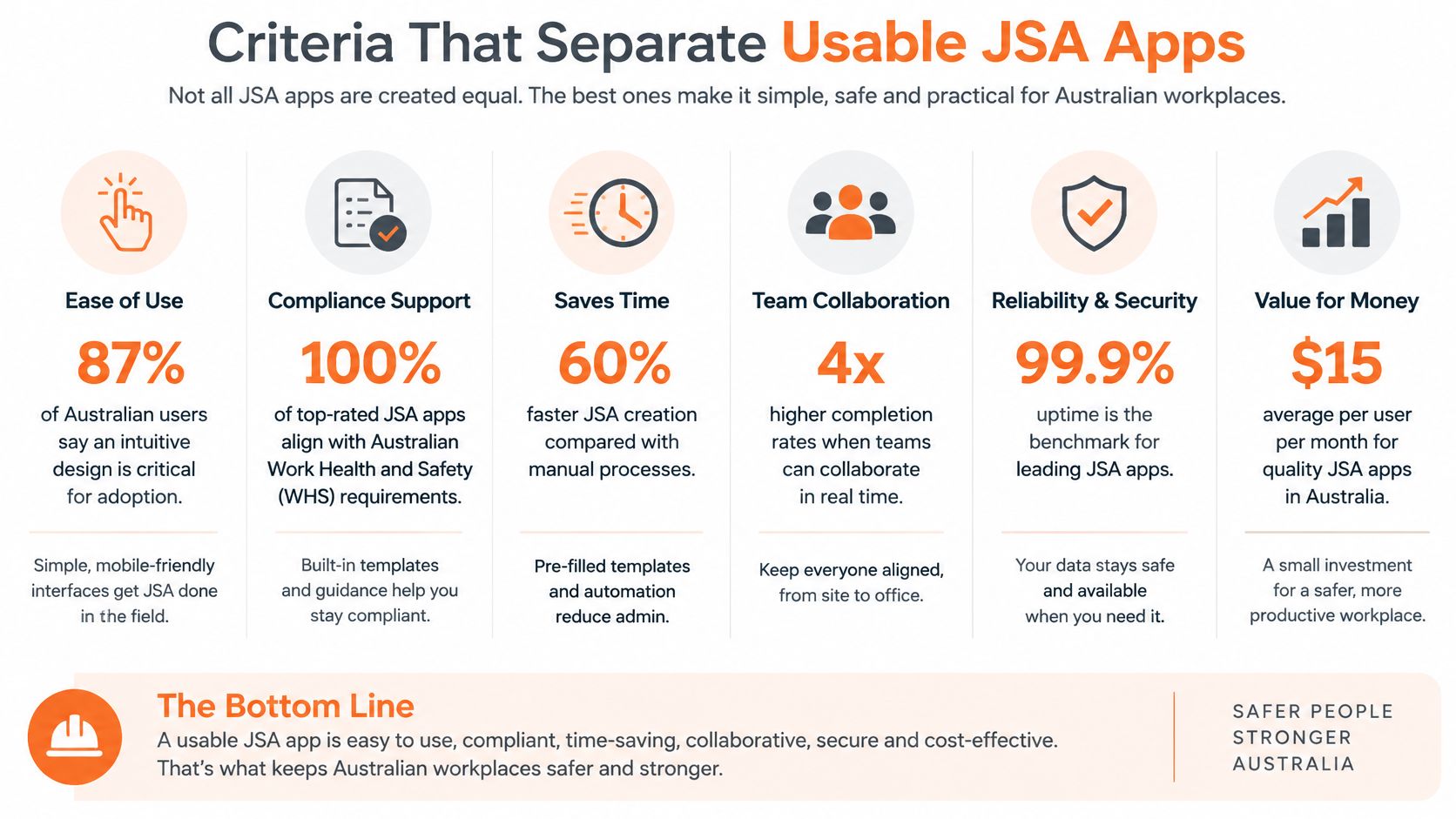
Scoring criteria for JSA app demos
| Criterion | Why it matters on site | What to test in a demo |
|---|---|---|
| JSA forms and templates | Tasks and plant change, so templates stop matching the job | Build a JSA from scratch and edit a live one |
| Offline capability | Basements, remote sites and metal-clad sheds can have no signal | Complete a JSA in airplane mode, then sync |
| Multi-site and subcontractor management | Crews and trades can share hazards without sharing responsibilities | Assign a JSA to separate sites and a subcontractor, then check permissions |
| AI auto-fill | Speeds drafting but still needs human review | Generate a draft from a task description and check every control |
| Reporting | Head office needs open actions by site and by form | Filter open corrective actions by site and form |
| Record history | Edited forms must show what was approved on the day | Revise a JSA and confirm the earlier version stays visible |
| Worker sign-on | Records acknowledgement of the controls communicated | Sign on as a worker on a phone and check the identity, version and timestamp |
Weight the consequence, not the convenience
A feature with no practical use on the organisation's sites deserves zero weight. A feature that prevents an unverified control from being treated as complete deserves more weight than one that saves typing.
AI illustrates the distinction. Drafting assistance can reduce repetitive writing, but a fluent description of a control doesn't establish that the control exists. The reviewer must reject invented equipment, unsuitable PPE and assumptions about isolation or access.
Worker sign-on needs similar scrutiny. A signature records acknowledgement; it doesn't establish comprehension or prove implementation. Supervisors still need consultation, questions and physical checks.
Practical rule: A control should name something a supervisor can inspect, confirm or stop work over. “Take care” can't pass that test.
Before vendor calls, assign each relevant criterion an importance score from one to three. Use the highest weighting for failures with serious operational consequences, and score demonstrated performance separately from promised capability.
That separation prevents a polished presentation from compensating for missing record history or unreliable field access.
Testing Offline Sync and Revised JSAs in the Field
Mobile reporting is an established WHS use case. SafeWork NSW's Australian WHS Survey identified mobile and desktop applications being used for WHS issue reporting, site visits and inspections.
The useful test is whether the complete record survives disconnection, competing edits and a changed control.
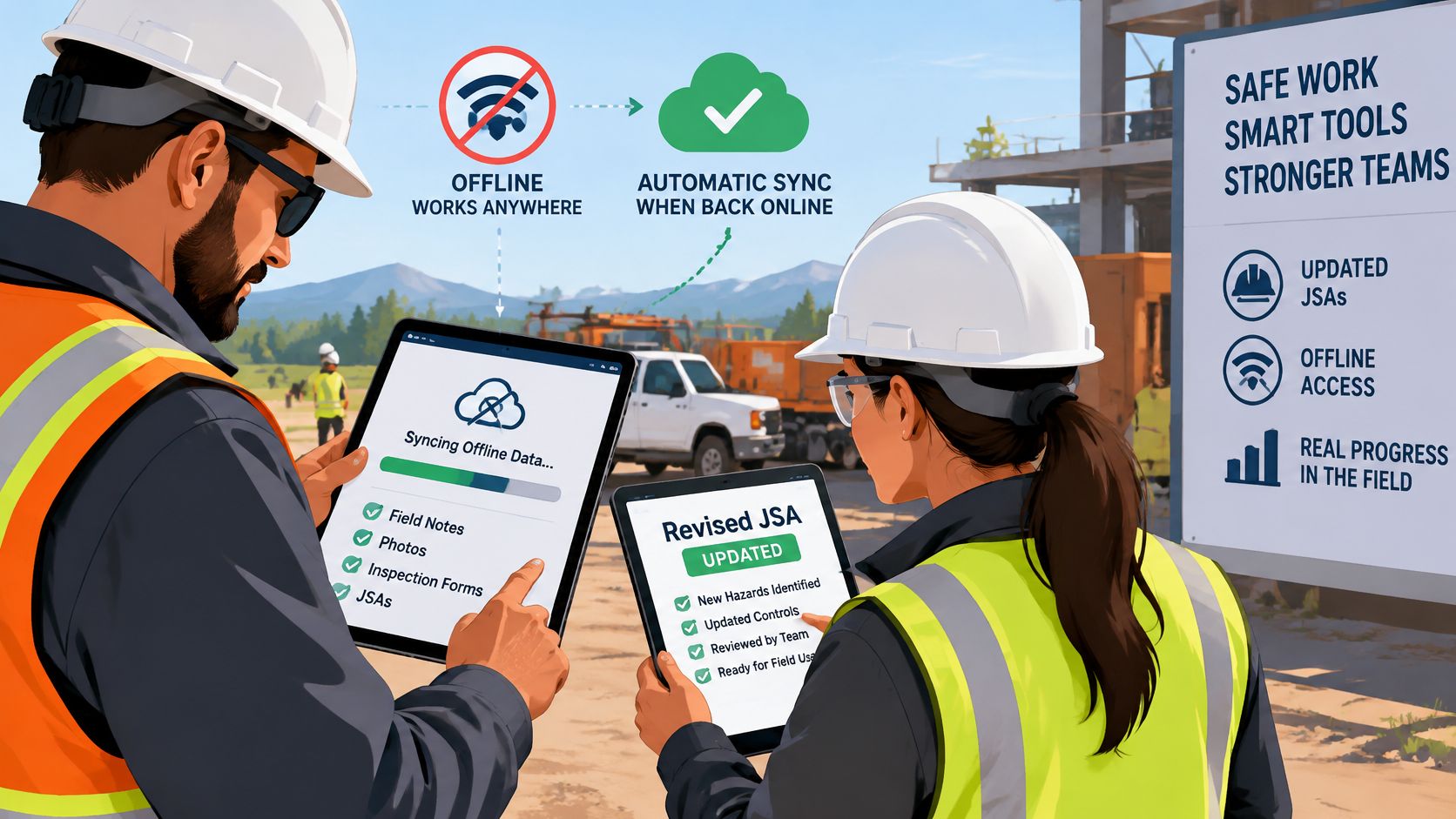
Run the field test on actual devices
Disconnect before starting. Put a test phone in airplane mode and complete a JSA with a photo and worker signature. This exposes whether offline access covers genuine completion or only viewing previously downloaded documents.
Confirm that the record displays pending sync, rather than implying that head office has received it. A supervisor needs to distinguish locally saved evidence from a submitted assessment.
Reconnect and inspect the result. Check that the record appears once, with the original capture time. Duplicate submissions and upload-time timestamps can confuse the sequence of approvals and work.
While the first device remains offline, edit the same JSA on another device. Reconnect the first and inspect how the app handles the conflict. Neither author's changes should disappear without a visible resolution process.
Change a control after sign-on. Use a plant substitution, weather change or altered work sequence. Check that the earlier version remains visible and affected workers must acknowledge the revised controls before proceeding.
Sign on separate crew members from a shared device. Confirm that each acknowledgement carries the worker's identity, rather than attaching every signature to the supervisor's login.
Separate available features from demonstrated behaviour
Safety Space's mobile app supports offline work, is available through the App Store and Google Play, uses the same email and password as the web app, and collects JSA worker signatures based on crew size. Capabilities like these are prerequisites for the trial, and the conflict and revision tests above still have to be passed on a physical device.
For teams combining task assessments with mobile safety inspections, the pilot should also include a photo, an assigned action and subsequent completion by the responsible person. That checks the handover between identifying a problem and recording its resolution.
An offline form isn't dependable merely because it opens without a signal. The evidence must survive the journey back to the shared record.
Treat missing photos, disappearing signatures and silent overwrites as procurement failures. A supervisor shouldn't need to reconstruct the approved assessment from screenshots and messages.
Work That Needs More Than a Generic JSA
Construction work involving a risk that someone could fall more than 2 metres is high risk construction work, and a SWMS must be prepared before it starts, according to Safe Work Australia's working-at-heights guidance. A generic JSA screen shouldn't obscure that requirement.
The practical distinction between a JSA and SWMS belongs in the workflow, not just the document title.
Test the control sequence
For work at height, assess whether the app helps the author document this sequence:
- Eliminate the risk where reasonably practicable, including changing how or where the task is performed.
- Use fall-prevention devices where elimination isn't reasonably practicable, such as barriers, scaffolding, edge protection or an elevating work platform.
- Consider work-positioning systems where those prevention measures aren't reasonably practicable, such as industrial rope access.
The record needs the task, height hazard, selected control and worker acknowledgement. A lower residual risk score isn't evidence that edge protection was installed or inspected.
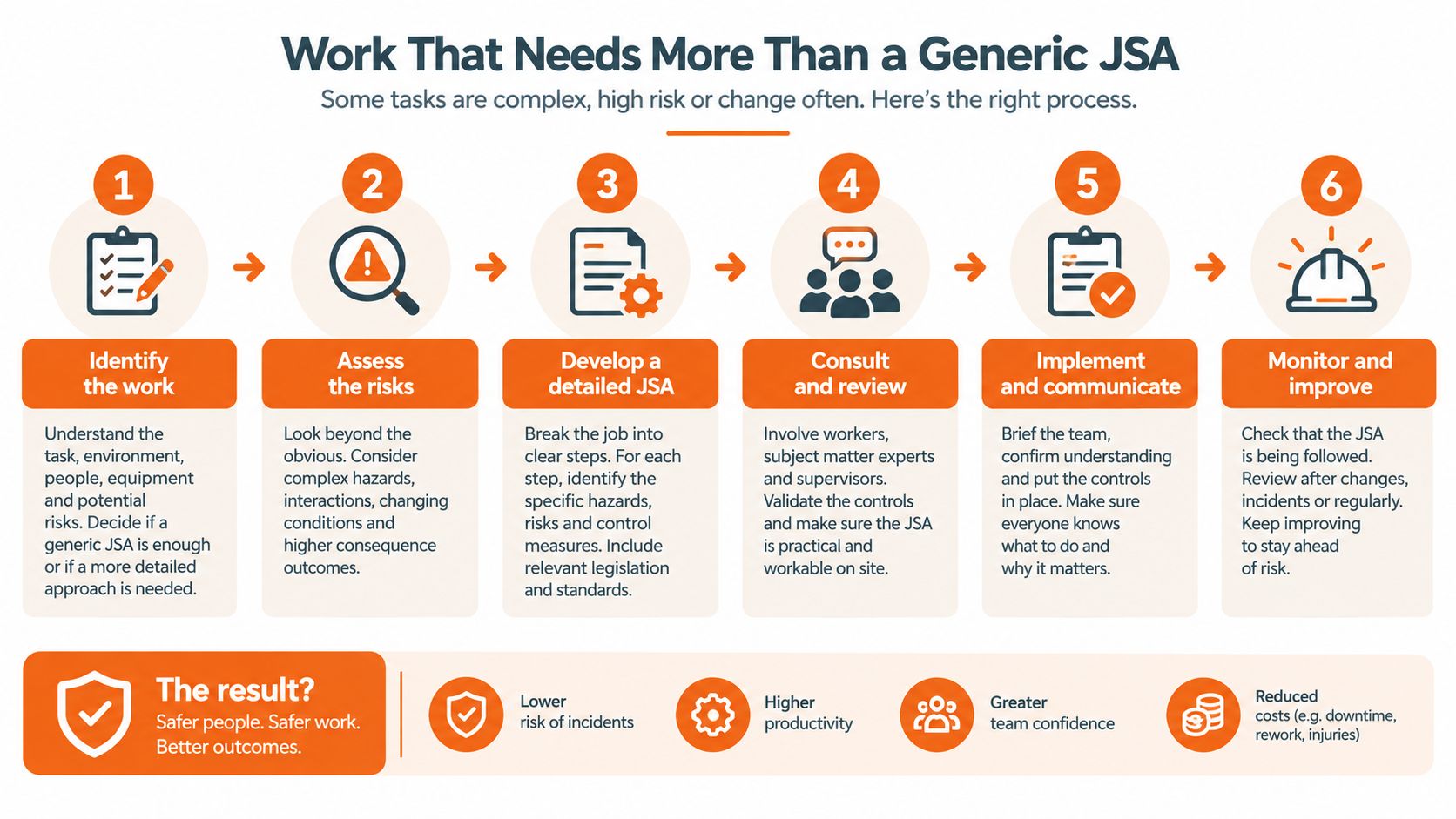
Use scenarios that expose weak forms
Vehicle and mobile plant interactions. Require a marked exclusion area, the responsible spotter where used, and briefing arrangements for visiting drivers. Safe Work Australia reported 188 work-related traumatic injury fatalities in 2024 in its 2025 national statistics announcement, reinforcing the need to test high-consequence tasks rather than routine paperwork alone.
Plant isolation. A manufacturing assessment should link the isolation step to the responsible verifier. An unchecked statement that equipment is isolated mustn't look like completed verification.
Manual handling. The Australian Bureau of Statistics identified lifting, pushing, pulling or bending as the most common cause of work-related injury or illness, accounting for 24% of cases. Cleaning, facilities and waste teams need task-level controls covering loads, access, handling aids and work layout, not construction-only templates.
Contractor handovers. Record who briefed whom, when, and which controls remained outstanding. The software also tracks PCBU obligations and manages worker consultation processes, but the handover still needs clear operational ownership.
For drone-assisted roof or property inspections, the planning process should include Ace Aviation Aerospace Academy's guidance to check drone restrictions around airports. That check belongs before the task is authorised.
In New Zealand, the relevant framework is the Health and Safety at Work Act 2015, with WorkSafe NZ guidance. The app should accommodate site-specific safety plans alongside JSAs, without treating them as a direct legal equivalent of Australia's SWMS requirements.
Why the Recommended Platform Suits Multi-Site Teams
A wider platform fits when task assessments must sit within the rest of the WHS system. The recommended product is a cloud-based platform for businesses in Australia, New Zealand and the United States, holding JSAs, SWMS, inspections, contractor documents and incident records in one system.
That recommendation depends on the operating model. A residential builder coordinating rotating subcontractors needs a different kind of visibility from a single crew completing one daily task assessment.
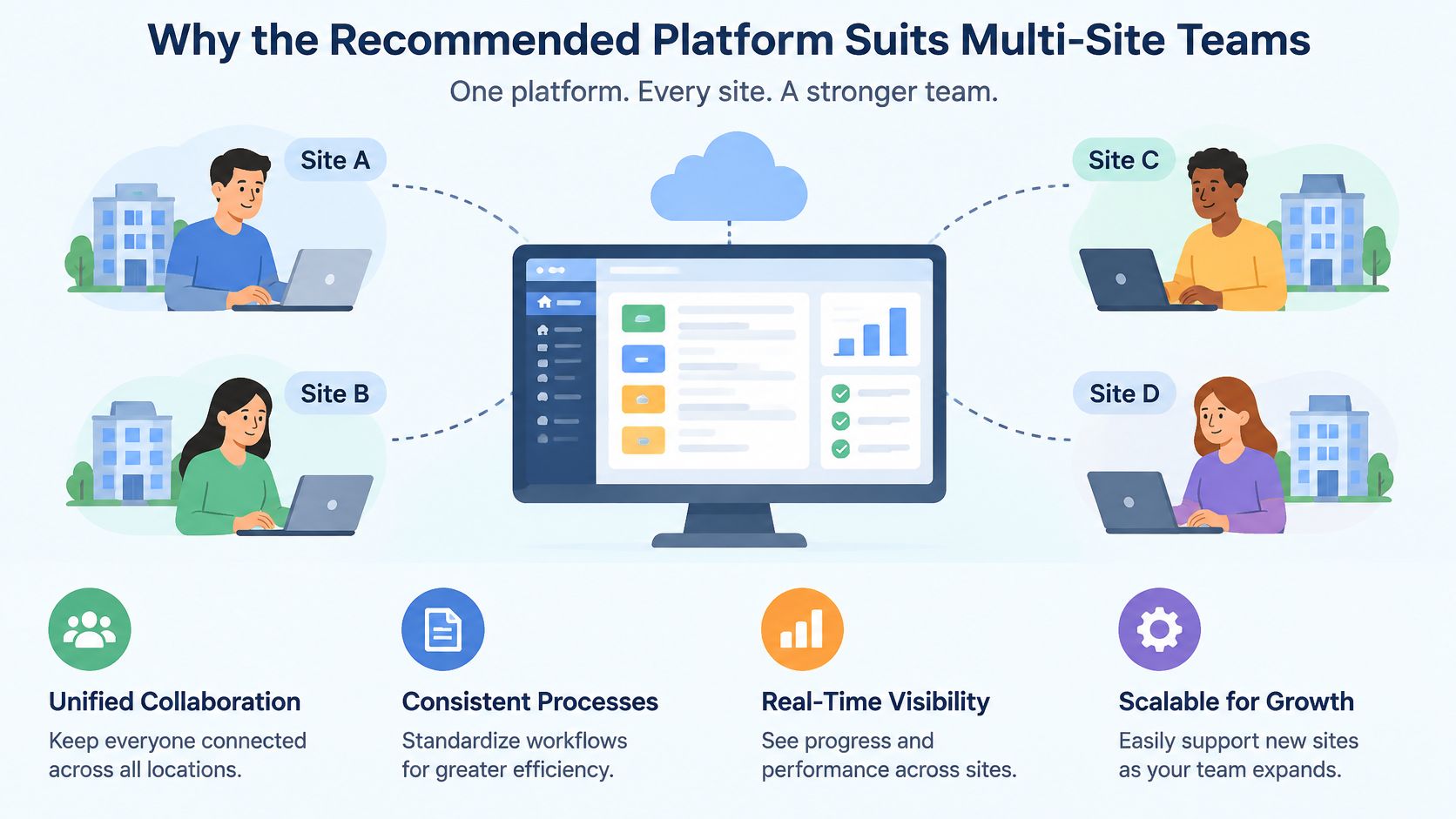
Match the features to the management problem
JSAs can be built from scratch or with AI assistance to create templates, and the same AI drafts procedures and risk assessments, surfaces insights from safety data and recommends corrective actions. For a manufacturer, that supports a consistent starting structure across plants while retaining local task detail. For a builder, it produces repeatable assessments without every supervisor starting from a blank document.
The field angle carries equal weight. Worker signatures on a JSA are collected based on crew size, and the app works offline, so sign-on still happens when site coverage drops.
Records are filed by site or project, with dashboards and a map view for each site. The multi-site operations management capability matters when head office must separate an unresolved action at one plant from a company-wide trend. Contractor management collects insurances and documents and sends reminders before they expire, so a supervisor can confirm a subcontractor's status without searching a separate folder.
Recognise where a simpler app wins
A single crew that only needs a short assessment and sign-on can stop at a field-first app or the free tier. Extra modules return little value if nobody maintains them or uses their records for decisions.
Buying judgement: Choose the wider platform when shared responsibilities and connected records justify it. Don't buy unused administration.
The free H&S consultation covers writing JSAs and SOPs instantly, managing risk across worksites, branches and departments, and managing subcontractors with one click. Use it to map the proposed setup onto existing responsibilities before switching modules on.
Ask the vendor to demonstrate revision history on a live JSA and an export of its records. Neither capability can be inferred from cloud storage, dashboards or the presence of an AI drafting tool.
What JSA App Pricing Actually Covers
The price basis matters before the headline rate. A per-user quote, a site-based quote and a module-based quote can cover different access rights even when they appear to serve the same crew.
The full platform is quoted on sites, users and modules. Its monthly contracts can be cancelled at any time, with setup, free support and customisation included.
Pricing options and inclusions
| Option | Price basis | Limits or inclusions |
|---|---|---|
| Recommended platform, full | Quoted on sites, users and modules | Monthly contract, cancel anytime; setup and free support included |
| Recommended platform, free plan | Free | 3 active forms; archived form versions do not count |
| Recommended platform, Go, free | Free | Up to 3 users |
| Recommended platform, Go, paid | A$19 per user per month | Minimum 12 users |
| Other JSA apps | Check each vendor's published pricing | Confirm worker access, subcontractor access, exports, storage and setup inclusions |
The free platform plan's active-form allowance and Go's user allowance describe different limits. Buyers shouldn't assume that access conditions or functionality transfer between products.
The paid Go minimum also matters for small teams. A per-user headline isn't the complete purchasing commitment when a minimum user count applies.
Check the costs around the licence
- Worker access. Opening SWMS and signing on as a worker in the mobile app requires a paid plan. The quote must account for everyone expected to use that workflow, including subcontractors.
- Supervisor administration. Building forms and managing settings can only be done in the web app. A phone-only rollout won't cover template maintenance and configuration.
- Paper transcription. Count the supervisor time spent copying assessments, chasing missing details and filing scans. Low software expenditure doesn't make that work free.
- Implementation ownership. Identify who approves templates, manages departing users and checks incomplete records. Included setup doesn't remove those internal responsibilities.
A custom-built application creates a different buying decision from subscribing to an existing service. For organisations considering that route, Gegan's guide to compare mobile and web development costs provides context for separating the build decision from an ordinary licence comparison.
For other vendors, use published pricing and a written scope rather than informal estimates. The useful comparison is the cost of the required workflow, including worker acknowledgement and record retrieval, not the cheapest entry plan.
Confirm the Shortlist Before You Book a Demo
A useful shortlist can be assembled this week without committing to a rollout. The WHS lead should own the acceptance criteria, while a working supervisor tests the device workflow and an administrator checks the record outputs.
The comparison should use an existing task assessment with real operational complexity. A vendor's clean sample form won't expose unclear isolation responsibilities, visiting drivers or a contractor arriving after the original briefing.
Shortlist acceptance checklist
Select three apps from different categories. Include different rows from the quick-pick table so the exercise tests category fit, rather than minor differences between similar form builders.
Obtain written offline details. Confirm each vendor's website description, sync behaviour and conflict-handling process. Unsupported assumptions should remain unresolved requirements, not positive scores.
Run the field test. Use a real JSA for a live task in a controlled pilot, while retaining the existing approved work process until the app is accepted. Capture failures and workarounds rather than allowing a representative to explain them away.
Score demonstrated performance. Apply the consequence weighting agreed before the demonstrations. A convenient drafting tool shouldn't offset a failure in a critical control workflow.
Check the access schedule. Confirm that the quote includes every worker and subcontractor who must acknowledge controls, including SWMS sign-on. Separate author, approver and worker permissions.
Request complete record exports. Obtain JSA and inspection records with their attachments and revision details. Safe Work Australia's construction code says SWMS must remain readily available throughout the high risk construction work and be kept for at least 2 years after a notifiable incident occurs.
Confirm record ownership and exit arrangements. Establish how the organisation receives its records when the contract ends, including attachments and historical versions. A readable current PDF alone may not preserve the full decision history.
Book demonstrations with the top two. Require each vendor to build one of the organisation's own JSAs during the call. Include the supervisor responsible for using it and require the demonstration to finish with the resulting record, not a presentation slide.
Safety Space offers a free H&S consultation covering JSA and SOP creation, multi-site risk management and subcontractor management. Visit Safety Space to arrange a demonstration using an existing task assessment, with offline completion, worker sign-on and record retrieval on the agenda.
Ready to Transform Your Safety Management?
Discover how Safety Space can help you implement the strategies discussed in this article.
Explore Safety Space FeaturesRelated Topics
Safety Space Features
Explore all the AI-powered features that make Safety Space the complete workplace safety solution.
Articles & Resources
Explore our complete collection of workplace safety articles, tools, and resources.