
Ignore the longest feature list. The best safety software for small business Australia buyers should shortlist is the system a supervisor can finish on a phone, on site, without returning to the office to tidy up the record.
That sounds blunt, but it's the right test. A platform can list incidents, inspections, training, documents and contractor management and still fail in practice if field crews avoid it, offline records don't sync cleanly, or corrective actions sit unowned. Buyers don't need more modules first. They need usable evidence that a hazard was identified, a control was assigned, work was checked, and the action was closed.
Table of Contents
- Why Safety Software Needs a Field-First Buying Test
- Understand the Australian WHS Software Requirements
- Compare the Leading Safety Software Options
- Test Each Option Against Real Australian Work Scenarios
- Choose Software by Business Size and Operating Model
- Evaluate Software With a Free Trial or Demo
- Make a Practical Shortlist Decision
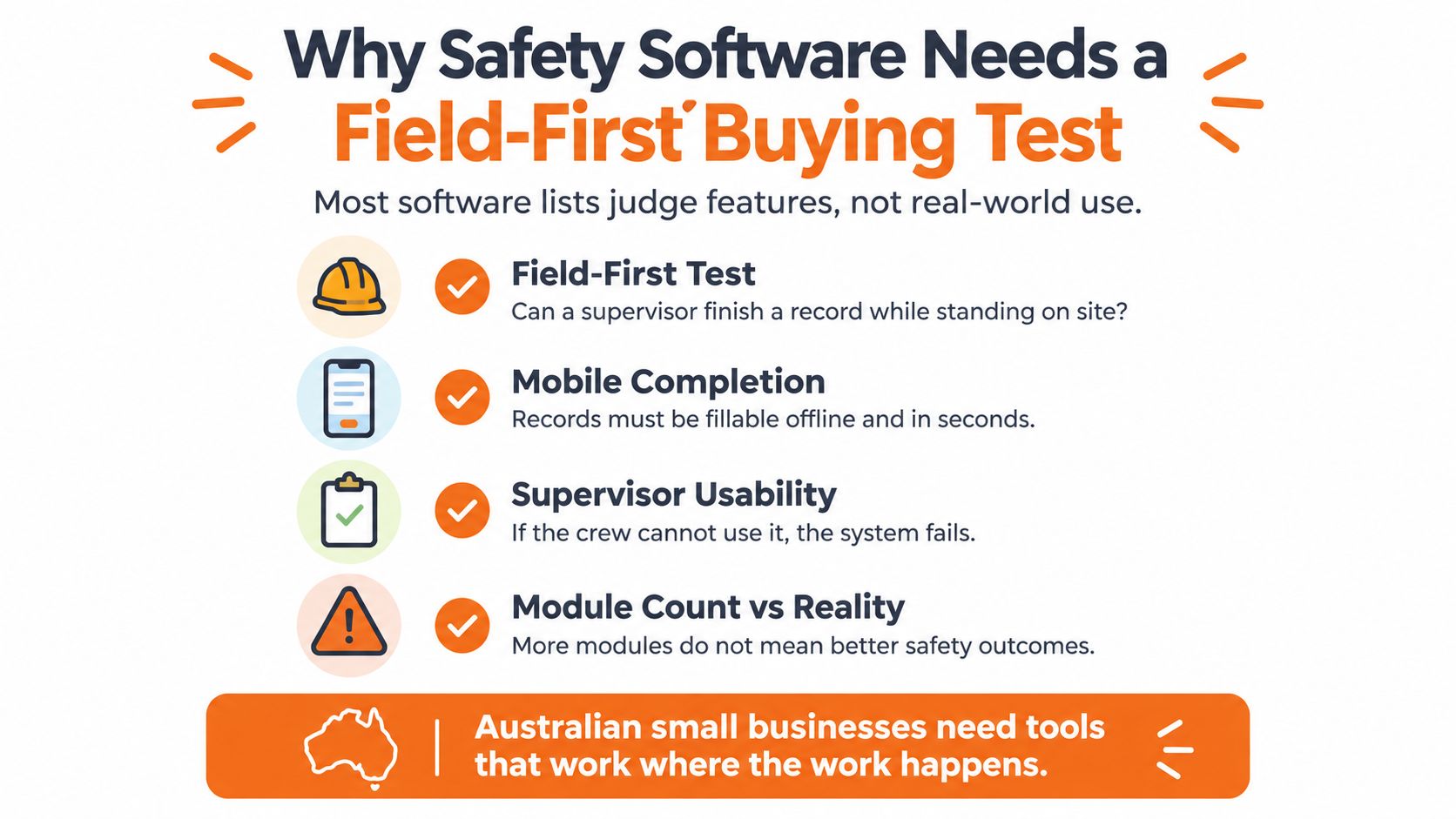
Why Safety Software Needs a Field-First Buying Test
Most comparison lists reward breadth. That's the wrong starting point for a small construction, manufacturing, cleaning, property or waste business where the person completing the form is often also supervising the job.
The risk context explains why. Safe Work Australia reported 200 workers fatally injured at work in 2023, compared with 195 in 2022, with vehicle incidents causing 84 deaths, or 42% of all worker fatalities, and falls from height causing 29 deaths, or 15%. Software doesn't prevent those events on its own. It should, however, make vehicle checks, height work controls, hazard follow-up and worker sign-offs easier to complete and harder to lose.
Judge the Record, Not the Module Count
A useful buying question is simple. Can the system prove that critical controls were completed, assigned, escalated and closed at each site or project, not merely that a policy exists?
That question changes the order of priorities. Mobile completion and offline behaviour move ahead of dashboard polish. Corrective action ownership matters more than storing another PDF. Training records still matter, and buyers comparing how training expiry, acknowledgement and refresher workflows are handled in adjacent systems can use a training tracking platform comparison to separate a proper training register from a simple file upload.
Field rule: If a supervisor can't complete the record while standing where the work occurs, the record will be late, incomplete or reconstructed later.
Safety software selection priorities
| Criterion | What to check | Why it matters |
|---|---|---|
| WHS fit | Hazards, incidents, inspections, actions, SWMS, training and contractor records connect to each other | Fragmented records make audits and internal reviews slow |
| Mobile and offline use | Completion on a phone with poor connectivity, queued attachments and clean sync | Work happens on sites, in plant rooms and in vehicles |
| Adoption burden | Time to complete a form, mandatory fields, reminders and supervisor workload | Workers won't sustain a process that adds friction |
| Multi-site control | Site or project records, role-based views and overdue action visibility | Managers need oversight without chasing spreadsheets |
| Pricing and support | How sites, users and modules affect price, and who helps with setup | Hidden scope changes make small business budgets unreliable |
Understand the Australian WHS Software Requirements
Australian buyers should start with duties, not demos. Under the model WHS Act framework, a PCBU needs systems for identifying hazards, consulting workers, controlling risks, recording incidents, assigning corrective actions, training workers and managing contractors.
Software doesn't discharge those duties. It supports the evidence trail. A buyer should be able to retrieve who completed a record, when it was completed, which control was assigned, who owns closure, and what photo, document or sign-off supports the decision. The responsibilities of employers and employees for health and safety are the starting point for deciding which records need that level of traceability.
SWMS Is a Workflow, Not a Filing Cabinet
Construction buyers need to test SWMS handling closely. Safe Work Australia identifies 18 high risk construction categories requiring a SWMS, including work where a person could fall more than 2 metres, work in or near a confined space, trenches deeper than 1.5 metres, asbestos, energised electrical services and work near active traffic corridors.
A SWMS must be prepared before high risk construction work starts. It must identify the activities, hazards, risks and controls, and explain how controls will be implemented, monitored and reviewed. Workers undertaking the work need consultation and briefing, and the current document must be available while the work is underway.
That means buyers should test more than template storage. They should check:
- Version control: Can a crew see the current SWMS, and can a supervisor see what changed?
- Worker sign-on: Is acknowledgement tied to the specific project, activity and revision?
- Approval: Can a principal contractor receive and review the SWMS before work begins?
- Retention: Can records be kept and retrieved after an incident without searching email threads?
- Stop work clarity: Does the workflow make it clear that work stops if the SWMS isn't followed?
Records That Should Connect
The same evidence logic applies outside construction. An inspection that finds a damaged guard should create an action. An incident should link to investigation fields, injury details and follow-up. A contractor induction should connect to insurances, licences and expiry reminders.
Buyers with European operations or customers sometimes compare different regulatory software models, including NIS2 compliance software options, but that comparison shouldn't distract from the Australian test. For a local PCBU, the practical question remains whether WHS records are complete, current and retrievable by site, project, worker and contractor.
Compare the Leading Safety Software Options
A fair comparison shouldn't invent a numeric winner. It should group options by operating model, state where pricing evidence is missing, and force each option through the same field evidence test.
That discipline matters because the claims burden is broad. Safe Work Australia reports 146,700 serious workers' compensation claims in 2023–24, with body stressing, falls, being hit by moving objects and mental stress central to the claims picture. A system that handles construction inspections well but can't track manual handling actions, repeat hazards or psychosocial risk follow-up may leave gaps.
Best safety software for small business Australia
| Option | Pricing evidence | WHS and compliance fit | Field and mobile workflow | Multi-site and contractor support | AI and configuration | Best fit |
|---|---|---|---|---|---|---|
| Self-service forms product | Often published per user, confirm minimum users and included modules | Inspections, incidents and basic registers, depth varies | Usually browser and mobile first, offline must be tested | Limited unless site structure and contractor access are confirmed | Template changes may be simple, AI may be limited or absent | Small team needing digital forms quickly |
| Configurable WHS platform | Often priced by sites, users and modules, request written scope | Broader coverage across SWMS, permits, chemicals, training and actions | Mobile apps, offline use and custom forms should be demonstrated | Stronger where records are held by site or project | Configurable workflows, AI drafting needs human approval controls | Growing business with several sites or projects |
| HR-led compliance bundle | Per worker pricing may be published, WHS depth needs confirmation | Employee records and training may be stronger than field risk controls | Mobile access varies, field inspection quality must be tested | Contractor controls may be document based rather than operational | Configuration often follows HR processes | Business whose main gap is people records and training |
| Enterprise EHS platform | Commonly quote only, implementation scope can be significant | Broad regulatory and reporting capability | Mobile capability varies by module and licence | Built for complex structures, may exceed small business needs | High configuration potential, higher administration burden | Larger organisation with dedicated safety resources |
| Spreadsheet and shared drive baseline | Low licence cost, high manual effort | No enforced workflow, weak version and action control | Poor field completion and no reliable offline queue | Hard to oversee overdue actions across sites | No governed AI or audit trail | Temporary baseline only |
Self-Service Forms Products
These products suit a small team that needs to replace paper inspections fast. The strength is speed. A supervisor can usually learn a simple form quickly, and published per user pricing makes budgeting easier.
The limitation shows up when the business grows. Buyers should confirm whether corrective actions escalate, whether contractor documents expire with reminders, whether training records link to workers, and whether records can be reported by site. If those controls aren't present, the business may digitise forms without improving follow-through.
Configurable WHS Platforms
A configurable platform is the stronger starting point where a business runs multiple sites, uses subcontractors, manages SWMS and permits, or needs inspections built around its own tasks. The value isn't the number of modules. It's whether modules share the same site, worker, contractor and action data.
Buyers should be direct about the trade-off. Configuration takes decisions. Someone must agree form fields, approval steps, notification rules and who can close an action. Vendors that offer setup help can reduce that burden, but buyers still need an internal owner.
HR-Led Bundles and Enterprise Systems
HR-led bundles can work where the immediate problem is onboarding, employee files, policy acknowledgement and training delivery. They shouldn't be assumed to handle field inspections, hazard registers, permits or SWMS sign-on with the same depth. Test the field workflow separately.
Enterprise EHS platforms sit at the other end. They can suit complex, multi-jurisdiction operations, but small businesses should be cautious about quote-only pricing, phased implementation and administration overhead. A powerful system that needs specialist configuration may be the wrong buy for a business without a dedicated safety manager.
A shortlist should contain different operating models, not three versions of the same product. That makes the trial reveal what the business actually needs.
Pricing Evidence Buyers Should Demand
Don't compare a published per user price with a vague platform quote. Ask each vendor to price the same scope: named sites, active users, contractors, required modules, setup, support, customisation, data export and contract exit.
Also ask what's switched off. A low starting price isn't useful if SWMS, contractor management, offline access or reporting sits in a higher tier. Where pricing isn't published, record it as not publicly available and require a written quote tied to the trial scope.
Test Each Option Against Real Australian Work Scenarios
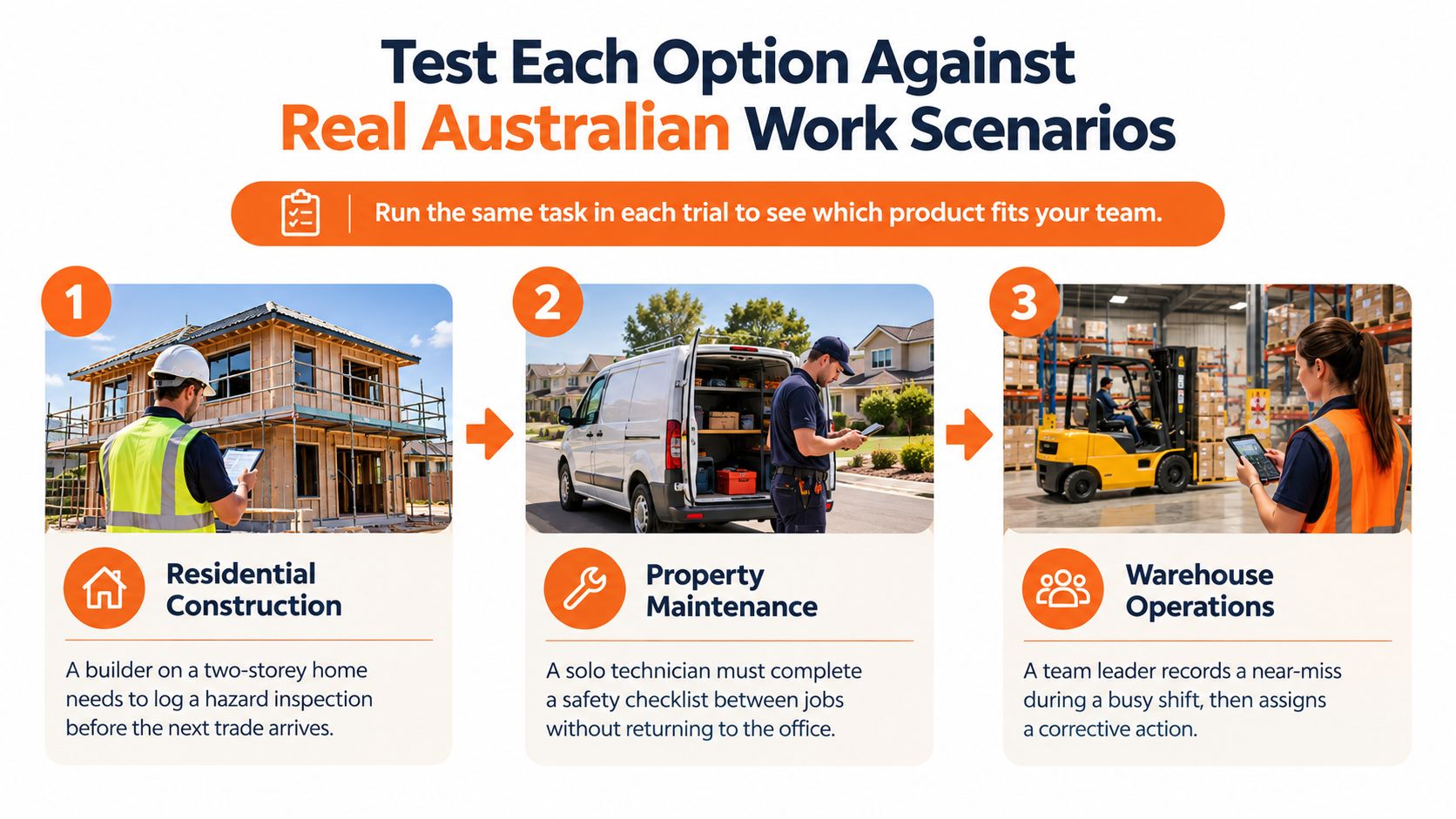
Scenarios expose weak workflows faster than feature lists. Each test should follow the same chain: a worker or supervisor identifies a risk, the system creates a structured record, a responsible person receives the action, overdue work escalates, and completed evidence can be found at the correct site or project.
Field technology is already part of that picture. A Safe Work NSW survey found 13.8% of respondents reporting emerging preventative measures identified new technology, including mobile applications for inspections and field leadership activities. The buyer task is to check whether the technology produces controlled records, not just digital notes. Practical mobile safety inspections should therefore be tested where connectivity, gloves, noise and time pressure affect completion.
Scenario test for field evidence
| Scenario | Record to test | Control evidence | Failure to investigate |
|---|---|---|---|
| Residential construction | SWMS sign-on and site inspection before the next trade starts | Current revision, worker acknowledgement, corrective action owner | Crew opens an old revision or signs a generic document |
| Manufacturing | Machine hazard, near miss and equipment check | Photo, timestamp, isolation or repair action, close-out approval | Hazard sits in a register with no due date or owner |
| Commercial cleaning | Chemical use, incident report and site audit | SDS access, worker training record, supervisor review | Cleaner can't retrieve the SDS at the client site |
| Waste operations | Vehicle pre-start and route hazard report | Defect escalation, maintenance handover, completed check history | Failed item doesn't stop the vehicle returning to service |
| Facilities services | Contractor induction and permit to work | Insurance expiry, approval, site sign-in and work area controls | Contractor starts before documents or induction are complete |
Construction and Property Work
For residential building and property development, test project-level control. A supervisor should open the correct project, complete an inspection, assign a defect to a subcontractor, and check whether overdue items appear on a project view. SWMS, inductions, permits and contractor documents should sit against that same project.
Manufacturing, Cleaning and Waste
Manufacturing tests should include equipment registers, guarding checks, hazardous chemicals and repeat hazard analysis. Cleaning and facilities teams should test client site access, SDS retrieval, lone or after-hours reporting, and supervisor review across many small sites. Waste operators should test vehicle checks, defect escalation and whether a driver can report a hazard without returning to the depot.
Multi-site dashboards and map views only help if the underlying records are consistent. Buyers should check mandatory fields, timestamped evidence, attachment handling and whether offline records retain audit metadata after sync.
Choose Software by Business Size and Operating Model
There's no single winner for every small business. The right choice depends on team size, site spread, contractor reliance and who will administer the system each week.
Adoption risk should carry real weight. CPA Australia's 2025–26 Asia-Pacific Small Business Survey reported only 30% of Australian small businesses said technology investment improved profitability in 2025, compared with a 56% survey-wide average. That gap supports buying for low-friction deployment, not feature volume. A structured small business safety management system still fails if supervisors need specialist administration to keep it current.
Best fit by operating model
| Operating model | Priority capability | Suitable starting brief | Decision caution |
|---|---|---|---|
| Small single-site team | Fast mobile forms and simple actions | Self-service product with browser and mobile access | Don't buy complex configuration nobody will maintain |
| Builder with subcontractors | SWMS, inductions, permits and project records | Configurable platform priced by sites, users and modules | Confirm subcontractor access and document expiry controls |
| Multi-site cleaning or facilities provider | Site audits, SDS access, contractor onboarding and reminders | Platform with site-level dashboards and offline completion | Test client sites with weak reception |
| Manufacturer or waste operator | Equipment checks, vehicle inspections, hazards and repeat risk trends | Platform linking assets, actions and incident investigation | Check defect escalation, not just form completion |
| Business working toward ISO 45001 | Document control, objectives, non-conformances and risk registers | Broader platform with controlled documents and audit trails | Confirm which ISO registers are included or optional |
Where a Configurable Platform Fits
Safety Space is one option to assess where a business needs records held by site or project, browser and mobile access with offline use, configurable inspections, incidents, hazards, SWMS with worker sign-on, permits, contractor documents, training registers and AI-assisted drafting with human review. Its full platform is priced by sites, users and modules, while its self-service Go product is free for up to 3 users or A$19 per user per month on the paid plan, with a minimum of 12 users. That split gives buyers a clear test: start simple if forms are the only gap, and assess the fuller platform only where multi-site oversight, custom workflows and onboarding support are required.
When Simpler Is Enough
A micro business with low contractor use and one site may not need permits, ISO registers or complex dashboards on day one. It still needs incident capture, inspections, actions and training expiry reminders that workers will use.
The caution is growth. If the business is adding sites, supervisors or subcontractors, buyers should check whether the simple product can expand without a painful migration. Cheap now can become expensive if records can't be exported cleanly.
Evaluate Software With a Free Trial or Demo
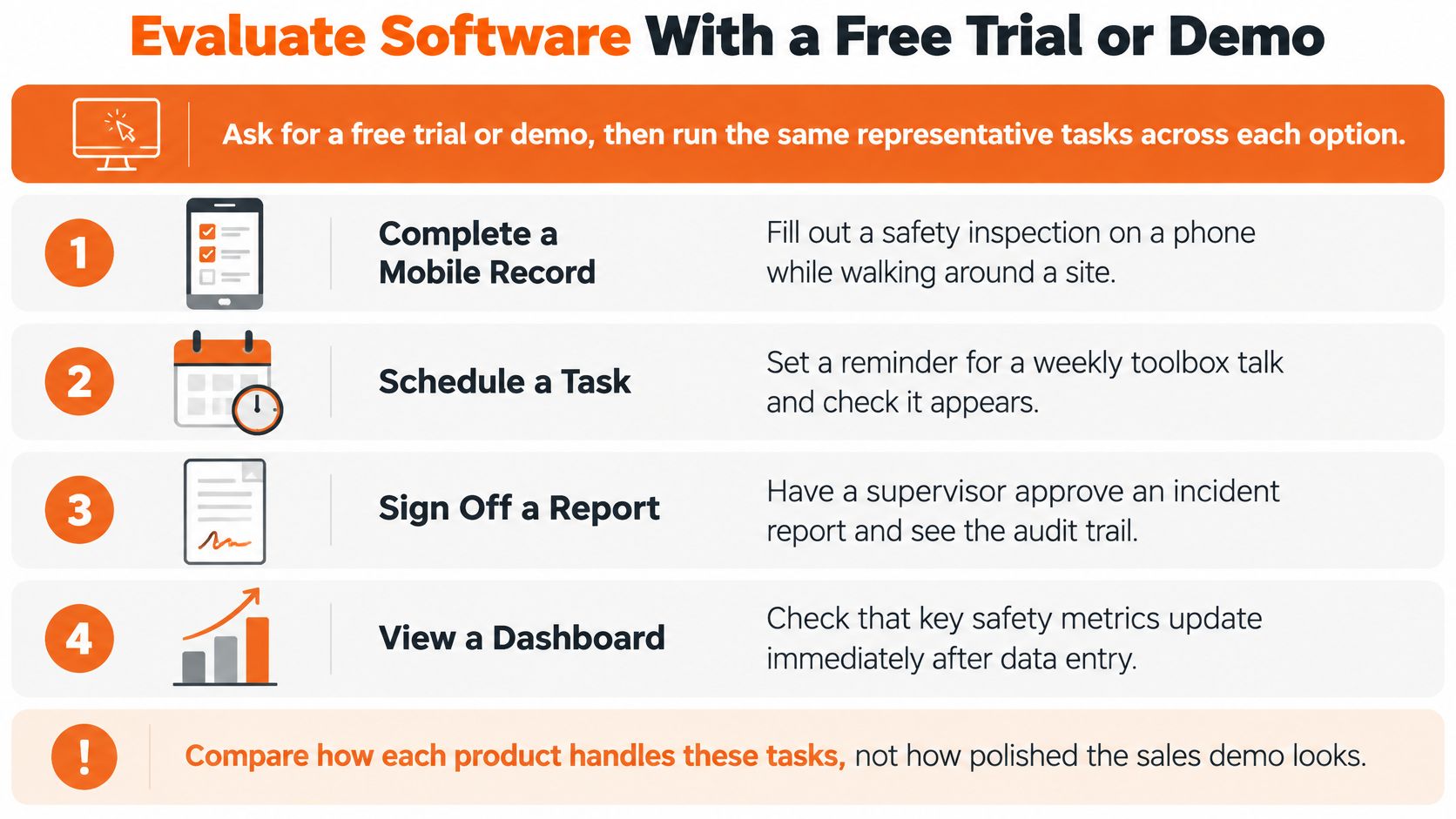
Don't judge a sales presentation. Run the same live tasks in every trial, with the same workers, same site conditions and same completion measures.
Start with a mobile inspection in a poor reception area. Then create an incident from a plain description, assign a corrective action, force it overdue, upload a contractor document, issue an induction and retrieve the site-level audit trail. Time each task. Record missed fields, sync failures, unclear notifications and the minutes spent fixing records in the office.
Trial scorecard
| Test | Evidence to request | Pass signal | Stop signal |
|---|---|---|---|
| Mobile inspection offline | Completed form, photos and sync log | Record queues and syncs without data loss | Attachments disappear or timestamps change |
| Incident creation | Structured record from a plain description | Key details are captured and editable before submission | Worker must retype the same details in several places |
| Corrective action | Owner, due date, reminder and escalation history | Overdue action is visible to the right manager | Action can be closed without evidence or approval |
| Contractor document | Insurance upload and expiry reminder | Expired document blocks or flags the contractor | Expiry relies on someone checking a folder |
| Audit retrieval | Site export with revisions and sign-offs | Manager retrieves a complete pack quickly | Evidence is spread across modules with no single view |
| AI draft review | Draft label, edit history and approver record | Human can correct, approve and trace changes | Generated text looks final with no source or review trail |
Govern AI Before It Drafts Anything Important
AI can reduce typing, but it can also create false confidence. Australian guidance stresses that businesses remain responsible for managing risks created by AI, including privacy obligations, worker consultation and safe AI use, and generated content must not be treated as automatic compliance.
Buyers should ask where worker names, injury details, medical information, photos and SDS data go when AI drafts a report. They should also ask whether customer data is retained for model training, whether output is labelled as draft, who can approve it, and whether edits are logged.
Approval test: If a generated SWMS, SOP or incident classification can't be corrected, traced and approved by a competent person, it shouldn't enter the live system.
Measure adoption during the trial, not after purchase. Useful measures include form completion time, mobile completion rate, offline sync failures, overdue corrective actions and hours spent compiling compliance evidence. Those measures show whether the platform reduces work or just moves it.
Make a Practical Shortlist Decision
Keep the shortlist short. Two or three options tested properly will teach a buyer more than six polished demos.
Use this closing checklist before signing:
- Highest-risk workflows confirmed: Vehicle checks, height work, manual handling, chemicals, contractor work and other critical controls are named first.
- System owner identified: One person owns forms, users, reminders and overdue action follow-up.
- Live field test completed: Each site type has run a real inspection, incident or hazard record through to close-out.
- AI governance checked: Draft labelling, privacy, retention, human approval and correction logs are documented.
- Commercial scope priced: Sites, users, contractors, modules, setup, support and export rights are written down.
Training material also needs a practical production plan. If a business plans to film induction or toolbox content internally, specialist commercial video production services may be relevant to the quality of that supporting material, but video doesn't replace the underlying WHS record. The software still has to show who was trained, what was covered, when it expires and what action followed.
This guidance is Australian-first. New Zealand buyers should check requirements under the Health and Safety at Work Act 2015 and WorkSafe NZ guidance, while United States buyers should check OSHA and applicable state requirements. Terminology, recordkeeping and regulator expectations differ, even where the field workflow looks similar.
The final rule is clear. Choose the option that produces reliable, reviewable evidence in the field at the lowest practical adoption burden for supervisors and workers.
For Australian small businesses that need incidents, inspections, SWMS, contractor records, training and corrective actions held by site or project, with mobile and offline access for field teams, Safety Space gives buyers a practical option to trial against that field-first standard. Visit the site to check the platform scope, compare the self-service and full platform options, and test whether the workflows fit the way work is done.
Ready to Transform Your Safety Management?
Discover how Safety Space can help you implement the strategies discussed in this article.
Explore Safety Space FeaturesRelated Topics
Safety Space Features
Explore all the AI-powered features that make Safety Space the complete workplace safety solution.
Articles & Resources
Explore our complete collection of workplace safety articles, tools, and resources.