
Work safety software centralises incident, hazard, inspection, and contractor compliance records so PCBUs can meet their WHS Act duties and run audit-ready operations across multiple sites. Its value depends on whether people use it at the point of work and whether managers close the actions it creates.
A supervisor gets a near-miss report during a busy shift. A SWMS needs reviewing before the next task starts. Head office wants yesterday's inspection results, while a subcontractor is asking which document is current. If those records sit in a filing cabinet, a shared drive, and several spreadsheets, the safety system is already under strain.
The issue isn't a lack of forms. It's the gap between recording an issue and controlling it. Australian workplaces recorded 188 work-related traumatic injury fatalities in 2024 and 146,700 serious workers' compensation claims in 2023–24, according to Safe Work Australia's national WHS data. Software can't remove risk by itself, but it can make reporting, escalation, evidence preservation, and follow-through harder to ignore.
Table of Contents
- What Work Safety Software Actually Does on Site
- Core Features That Match Australian WHS Duties
- Why Paper and Legacy Systems Fail Multi-Site Operations
- The Australian Compliance Reality Behind the Data
- How Work Safety Software Fits Manufacturing and Construction Workflows
- What to Check Before Buying Work Safety Software
- Getting Started with Safety Space
What Work Safety Software Actually Does on Site
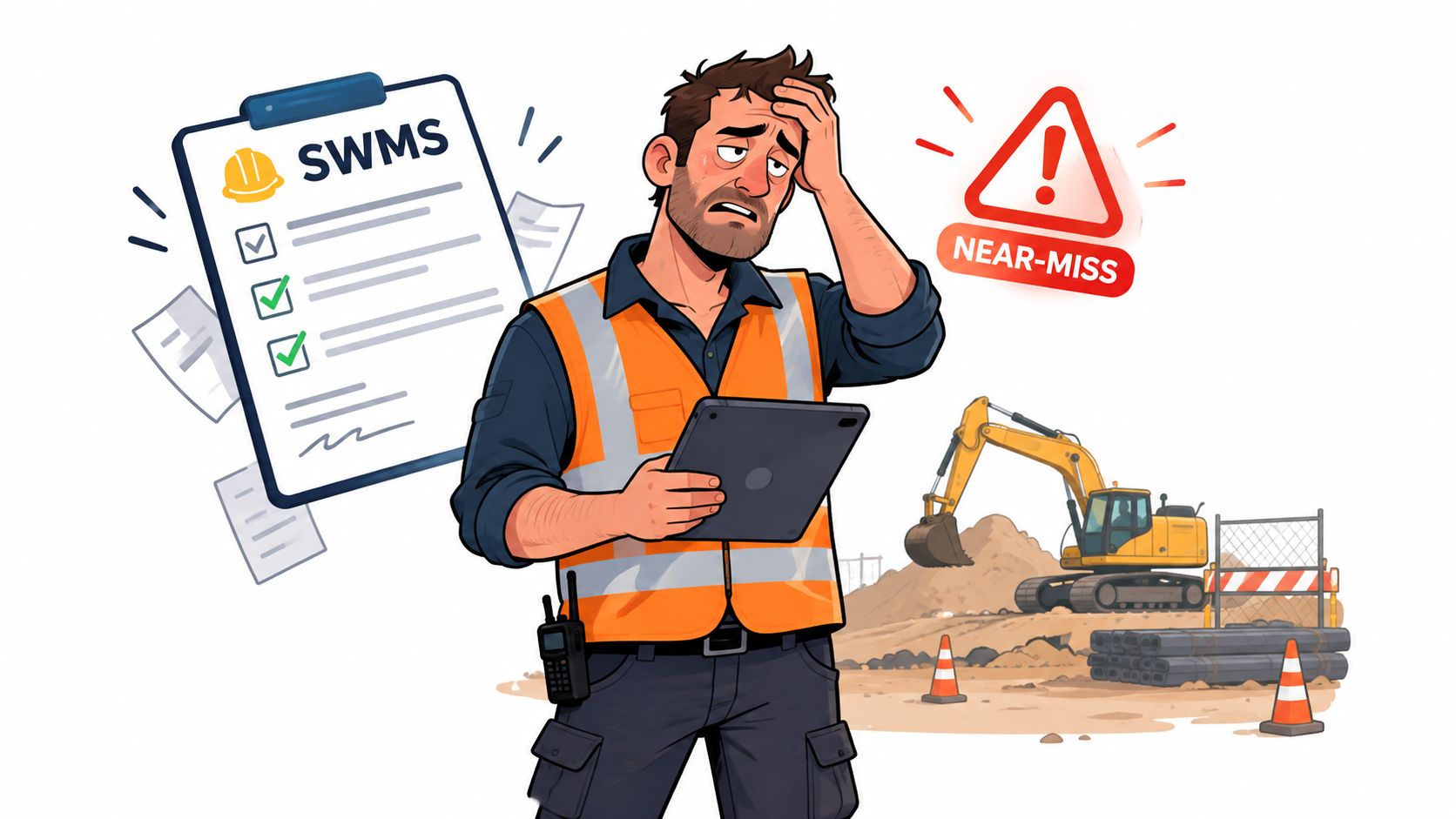
A manufacturing supervisor finds a damaged guard during a pre-start inspection. The paper form goes into a folder. A photograph remains on a personal phone. The maintenance request is sent by email, and the plant manager later asks whether the hazard has been closed. Nobody has a reliable answer in one place.
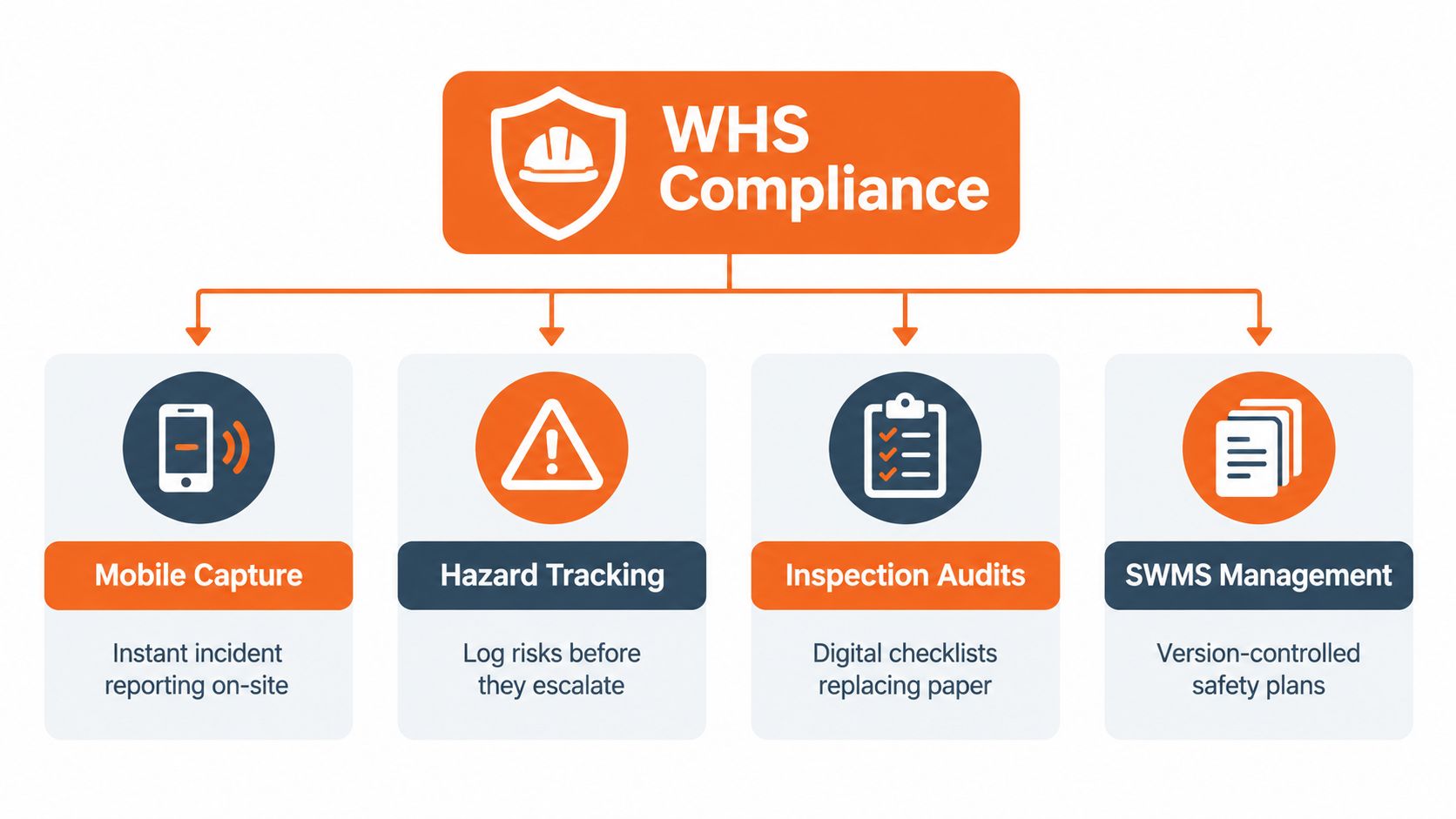
Work safety software replaces that fragmented chain with a searchable record for incidents, hazards, inspections, contractor evidence, corrective actions, and review history. A usable system lets the person who finds the problem record the facts immediately, attach photographs, assign an owner, and set a review point without leaving the work area.
The record must survive pressure
The primary duty of a PCBU under the model WHS laws covers the health and safety of workers and other people affected by the work, so far as is reasonably practicable. Safe Work Australia describes that duty as including safe systems of work, safe plant and structures, instruction, training, supervision, and monitoring of worker health and workplace conditions in its guidance on PCBU duties.
That duty doesn't mean a platform can guarantee a safe outcome. It means the system should help people demonstrate how risks were identified, controlled, checked, and reviewed. The important fields are practical ones: who reported the matter, when they reported it, where it occurred, what happened, what immediate control was applied, who owns the next action, and what evidence supports closure.
Practical rule: If a supervisor can't submit a clear report from the point of work, the workflow is designed for the office rather than the risk.
A good system also keeps an audit trail. Changes to an incident, hazard, SWMS, or corrective action should remain visible, with the relevant time and user history. That record gives H&S managers something stronger than a completed checklist when a regulator, principal contractor, insurer, or senior manager asks what happened.
The category became more practical as mobile inspections entered mainstream enterprise use. In 2016, Microsoft reported that iAuditor was being used 50,000 times per day and had passed 30 million inspections, while the same report cited 193 workers killed at work in 2015. That historical account of mobile inspection adoption shows why mobile capture addressed more than convenience. It allowed organisations to collect safety evidence at a volume paper processes struggled to handle.
Core Features That Match Australian WHS Duties
Choose features by the work duty they support, not by a vendor's product menu. Test each workflow from the viewpoint of the worker, supervisor, H&S manager, and principal contractor. The hidden execution gap is simple: a feature has value only when people use it at the point of work and the resulting record supports review.
Capture the first facts quickly
A mobile incident form should capture the initial description, photographs, witnesses, location, immediate controls, and follow-up tasks. It should create an immutable, time-stamped record that preserves the original report while allowing authorised investigation updates.
This matters for notifiable incidents. Safe Work Australia guidance requires immediate reporting after the PCBU becomes aware of a notifiable incident. It covers deaths, serious injuries or illnesses, dangerous incidents, and situations involving worker absence of 15 or more calendar days, as described in Australian WHS compliance guidance. A slow form encourages delayed calls, incomplete details, or informal messages that cannot support a defensible investigation.
The practical test is whether a supervisor can submit clear facts before leaving the work area. If not, the process is built around office administration rather than the risk.
Track hazards through to closure
Hazard reporting has limited value unless the system assigns responsibility and records the control. A finding should progress from identification and risk assessment to immediate action, corrective action, verification, and close-out evidence.
Inspections need the same discipline. Digital checklists can standardise checks across sites, but a long list of ticks does not prove that a condition was controlled. Prompts should reflect the actual plant, process, and exposure. Require a photograph or explanation when a failed response needs context.
Control SWMS versions
For high risk construction work, a SWMS is mandatory before work starts. Safe Work Australia identifies 18 defined high risk construction work activities and states that the SWMS must describe the activities, hazards, and controls. The PCBU must keep, follow, and review it, then provide a copy to the principal contractor, as set out in Safe Work Australia's SWMS guidance.
Software should present the current approved version on site, record worker acknowledgement, restrict obsolete versions, and retain review history. A file store alone does not control how work is performed.
Verify contractors, not just their paperwork
Contractor evidence should connect to the site and task. Include competencies, inductions, licences, insurances, SWMS acknowledgements, inspection findings, and outstanding actions. Managers should be able to identify unresolved matters without requesting another email attachment from each subcontractor.
Why Paper and Legacy Systems Fail Multi-Site Operations
Paper fails first at the handover. A worker completes a form at one site, a supervisor reviews it later, and an administrator enters selected details into a spreadsheet. By the time the central team sees the information, the condition may have changed and the person best placed to explain it may be unavailable.
Legacy systems fail differently. They often hold documents in separate modules or locations, with inconsistent naming, permissions, and review practices. One depot stores SWMS files by project. Another stores them by contractor. A third sends signed copies by email. The organisation may possess the evidence, but can't produce a coherent record quickly.
Compare the failure modes
| Need | Paper or disconnected tools | Integrated digital record |
|---|---|---|
| Incident capture | Delayed entry, missing photographs, unclear timestamps | Mobile submission with facts, images, and time history |
| SWMS control | Duplicate files and uncertain versions | Current approved document linked to the task and site |
| Corrective actions | Actions buried in minutes or email | Named owner, due date, evidence, and verification |
| Contractor oversight | Attachments scattered across inboxes | Searchable evidence linked to the contractor and location |
| Audit preparation | Manual collection across sites | Central record with an activity history |
The true measure is end-to-end auditability. A system should show what was checked, when it was checked, who completed it, what evidence was attached, and whether the corrective action was verified. This supports dealings with SafeWork, WorkSafe, and Comcare without turning every routine request into a document hunt.
A practical resource on selecting one compliance system is useful for operations managers comparing fragmented depot arrangements. The same principle applies to WHS: fewer uncontrolled handovers usually produce a clearer record.
A completed form isn't proof of control. The close-out record is where the system earns its place.
Mobile access also matters for certificates and evidence that must be checked away from an office. A dedicated mobile safety certificates workflow can reduce the temptation to accept an old attachment or rely on a verbal confirmation, provided the underlying records are kept current.
The Australian Compliance Reality Behind the Data
Australian H&S teams manage a large compliance burden. Safe Work Australia recorded 188 work-related traumatic injury fatalities in 2024 and 146,700 serious workers' compensation claims in 2023–24, equal to more than 400 serious claims each day, according to the national WHS data reported in 2026.
These figures do not show that software prevents injuries. They show the volume of events, investigations, claims, controls, and records employers must manage. In construction, manufacturing, mining, and logistics, one delayed report or unchecked action can affect several workers and sites.
The same national reporting recorded 317 national WHS prosecution decisions in 2024. Software cannot replace competent advice, consultation, supervision, or physical controls. It can make the organisation's response visible, assigned, and easier to verify.
Data quality changes the management question
A spreadsheet can show how many inspections were completed. It may not show whether a hazard keeps returning, whether the action owner attached evidence, or whether a supervisor closed an issue without checking the control in the field.
That evidence supports the PCBU duty. Learn more about the primary duty in our guide to WHS duties of a person conducting a business or undertaking (PCBU). The practical test is whether the procedure matched the work, workers understood it, and the control was monitored.
National data shows 76% of work-related traumatic injury fatalities and 61% of serious workers' compensation claims occurred in six industries, according to Safe Work Australia's 2024 key WHS statistics. A generic dashboard cannot tell a plant manager whether a machine guard, isolation step, lifting process, or contractor control is working. The workflow must capture the exposure, the responsible person, the evidence, and the field verification. Without those behaviours, more features create more records, not stronger control.
How Work Safety Software Fits Manufacturing and Construction Workflows
On a construction site, the workflow starts before the crew begins. The supervisor checks that the relevant SWMS is prepared, current, and matched to the planned work. Workers acknowledge the requirements, and a change in the task triggers a review before production pressure turns it into an uncontrolled variation.
Manufacturing has a similar control point, although the record may be a pre-start check, maintenance permit, material change, or new production run. The system should connect the inspection or risk assessment to the asset, process, shift, or area. A generic “pass” gives little management value. Context shows what was checked and where the exposure sits.
A workable daily sequence
Before work: The supervisor confirms the task, plant, hazards, controls, and current SWMS or procedure. High risk construction work cannot start without the required SWMS prepared beforehand.
During the task: A worker records a changed condition or near miss from a phone or tablet. The responsible supervisor receives the report with photographs, immediate controls, and enough location detail to act.
After the finding: The manager assigns the corrective action, sets a review point, and requires evidence when the control is implemented. Closure should show who checked the result and when.
Across sites: H&S and operations leaders compare open actions, repeat hazards, overdue inspections, and contractor evidence without collecting separate spreadsheets from every location.
A dashboard matters only when it changes a site conversation. A red status without an owner or field verification is decoration. A short list of significant overdue actions, linked to the original report and current evidence, supports a management decision.
Industry-specific controls also matter. 76% of work-related traumatic injury fatalities and 61% of serious workers' compensation claims were concentrated in six industries, according to Safe Work Australia's 2024 statistics. Construction and manufacturing should not share identical checklists because a platform provides one template library. The system must let each organisation test controls against its actual work, then retain the record for supervision, review, and audit readiness.
What to Check Before Buying Work Safety Software
Start with the frontline report, not the sales demonstration. Ask a supervisor to record a near miss on the device they carry, from the area where the issue occurs. Watch how many screens, mandatory fields, logins, and workarounds appear before the report is submitted.
Australian coverage identifies a serious execution gap. In a national survey of more than 1,000 safety managers, workers, and contractors across high-risk industries, 41% said safety is taken seriously all the time, 30% of workers found safety software easy to use in larger organisations, and nearly one in four had personally witnessed unreported incidents, according to Australian coverage of workplace safety software. The same coverage reports that 23% of Australian businesses still use paper-based systems for critical safety tasks.
Those numbers point to a buying test. Don't ask only whether the platform has incident forms, dashboards, or AI-assisted functions. Ask whether workers trust the process, whether supervisors receive useful information, and whether managers can prove that actions were closed.
Questions for the vendor
Can workers report quickly? Test photographs, offline capture where relevant, location selection, witness details, and immediate controls. Count the steps rather than accepting a claim about ease of use.
Can managers see the full chain? A report should connect to investigation tasks, corrective actions, evidence, approval, and review history. If the workflow ends at submission, it won't fix follow-through.
Can subcontractors participate without losing control? Check access permissions, document expiry handling, SWMS acknowledgements, induction evidence, and the ability to separate contractor responsibilities from principal contractor oversight.
Can the system support your audit trail? Ask how it records edits, versions, approvals, timestamps, and deleted or superseded documents. Request an example export using your own process.
Will it fit existing work? Test whether forms can reflect your plant, permits, inspections, and reporting lines. A platform that forces every site into a generic checklist can create more administration than it removes.
The right product is the one that makes the safe action easier than the workaround. Trial it with the people who report hazards, not only the administrator who configures forms.
Getting Started with Safety Space
Start with a workflow that fails under pressure. A near-miss report, contractor evidence check, inspection action, or SWMS review shows where handoffs break down.
Map the path from field observation to verified close-out. Record re-entered data, separate photographs, delayed approvals, and searches for current documents. Configure a small pilot around that path, using the fields, permissions, and notifications supervisors need. Test it with the people who perform the work, not only the administrator.
Safety Space is an all-in-one, customisable platform for Australian manufacturing, construction, and industrial services organisations. It brings safety records into one system, with real-time monitoring, AI-assisted form completion, and oversight across sites and subcontractors. Its WHS compliance software guidance can help check the workflow against Australian duties.
Judge the system by behaviour and evidence. Can a worker report before the task moves on? Can a supervisor assign, verify, and close an action? Can an H&S manager produce the record without rebuilding it from email? A free demo and H&S consultation provide a practical test, while monthly, cancel-any-time subscriptions allow evaluation before a longer commitment.
Bring a supervisor, operations manager, and audit lead to the demonstration. Use a real incident or SWMS process. Safety Space can replace paper, spreadsheets, and disconnected records with one working system. Visit Safety Space to book a free demo and H&S consultation, then test whether the process withstands a real audit.
Ready to Transform Your Safety Management?
Discover how Safety Space can help you implement the strategies discussed in this article.
Explore Safety Space FeaturesRelated Topics
Safety Space Features
Explore all the AI-powered features that make Safety Space the complete workplace safety solution.
Articles & Resources
Explore our complete collection of workplace safety articles, tools, and resources.