
By Tuesday morning, the gaps are already showing. One subcontractor has signed the SWMS but the crew hasn't been briefed, yesterday's near miss is still on a clipboard in the site office, the steel team is waiting on a hot work permit, and the WHS officer is trying to answer radio calls while clearing email. That's when most workplace management systems get tested for real.
On Australian sites, the problem isn't whether documents exist. It's whether the PCBU can see live risk across crews, handovers, permits, incidents, and corrective actions while the work is still happening. Once more than one contractor is involved, paper folders, shared drives, and static PDFs stop telling you what's going on.
Table of Contents
- The Site Problem a Workplace Management System Has to Solve
- What a Workplace Management System Actually Is
- Core Modules That Carry the Real Value
- How the System Behaves in Construction, Manufacturing, and Industrial Services
- Why Spreadsheets and Legacy Tools Stop Working in Australia
- What to Look for When Choosing a System
- Implementation, Rollout, and the First 90 Days
- Common Questions Australian Buyers Ask Before Signing
The Site Problem a Workplace Management System Has to Solve
A workplace management system has to close an operational gap. Not a filing gap.
On a mid-tier commercial build, the breakdown usually starts at the joins between parties. The principal contractor has one version of the day's plan. Each subcontractor has another. The permit issuer has a third. By smoko, nobody is fully sure whether the control listed in the SWMS is the control being used on the floor.
Where visibility breaks first
The first failure point is usually live visibility. A near miss gets reported late. A toolbox talk doesn't flow through to the afternoon shift. A permit is issued, but the isolation it depends on hasn't been confirmed in the field. None of that looks dramatic in a spreadsheet. On site, it's exactly how weak controls become incidents.
The second failure point is evidence continuity. The WHS officer can often find the SWMS, the inspection sheet, and the incident note. What they can't do quickly is show how those records connect. That matters when you're trying to prove that a hazard was identified, a control was communicated, and the control was reviewed after conditions changed.
Practical rule: If your system only tells you what was uploaded, it isn't controlling the work. It's archiving it.
Safe Work Australia's latest national figures are a reminder of why this matters. It reported 188 work-related traumatic injury fatalities in 2024, a fatality frequency rate of 1.3 deaths per 100,000 workers, and 146,700 serious workers' compensation claims in 2023–24 involving at least one week off work, with 61% of serious claims concentrated in six industries including manufacturing and construction according to Safe Work Australia key WHS statistics.
A useful workplace management system puts current risk in one place. It gives supervisors, project managers, H&S managers, and business owners the same operational picture. Not after the event. While there's still time to intervene.
What a Workplace Management System Actually Is
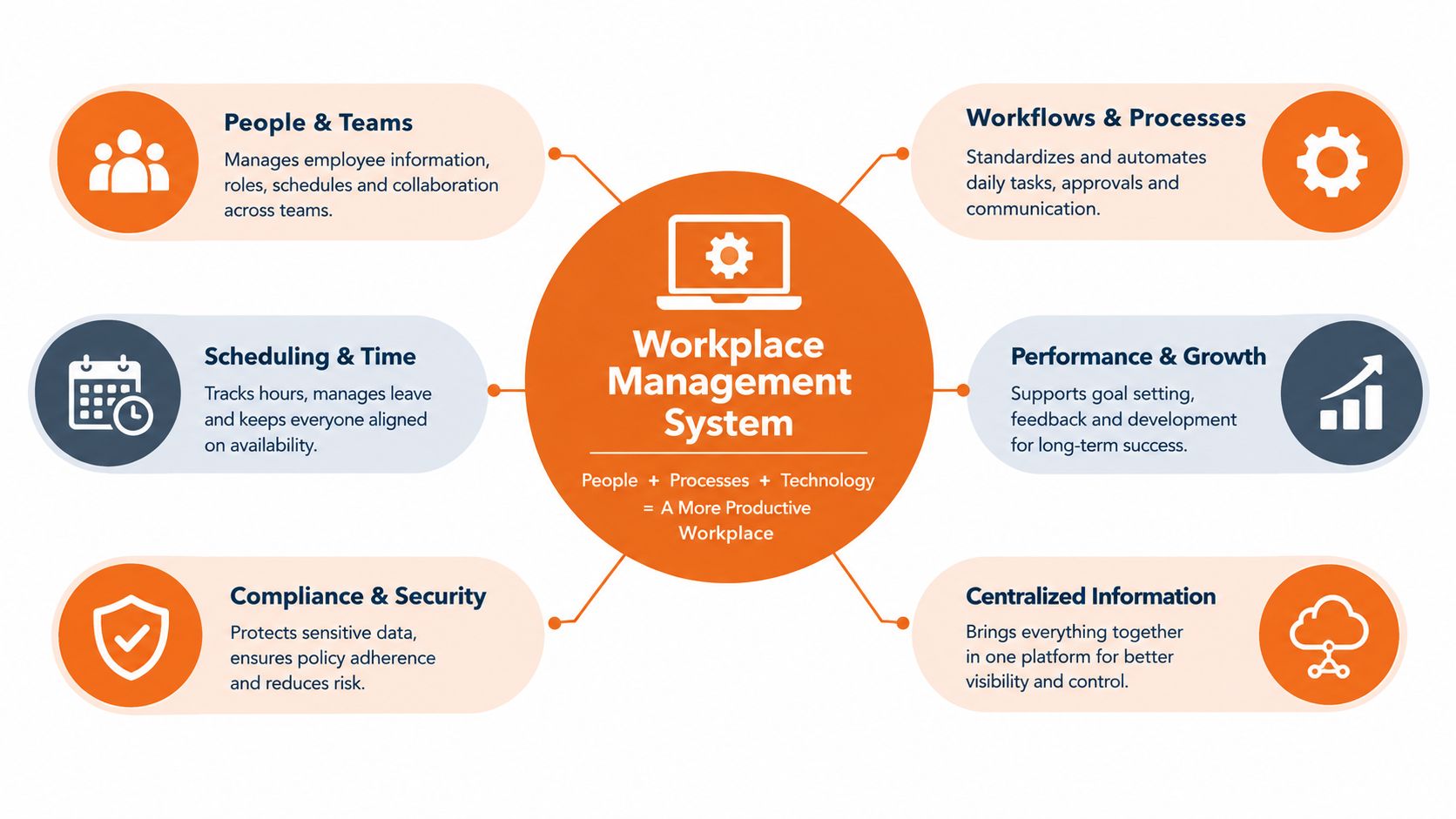
A workplace management system is the software layer that runs the daily safety work of the site or plant. It connects people, permits, hazards, incidents, competencies, audits, and actions in one role-based workspace.
That's different from a WHS management system. Your WHS management system is the policy framework. It includes procedures, plans, standards, roles, and documents. The workplace management system is what makes that framework usable in the field.
The practical definition
If the software can't support the actual flow of work, it's not much use. On Australian sites, that usually means it needs to handle:
- SWMS and JSAs for task-level risk control
- Incident and hazard reporting from the field
- Permit to work for hot work, confined space, isolation, and work at height
- Audits and inspections with actions assigned to real people
- Training and competency records tied to site access and task authorisation
- Contractor onboarding and prequalification
- Psychosocial hazard registers and consultation records
A lot of buyers get distracted by dashboards. Dashboards are secondary. The core job is to make sure the right person sees the right risk at the right time and can act on it.
What good systems do differently
Safe Work Australia notes that WHS reporting data can include incident investigations, inspections, employee survey results, injury metrics, and consultation feedback, and that organisations can compare their hazards and injury data against national benchmarks through its WHS data reporting guidance. That's the model to work from. One data structure. Different evidence types. Clear trend lines.
In practice, the best systems don't treat WHS as a document library. They treat it as an operating system for risk. That's also why some teams look beyond pure safety tools and study broader workforce platforms. If you're considering how worker identity, device access, and onboarding intersect, these Rippling integration insights from Benely are useful context for thinking about cross-functional data flow.
Core Modules That Carry the Real Value
The value isn't in having more modules. It's in having the right ones produce usable evidence and push actions between teams.
SWMS and task risk controls
In construction, this starts with SWMS and JSAs. For high risk construction work in Australia, a PCBU must prepare a SWMS, or ensure one has been prepared, before the work starts, and Safe Work Australia says that requirement applies to the 18 defined categories of high risk construction work in its SWMS information sheet.
Safe Work Australia's definition includes work with a fall risk of more than 2 m, work in or near a confined space, a shaft or trench deeper than 1.5 m, energised electrical installations or services, and work on or near powered mobile plant according to its high risk construction work guidance.
A good system doesn't just store the SWMS. It ties the task, crew, site, controls, review date, and briefing record together.
Reporting, permits, audits, and records
SafeWork NSW is clear that a SWMS must identify the high risk construction work, specify the hazards and risks, describe the control measures, and explain how those controls will be implemented, monitored, and reviewed, and that it must be understood by all people using it under its SWMS preparation guidance. If your platform can't support that workflow, it won't help much during a site inspection or incident review.
A useful system also needs:
- Incident and near miss reporting that captures time, location, involved parties, immediate actions, and investigation status
- Permit to work controls that show whether hot work, confined space entry, or isolation is currently authorised
- Audits and inspections that create actions, due dates, and escalation if items sit open
- Training and competency records linked to inductions, licences, VOCs, and refresher dates
- Contractor management that keeps each subcontractor as a separate entity, not just a name in a spreadsheet
- Psychosocial hazard registers so the organisation can record workload, behaviour, fatigue, consultation, and follow-up in a consistent way
A permit system that doesn't expire approvals, force handover checks, and name the authorised worker is only half a control.
The modules need to talk to each other
Many implementations fall over. Teams buy one module at a time and never connect them. The result is more digital paperwork, not better control.
The table below shows what each module should support.
| Module | WHS Duty Supported | Evidence Produced |
|---|---|---|
| SWMS and JSAs | Task-level risk control for planned work | Reviewed task risk records, worker sign-off, control revisions |
| Incident and near miss reporting | Incident response, investigation, and review | Timestamped reports, investigation notes, corrective actions |
| Permit to work | Control of hazardous activities | Live permit status, approvals, expiry, isolations, handback records |
| Audits and inspections | Monitoring and verification of controls | Inspection findings, assigned actions, closure trail |
| Training and competency | Instruction, supervision, and authorisation | Induction status, VOCs, licence records, refresher tracking |
| Contractor onboarding | Supply chain control and site access readiness | Prequalification records, insurances, SWMS submission, onboarding status |
| Psychosocial hazard registers | Identification and review of psychosocial risk | Consultation notes, hazard entries, action plans, review records |
If you're assessing platforms, look closely at the document structure as well as workflow logic. The difference between a file store and a usable operating system usually shows up in how records connect, which is why a proper document management system for WHS records matters more than most buyers realise.
How the System Behaves in Construction, Manufacturing, and Industrial Services
The same platform behaves very differently depending on the work. That's where a lot of vendor demos mislead buyers. They show a generic workflow that doesn't reflect the rhythm of your sites.
Construction needs contractor control
Construction changes shape every week. Crews come and go. Workfronts move. Controls that were sound on Monday can be wrong by Thursday.
A workplace management system in construction has to treat each subcontractor as its own operating unit. That means separate SWMS registers, competency records, permits, incidents, and close-out actions. It also needs time-bound permits issued to named people, especially for hot work, confined space, and work at height.
Manufacturing needs asset-linked control
Manufacturing is steadier, but the hazard profile sits closer to plant and process. The better systems tie inspections, pre-starts, lockout steps, corrective actions, and operator competencies back to the actual machine or line.
That's where broader operational thinking helps. If your plant team is also looking at throughput and maintenance performance, this piece on process optimization in factories is useful background because it shows how operational data becomes more useful when it's attached to the process, not left in separate silos.
Industrial services sits between both
Shutdowns, maintenance campaigns, cleaning, electrical, and field services carry the problems of both construction and manufacturing. Crews are transient, scopes overlap, and the contracting chain is rarely simple. The system needs to flag permit clashes, verify competencies against the task, and carry lessons learned from one contract to the next.
| Dimension | Construction | Manufacturing | Industrial Services |
|---|---|---|---|
| Workforce profile | High subcontractor turnover | Stable workforce with shift patterns | Mixed internal and contractor crews |
| Main control pressure | Site coordination and changing workfronts | Plant-specific controls and repeatable tasks | Scope overlap and transient crews |
| Permit demand | Hot work, confined space, work at height, excavation | Isolation, maintenance access, confined space, hot work | Mixed permits across client and contractor systems |
| Audit cadence | Frequent site inspections and trade checks | Scheduled, statutory, and asset-driven audits | Contract, shutdown, and mobilisation audits |
| Key system strength | Subcontractor visibility | Asset-linked records | Cross-site incident and permit coordination |
On mixed portfolios, this usually means you need a platform built for field use, not just head office reporting. That's why many teams look for field workforce management software that can handle moving crews, contractor oversight, and work happening away from desks.
Why Spreadsheets and Legacy Tools Stop Working in Australia
The spreadsheet argument misses the point. This isn't a debate about paper versus digital. It's a debate about isolated records versus connected oversight.
A spreadsheet can hold a hazard register. A shared drive can hold SWMS PDFs. An old on-premise system can store incident forms. None of those, by themselves, tell you whether the same failed control is appearing across multiple sites, whether the worker on the permit is the person doing the task, or whether an audit finding was left open until after an incident.
The evidence problem
Under the WHS framework, the question is rarely “did you have a form?” The question is whether the organisation can show identification, communication, implementation, monitoring, review, and follow-up in one usable trail.
Safe Work Australia's interactive national data reports 188 work-related fatalities in 2024, 146,700 serious workers' compensation claims in 2023–24 (preliminary), and 317 national WHS prosecution decisions in 2024 through its interactive WHS data platform. Those aren't abstract numbers for policy people. They're a warning that incident, claim, and enforcement data all matter, and they need to be visible together.
The current enforcement reality
The commercial risk has sharpened as well. A September 2026 WHS round-up reported that prosecutions fell from 321 in 2024 but average financial penalties rose 33% to a record $147,985, with construction accounting for 43% of cases and manufacturing 20%, while inspectors conducted over 300,000 workplace interventions in the latest year according to the Australian WHS round-up for 1 to 17 September 2026. Read that carefully. Fewer files doesn't mean less exposure.
If a supervisor can't pull the permit, briefing record, incident note, and corrective action trail together on the same day, the business is carrying unnecessary enforcement risk.
Legacy tools also struggle with the issues buyers care about now. Multi-site contractor visibility. Offline use in patchy coverage. Jurisdiction-aware controls. Real accountability by role. That's why old systems often become expensive archives rather than management tools.
What to Look for When Choosing a System
Shortlisting should start with site reality, not feature count. Buyers get better outcomes when they test how the system handles a live contractor, a permit conflict, a failed control, and a board request for evidence.
The shortlist criteria that matter
Start with these checks:
- Jurisdictional fit: Make sure the vendor understands Australian WHS obligations across the states and territories you operate in, including local regulator expectations and workers' compensation interfaces.
- Contractor structure: Each contractor should sit in the system as a discrete entity with its own workers, records, competencies, SWMS, incidents, and approvals.
- Offline field use: Supervisors need to complete forms in basements, plant rooms, remote areas, and regional sites without losing data.
- Data ownership: The contract should state that your organisation owns the records, can export them in a usable format, and won't be trapped by punitive exit terms.
- Role-based accountability: Actions need owners, due dates, escalation points, and visibility by site, project, or business unit.
- AI with human oversight: Auto-classification can help. Auto-decisioning without review can create fresh risk.
Don't ignore adjacent controls
There's a useful lesson in adjacent infrastructure buying. If you've ever selected site access hardware, you'll recognise the same pattern in this guide on what to look for in a gate access system. The right question isn't “does it open the gate?” It's “who can control access, what happens when the connection fails, and what evidence is left behind?” Safety software should be tested the same way.
Integration also matters. HR, payroll, contractor systems, and CMMS data all influence whether a person should be on site, on shift, or authorised for a task. But integration should support the workflow, not drive the whole buying decision.
Weight implementation support heavily
A weak rollout can sink a good platform. Ask who owns implementation, how site templates will be configured, what training supervisors will get, and how issues will be handled after launch.
One practical option in this market is Australian health and safety software that combines incident management, audits, contractor oversight, and live monitoring in one platform. Safety Space is one example. The important point isn't the label on the software. It's whether the product can hold field records, accountability, and multi-site oversight together without turning the admin team into full-time data cleaners.
Implementation, Rollout, and the First 90 Days
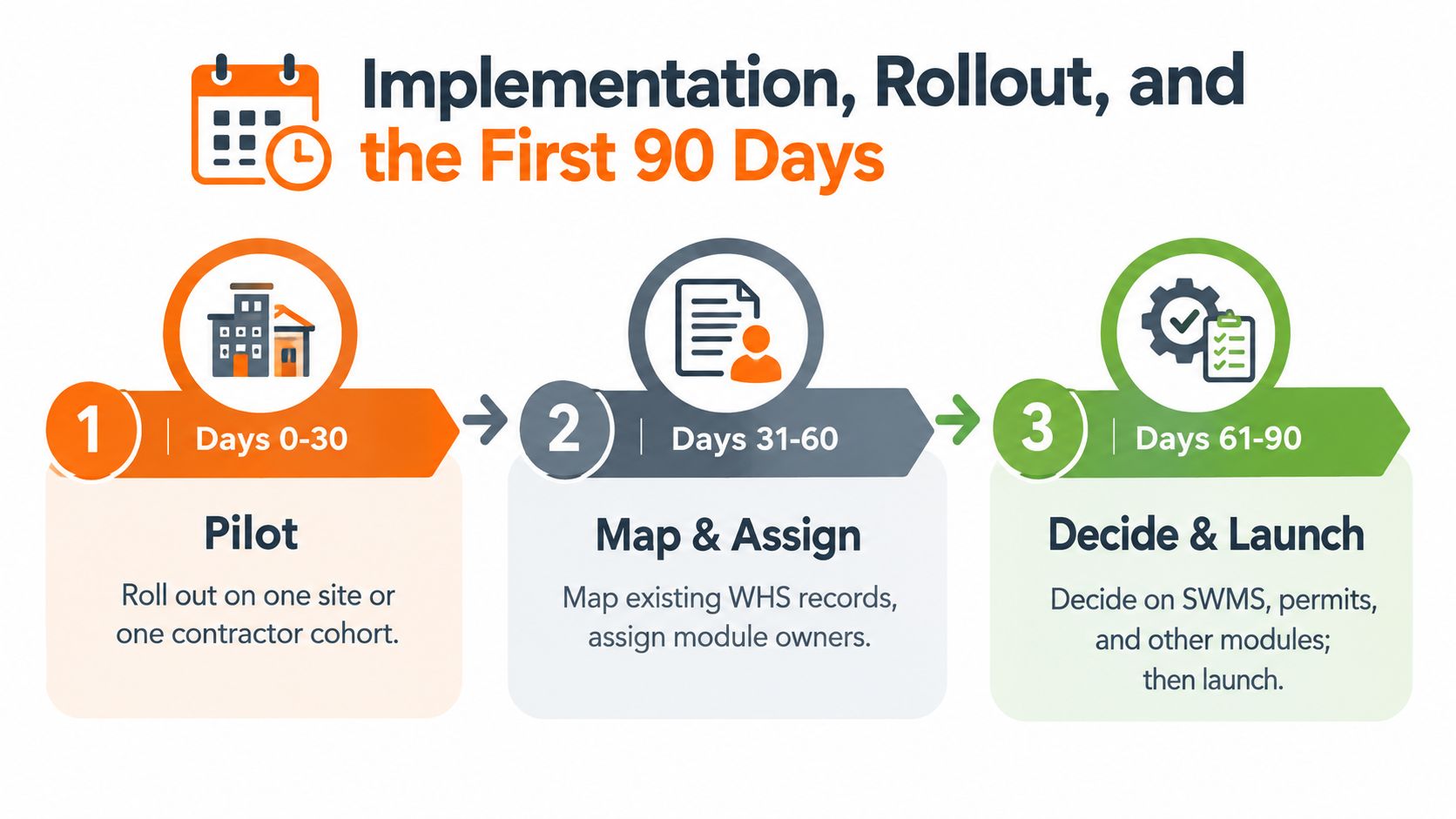
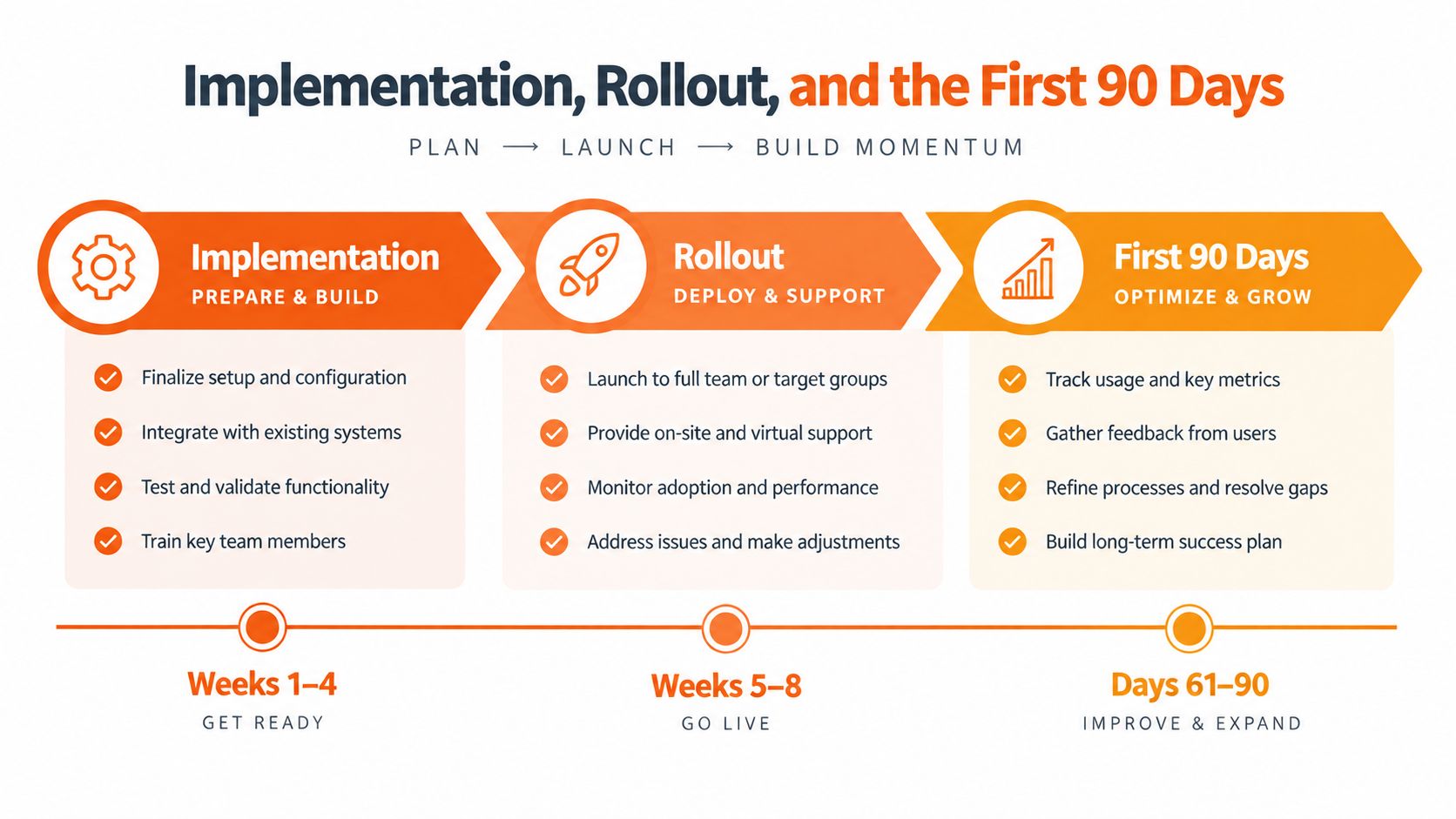
Most failed rollouts start too wide. They try to launch every module, on every site, for every user group, at once. That usually creates confusion, workarounds, and resentment from supervisors who are already under production pressure.
Start narrow and make it stick
Begin with one site, one business unit, or one contractor cohort. Pick the module that solves the clearest pain point. On construction jobs, that's often SWMS or permits. In manufacturing, it may be inspections, incidents, or training compliance.
Map your current records before you configure anything. Decide who owns each module. If nobody owns permits, incident close-out, or competency records, the platform won't fix the problem by itself.
Put supervisors at the centre
Adoption happens in pre-starts, toolboxes, permit sign-ons, and end-of-shift reviews. If supervisors keep reverting to WhatsApp, notebooks, or screenshots, the rollout is already drifting.
A few signals are worth watching in the first 90 days:
- Incident close-out time: Are actions being assigned and closed faster?
- Pre-work SWMS sign-off: Are crews briefed before the task starts, not after?
- Audit findings by site: Can you see recurring failures clearly enough to intervene?
- Permit rework: Are permits being issued cleanly, or sent back because the basics were missed?
Rollout success isn't measured by logins. It's measured by whether site leaders use the system when the work is live and messy.
Integration with HR, payroll, or contractor databases can wait a little if it needs to. The first goal is to make one or two critical workflows reliable in the field. Once that sticks, expanding the footprint gets much easier.
Common Questions Australian Buyers Ask Before Signing
Procurement and legal teams usually ask the same four questions.
The contract points worth testing
- Where is the data stored? Confirm data residency, privacy handling, backup arrangements, and any subcontracted hosting arrangements.
- Can we leave cleanly? Make sure records can be exported in a usable format and that ownership on termination is explicit.
- Will records stand up as evidence? Ask how timestamps, edits, approvals, version control, and user attribution are managed.
- Do AI features create new WHS risk? If the system classifies hazards, suggests controls, or ranks incidents, check where human review sits and how incorrect outputs are handled.
The safer answer is almost always the same. Put the control point with a competent person, document the review step, and make the contract say exactly how the platform will support that.
If you're trying to get permits, incidents, SWMS, contractor records, and corrective actions out of separate folders and into one usable workflow, Safety Space is built for that job. It gives Australian teams a connected WHS platform for multi-site operations, subcontractor oversight, and live accountability, without forcing you back into spreadsheets or clunky legacy tools.
Ready to Transform Your Safety Management?
Discover how Safety Space can help you implement the strategies discussed in this article.
Explore Safety Space FeaturesRelated Topics
Safety Space Features
Explore all the AI-powered features that make Safety Space the complete workplace safety solution.
Articles & Resources
Explore our complete collection of workplace safety articles, tools, and resources.