
Stop judging software by module count. A long feature list tells a buyer that a button exists somewhere. It doesn't tell whether a worker report becomes a closed, auditable action, whether a supervisor sees it in time, or whether the record survives an audit six months later. That's the test that matters for the best health and safety software NZ buyers can run on site.
A better question is simpler. Can a field worker capture a hazard on a phone, without help and without signal, and can a manager trace that hazard to a control, an owner and completion evidence in one search? Platforms that fail there fail in daily use, whatever else they contain.
Table of Contents
- Quick Picks by Business Type and Size
- What HSWA 2015 Expects Your Software to Keep
- Criteria to Test Before You Shortlist
- Incident Notification and Corrective Action Records
- Whether More Reporting Prevents Harm
- Measuring Worker Engagement and Psychosocial Risk
- Run a Structured Trial Before You Commit
Quick Picks by Business Type and Size
Match the business profile first. Company size, number of sites and how work moves through crews decide which capabilities are minimum requirements and which can wait. The table below sets that starting point without ranking vendors.
Capabilities to require first, by business profile
| Business profile | Capabilities to require first | Question to answer in a demo |
|---|---|---|
| Small on-site crew under 20 staff | Mobile forms, offline capture, inductions and toolbox talk sign-off | Can a supervisor finish a pre-start form on a phone with no signal? |
| Residential builder with several sites | Site-level registers, head office roll-up, SWMS and inductions | Does each site keep its own register while head office sees all sites? |
| Multi-contractor construction or property development | Contractor insurance, licence and induction tracking, permits to work, incident escalation | Which subcontractor documents expire before the next start, and who gets the alert? |
| Manufacturing with plant and chemicals | SDS register, equipment and maintenance registers, inspections, corrective actions | Can the system link an SDS to the task and to the worker sign-on? |
| Cleaning and facilities services | Training registers with expiry reminders, QR site sign-in, task-based SWMS | Do training expiry alerts reach both the supervisor and the worker? |
| Waste management | Vehicle and plant inspections, field incident reporting, corrective actions | Can a driver report a hazard from the cab without using a desk computer? |
How to Read a Row
Read each row as a test, not a wish list. The middle column is the minimum requirement for that profile. The right column is the question the vendor has to answer live, with the buyer's own site, worker names and document types loaded.
Say a residential builder runs four sites. A slide showing a hazard register proves very little. The useful demo creates the same inspection at two sites, assigns different actions to different supervisors, then shows head office a roll-up that keeps site records separate. Gaps appear fast when records merge, permissions leak between projects, or the roll-up shows counts but not overdue owners.
For multi-contractor work, the pressure point is usually expiry and access. Insurance, licences and inductions need collection before work starts, reminders before they lapse, and a clear record of who was told. For manufacturers, the link matters more than storage, because an SDS that sits in a library but doesn't connect to the task and the worker sign-on doesn't help the person about to use the chemical.
A capability isn't proven until a worker completes the task unassisted on site.
This article doesn't rank vendors. Any claim about a named product should be checked against features listed on that vendor's own website, not against a reseller summary or a sales call. Prices should only be compared where they're publicly listed or quoted in writing for the same site count, users and modules.
Start every first call with one question. Which of these tasks will a worker do on a phone, on site, without help? The answer sorts practical systems from office systems with a mobile add-on.
What HSWA 2015 Expects Your Software to Keep
New Zealand's Health and Safety at Work Act 2015 sets the duties software needs to support. A platform used across Australia and New Zealand must handle New Zealand duties, forms and regulator expectations, not just apply Australian WHS templates.
The Act requires a person conducting a business or undertaking, or PCBU, to ensure worker and workplace safety so far as reasonably practicable. The WorkSafe New Zealand Data Centre reported 37,581 injuries and 69 work-related deaths for 2024. The duty is proactive: identify hazards, eliminate or minimise risks, engage workers, coordinate with other duty holders, and keep evidence that controls are in place.
Records That Have to Hold Together
Forms stored in isolation do not show whether the safety process works. Keep records with dates, versions and responsible people attached:
- Hazard assessments: Identified risks, selected controls and review dates
- Inspections and checks: Who checked a control, when they checked it and what they found
- Worker consultation: Toolbox talks, feedback and evidence of worker engagement
- Incident investigations: Findings linked to hazards, rather than filed separately
- Action ownership: Named owner, due date and completion evidence
- Training and competency: Records, including expiry dates where applicable
- Contractor documents: Insurance, licences, inductions and coordination records
- Controlled procedures: Current version in use and earlier versions available for reference
Judge the system by whether it connects these records. A manager should be able to follow one hazard from its register entry to the control, the inspection that checked it, worker sign-off and any corrective action. If that trail requires several exports and a spreadsheet, the system stores paperwork without connecting the work. For a cross-jurisdiction comparison, Australian security compliance paperwork offers context, but NZ records must still meet local duties rather than copy another framework.
Connectivity is a practical constraint. Construction, field service, manufacturing and remote sites may have unreliable access, so capture that only works in the site office can push workers back to paper or memory. For work involving several duty holders, health and safety management as a main contractor in New Zealand provides relevant context: records need to show coordination, not just attendance.
Check that the software covers New Zealand's Health and Safety at Work Act 2015, including WorkSafe NZ requirements and sector-specific regulations. Templates labelled for another jurisdiction do not establish that local duties are covered.
In a trial, use the records and retrieval checks in the next section to see whether consultation and worker reports lead to assigned, closed, auditable actions.
Criteria to Test Before You Shortlist
A long feature list does not show whether safety work gets done. Check whether a worker can raise an issue, whether the right person receives it, and whether the resulting action is recorded through to closure. Forms, registers and dashboards matter only when they support that chain on a live site.
Criteria to verify
| Criterion | What to verify |
|---|---|
| Mobile and offline capture | Users can complete and submit forms with photos, signatures and actions, then sync records when connectivity returns |
| Multi-site records | Each site or project has its own records, with a head-office view of activity across locations |
| Contractor management | Contractor documents, licences and inductions are recorded, with expiry reminders |
| Corrective action tracking | Each action has a named owner, due date and evidence of completion |
| Regulatory traceability | Dated versions of forms, procedures and training records remain accessible |
| Worker engagement | Frontline feedback can be connected to hazards, consultation records and assigned actions |
| AI features | Generated drafts and summaries can be reviewed, with their source records visible |
| Pricing and contract terms | The quote sets out the basis of cost, setup, included modules and contract term |
Mobile, Sites, Contractors and Actions
Mobile and offline capture affects the quality and timing of reports. The app should let workers submit forms with photos, signatures and actions, see and complete assigned actions, read library documents and view assigned tasks. If routine reporting depends on a desktop, workers may delay it or leave out useful detail. Check that the mobile workflow fits the work people do.
Multi-site records need both local context and a useful roll-up. Site teams should be able to work with their own inspections, registers and actions, while head office can identify overdue work and recurring issues across locations. A combined count has little value if managers cannot open the underlying record and see who owns the response.
For contractor management, check how the system handles documents and expiry reminders. The useful record connects the contractor, the required document, its status and the follow-up. Multi-contractor sites that also run events or temporary work can use the same standard when they find software for managing event risks: worker input and contractor records should lead to accountable actions, not sit in separate files.
Corrective action tracking should make ownership clear from assignment through completion. Each action needs a named owner, a due date and evidence before it is closed. The dashboard should show open actions per form, so managers can spot work awaiting follow-up without relying on a separate spreadsheet.
Traceability, Engagement, AI and Price
Regulatory traceability means a current document does not replace its history. A system should preserve dated versions of procedures, forms and training records so a reviewer can identify what was in use and when. Check that version control covers form templates as well as documents, and that the record remains connected to the relevant site and work.
Worker engagement is more than collecting comments. Keep consultation records and give each concern a route to an owner, a related hazard and, where needed, a corrective action. This makes it possible to see whether feedback was considered and what response followed. For PCBUs, tracking consultation and resulting actions supports clearer accountability for worker participation.
Judge AI features by the work they support and the checks they allow. Drafting procedures, summarising records or helping prepare a risk assessment can reduce administration, but the output still needs human review. Look for visible source records and a clear approval path, so a manager can check whether a recommendation fits the actual site conditions before it is used.
Price comes after workflow fit. Ask for a written quote based on your site count, users and required modules, with setup and contract terms set out. Record which features are published and which need clarification. Treat an unconfirmed feature as a question to resolve, not as a basis for choosing a system.
Decision rule: Shortlist systems that connect worker reports and consultation to owned, traceable actions. A broad module list cannot make up for a broken hand-off.
Incident Notification and Corrective Action Records
Incident workflows fail when capture, notification and corrective action sit in separate places. The sequence below keeps them in one record. Each step includes the software test that shows whether the platform supports it under time pressure.
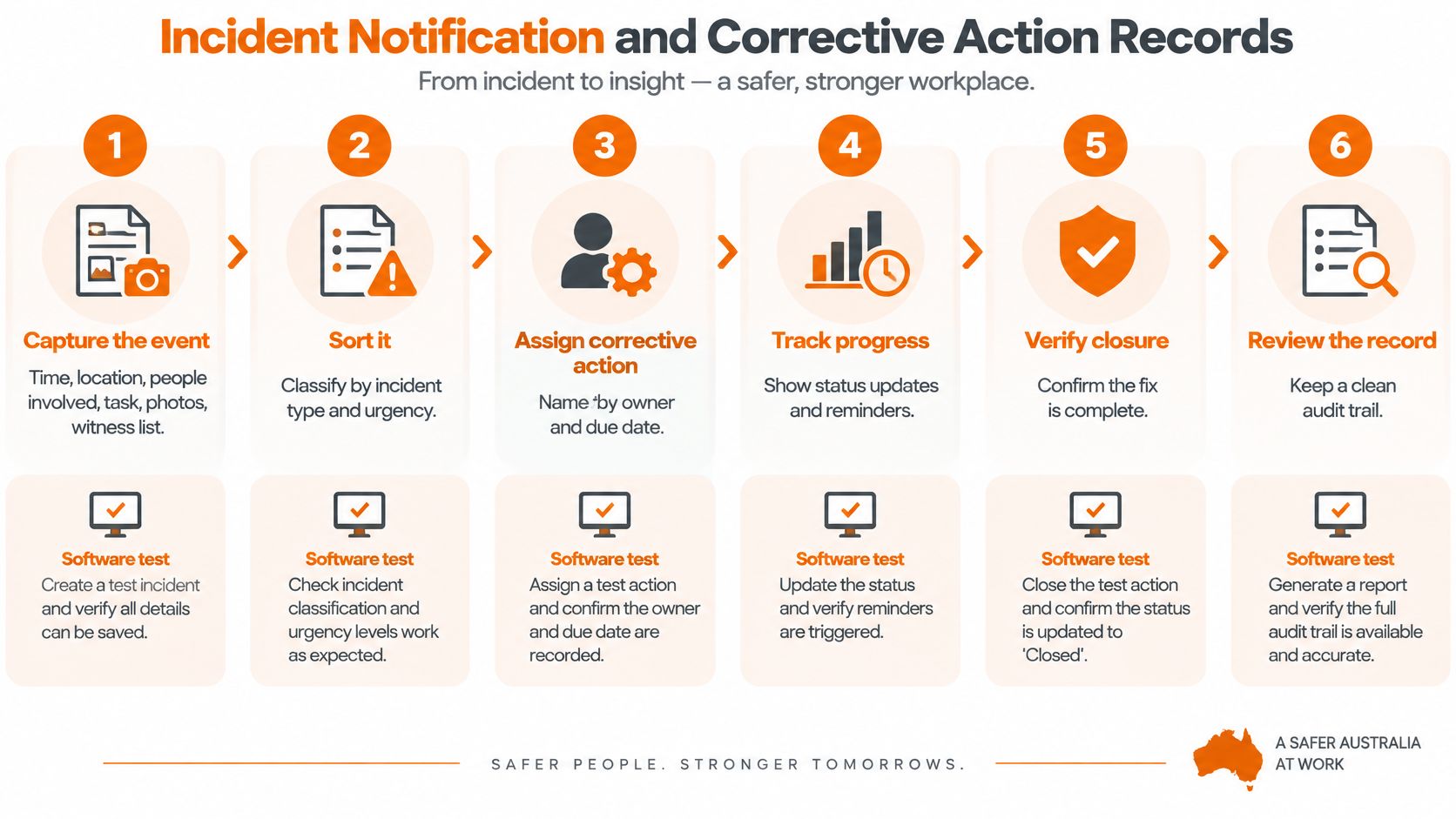
Six Steps From Capture to Closure
- Capture the event: Record time, location, people involved, task, photos and witnesses as soon as it's safe. Test how many fields a worker must complete before the report can be submitted.
- Sort it: Distinguish notifiable events from near misses and minor injuries. Near misses stay internal but still need recording, because repeat patterns often show the control gap first.
- Notify and record: Under WorkSafe NZ guidance on HSWA duties, a PCBU must notify WorkSafe as soon as possible by the fastest available means, even if emergency services attended, and must keep records of the notification for at least five years. Record the time, method and person who notified.
- Assign corrective action: Give each action a named person and due date, then alert that person straight away. Test whether the owner can see context and photos on mobile.
- Escalate high-risk events: Route serious events to a manager at once, not into a general inbox. Test who receives the alert outside office hours.
- Close with evidence: Require a photo, sign-off or re-inspection before closure. Test whether the system allows closure with a comment alone, and tighten that setting if it does.
Time two gaps in the trial. Measure the time from event capture to notification record, and check how many actions remain open per form after a week. Long gaps usually point to manual hand-offs outside the system.
This is the point where software choice becomes concrete. Safety Space tracks incidents, manages corrective actions and sends instant alerts when safety issues arise, and its dashboard shows open actions per form. Running steps 3 to 6 on a realistic incident in a demo shows whether notification, ownership and evidence stay linked. A free health and safety consultation can be booked where a business wants to work through that flow against its own forms.
Australian notification thresholds differ and are managed through state and territory regulators. Don't apply an Australian process to an NZ incident. Check the NZ classification, notify through the NZ channel and keep the NZ record.
Whether More Reporting Prevents Harm
More reports can reduce prevention when supervisors spend time on forms instead of controls. Reporting still matters. The test is whether reports lead to control, with clear ownership and evidence that actions were completed.
Analysis of more than 75,000 Australian and New Zealand construction incidents found that increased reporting of near misses and minor events can add to supervisors' workload. The analysis also found that the injury-to-incident ratio fell by 23% from 2018 to 2024, according to Construction Briefing analysis of 75,000 incidents. Better capture helps when triage, action ownership and closure keep pace.
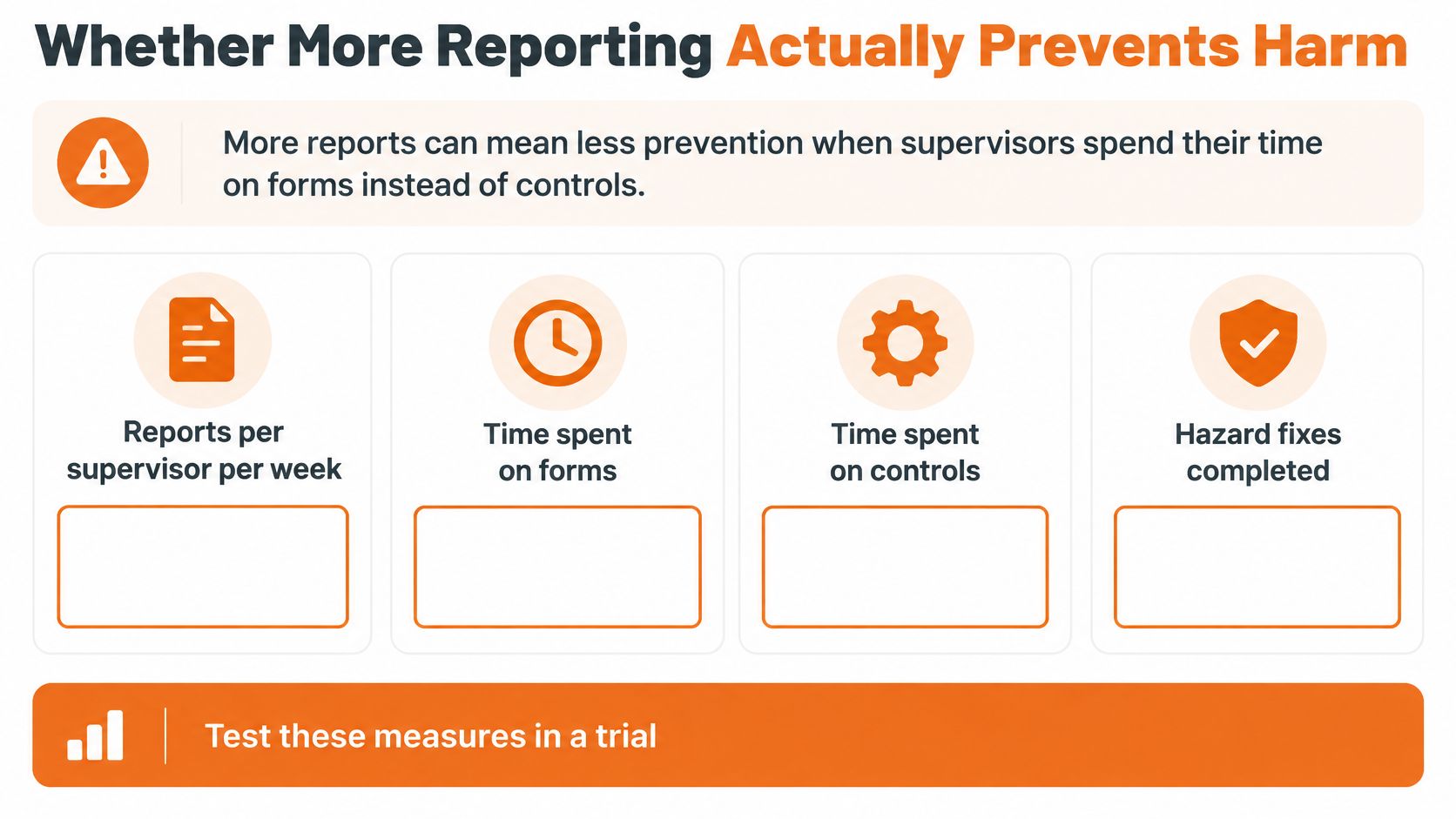
Four Measures to Run in a Trial
Track four measures:
- Reports per supervisor per week: Shows the incoming workload.
- Median days to close an action: Shows whether assigned work is clearing.
- Share of reports with an assigned action: Shows whether reporting becomes owned work.
- Share of closed actions with evidence attached: Shows whether closure is verified.
If reports rise while assigned actions and evidence-backed closures fall, the system may be adding administration without improving control. Keep required fields to what triage needs. Each form question can allow or require an attachment, comment or action, and can be made mandatory. Require information that supports the next decision. Leave secondary detail until the immediate risk is controlled.
Compare activity with prevention. A dashboard of counts shows how much is being reported. A register linking repeated near misses to a named control shows whether the underlying hazard has an owner and response. The guide to incident management metrics distinguishes activity counts from measures of closure and repeat events.
At a monthly review, three near misses from one crew at one site, each involving reversing vehicles, should point to a shared hazard for investigation. Link the reports, assign an owner to review the crew's schedule, and record any change intended to reduce rush before the morning lift. Then check whether repeat reports fall. That creates an auditable loop from worker report to control and follow-up.
Trend charts cannot replace physical controls for falling objects, plant contact or vehicle movements. Verify each control where the work happens. The practical measure is not the number of reports alone, but whether consultation and reporting produce actions that are completed and checked.
Measuring Worker Engagement and Psychosocial Risk
Document completion is a weak measure of whether workers take part. WorkSafe New Zealand's replacement SafePlus resources, introduced after the online tool was retired in June 2025, assess leadership, worker engagement and risk management, not just document completion, as set out in the Business.govt.nz SafePlus guidance. Software should therefore show whether workers raise concerns and whether those concerns lead to action.
Less visible harms need the same discipline as physical hazards. Fatigue, stress and cumulative injury are harder to spot in a single inspection. They show through patterns by crew, roster, task and site. A platform that only counts forms submitted will miss that pattern and may report strong engagement while fatigue builds in one team.
A Method a Small Team Can Run
Use ordinary business software first. The method matters more than the tool.
After each toolbox talk or weekly crew check, ask three to five frontline questions on a one-to-five scale. Cover workload, fatigue, whether concerns get acted on, and whether the worker feels able to stop work. Add one free-text field for the issue behind the score.
Link each response set to the site, crew, hazard register and action owner. Keep responses as dated consultation records and report trends by site and project each month. Custom dashboards that display the safety trends a customer wants to see can help, provided the underlying responses and actions remain accessible rather than hidden behind an average.
Set the threshold before starting. For example, require a supervisor review of rosters when a set share of a crew reports fatigue. Without a threshold, monthly charts get noted and filed. With one, a score triggers a roster check, a task change or a follow-up conversation that is recorded. Managers who want to compare workplace engagement measures should still test whether the chosen measure leads to an assigned response, because a survey score alone doesn't control a psychosocial hazard. The method described in a psychosocial risk assessment should connect identification, consultation and review in the same way.
Ask vendors two direct questions. Can workers respond without a shared login? Can anonymous responses still be grouped by site and crew? Shared logins destroy confidence and make trends hard to trust. Full identification can also suppress honest answers about workload or supervision.
The best system may not be the one with the largest compliance module catalogue. It's the one that makes participation measurable.
Take a one-page measure into every demo. It should show questions asked, response rate by crew, concerns raised, actions assigned and actions closed with evidence. If the vendor can't produce that view from trial data, engagement is being described, not measured.
Run a Structured Trial Before You Commit
A trial is useful only if it shows whether reports become owned, auditable actions under real site conditions. Use actual work, workers and records, including a site with a weak signal. Demo data can hide permission problems, duplicate worker records, missing document types and forms that take too long during a pre-start.
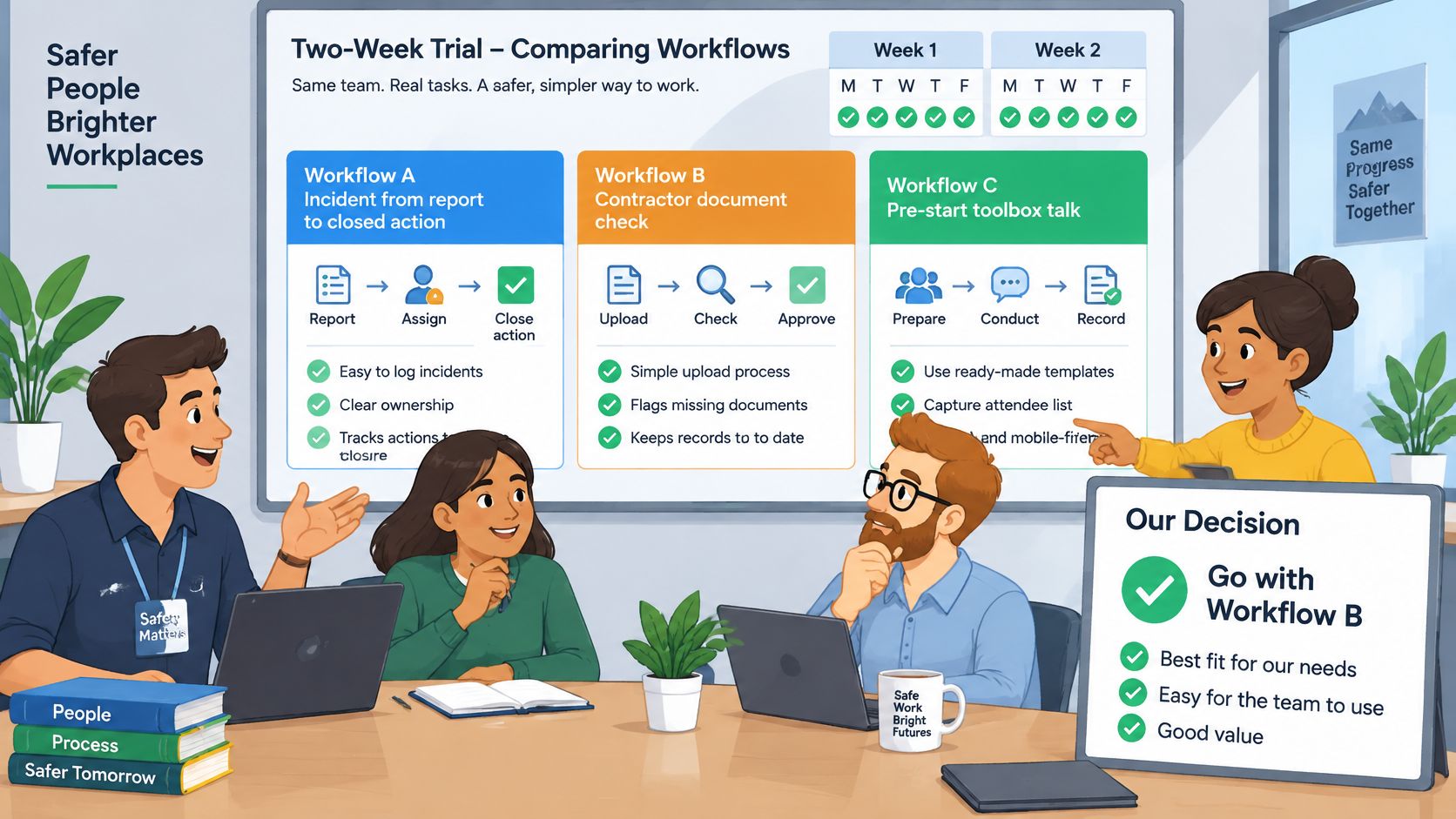
Seven Steps Over Two Weeks
- Choose three workflows: Follow an incident from report to action closure, check a contractor's documents, and complete a pre-start or toolbox talk offline.
- Use real records: Set up actual sites, workers, hazards, contractors and document expiry dates.
- Record elapsed time: Note how long each workflow takes from the worker's first step to supervisor visibility and action closure.
- Try the weak-signal site: Complete the offline task there, then check that photos, signatures and actions sync.
- Retrieve an older record: Find a record from six months ago, including its version history, and note how long retrieval takes.
- Keep evidence as you go: Save the records and observations that show what worked, what stalled and who needed help.
- Ask for the final quote: Confirm the cost basis, setup, contract term and process for exporting records if you leave.
Test whether each hand-off works in practice. A hazard form that takes several minutes longer than the current process may be skipped when a job is under pressure. Delayed supervisor visibility can hold up triage, while slow record retrieval makes audits and investigations harder. Keep the timings beside the relevant workflow so the trade-offs are clear.
Watch how much help people need. If a field worker cannot finish a form without the H&S manager beside them, the workflow may not hold up on site. If managers need vendor support to inspect action closure, routine oversight depends on outside help. Treat both as findings to resolve before committing, not as issues that training will necessarily fix.
Use one trial record sheet for each workflow, capturing the task, time, people involved, evidence of closure and any step that required help. Add unresolved questions, such as whether a contractor expiry alert reached the right person. This keeps observations tied to actual work instead of a general impression of the software.
Choose a platform that a field worker completes unassisted and a manager can audit without calling the vendor. That's what best means for an NZ business: a field worker completes the task unassisted, and a manager audits it without calling the vendor.
Put the trial to work on a live incident, a contractor expiry and an offline pre-start before signing anything. Safety Space provides incident tracking, corrective actions, registers, contractor document management and offline mobile forms for NZ businesses working under HSWA 2015. A free H&S consultation can show how to test those workflows against your sites, workers and hazards, including whether reports reach an owner and have a recorded outcome.
Ready to Transform Your Safety Management?
Discover how Safety Space can help you implement the strategies discussed in this article.
Explore Safety Space FeaturesRelated Topics
Safety Space Features
Explore all the AI-powered features that make Safety Space the complete workplace safety solution.
Articles & Resources
Explore our complete collection of workplace safety articles, tools, and resources.