
Australia recorded 200 workers killed by traumatic injuries at work in 2023, while serious workers' compensation claims reached approximately 15,600 in construction and 13,800 in manufacturing. The best QHSE software for Australian workplaces therefore needs to control work in the field, not just store documents.
That means linking hazards to incidents, investigations, assigned actions and close-out evidence. It also means giving supervisors and workers a practical way to complete inspections, report vehicle risks, confirm SWMS requirements and manage contractors when they're away from a desk.
Table of Contents
- Why QHSE Software Selection Matters in Australia
- Australian QHSE Software Models Compared
- Must-Have Features for Australian Workplaces
- Use Cases by Industry and Site Type
- Evaluation Checklist and Decision Framework
- Implementation and Adoption Tips
- Recommended Solution Profile and Next Steps
Why QHSE Software Selection Matters in Australia
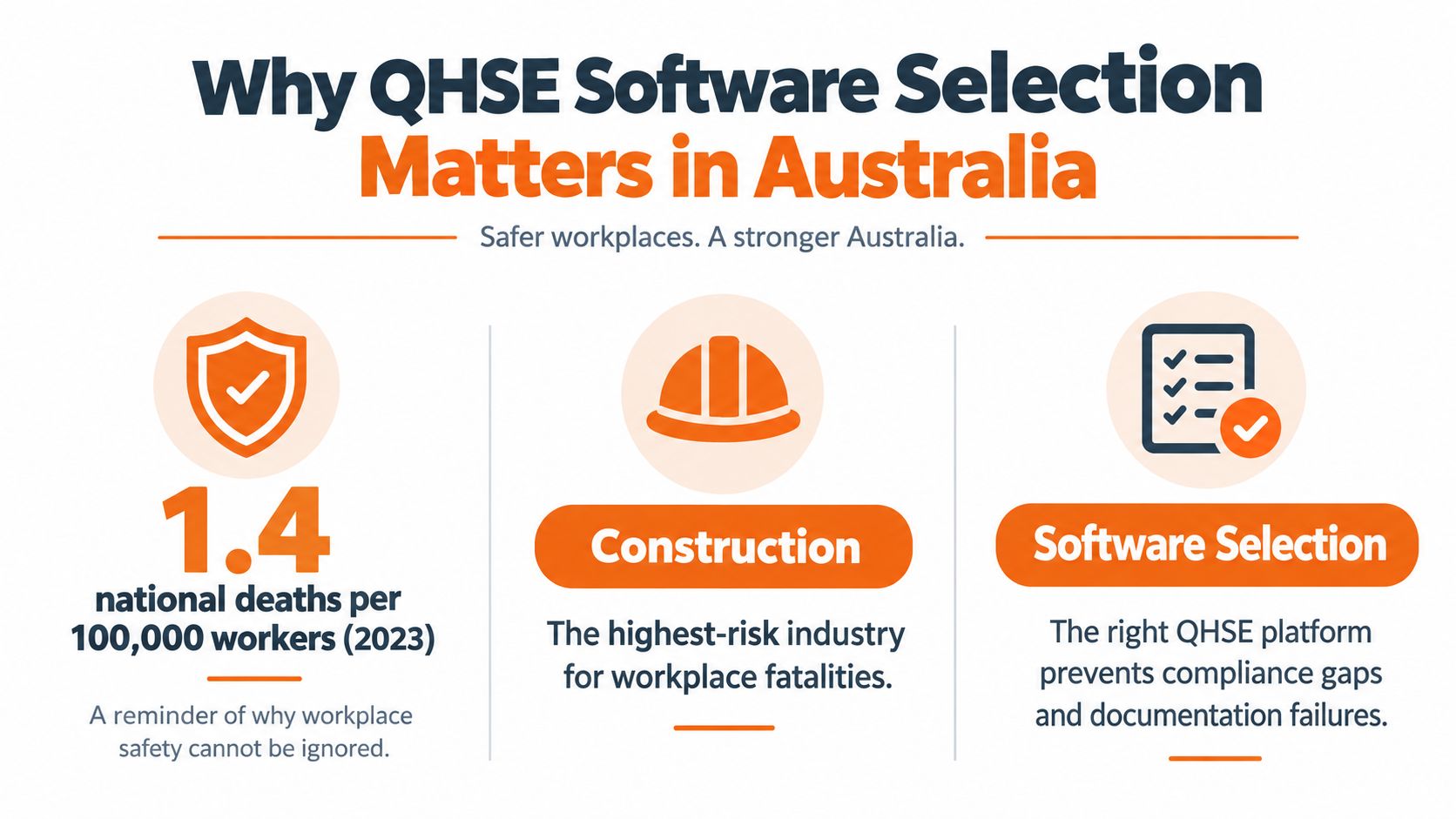
Safe Work Australia recorded 200 workers killed by traumatic injuries at work in 2023, equivalent to a national fatality rate of 1.4 deaths per 100,000 workers. Construction accounted for 27 fatalities, with a sector fatality rate of 2.2 deaths per 100,000 workers. Preliminary serious workers' compensation claims in 2021–22 included approximately 15,600 in construction and 13,800 in manufacturing, while construction recorded 9.8 claims per million hours worked. These figures are reported in Safe Work Australia's key WHS statistics.
Those numbers change the procurement question. A buyer shouldn't ask only whether a system has incident reporting, audits, risk assessments and document control. The more useful question is whether the software creates an auditable chain of control from the first observation through to verified close-out.
The record must follow the risk
A useful QHSE record should identify:
- The hazard or event, including site, project, equipment and work activity.
- The investigation, with relevant evidence and contributing factors.
- The action owner, due date and escalation path.
- The close-out proof, such as photographs, revised procedures, training records or verification notes.
- The history, including timestamps, user identity and revision changes.
A document library can't do that on its own. It may prove that a policy existed, but it won't necessarily show whether a worker reported a recurring hazard, whether a supervisor assigned an action, or whether the control was checked after implementation.
Practical rule: A QHSE platform should make the right record easier to create than an email, spreadsheet or paper form.
Operational fit beats module volume
Construction and manufacturing teams often need different workflows from an office-based organisation. A construction supervisor may need to capture a hazard from a phone, confirm a worker's SWMS sign-on and chase a subcontractor document. A plant manager may need equipment inspections, training expiry alerts and a dashboard showing repeat failures by production area.
The strongest selection process tests those jobs directly. It asks whether the platform works at the point of work, whether it supports Australian WHS duties and whether managers can act on the information without reconstructing it from separate files. Feature count is a poor substitute for reliable field use.
Australian QHSE Software Models Compared
Australian buyers usually face four practical models: a full modular suite, a forms-led safety platform, a specialist workflow system, or a hybrid arrangement connected to existing business tools. The right choice depends on site complexity, contractor exposure, field connectivity and how much evidence the business must maintain across locations.
| Software model | Best for | Compliance coverage | Implementation effort |
|---|---|---|---|
| Full modular QHSE suite | Multi-site and higher-risk organisations | Incidents, audits, actions, training, contractors, documents and reporting | Higher. Configuration, permissions and governance require careful planning |
| Forms-led safety platform | Small and mid-sized teams with repeatable workflows | Inspections, observations, incidents and basic action tracking | Lower to moderate. Simple workflows may become restrictive as needs grow |
| Specialist workflow system | Organisations centred on permits, contractors or equipment controls | Detailed coverage of one operational process | Moderate to high. Integration with other safety records must be tested |
| Hybrid arrangement | Businesses combining a core safety system with HR, finance or operations tools | Depends on integration quality and ownership of the master record | Variable. Duplicate data and unclear ownership can weaken control |
A modular suite gives governance teams more control over permissions, workflows and reporting, but configuration can delay rollout and create administration that sites do not maintain. A forms-led product usually gains faster worker adoption and suits repeatable inspections, yet may not handle SWMS, permits, contractor evidence or multi-site accountability as work becomes more complex.
Specialist systems can work well where one process dominates, such as equipment checks or permit approvals. Their limitation is often the handoff to incident, training and action records. Hybrid arrangements preserve existing business systems, but managers must define which system is authoritative. Otherwise, the same contractor record or action status can differ between systems.
Test the model against Australian duties
For high-risk construction work, a PCBU must prepare, keep, comply with and review a SWMS, then provide a copy to the principal contractor. The SWMS must identify the work activities, hazards and controls. The system should therefore manage controlled versions, worker access, acknowledgement records, review triggers and evidence that the document was available to the principal contractor. The requirements are set out in Safe Work Australia's SWMS guidance.
Contractor control requires more than storing an insurance certificate or qualification. Australian organisations need a record of who controlled the work, who was consulted, which documents were checked and whether approval matched the actual site and task. A system should connect contractor evidence with induction, access, work approval and expiry monitoring.
The same record discipline applies in other regulated environments. Quality teams can review healthcare SaaS quality tools for ideas on controlled records, approval workflows and evidence management. The operating context differs, but the need to connect an obligation with proof is similar.
New Zealand operations require a separate configuration. Under the Health and Safety at Work Act 2015, each PCBU has a primary duty to ensure, so far as is reasonably practicable, the health and safety of workers and other people affected by its work. WorkSafe New Zealand explains this duty in its HSWA introduction guide. A system shared across Australia and New Zealand should support contractor registers, shared controls, consultation records, inductions and site-based access without assuming that one jurisdiction's workflow fits the other.
United States operations also need jurisdiction-specific configuration. Under OSHA 29 CFR Part 1904, many employers with 10 or more employees must record qualifying injuries and illnesses using Forms 300, 300A and 301, retain those records for five years, and complete the required certification and posting windows. OSHA's recordkeeping requirements should be tested separately from Australian workflows.
For an Australia-first view of practical functions, the Australian health and safety software guide offers another reference point. Test offline field capture, vehicle-risk controls, contractor evidence workflows and leading-indicator reporting in real site scenarios. The useful question is whether the model helps supervisors act early, not whether its feature list looks complete.
Must-Have Features for Australian Workplaces
A practical feature list starts with the jobs people perform, not the modules a vendor names. The system should reduce the steps needed to report, review and control a risk while preserving enough evidence for an audit.
Capture events and hazards properly
Incident and injury reporting should support structured fields, attachments, location data, witness details and investigation follow-up. Records should retain immutable timestamps, user identity and revision history. A worker's description can start the process, but the system must support manager review, investigation, action assignment and verification.
Hazard registers should connect directly to corrective actions. If the same vehicle reversing hazard appears at several sites, managers should be able to identify the pattern, assign controls and confirm whether the risk has reduced. A separate spreadsheet for hazards and email chain for actions makes that connection harder to defend.
Inspection and audit forms should be configurable. Fixed forms often fail when a business needs to inspect a new piece of plant, add a psychosocial hazard question or change a project control. A drag-and-drop form builder lets the safety team adapt the workflow without rebuilding the entire system.
Put controls in the hands of field workers
Vehicle risk deserves special attention. Vehicle incidents were Australia's leading cause of work-related traumatic fatalities in 2024, accounting for 42% of deaths, or 79 fatalities. Single-vehicle incidents represented 72% of vehicle-involved worker fatalities, according to Safe Work Australia's analysis of workplace harm.
That makes the following capabilities more than convenience features:
- Offline mobile access: Workers should be able to complete forms where connectivity is poor and synchronise records later.
- Vehicle and equipment inspections: Pre-starts, defects, photographs and escalation should sit in one workflow.
- QR or site identification: The form should identify the relevant site, project, vehicle or equipment without relying on manual entry.
- Overdue-action escalation: High-risk actions shouldn't disappear in a manager's task list.
- Evidence capture: Photos, signatures and attachments should be linked to the record, not stored in a separate folder.
A mobile form that can't be used at the point of work is a digital version of the paper process it was meant to replace.
Build contractor and work-control workflows
Construction and maintenance teams should test SWMS and JSA sign-on, permit approvals, contractor insurance tracking, induction records and expiry reminders. Site access should connect to evidence, rather than relying on a supervisor to remember which documents were checked.
A business may also need document control, toolbox talks, training registers, equipment registers and visitor inductions. For teams creating procedures and work instructions, tools for developing SOPs can help structure the drafting process, but the final document still needs review, approval, version control and communication to affected workers.
The WHS compliance software reference is useful for checking how these functions can sit together. The practical test is whether a supervisor can complete the task without jumping between disconnected systems.
Use Cases by Industry and Site Type
The right QHSE workflow depends on where work happens and who performs it. A residential builder, manufacturing plant, cleaning contractor and waste operator may all need incident reporting, but the point of control differs.
Construction and property development
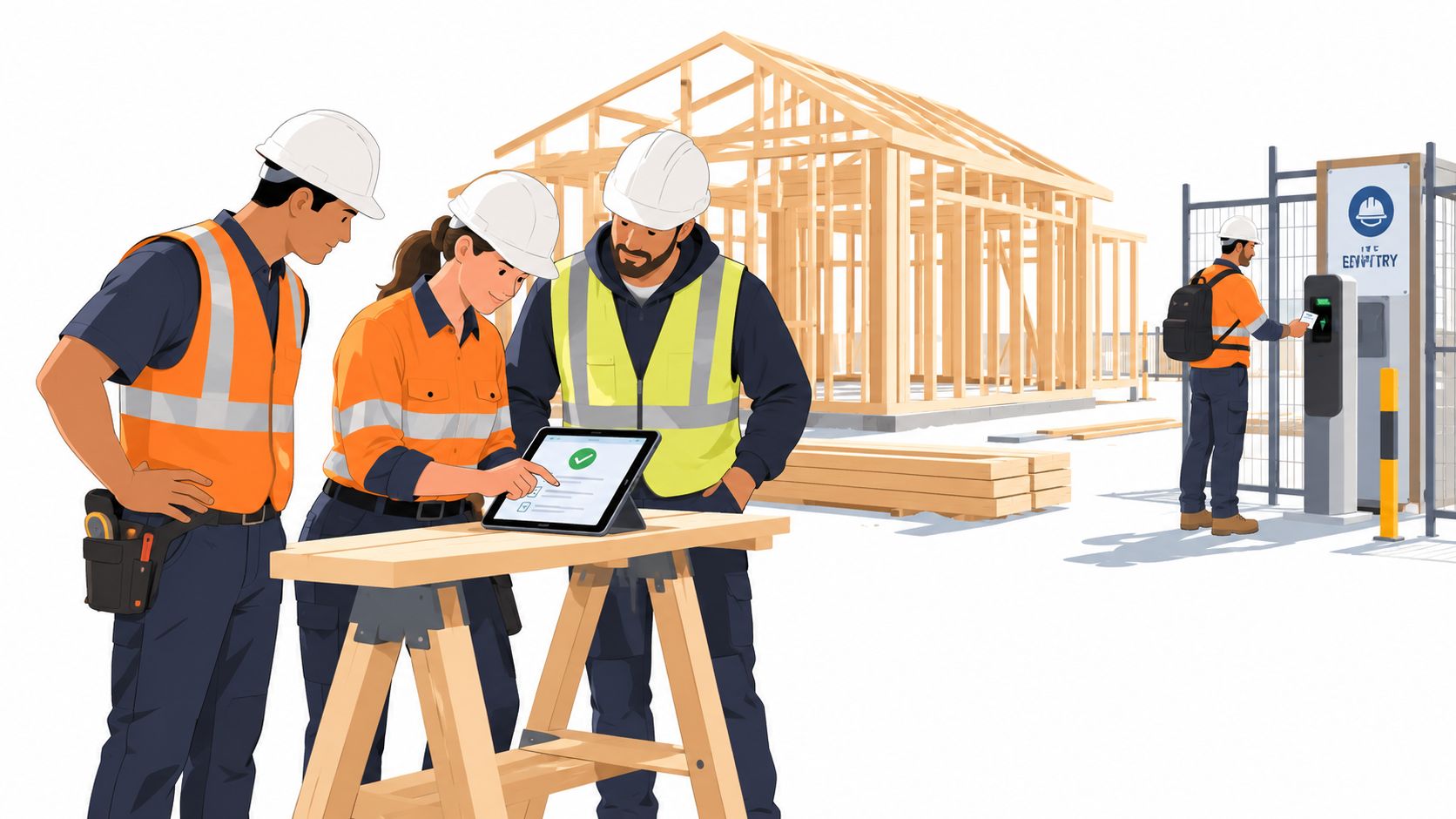
Construction teams need fast site capture and clear evidence of worker and contractor participation. A useful workflow links the project to the current SWMS, worker sign-on, subcontractor induction, permits, site inspections and open corrective actions.
The construction risk profile is significant. Safe Work Australia recorded 188 traumatic workplace fatalities in 2024, with construction accounting for 37 deaths, or 20% of the national total. Across six industries, including construction and manufacturing, 80% of traumatic injury fatalities occurred, while machinery operators and drivers had the highest share at 32% and a fatality rate of 6.7 deaths per 100,000 workers. The figures appear in Safe Work Australia's latest release.
A project dashboard should show overdue actions, missing evidence and recent incidents by site or activity. It shouldn't force the construction manager to search through email before a site meeting.
Manufacturing and industrial operations
Manufacturing sites need equipment registers, inspection schedules, competency records and action dashboards. The useful connection is between a plant item, its inspection result, the person responsible and the control required when a defect is found.
Training expiry reminders should reflect the work being performed. If a person operates equipment, enters a controlled area or carries out a defined task, the system should make the relevant competency record available to the manager before the work proceeds.
Cleaning and facilities services
Dispersed teams often work in buildings where the safety manager isn't present. Mobile forms, offline access and photo evidence matter because supervisors may visit several client locations and workers may need to report a hazard without returning to an office.
The workflow should identify the client site, task and responsible person. A cleaning chemical issue, access problem or damaged surface should become a tracked action with an owner and due date, rather than an informal message that gets lost between shifts.
Waste and transport-heavy operations
Waste management needs vehicle checks, driver observations, equipment defects and rapid escalation. The platform should distinguish recurring vehicle risks from isolated events and allow managers to review outcomes by route, site, vehicle or work activity.
The system doesn't need the longest module list. It needs reliable capture before a vehicle moves, clear ownership when a defect is found and evidence that the control was checked.
Evaluation Checklist and Decision Framework
A live demonstration should make each shortlisted system handle the organisation's actual work. Sales material usually shows the clean path. Test the exceptions instead: missing contractor evidence, offline reporting, overdue actions, changed forms and records that must be retrieved during an audit.
Score the control, not the sales presentation
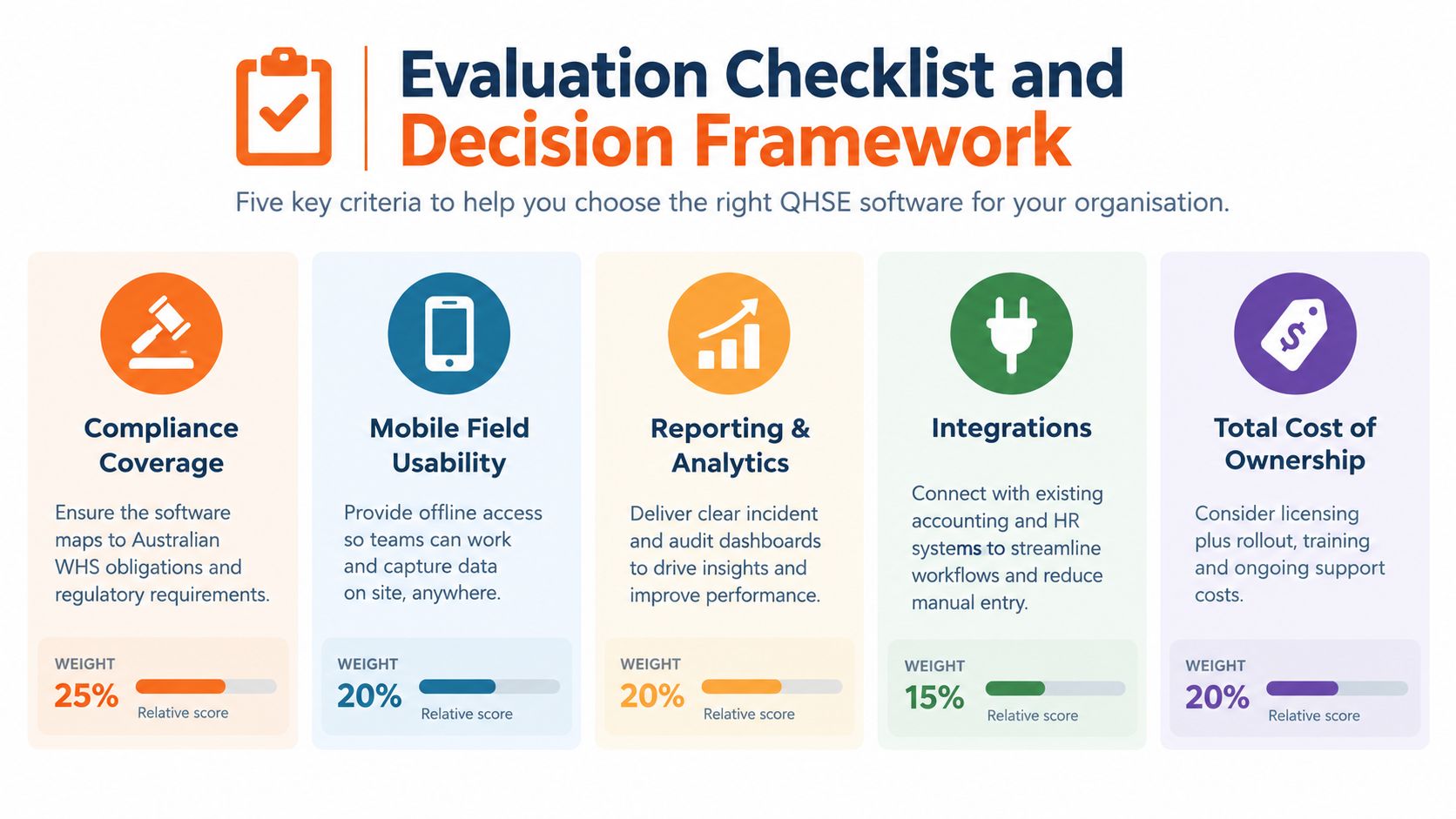
Use five criteria, then weight them against the organisation's risk profile:
- Australian compliance coverage: Can the system manage WHS records, SWMS control, consultation, contractor evidence, corrective actions and audit history?
- Mobile field usability: Can workers report hazards, complete inspections and access current documents when connectivity is limited?
- Reporting and analytics: Can managers review inspection completion, overdue actions, repeat hazards, training expiry and incident review times by site, project or department?
- Integration flexibility: Can the system connect with identity, HR, finance or operational systems through SSO or custom integrations?
- Total cost of ownership: What will licensing, configuration, training, data migration and ongoing administration require?
A broad suite may cover more processes but create friction in the field. A lighter system may launch quickly yet struggle with evidence retention or complex approvals. Choose the option that handles the highest-risk workflow consistently, including offline capture, vehicle-risk checks, contractor evidence and leading-indicator reporting.
Run scenario-based demonstrations
Start the SWMS test with a controlled document version. Confirm worker acknowledgement, review triggers and evidence that the current version was available to the principal contractor. Safe Work Australia's high-risk construction work guidance sets the compliance context.
The contractor test should show what happens when an insurance document expires or an induction remains incomplete. The incident test should follow a report from submission through investigation, action allocation, verification and dashboard reporting. Check whether managers can identify repeat hazards and overdue controls, not just count submitted forms.
Teams assessing audit automation can browse compliance audit case studies to see how evidence and workflow requirements are framed. Use those examples to sharpen questions, not to replace a live product test.
Run the field-workflow test on the device workers use. The field workforce management software page can help assess how mobile work, site records and manager oversight fit together.
The decisive question is whether the right person can use the control correctly under normal site pressure.
Implementation and Adoption Tips
Implementation fails when the platform reflects office assumptions instead of site work. A large launch can create confusion while supervisors learn new forms and workers work out which records are mandatory.
Start with a controlled rollout
Select one site or project with varied hazards, contractors, vehicle movements and field conditions. Configure the core workflows first, then test them with the people who submit reports, review incidents and close actions. Include offline capture so poor connectivity does not leave gaps in hazard or incident records.
Assign ownership before launch:
- Form ownership: A named person maintains questions, approval paths and version changes.
- Action ownership: Managers receive actions based on site, activity or department.
- Verification ownership: A competent person checks evidence before closure.
- Reporting ownership: Someone reviews leading indicators, recurring hazards and overdue controls.
Keep mobile forms short. Workers should be able to report an immediate hazard quickly, while supervisors or the safety team complete investigation fields later. Test vehicle-risk checks and contractor evidence workflows with real users, not only administrators.
Protect the evidence
Records should retain timestamps, user identity, revision history and attached evidence. Site and project structures should make retrieval straightforward during an audit or investigation. A close-out record should show what changed, who verified it and whether the control worked.
Australian businesses with US operations need a separate recordkeeping workflow. Under OSHA 29 CFR Part 1904, many employers with 10 or more employees must use Forms 300, 300A and 301 for qualifying incidents, retain records for five years, and complete the required annual certification and posting process, as explained by OSHA's recordkeeping guidance.
Provider support affects the internal workload. A low-cost licence can still require substantial effort if the safety team builds every form, permission and escalation rule alone. Confirm who handles configuration, updates, training and ongoing customisation before signing. Review the first reporting cycle and adjust fields that create duplicate entry or weak evidence.
Recommended Solution Profile and Next Steps
Safety Space is a cloud-based workplace health and safety platform for organisations in Australia, New Zealand and the United States. Its functions include incident and injury reporting, hazard registers, inspections and audits, corrective actions, SWMS and JSA sign-on, permits, contractor insurance tracking, offline mobile apps, AI-assisted drafting, SSO and custom integrations. Businesses can select the modules they need, with records organised by site or project and supported by dashboards.
Small teams can also assess its self-service forms product, while the full platform uses a plan based on sites, users and modules. Pricing and current plan details should be confirmed directly with the provider. A sensible next step is to run a live demo using real site workflows, test offline capture and verify setup support before procurement.
Safety Space offers configurable WHS workflows for incidents, inspections, corrective actions, SWMS, contractor records and field reporting. Visit Safety Space to test the platform against the organisation's highest-risk tasks and confirm whether its modules, mobile access and implementation support fit the operation.
Ready to Transform Your Safety Management?
Discover how Safety Space can help you implement the strategies discussed in this article.
Explore Safety Space FeaturesRelated Topics
Ask Your Safety Data Questions in ChatGPT, Claude or Copilot
Connect Safety Space to ChatGPT, Claude or Microsoft Copilot with the MCP connector, ask questions about your incidents, actions and LTIFR, and generate safety reports with AI. For Australian and NZ workplaces.
Safety Space Features
Explore all the AI-powered features that make Safety Space the complete workplace safety solution.
Articles & Resources
Explore our complete collection of workplace safety articles, tools, and resources.