
Buying the platform with the longest compliance menu is poor advice for cleaning contractors. The best WHS software for cleaning companies helps supervisors change the tasks behind recurring body-stressing injuries and prove that chemical controls were used at the right client site. A polished dashboard isn't enough if a cleaner can't report an awkward waste lift or find the correct SDS during a shift.
Selection should start with the largest or most demanding contract, then move to a field trial. Feature lists establish what deserves testing. They don't establish whether the system works for the crew.
Table of Contents
- Which Cleaning Operation Needs Which System
- Shortlist Candidates Against Public Vendor Pages
- Notifiable Incidents and Five Year Records
- Task Level Controls for Body Stress and Chemicals
- How Different Cleaning Contracts Use the Same System
- A Staged Rollout Crews Can Sustain
- Phone Tests and Demo Checklist Before You Sign
Which Cleaning Operation Needs Which System
WHS software fit by cleaning operation
| Operation | Records that matter | Software must do | Reject if |
|---|---|---|---|
| Micro crew, fewer than five people | Hazard, incident, chemical on the job | Submit from a phone with photo and site in one sitting | Office staff must retype paper |
| Multi-site commercial contract | Inspections, training expiry, actions by building | Filter dashboard and exports to one client site | One undifferentiated register covers every client |
| Subcontracted night clean | Insurance, induction, shared duties | Block arrival when required documents are expired | PDFs are chased after the shift |
| Principal-contractor audits | Audit trail, consultation, completed controls | Export one site pack with names and dates | Evidence lives in email |
| United States accounts | OSHA 300, 300A and 301 records, where applicable | Separate US recordkeeping fields | One global incident form copies the WHS Act |
| New Zealand accounts | HSWA 2015 notification and site plans | NZ categories and WorkSafe NZ path | Australian-only templates |
The operation determines the keep-or-reject decision. A small residential crew needs a short reporting path, not an enterprise approval chain. A commercial contractor needs records separated by building, even when the same supervisor and products appear across several contracts.
The Australian Bureau of Statistics' historical cleaning-services release reported that 57% of cleaning businesses employed fewer than five people in 1998–99, while labour costs represented 70% of total industry expenses. Those are historical benchmarks, not a current market estimate, but they support a useful purchasing distinction: administrative effort matters, and small crews shouldn't inherit unnecessary complexity.
Match the system to the contract
A company-wide hazard register isn't unsuitable by default. The problem arises when staff can't reliably separate client buildings, contract responsibilities and local controls. A wet-floor inspection needs to identify the relevant entrance or corridor, not merely the cleaning company.
A subcontracted night operation has a different threshold. The system must establish who is cleared for that site before work starts, including induction status and required contractor documents. A reminder email isn't equivalent to an access decision.
For a practical contract-scope reference, the service description for commercial cleaning by Canes Cleaners can help frame the activities that need mapping into site records. The software assessment should then use the contractor's actual scope, exclusions and client requirements rather than a generic cleaning checklist.
Selection rule: Keep a platform only when it can produce the records required by the most demanding contract without making ordinary shifts harder to administer.
Cross-border accounts also need separate configurations. New Zealand operations use the Health and Safety at Work Act 2015 and WorkSafe NZ, rather than a copied Australian workflow. United States accounts need applicable OSHA recordkeeping, not Australian notification fields with renamed labels.
Shortlist Candidates Against Public Vendor Pages
A shortlist should record evidence to verify, not reproduce review rankings. Public vendor pages establish claims worth testing, but a mobile-app statement doesn't establish offline access to every record type.
The comparison below groups candidate approaches rather than ranking named products. No capability is attributed to an unnamed supplier, and blank price cells mean no verified public price has been entered.
Shortlist check against public vendor pages
| Platform | Offline phone use | Chemical register and SDS | Notifiable incident fields | Public price |
|---|---|---|---|---|
| Candidate A, mobile forms approach | Not stated, trial question | Not stated, trial question | Not stated, trial question | |
| Candidate B, multi-site WHS approach | Not stated, trial question | Not stated, trial question | Not stated, trial question | |
| Candidate C, contractor-led approach | Not stated, trial question | Not stated, trial question | Not stated, trial question | |
| Candidate D, configurable compliance approach | Not stated, trial question | Not stated, trial question | Not stated, trial question |
Give each candidate a specific job
Candidate A belongs on a micro-crew shortlist when the main requirement is straightforward field reporting. The limit to test is whether submitted forms become accountable actions or accumulate as documents.
Candidate B is the configuration to investigate for commercial contracts spanning several buildings. The decisive question is whether site separation survives dashboards, permissions, searches and exports.
Candidate C deserves consideration where subcontractor readiness controls the start of work. The trial must distinguish document collection from a genuine clearance process.
Candidate D suits investigation where several jurisdictions or client reporting structures require different workflows. The trade-off is configuration effort, including who maintains forms after implementation.
These are assessment categories, not endorsements. An actual candidate enters the shortlist only after its public pages support the relevant claim.
- Record the evidence: Keep the page title, the feature wording and the date checked in the purchasing file.
- Mark omissions: Use not stated, rather than assuming that an adjacent module supplies the function.
- Separate access from capability: Confirm which roles can submit, review, amend and export records.
- Keep prices comparable: Leave a price blank unless it is publicly listed, then obtain a written scope covering implementation and ongoing use.
An unanswered question belongs in the trial script. It shouldn't become a favourable assumption in the purchasing recommendation.
Notifiable Incidents and Five Year Records
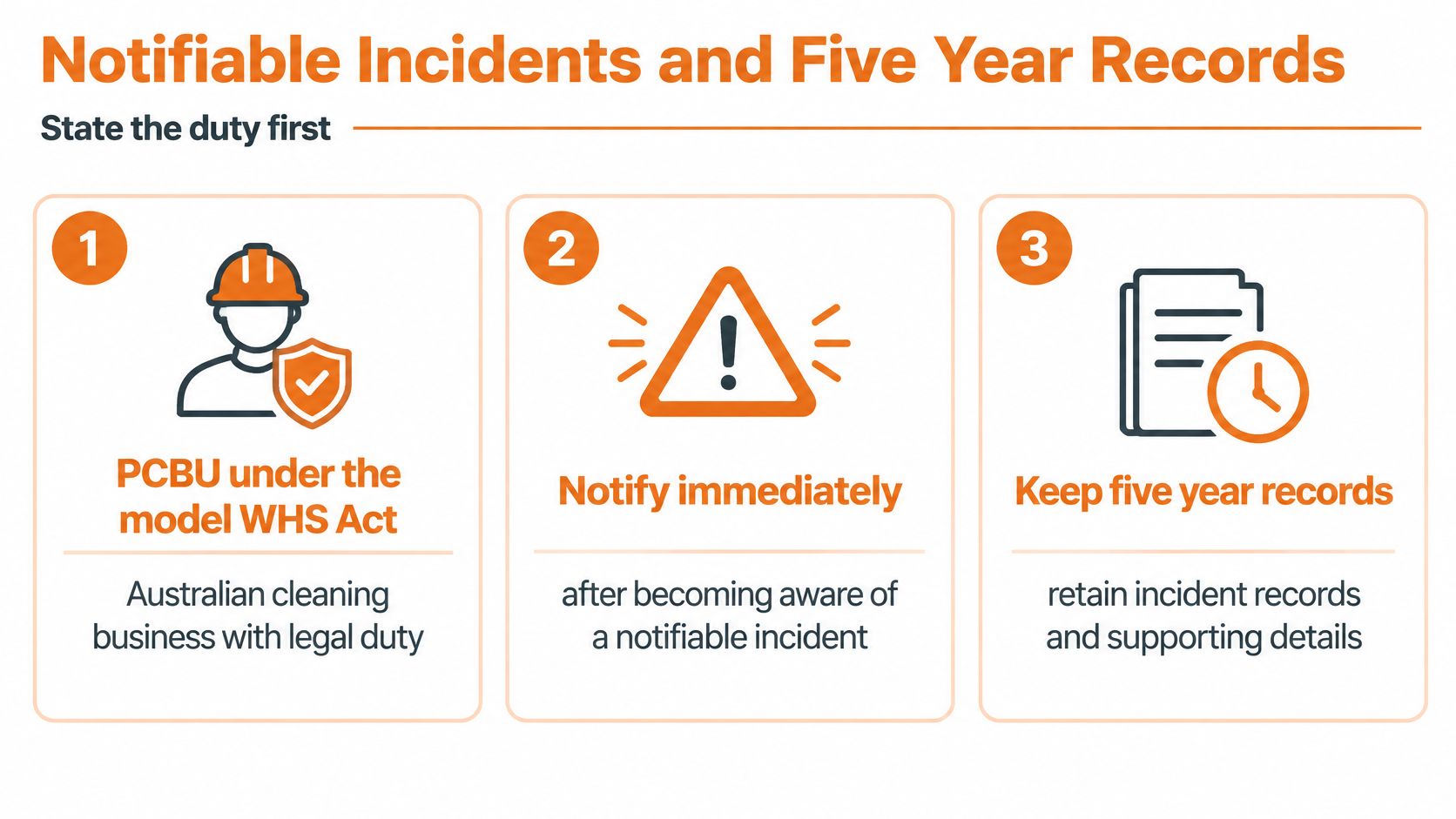
The notification duty belongs to the PCBU, not to the software. An internal incident submission must never be mistaken for notification to the regulator.
The Safe Work Australia guide to the WHS Act explains that a PCBU must notify the regulator immediately after becoming aware of a notifiable incident, using the fastest available method, including telephone or electronic written notice; telephone notification may require written follow-up within 48 hours, and the notification record must be retained for at least five years.
Store the decision and the notification separately
The model framework covers a death, serious injury or illness, and dangerous incidents arising from the undertaking. Relevant cleaning scenarios include an uncontrolled substance spill or leak, fire or explosion, electric shock, or the fall or release of plant, substances or other things.
The form should preserve the original account while allowing an authorised person to record the notification assessment. A later classification change mustn't erase what the worker initially reported.
| Record component | Required operational detail |
|---|---|
| Event account | What happened, when it happened and when the business became aware |
| People and location | Affected people, witnesses, client building and precise work area |
| Substance or equipment | Product, plant or equipment involved, with supporting evidence |
| Notification decision | Assessment, decision-maker, regulator contact and notification status |
| Supporting correspondence | Reference details, follow-up requests and submitted information |
| Retention control | Protected retention marker, access permissions and exportable history |
A cleaning contractor's incident reporting procedure should assign the notification decision to a responsible role and identify an alternative when that person is unavailable. A supervisor alert needs an escalation path, not just an unread email.
An incident marked submitted isn't necessarily assessed, notified or closed.
Keep jurisdictional workflows distinct
The model guide isn't a substitute for checking the applicable Australian jurisdiction. Configuration should reflect the regulator responsible for the actual workplace.
For New Zealand, notification sits under the Health and Safety at Work Act 2015 and the WorkSafe NZ pathway. Buyers should verify local categories and retention requirements against current New Zealand legislation rather than copying Australian timing and retention mechanics. United States sites need their applicable OSHA recordkeeping workflow kept separate.
Task Level Controls for Body Stress and Chemicals
An incident log can describe injuries accurately while doing little to prevent the next one. The useful buying question is whether a supervisor can connect a recurring injury pattern to a specific cleaning task and record the resulting operational change.
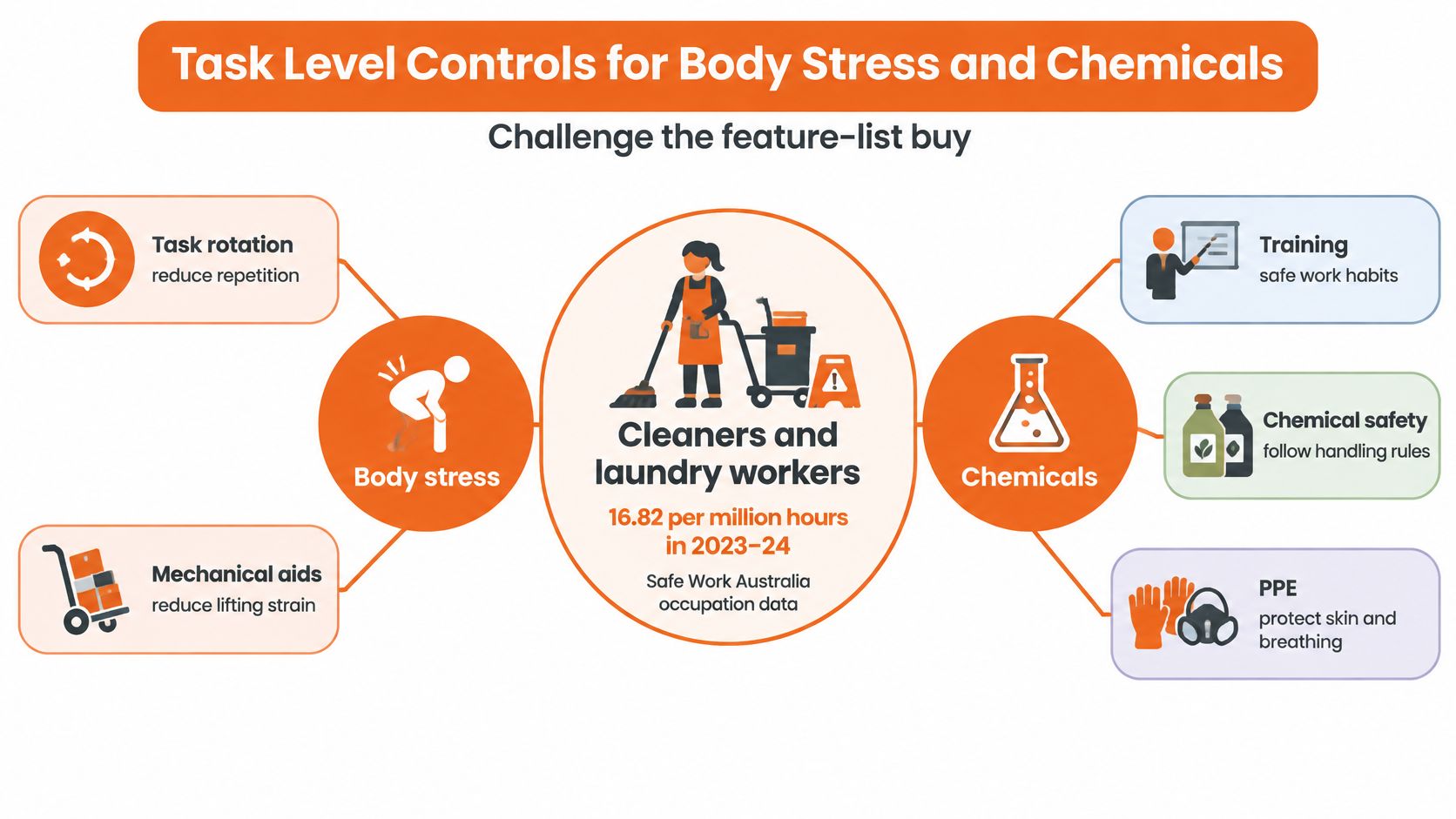
Safe Work Australia's occupation-level injury frequency file reports a workers' compensation injury frequency rate for cleaners and laundry workers of 16.82 per million hours in 2023–24, up from 16.33 in 2022–23. That occupational measure makes task-level assessment a more useful selection criterion than the size of the module catalogue.
Capture the work behind the injury
For mopping, vacuuming, lifting waste, bathroom cleaning, repetitive wiping and moving equipment, the assessment should capture:
- Task conditions: Load, reach, posture, repetition, duration and available working space.
- Equipment: Handle adjustment, trolley suitability, wheel condition and mechanical assistance.
- Worker consultation: What makes the task difficult and which proposed changes workers consider workable.
- Control verification: Who implemented the change and whether subsequent observation supports closure.
Say cleaners repeatedly report shoulder discomfort during bathroom cleaning. Recording manual handling as the cause is insufficient. The useful record distinguishes overhead wiping, constrained access and unsuitable equipment, then assigns a change to someone with authority to purchase or redesign the work.
Rotation may redistribute exposure without removing it. A control review should therefore consider equipment and task design before treating rotation or refresher training as the complete answer.
Connect chemical records to actual use
Chemical controls need the same specificity. The ACT workplace facilities guidance relates cleaning arrangements to workplace conditions, contamination likelihood, shifts and facility type. That supports site-specific inspection prompts rather than identical forms for offices, healthcare areas and industrial premises.
A useful hazardous chemicals register connects the approved product and current SDS to its storage location, dilution method, ventilation and PPE controls. The Eco Clean Solutions cleaning safety guide offers a supplementary prompt for a hazard discussion, not an Australian legal authority or substitute for the SDS.
At the point of recording this work, Safety Space provides offline iOS and Android apps alongside browser access, with forms supporting photos, signatures and actions. Users can complete assigned actions, read library documents and view assigned tasks. The software automatically identifies and manages notifiable incidents according to WHS Act definitions, while uploaded SDS files have substance name, UN class, PPE and handling instructions extracted automatically by AI.
Those extracted details still need competent checking against the source document and actual task. A completed field isn't evidence that a cleaner understood or implemented the control.
How Different Cleaning Contracts Use the Same System
The same platform can serve different contracts without presenting every worker with every module. The configuration should change with the work, the client interface and the person authorised to resolve a problem.
Healthcare and aged-care night work
Consider a night crew moving between wings with different approved products and access restrictions. The worker selects the wing before opening the inspection, so the form presents the relevant chemical inventory and local requirements.
Enable chemical records, inspections and incident reporting. Make the wing, product and affected area mandatory where relevant. The cleaning supervisor owns immediate corrective action, while a client-controlled ventilation or access problem goes to the nominated facilities contact. The client receives a wing-specific exception report and completion evidence, not unrelated worker records.
Builders' and end-of-project cleans
A project clean involves waste movement, awkward carries and changing access as other trades finish. A generic office-cleaning form won't distinguish a blocked waste route from an ordinary housekeeping issue.
Enable project inductions, worker sign-on, task assessments and corrective actions. Require the project, work area, waste route and relevant principal instruction. The contractor's supervisor owns cleaning-method changes; the principal's nominated contact receives issues involving site access or coordination. Close-out evidence stays with the project, including any applicable SWMS sign-on records.
Shopping centres and multi-tenant premises
An after-hours crew may cross public corridors, loading areas and tenant boundaries within the same shift. The record needs a location precise enough for another supervisor to find the problem without phoning the reporting worker.
- Modules active: Inspections, hazards, actions and relevant training records.
- Mandatory fields: Centre, zone, condition found and temporary control.
- Action owner: The cleaning supervisor for cleaning controls, with referral to centre management for asset defects.
- Client output: A centre-specific inspection and exception pack, with unrelated contracts excluded.
Industrial and plant cleaning
A plant-cleaning scenario adds process conditions, changing surfaces and potential product incompatibility. Enable chemical controls, task assessments and relevant permit interfaces, with the plant area and isolation reference required where applicable.
The supervisor must know which actions belong to the cleaning contractor and which require the plant operator. The client receives the agreed task records, permit-related evidence and outstanding interface issues.
Configuration boundary: Crew size doesn't determine site complexity. A small team can need tightly separated records for a demanding industrial contract without needing every available module.
The strongest trial scenario is the largest contract's actual work sequence, including the client handover. A generic office demonstration avoids precisely the decisions that matter.
A Staged Rollout Crews Can Sustain
Cloud access is common; turning it into working safety records is rarer. Government reporting on Australian business technology use cites 57% of businesses adopting cloud technology and more than 90% reporting internet that met most or all needs, while only 10% actively collect or analyse data for decisions and 6% use predictive analysis.
Roll out modules in an order that produces a usable management decision early, and judge each stage on what field staff do rather than how many forms accumulate.
Start with a manageable operating sequence
Incidents, hazards and corrective actions. Establish reporting, triage, ownership and closure first. Alongside this stage, compare total implementation cost line by line: configuration, data migration, training, support, contractor access and exit exports. A low licence price can still leave the business carrying substantial setup work.
Inspections with evidence. Build forms around live job checks. A failed item should require a useful description, proportionate evidence and an assigned owner, rather than permitting a supervisor to submit an unexplained failure.
Site chemical inventories and SDS files. Reconcile the digital inventory against products stored and used. Remove superseded or unauthorised products from the working view without destroying the record history.
Training, licences and contractor insurance. Add role-specific requirements and expiry reminders once site and worker records are reliable. Assign responsibility for deciding whether an expired document prevents the planned work.
Every stage needs records attributable to a site, worker or contractor and a date. The audit history should preserve changes, while exports should retain enough context to remain intelligible outside the system.
Measure Field Behaviour
An activated account proves nothing about whether a cleaner can file a useful report mid-shift. Close-out time tells you more: a submitted inspection only counts once the failed item is fixed and the action is closed.
Track action close-out time, the share of reports submitted by field workers, and whether staff can pull up chemical information where the task happens. Set the baseline during the first stage, then compare like-for-like work rather than inventing an improvement target.
The test is whether the data changes tasks. A recurring body-stressing pattern should end in a different method, different equipment or a rescheduled rotation, and a site chemical flag should end in a substituted product or a revised SDS at that location.
Dashboards should direct attention to overdue actions, expiring credentials and site-specific exceptions, since a company-wide total can conceal an unresolved problem at a particular building.
Keep unused modules switched off until the business has an owner and a workflow for them. Contract flexibility matters at the same point: signing a lengthy lock-in before the crew has passed the field trial is buying a discount on the wrong term.
Phone Tests and Demo Checklist Before You Sign
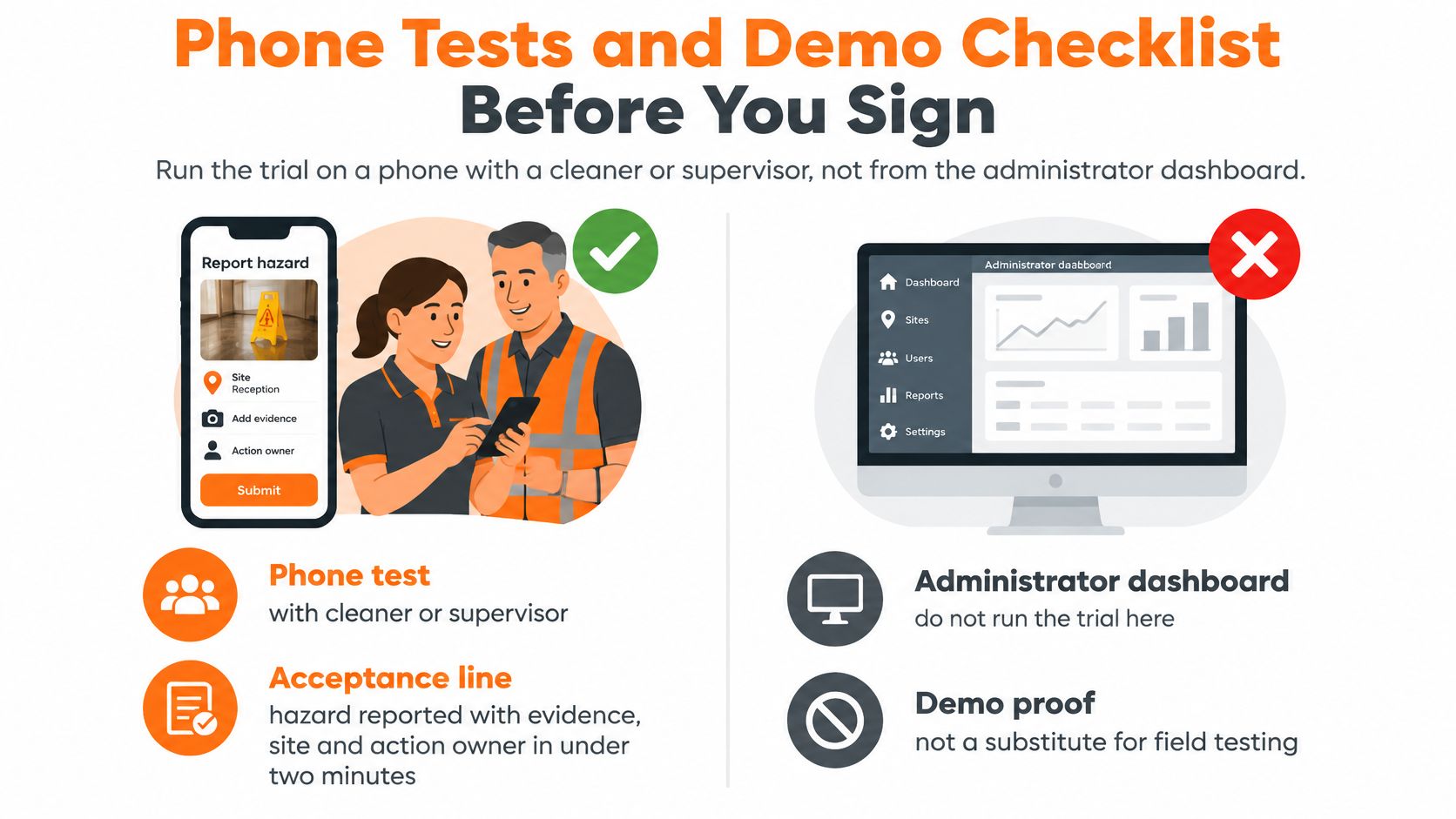
The purchasing decision belongs in the cleaner's hands, with a supervisor observing the workflow. An administrator's dashboard demonstration doesn't establish that a worker can complete the task during a shift.
An Australian Institute of Health & Safety report on digital safety usability describes a survey of more than 1,000 safety managers, workers and contractors across high-risk industries, in which only 41% of frontline workers considered their safety software easy to understand, falling to 30% in larger organisations. For the trial, the practical acceptance benchmark is a hazard submitted with evidence, site and action ownership in under two minutes, without training-heavy navigation.
Make failures visible
The trial should use an ordinary worker account, realistic permissions and a job from the actual contract. For mobile safety inspections, the test must include the failed-item workflow, not just completion of an all-pass checklist.
Phone tests for cleaning WHS software
| Test | Pass | Fail |
|---|---|---|
| Hazard during a shift | Site, photo, action owner and submission without an office login | Desktop only or a long menu |
| Plant room or basement | Form saves offline and syncs later | Blank screen without signal |
| Incident cause | Manual handling, slip, chemical and vehicle are separate fields | Free text only |
| Chemical for that site | Current SDS, dilution and PPE available before use | One shared PDF folder |
| Subcontractor arrival | Induction and insurance checked before start | Papers collected after the shift |
| Principal pack | Audit trail and export by site and date | Records edited in a spreadsheet |
A failure removes the candidate from the decision until it is resolved and retested. A promise of future functionality isn't a pass.
The commercial discussion should settle who builds the initial forms, which modules remain inactive, how jurisdictional records stay separate, and what happens to records on exit. The written scope should also establish whether expired documents merely trigger reminders or prevent sign-in when the contract requires that control.
Run the same comparison on each finalist
The evaluation team should finish with this identical sequence, without allowing the presenter to replace the worker's task with an administrator shortcut:
Same hazard task. A cleaner reports an awkward waste-handling task against a named building, attaches evidence and routes the action. The observer records where help was needed and whether the supervisor receives an actionable record.
Same SDS lookup. The worker retrieves the approved product information for that work area, including the relevant dilution and PPE. With connectivity removed, the observer checks what remains accessible and what synchronises afterwards.
Same subcontractor with an expired document. The supervisor attempts the planned arrival process. The result must match the contract's clearance rule and identify who can authorise any exception.
Same site export. The supervisor produces the client pack with relevant names, dates, controls and change history, without exposing another client's records. The preferred platform is the one the crew completes without assistance; if neither finalist passes, purchasing should pause.
Safety Space offers site-based incident reporting, chemical records, mobile forms and corrective actions for cleaning operations, with only the required modules switched on. Visit Safety Space to arrange a demonstration built around a recurring manual-handling task, a site-specific SDS lookup and the client evidence pack the contract requires.
Ready to Transform Your Safety Management?
Discover how Safety Space can help you implement the strategies discussed in this article.
Explore Safety Space FeaturesRelated Topics
Safety Space Features
Explore all the AI-powered features that make Safety Space the complete workplace safety solution.
Articles & Resources
Explore our complete collection of workplace safety articles, tools, and resources.