
A hazard incident report form is the document you use to record the details of any workplace event that has caused, or had the potential to cause, injury or illness. Its main purpose isn't just to document what happened. It’s to give you the data you need to investigate properly and stop it from happening again.
Why Most Incident Report Forms Fail
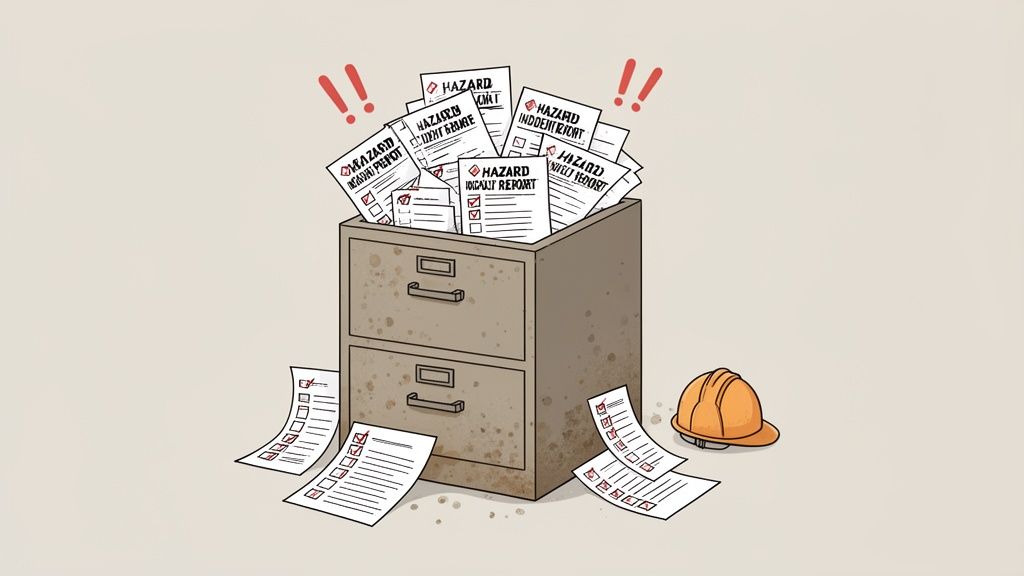
Let's be honest, most incident forms are a waste of paper. They become a box-ticking exercise, a document designed more for the filing cabinet than for real safety improvement. This old-school approach is a liability, especially in high-risk environments like construction and manufacturing.
When a form is too complicated, asks the wrong questions, or is seen as a tool for playing the blame game, your team will give you the bare minimum. What you're left with is a useless piece of paper that fails at its one true job: preventing the next incident.
The Consequences of Poor Data Collection
Bad forms lead to bad data. Bad data has real-world consequences. Vague or incomplete reports make it impossible to get to the root cause of an issue, meaning the same hazards stick around, leading to the same incidents over and over again. Incidents that were preventable.
These recurring problems are a safety risk and a threat to your operations and compliance status. A pattern of similar incidents is a red flag for regulators and can lead to serious fines.
More importantly, it puts your people at risk. The statistics paint a grim picture. In 2024 alone, 188 Australian workers were killed on the job due to traumatic injuries. A staggering 80% of these fatalities happened in just six industries, including construction and manufacturing. Vehicle incidents were the single biggest killer, accounting for 42% of all worker fatalities. You can read the full analysis of these Australian workplace safety statistics to see the trends for yourself.
A well-designed hazard incident report form is one of your most practical tools for preventing future problems. It’s not just about documenting the past; it's about making the future safer.
Shifting from Reactive to Proactive
The goal is to stop thinking of this form as just a reactive document. Its real value is in providing the information needed to get things right next time. A properly designed form becomes a proactive safety tool.
Here’s how a better form helps:
- It Identifies Trends: Good data lets you connect the dots between what look like unrelated near-misses and minor incidents. This reveals underlying problems before they lead to something serious.
- It Guides Investigations: It gives investigators a clear starting point, making sure they ask the right questions and look in the right places from the start.
- It Assigns Clear Actions: The information captured should lead directly to specific, actionable corrective measures, not just vague recommendations that get forgotten.
For example, a report detailing a near-miss with a forklift shouldn’t just say "operator error." A good form would prompt for details about the time of day, lighting conditions, floor markings, and workload. That level of detail might reveal the real problem is a blind corner that needs a mirror, not just a careless operator.
A functional hazard incident report form protects both your people and your business. It turns a simple compliance requirement into a practical asset that actively reduces risk on site.
Building a Form with Fields That Actually Matter
If you want your hazard and incident report form to be a tool for real improvement, it has to go beyond a simple "who, what, where." A well-designed form does the heavy lifting for you, guiding the person reporting to give you the specific, actionable details needed for a proper investigation.
It’s the difference between getting a vague note and a clear blueprint of the problem.
Think about it: a report that just says "worker slipped" is basically useless. But a form that prompts for details about the floor surface, the lighting conditions, any nearby machinery, and the specific task they were doing? That’s intelligence you can act on.
The Foundational Details
Every form needs a solid foundation of basic administrative info. This isn't just bureaucracy; it's the framework that holds the entire investigation together, making sure the report is properly documented and traceable from the start.
These fields are non-negotiable and should be right at the top for clarity:
- Date and Time of Incident: This pinpoints the exact moment, which is critical for cross-referencing against work schedules, CCTV footage, or machinery logs.
- Location of Incident: Get specific here. "Factory floor" won't cut it. "Aisle 3, next to the CNC machine" is what you need. If your site is complex, reference grid locations or site maps.
- Person(s) Involved and Witnesses: Names and contact details are vital. You'll need them for follow-up interviews.
- Reported By: Always document who filled out the form. They might have extra context that didn't make it into the written report.
Getting these basics right from the start makes the whole follow-up process smoother and makes sure everyone is working from the same set of facts.
Describing What Happened
This is where your form shifts from a simple record into a real investigative tool. The narrative section is the core of the report, but you can’t just leave a giant blank box and hope for the best. While free-text boxes have their place, they're far more effective when supported by specific prompts.
Instead of a single "Describe the Incident" field, break it down:
- What was the person doing just before the incident? This sets the scene. Were they "carrying a box up a scaffold" or "operating a metal press"? Context is everything.
- What happened during the incident? This is the step-by-step account of the event itself.
- What happened immediately after? This captures the immediate aftermath, first aid, emergency responses, or initial containment efforts.
By breaking down the narrative like this, you prompt the person reporting to think sequentially. It's a simple change, but it often produces a much clearer and more detailed account of what actually happened, giving you a better handle on the chain of events.
When you're building out your form, it’s also crucial to incorporate fields that support mastering OSHA recordkeeping compliance. This makes sure you're capturing federally mandated information correctly from the moment the incident is reported.
Essential vs Optional Form Fields
When designing your form, it's helpful to distinguish between what you must have for compliance and what's good to have for deeper insights. Here’s a quick breakdown to help you prioritise.
| Field Category | Essential Fields (Must-Have) | Optional Fields (Good-to-Have) | Why It Matters |
|---|---|---|---|
| Basic Information | Date, time, specific location, person(s) involved, witnesses, reporter's name. | Weather conditions, shift number, supervisor on duty. | Establishes the core facts needed for any investigation and ensures traceability. |
| Incident Details | Detailed description of events (before, during, after), type of incident (e.g., slip, fall, chemical spill). | Photos/videos of the scene, sketch or diagram of the area. | Provides a clear, sequential narrative and visual context, moving beyond simple descriptions. |
| Injuries & Damage | Description of injuries, body part affected, type of treatment (first aid, hospital), description of property/equipment damage. | Estimated cost of damage, equipment serial numbers. | Documents the immediate consequences, which is critical for first aid response, insurance, and regulatory reporting. |
| Immediate Response | Immediate actions taken to secure the scene (e.g., machine shutdown, area cordoned off). | Emergency services contacted, names of first aiders. | Shows due diligence in managing immediate risk and provides a starting point for permanent solutions. |
| Root Cause Analysis | Potential contributing factors (e.g., equipment, environment, procedures, human factors). | Suggestions for corrective actions from the reporter or witnesses. | This is the most important part for prevention. It shifts the focus from "what happened" to "why it happened." |
A good form balances simplicity with thoroughness. You want to gather enough detail to be effective without overwhelming the person trying to report an issue.
Capturing Immediate Actions and Contributing Factors
Two of the most valuable, and most frequently missed, sections on any incident report are "Immediate Actions Taken" and "Potential Contributing Factors." These fields are what turn a backward-looking document into a forward-thinking tool for prevention.
The Immediate Actions Taken field tells you what was done on the spot to make the area safe. It could be anything from "cordoned off the wet floor" to "shut down the faulty machine." This is critical for two reasons: it shows the immediate risk was managed, and it gives you a starting point for more permanent fixes.
The Contributing Factors section is where you really start digging for the 'why'. It encourages the reporter to think beyond the obvious. Instead of letting them stop at "worker error," prompts can encourage deeper analysis. Was the lighting poor? Was the equipment overdue for maintenance? Was there pressure to rush the job?
These details are the key to uncovering systemic issues. In Australia, recent statistics show just how important this is. During 2023-24, workers lodged 146,700 serious compensation claims. The top causes were body stressing (34.5%), falls/slips (21.8%), and being hit by moving objects (16%). Given that only three in ten injured workers report receiving compensation, it suggests significant underreporting is happening, making it even more critical to capture those near-misses before they become serious incidents.
A well-structured form helps you spot these contributing factors early, which is the first step toward preventing the same thing from happening again.
If you're looking for a solid starting point, you can review an incident report template sample to see how these fields work in practice. By building a form that gathers the right details, you create a reliable system for collecting the data you need to make real safety improvements on your site.
Turning a Submitted Form into Real Action
A submitted hazard or incident report is just a piece of data. It only becomes valuable when you use it to make a real, tangible change on the worksite. The real work always starts after the form is filled out.
Without a clear process, even the most detailed forms end up in a digital filing cabinet, gathering dust. The key is to have a simple, repeatable plan for responding, investigating, and following up. It’s this process that turns information into action and stops the same thing from happening again.
This infographic breaks down the basic flow from receiving a report to actually implementing a solution.
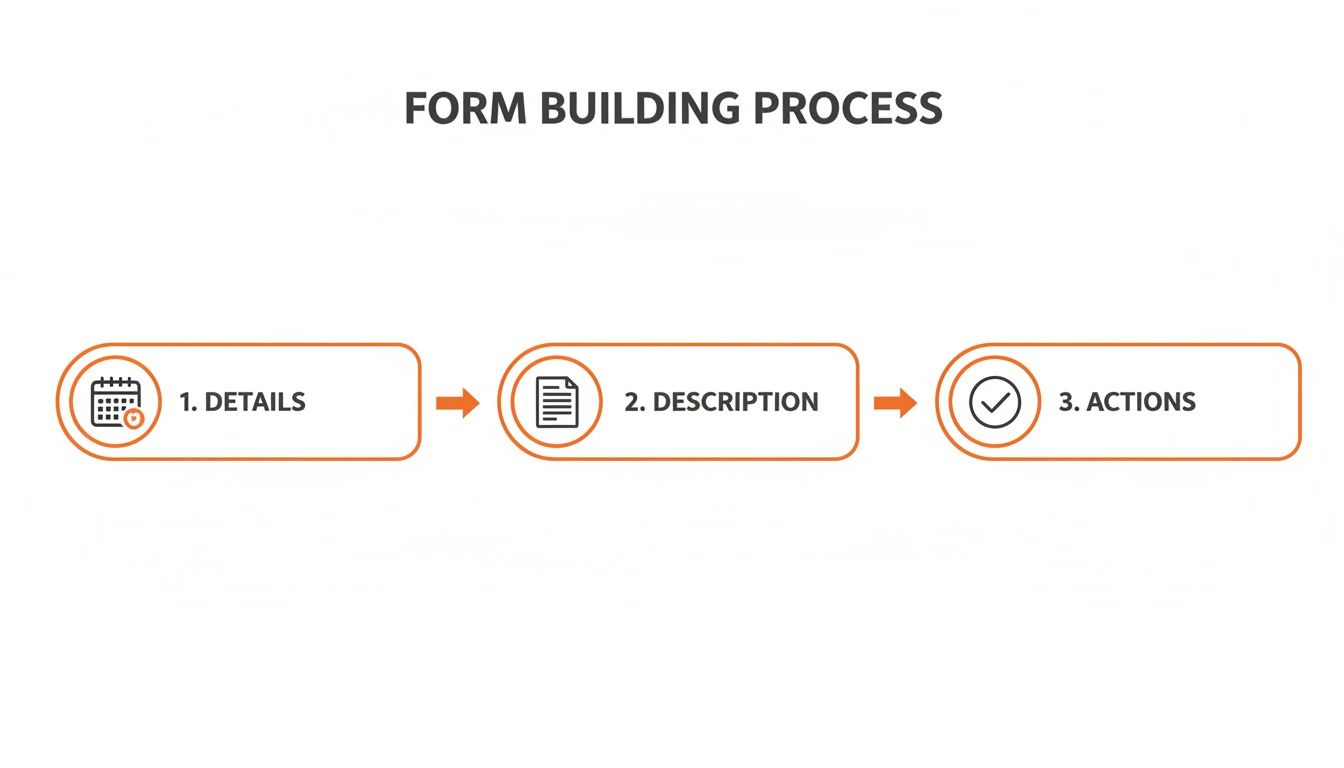
As you can see, gathering details and describing the event are only the first steps. The final, and most important, stage is turning those insights into concrete actions.
The Immediate Response
Once a form hits your inbox, the first priority is managing the immediate situation. The person who received the report, usually a supervisor or safety manager, needs to get eyes on the situation and confirm that the immediate risks have been controlled.
This isn't about the long-term fix yet. It's all about practical, on-the-ground steps to stop the bleeding.
- Secure the area: Has the spill been contained? Is the faulty equipment tagged out of service? Has the trip hazard been clearly marked or cordoned off?
- Ensure care is provided: If there was an injury, has first aid been administered or has further medical attention been sought? This is non-negotiable.
- Preserve the scene: As much as you can, the area should be left as it was. This is crucial for the investigation. It means not moving equipment or cleaning up until initial photos and statements are taken.
These initial actions are often noted in the "Immediate Actions Taken" field of the form, but they must be verified in person. This first step makes sure the problem doesn't get any worse while you figure out how to solve it for good.
Conducting a Straightforward Investigation
An investigation doesn't have to be a complicated, formal affair for every minor incident. The goal is simple: understand why something happened, not just what happened. A practical investigation focuses on gathering the facts quickly and efficiently.
Get out to the location of the incident. Seeing the environment firsthand gives you context that a written report can never fully capture. While you're there, talk to the people involved, the person who reported it and any witnesses. Ask open-ended questions like, "Can you walk me through what you were doing?" instead of leading questions that might put them on the defensive.
The entire point is to find the root cause, not just the obvious, immediate one.
The difference is simple. The immediate cause of a chemical spill might be a punctured container. The root cause might be that the containers were being stored in a high-traffic forklift area with no protective barriers. Fixing the root cause is the only way to stop it from happening again.
To dig deeper and get this right every time, you might want to learn more about a structured approach with our guide to creating a practical root cause analysis format.
Assigning Corrective Actions and Following Up
Once you have a good handle on the root cause, it's time to create corrective actions. These are the specific, assigned tasks that will actually fix the problem. Vague recommendations like "be more careful" are completely useless. Actionable items need to be specific, measurable, and have a deadline.
Here’s how to make them effective:
- Be Specific: Instead of "improve lighting," write "Install two additional LED floodlights in Aisle 4."
- Assign Responsibility: Give the task to a specific person. "John Smith to order and install new lighting."
- Set a Deadline: Assign a realistic completion date. "Due by Friday, 25th October."
These assigned actions create accountability. A task with no owner or deadline is a task that will never get done. Simple as that.
The final, and arguably most critical, part of the whole process is the follow-up. The safety manager or supervisor must track these corrective actions to make sure they are completed on time. This can be done with a simple spreadsheet, but it's far easier with a task management system that sends reminders.
After an action is marked as complete, go back to the site and verify it. Check that the new lights have actually been installed and are working. This final check closes the loop, confirming that the information from that original report has resulted in a real improvement to workplace safety.
Common Reporting Mistakes and How to Fix Them
Even with a perfectly designed hazard incident report form, the quality of the information you get back can be all over the place. The goal is clear, useful data every single time, but a few common mistakes often get in the way. Fixing these isn't about blaming the person reporting; it’s about making the process itself better.
These mistakes can turn a potentially useful report into a dead end, making it impossible to conduct a real investigation. By understanding what goes wrong, you can make simple adjustments to your form and your process to get the details you actually need.
Vague or Generic Descriptions
This is the big one. You get a report that says, "Worker hurt hand" or "Machine broke down." This tells you absolutely nothing about the why. A vague description is a symptom of a form that doesn't guide the user.
To fix this, get rid of that single, large "describe what happened" box. Instead, break it down with specific, mandatory prompts that force the reporter to think through the sequence of events.
- What was the worker doing right before the incident? (e.g., "Operating the metal press," "Climbing a ladder").
- What tool, piece of equipment, or material was involved? (e.g., "Using a Makita angle grinder," "Carrying a bag of cement").
- Describe the injury or damage in detail. (e.g., "Deep cut to left index finger," "Hydraulic line on the forklift snapped").
These small changes turn a generic statement into a detailed account you can actually work with. It gives you the immediate context needed to start asking the right questions.
Incomplete or Missing Information
Blank fields are another major headache. Key details like the exact location, witnesses, or immediate actions taken are often left empty. This usually happens when workers are rushed or just don't understand why a particular field is important.
The fix here is two-fold: make critical fields mandatory and explain their purpose. A digital form makes it easy to require certain fields before a report can be submitted.
For paper forms, use clear visual cues like red asterisks (*) next to essential fields. A simple note at the top of the section explaining "This information is required for the investigation" can also make a big difference.
Consider adding a "Not Applicable" checkbox for fields that might not apply to every situation. This makes sure the person filling out the form has at least acknowledged the question, rather than just skipping over it.
Delays in Reporting the Incident
The longer someone waits to report an incident, the more details get lost. Memories fade, the scene changes, and the opportunity for a timely investigation disappears. Late reporting is often caused by a complicated process or a fear of getting in trouble.
To encourage prompt reporting, your system needs to be fast and accessible.
- Make it mobile. Workers should be able to report an issue from their phone right there on the worksite. Having to walk back to an office to find a paper form is a massive barrier.
- Keep it simple. The initial report should only take a few minutes to complete. You can always gather more details during the follow-up investigation.
- Focus on fixing problems, not placing blame. This is the most important part. If workers see reports being used to punish people, they will simply stop reporting things.
By addressing these common mistakes, you’ll get better quality and consistency from every hazard incident report form you receive. It's all about making your reporting process more reliable and effective, giving you the information you need to make meaningful safety improvements on site.
Using Safety Space to Automate Incident Reporting
Paper forms and spreadsheets just don't cut it on a modern worksite. They're slow, a nightmare to track, and often lead to the same old problems: incomplete data and missed follow-ups. It’s time for a better way to handle your hazard and incident reporting.
Moving your process to a digital platform like Safety Space tackles these headaches head-on. It changes reporting from a manual, reactive chore into an integrated, real-time system that helps you spot problems and act fast.
Building a Custom Digital Form
One of the biggest wins with a digital system is the ability to customise. With Safety Space, you can build a hazard incident report form that perfectly fits your site’s specific needs. You’re not stuck with some generic, one-size-fits-all template that doesn't quite work.
This means you can easily add fields that are relevant to your work, like specific machinery types, precise site locations, or subcontractor details. Even better, you can make critical fields mandatory. This single feature completely solves the problem of incomplete reports. The form simply can't be submitted until all the essential information is filled out, guaranteeing you get the data you need for a proper investigation.
This gives you a glimpse of how Safety Space organises everything, notifications, tasks, and reports, into one clear dashboard. Centralising your incident data like this makes it so much easier to manage and act on.
Getting Better Information with AI Assistance
A major challenge with any form is getting clear, detailed descriptions from workers who might be rushed or stressed. Vague reports are useless, but it's not always easy for someone to articulate what happened in the heat of the moment.
Safety Space helps out here with AI-assisted form completion. As a worker starts typing a description of what happened, the system can prompt them with simple, clarifying questions.
For instance, if they type "tripped on cable," the AI might suggest adding details like:
- "Where was the cable located?"
- "Was the area well-lit?"
- "What task were you performing?"
This isn't about making the form more complicated; it's simple guidance that helps workers provide richer, more useful information. It’s a practical way to get better quality initial reports, the very foundation of any effective follow-up.
Real-Time Notifications and Automated Actions
The moment a digital form is submitted in Safety Space, the system kicks into gear. This is where automation really proves its worth, wiping out the delays that plague paper-based systems.
Instead of a form sitting on a desk waiting to be noticed, key personnel get notified instantly. This immediate awareness allows a supervisor to secure the scene and start the investigation while the details are still fresh in everyone's mind.
But it goes beyond just notifications. You can set up workflows that automatically assign corrective actions based on the type of incident reported.
- Spill Reported? An action is automatically assigned to the environmental team to manage the cleanup, with a deadline attached.
- Faulty Equipment Noted? A task is created for the maintenance crew to inspect the machine and tag it out of service.
This automation builds accountability right into your process. Tasks are assigned to specific people, have clear deadlines, and can be tracked all the way through to completion. Nothing falls through the cracks. And for companies looking to integrate even more advanced technologies, resources like a guide to Augmented Reality Safety in the Workplace can offer some great insights.
Connecting Data to See the Bigger Picture
With paper forms, your data is trapped in filing cabinets. It’s almost impossible to spot trends or recurring issues across different sites or projects. A digital system solves this completely by centralising all your incident data in one place.
This allows you to easily run reports and analyse trends. In minutes, you can see if a particular type of incident is happening more frequently or if a specific location is becoming a hotspot for near-misses.
By connecting your hazard incident report form data to a wider safety management system, you move from just reacting to individual events to proactively identifying and fixing systemic risks. This data-driven approach is fundamental to making lasting safety improvements. You can see more on how this works by exploring our incident management software features. Making this shift is a practical, powerful step toward a safer, more efficient worksite.
Got Questions About Hazard and Incident Reporting?
If you've got questions about your hazard or incident report forms, you're not alone. It’s a common topic. Here are some straight answers to the queries we hear most often from safety managers, particularly in construction and manufacturing.
What Is the Main Goal of a Hazard Report?
The single most important goal of any hazard report is prevention. Simple as that. It’s not about pointing fingers or just ticking a compliance box for the sake of it.
Think of the form as a tool. It's designed to capture the crucial details of an incident or a near-miss so you can dig into the root cause and make changes to stop it from happening again.
A report about a slippery floor (the hazard) that caused a fall (the incident) isn't just a record of that one person falling. It's your chance to figure out why the floor was slippery in the first place. Was it a leaking machine? A shoddy cleaning procedure? Something else entirely? Fixing that "why" is the whole point.
Who Should Be Filling Out the Report?
Whenever possible, the person who saw it happen or was directly involved should be the one to fill out the report. Their memory of the event is the freshest and most accurate.
Of course, if they're injured, the first person on the scene or their direct supervisor should help them complete it as soon as it's practical. You want a firsthand account, not a story that’s been passed through three different people. The critical details get fuzzy with each retelling.
The rule of thumb is simple: The closer the reporter is to the event, the better the information you’ll get. Encouraging direct reporting from the people on the floor is the best way to get accurate, unfiltered insights.
How Soon After an Incident Should a Form Be Completed?
It needs to be filled out as soon as possible. Once any immediate danger is dealt with and everyone is safe, that report should be the next priority.
The longer you wait, the more details get forgotten. Try to get it done within the same shift if you can. A delay of even 24 hours can make memories hazy about the exact sequence of events, the position of equipment, or other small but critical factors. Prompt reporting is what makes for a useful investigation.
What's the Difference Between a Hazard and an Incident?
This one comes up a lot, and getting it right makes for much clearer reporting.
- A hazard is any source of potential harm. It’s a condition with the potential to cause injury. Think of an unguarded machine blade, a frayed electrical cord, or a badly stacked pallet. They haven't hurt anyone yet, but they could.
- An incident is a specific, unplanned event that has resulted in, or could have resulted in, injury or damage. This includes near-misses. A worker slipping on a patch of oil is an incident; the oil on the floor is the hazard.
Your reporting form needs to let people report both. Finding and fixing a hazard before it causes an incident is the most proactive safety move you can make.
A solid reporting system is the foundation of a safe worksite, but trying to manage it with paper forms and spreadsheets is a recipe for inefficiency. Safety Space replaces those outdated methods with a simple, all-in-one digital platform. You can build custom forms, get real-time notifications, and automate corrective actions to make sure nothing ever gets missed.
See how you can make your safety management more practical and effective. Book a free demo of Safety Space to learn more.
Ready to Transform Your Safety Management?
Discover how Safety Space can help you implement the strategies discussed in this article.
Explore Safety Space FeaturesRelated Topics
Safety Space Features
Explore all the AI-powered features that make Safety Space the complete workplace safety solution.
Articles & Resources
Explore our complete collection of workplace safety articles, tools, and resources.