
An incident or hazard report is your first, best chance to catch a safety issue before it turns into something serious. But if your team is still wrestling with messy paperwork, confusing spreadsheets, or forms that vanish into a filing cabinet, your process isn't just inefficient; it's broken.
For scenario-based examples you can plug into your reporting system, see incident report samples.
Why Most Incident & Hazard Report Forms Fail
Let's be blunt. For most Operations and Plant Managers, the typical approach to reporting is a massive headache. It's a system that might look okay on paper but completely falls apart in the real, high-pressure environments of construction and manufacturing.
The reality is a constant battle with forms that end up creating more problems than they solve. This isn’t a theoretical issue; it’s about the daily frustrations that get in the way of running a safe, productive site.
The Problem with Generic Templates
One of the biggest culprits? Generic, one-size-fits-all templates. They're almost never designed for the specific risks you'd find on a busy construction site or a complex manufacturing floor.
This leads directly to a few all-too-familiar problems:
- Vague Information: Fields like "Describe Incident" are useless. You get one-sentence answers that give you nothing to work with for a proper investigation.
- Massive Delays: Paper forms get shoved into pockets, left in the ute, or forgotten until Friday afternoon. By then, the critical details are long gone.
- Zero Follow-Up: A report gets handed in and disappears into a black hole. Workers see nothing happens, so they stop bothering to report things. Your whole safety process loses credibility.
The core issue is simple: when a reporting process is difficult, it gets ignored. If it’s easier for a worker to walk past a hazard than to report it, you’ve built a system that actively discourages them from speaking up.
The fallout from this isn't just about admin. Every missed near-miss report is a lost opportunity to prevent a future accident. Every hour wasted chasing down paperwork eats into your project timelines and budgets.
This is especially critical in high-risk sectors. In a recent year, 80% of Australia's 188 work-related fatalities were in key industries like Construction and Manufacturing. Add to that the 146,700 serious workers’ compensation claims from preventable events like falls or being hit by objects, and the true cost of a broken reporting system becomes painfully clear.
You can dig into the details of these workplace safety statistics from Safe Work Australia. It’s clear that a better approach to incident and hazard report forms is essential, not just for efficiency, but for keeping your people safe.
Building a Report Form That Actually Works
Spotting the problems with old paper forms is the easy part. The real challenge is creating an incident or hazard report form that people will actually use, one that gives you the information you need to make meaningful changes on site.
Forget generic templates. Your form has to be practical for your specific environment, whether that’s a humming manufacturing plant or a sprawling construction site with dozens of crews.
The secret is to start with the end goal in mind: What information do you absolutely need to know to stop this from happening again? Every single field on your form should help answer that question. Anything else is just noise that discourages workers from completing the report in the first place.
This means getting strategic about the information you ask for. A form for a near miss with a forklift shouldn't have the same mandatory fields as a report for a serious injury. By using conditional logic, where certain answers trigger new, relevant questions, you can keep the initial form short and sweet, only digging for more detail when it’s genuinely required.
Core Information Every Form Needs
No matter the incident or hazard, there are a few non-negotiable details you have to collect. These are the basics that build a clear, contextual record of what happened. Think of this as the foundation of your report.
Get this part right, and any follow-up investigation will be miles more effective.
- Who and When: You need the name of the person reporting, plus the exact date and time of the event. Time is crucial; it helps you connect the event to specific shifts, tasks, or other on-site activities.
- Where It Happened: "Factory Floor" is useless. You need specifics like, "Near CNC Machine 3, Bay 2" or "Scaffolding, Level 4, East Wing." This kind of precision helps pinpoint environmental factors that might have played a role.
- Type of Event: Use a simple dropdown menu. Was it a hazard observation, a near miss, property damage, a first aid injury, or a lost time injury? This immediately categorises the report and helps your team prioritise what to tackle first.
A well-designed form guides the user to provide the right details without overwhelming them. The goal isn't more paperwork; it's gathering clear, actionable information on the first try so you can spend less time chasing facts and more time fixing problems.
The infographic below shows the most common reasons traditional reporting methods fall flat, leading to confusing data and zero follow-up.
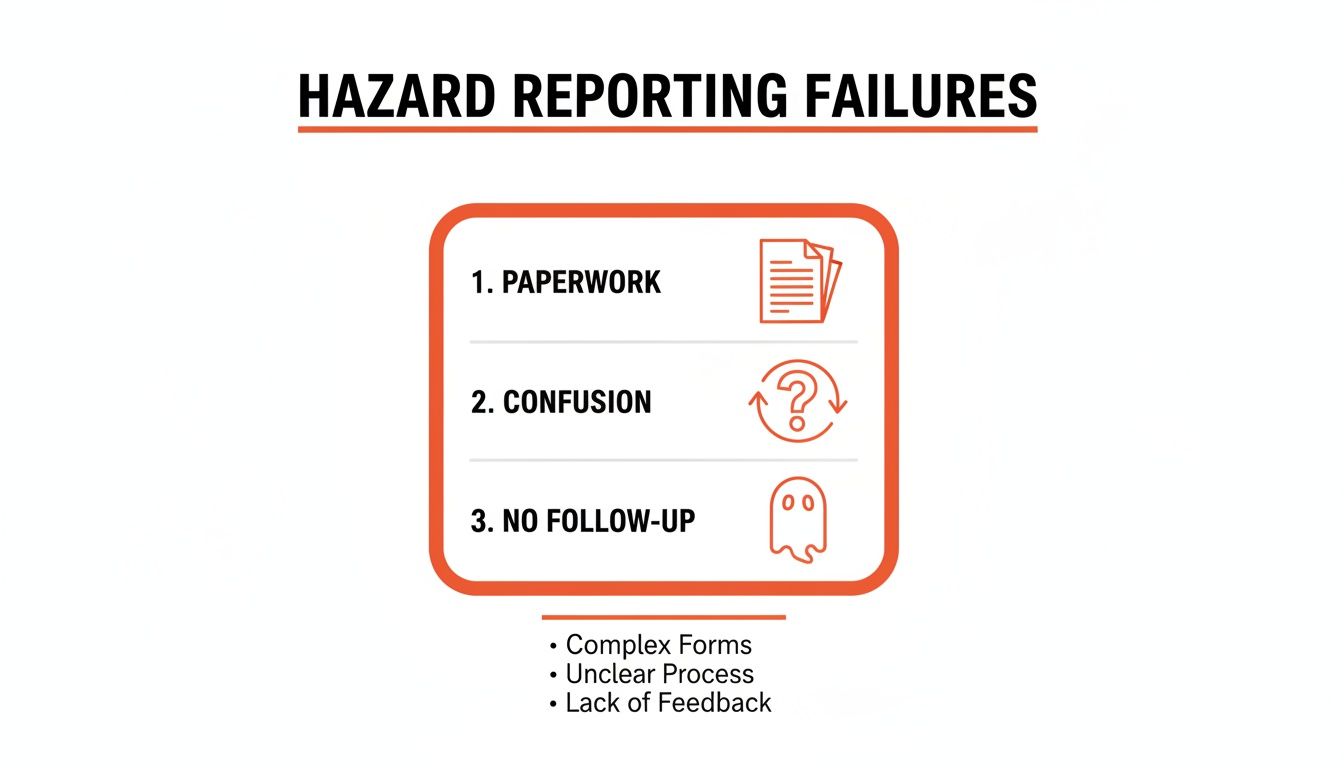
It’s clear how messy paperwork, vague questions, and a process with no visible outcome kill effective reporting. Moving to a structured, digital form tackles these failures head-on.
Asking the Right Questions
Vague questions get vague answers. A big empty box labelled "Describe what happened" is a recipe for a useless report. Instead, you need to prompt for specific details that paint a complete picture.
Clear questions are the difference between a throwaway report and a valuable piece of operational intelligence.
For instance, instead of asking "What were the conditions?", break it down:
- What task was being performed? (e.g., "Moving steel beams with the overhead crane.")
- What tools or equipment were involved? (e.g., "10-tonne gantry crane, nylon slings.")
- What immediate actions were taken? (e.g., "Area was cordoned off, supervisor was notified.")
This structured approach not only makes reporting easier for your team but also gives you clean, consistent data to work with. For a closer look at structuring these fields with real-world examples, check out our guide on the ideal incident report template and sample. It shows how to get all the necessary details without creating a form that’s too clunky for daily use.
The Power of Visual Evidence
One of the single most valuable upgrades to any report form is the ability to attach photos or videos. A quick snapshot of a frayed electrical cord or a short video of a malfunctioning guardrail provides more context than paragraphs of text ever could.
This is especially true on busy construction sites or in large facilities where trying to describe a precise location can be a real headache. A photo with a timestamp and geolocation instantly removes any ambiguity.
Making a photo mandatory for all hazard reports is a simple change that will dramatically improve the quality of the information you receive.
Comparing Paper and Digital Form Fields
The difference between a poorly designed paper form and a clear digital version is night and day. Moving from vague, open-ended boxes to specific, guided fields transforms data collection from a chore into a source of valuable insight.
| Vague Paper Field | Specific Digital Field (with example) | Why It's Better |
|---|---|---|
| "Description of Incident" | "What task was being performed?" (e.g., Unloading a truck) "Describe the sequence of events." (e.g., Pallet shifted, load fell) | Breaks a complex event into simple, factual steps. |
| "Location" | "Site/Area" (Dropdown) (e.g., Warehouse 3) "Specific Location/Asset ID" (e.g., Loading Bay 7) | Pinpoints the exact location for faster response and trend analysis. |
| "Action Taken" | "Immediate Actions Taken" (Checklist) (e.g., Notified Supervisor, Secured Area) "Who was notified?" (e.g., John Smith) | Provides a clear record of the initial response and ensures accountability. |
| "Witnesses" | "Witness Name(s) and Contact" (Repeatable field) | Ensures you can collect statements from everyone involved without running out of space. |
Ultimately, a better form doesn't just collect data; it makes it easy for anyone on your team to contribute valuable information.
Getting Your Team to Use the Forms Correctly
So you’ve designed a brilliant incident and hazard report form. That’s a great first step, but it’s pretty useless if it just sits there gathering dust. An effective form is one that your team actually uses, day in and day out.
The real goal is to make reporting a simple, routine part of the job, not another piece of admin that gets ignored.
Getting there doesn't mean you have to schedule long, drawn-out training meetings. It’s all about being practical and removing the friction that stops people from reporting in the first place. When reporting is quick and easy, it gets done.
Make Your Forms Impossible to Ignore
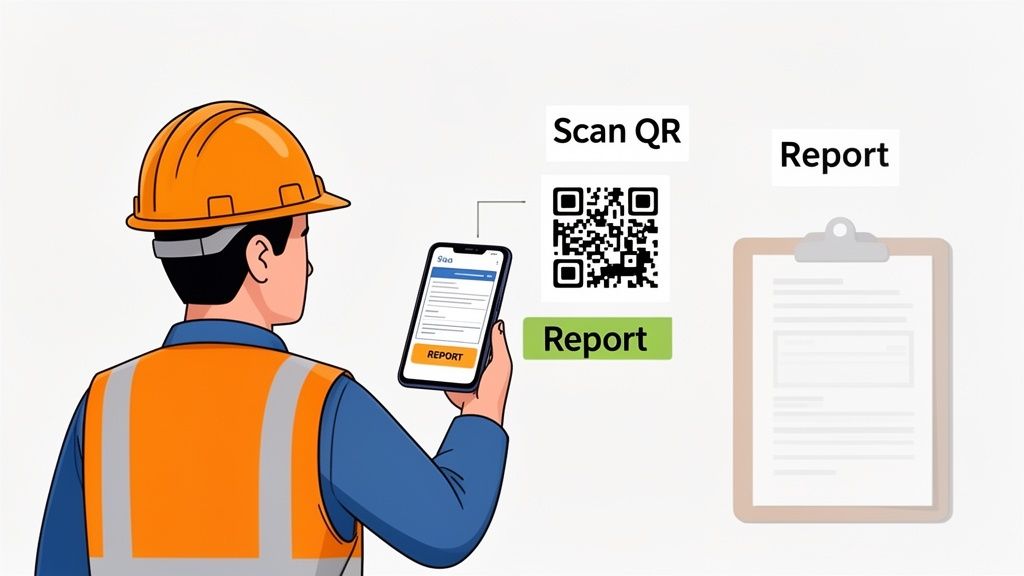
The single biggest barrier to reporting is access. If a worker has to walk back to the site office, find a pen, and hunt for a paper form, you've already lost. You need to put the form directly in their hands, right where the work is happening.
For anyone working out in the field, whether on a construction site or in a large manufacturing plant, mobile access is non-negotiable. Your forms have to work flawlessly on a smartphone.
Here are a few dead-simple ways to make your forms more accessible:
- Plaster QR Codes Everywhere: Print QR codes and stick them on machinery, at site entrances, and in common areas like lunchrooms. A worker can scan the code with their phone and go straight to the reporting form.
- Keep Direct Links Handy: Have the link to the form saved and ready to fire off via text or email. This is perfect for subcontractors or new starters during their induction.
- Create a Central Hub: Use a simple, memorable link that houses all your key safety documents, including your incident and hazard report forms.
The easier it is to find and open the form, the more likely your team is to use it. Your target should be less than 30 seconds from spotting a hazard to starting the report.
Explain the Why, Not Just the How
Your team needs to understand that filling out these forms isn't just about ticking a box for management. It’s about stopping their workmates from getting hurt. That message is far more powerful than any dry, procedural instruction.
Instead of a boring training session, bring it to life during toolbox talks with real examples.
Show them a hazard report that was submitted last week and explain the exact fix that was put in place because of it. Something like, "Dave reported a trip hazard near the loading bay on Monday. Because he logged that, we've installed new anti-slip grating. That report might have just stopped someone from breaking an ankle."
When workers see that their submissions lead to real, visible changes, they start to buy in. It proves their reports aren't just disappearing into a black hole.
Assign Clear Responsibilities for Follow-Up
Nothing kills motivation faster than seeing a report go nowhere. If a worker takes the time to point out an issue and sees nothing happen, they won't bother a second time. This is where clear accountability is absolutely crucial.
Every single report that gets submitted needs an owner. This doesn't have to be complicated.
- Immediate Notification: Set up your system so the right supervisor or manager gets an instant notification via email or text the moment a form is submitted.
- Assign an Action Owner: The supervisor’s first job is to review the report and assign a specific person to sort out the corrective action. That person is now responsible for seeing the fix through.
- Close the Loop: Once the fix is in place, the person who originally reported it should be notified. A simple message back to them saying, "Thanks for your report on the faulty guardrail. It has now been repaired," makes a massive difference.
This simple three-step process creates a transparent system where everyone knows who is responsible for what. More importantly, it shows your team that you take their input seriously and that their actions lead to real change.
Managing Reports Across Multiple Sites
If you're overseeing multiple projects or trying to coordinate with a small army of subcontractors, you know the consistency challenge is real. Juggling a mix of paper forms, random emails, and disconnected spreadsheets from different sites isn't just difficult; it's practically impossible. You’re left with scattered information, making it incredibly hard to get a clear picture of what’s really happening across your entire operation.
This lack of a unified system isn't just an administrative headache. It means you can't spot recurring issues that might be cropping up across all your projects. A problem that shows up on one site could be a massive red flag for others, but if that data is stuck in a filing cabinet in another city, you'll never connect the dots.
The goal is to standardise your incident hazard report forms so that everyone, from your direct employees to every last subcontractor, is reporting the same way. This creates a single, reliable source of data you can actually use.
A Workflow for Standardised Reporting
Deploying a single master form is the bedrock of effective multi-site management. Now, this doesn't mean forcing a rigid, one-size-fits-all approach on everyone. A good system lets you create a core template with all your non-negotiable fields while still allowing for site-specific details.
This way, you keep things consistent where it counts but give your site supervisors the flexibility they need on the ground.
- Create a Master Template: Build one primary incident and hazard report form. This should contain all the essential fields that must be completed for any report, no matter the location.
- Allow Site-Specific Add-ons: Give supervisors the ability to add custom fields relevant to their unique project. A high-rise construction site might need fields for floor levels, while a manufacturing plant might add fields for machinery asset IDs.
- Use Centralised Access: Make sure every worker on every site can get to the exact same form through a simple link or QR code. No more confusion about which version to use.
This approach ensures all incoming reports share a common data structure, which is what makes company-wide analysis possible. Suddenly, you can compare apples to apples, even when the reports are coming from vastly different work environments.
Gaining Real-Time Operational Visibility
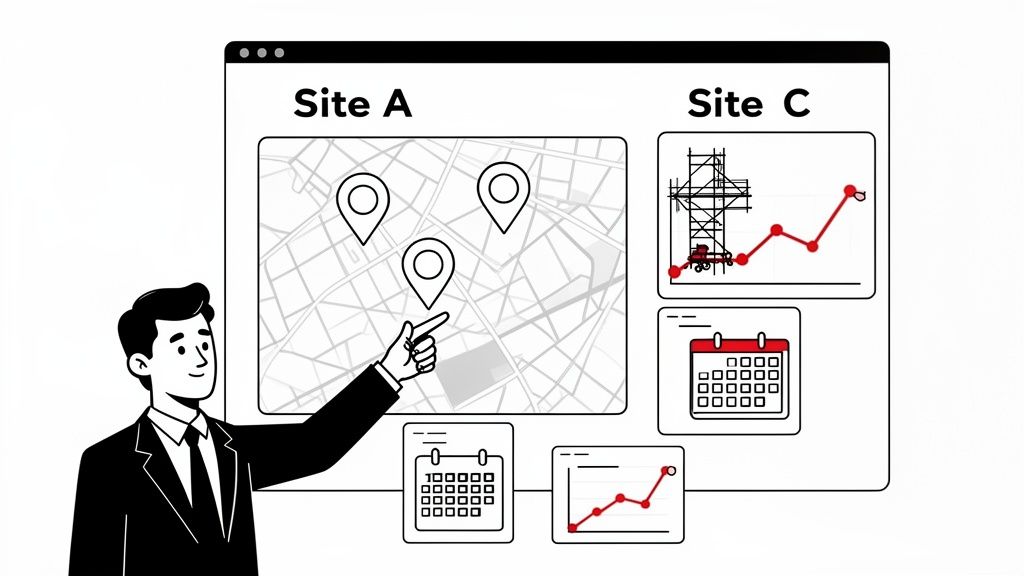
The real magic of a centralised system is the live view it gives you. Instead of waiting for weekly paper summaries to trickle in, you can see every report as it’s submitted, from any location, on a single dashboard.
This immediate visibility lets you be proactive rather than reactive. You can spot a spike in near misses at one facility and jump on it immediately, well before it leads to a serious incident. With paper, you might not notice that trend for weeks, if you notice it at all.
A centralised platform transforms scattered paperwork into a live feed of your company’s operational risks. It’s the difference between looking in the rear-view mirror and looking at a live map of the road ahead.
This instant access is a game-changer for managers who can't be everywhere at once. It gives you the power to monitor compliance, track corrective actions, and support your on-site teams from anywhere.
Practical Scenario: A Director's View
Let's walk through a real-world example. Imagine you're a construction director responsible for three major projects across the state: a commercial tower in the CBD, a residential development in the suburbs, and a warehouse refurbishment out in an industrial park.
Each site has its own supervisor and a mix of your own crew and various subcontractors. In the past, you relied on weekly email updates and stacks of paper forms. Comparing safety performance between sites was a nightmare.
Now, with a centralised platform, your dashboard shows all hazard reports in real-time. On a Tuesday morning, you notice a pattern emerging:
- Site A (CBD Tower): A near-miss report comes in about a dropped tool from scaffolding on Level 12. The immediate cause is listed as "improperly secured materials."
- Site B (Residential): An hour later, a hazard report from a completely different subcontractor flags "loose planking" on a scaffold platform.
- Site C (Warehouse): The previous afternoon, a minor first-aid incident was logged involving a worker tripping over equipment left on a scaffold.
Viewed in isolation, these look like minor, unrelated site issues. But on your unified dashboard, the trend is staring you right in the face: you have a recurring scaffolding problem across multiple projects and multiple subcontractors.
With this insight, you can take immediate, company-wide action. You can issue a safety alert to all three site supervisors, mandate a toolbox talk on scaffolding safety for all crews, and schedule an independent audit of all scaffolding setups. This is a practical, powerful response that would be totally impossible to coordinate when you're buried in disconnected paper reports.
Turning Reports Into Actionable Safety Insights
Collecting data with a well-designed incident or hazard report form is a solid start, but let's be honest, the information is useless until you do something with it. The real value comes from what happens after a report is submitted. This is where you shift from just recording problems to actively preventing them from happening again.
A submitted form should kick off a clear, structured process. This isn't about creating more red tape; it's about making sure every single report gets reviewed, acted on, and closed out properly. Without this crucial step, your reporting system is just a digital filing cabinet gathering dust.
The goal is to create a closed-loop system where a worker's observation directly leads to a tangible safety improvement. When your team sees that their reports actually make a difference, it proves the process works and encourages them to keep speaking up.
Setting Up a Practical Review Workflow
So, a form gets submitted. What happens next? The answer needs to be automatic and immediate. A report sitting in a digital inbox for days is no better than a paper form lost in the back of a ute.
An effective workflow ensures nothing gets missed and everyone knows their role. It assigns clear responsibility from the moment a report is logged.
This process typically boils down to three key stages:
- Immediate Triage and Assignment: The system should instantly ping the relevant site supervisor or manager. Their first job is to quickly assess the report's severity. Is it an urgent hazard needing immediate attention, or a minor issue for routine follow-up? Based on that quick assessment, they assign a specific person to own the corrective action.
- Defining Corrective Actions: The person assigned the task investigates the report and outlines the specific steps needed to fix the problem. This shouldn't be vague. It needs to be a clear, direct task, like "Repair the guardrail on scaffolding, Bay 4" or "Update the SWMS for the new grinding machine."
- Setting and Tracking Deadlines: Every corrective action needs a realistic completion date. This creates accountability and keeps things moving. A good digital system will automatically track these deadlines and send reminders if an action becomes overdue, ensuring tasks don't get forgotten in the daily rush.
From Single Reports to Broader Trends
Fixing individual issues is important, but the real power of collecting good data is spotting patterns over time. Analysing your incident and hazard report forms can reveal systemic risks that you would otherwise miss completely.
This is where digital tools give you a massive advantage. Instead of manually sifting through stacks of paper, you can filter and sort your data with just a few clicks.
For example, you can quickly identify trends by asking questions like:
- Which specific piece of equipment is mentioned most often in near-miss reports?
- Does one particular work area or site consistently generate more hazard reports than others?
- Are certain tasks or times of day linked to a higher number of incidents?
By answering these questions, you move beyond just reacting to one-off events. You start to understand the underlying causes of risk within your operations, and that’s the key to making meaningful, lasting safety improvements.
Identifying these root causes is a critical skill. To help you structure this process effectively, our guide offers a detailed root cause analysis format you can adapt for your own investigations.
Making Data-Driven Decisions
With this level of insight, you can make informed decisions backed by real evidence, not just gut feelings. Imagine seeing a simple chart that shows 73% of all trip hazards are being reported in one specific warehouse aisle.
That's not just a piece of data; it's a clear directive. It tells you exactly where to focus your resources to get the biggest safety return. Now you can investigate that area for specific issues with lighting, flooring, or storage practices. This targeted approach is far more effective than just sending out another generic safety memo.
Ultimately, the whole point of collecting hazard and incident reports is to implement effective measures that stop things from going wrong. Knowing how to apply these changes and drive continuous improvement, much like implementing successful preventive and corrective maintenance strategies, is what turns insights into action. By analysing your reporting data, you can build a proactive safety plan that addresses problems before they lead to costly incidents or project delays, transforming your reporting process from a compliance chore into a powerful operational tool.
Making the Switch to Digital Reporting
Let's be honest, moving away from paper forms and clunky spreadsheets isn't just about getting new software. It’s about fundamentally changing how you handle safety information. You're shifting from chasing down paperwork to having critical data right at your fingertips.
The goal is to make reporting incidents and hazards so simple it just becomes a natural part of everyone's day. This switch stops the administrative drain and frees you up to actually manage safety proactively. When set up right, a digital system gives you immediate visibility, turning a reactive chore into a powerful tool for preventing incidents before they even happen.
Your First Steps Toward Digital Forms
Kicking off the switch can feel like a massive job, but it really breaks down into a few practical steps. It all starts with pinpointing the biggest headaches with your current system. What's slowing you down? What's falling through the cracks? Find a solution that directly tackles those pain points.
A great starting point is a consultation or a demo. This is your chance to see exactly how a digital platform could solve your specific issues, whether it's late reports from subcontractors or a black hole where corrective actions are supposed to be. Forget the generic product tours; this is about talking through your real-world workflow with an expert who can help map out a better process.
From there, the focus shifts to building your forms. With a bit of expert help, you can transform your existing paper or spreadsheet templates into smart, digital incident hazard report forms. This setup process is crucial. It ensures the new forms capture exactly what you need without overwhelming your workers with a dozen irrelevant fields.
Features That Drive Adoption and Action
The real test of any new system is whether your team actually uses it. Some features are specifically designed to remove friction and make reporting faster and easier for everyone on site.
- Pre-filled Suggestions: For common types of reports, the system can suggest entries based on past data. This is a huge time-saver and helps standardise the information you collect for similar events.
- Real-time Notifications: As soon as a critical incident is logged, the right people get an instant alert on their phone or email. This can slash response times from days to mere minutes.
- Automated Reminders: Let's face it, overdue corrective actions are a common weak point in manual systems. Digital platforms can automatically chase up assigned tasks, so nothing gets forgotten.
The real game-changer here is creating a secure, searchable archive of all your safety data. Instead of digging through filing cabinets for an audit, you can pull up any report in seconds. Suddenly, your historical data goes from being a storage problem to a valuable learning resource.
Making the Transition Smooth
Once your system is configured, the rollout is the final piece of the puzzle. The key is to start with a clear plan that gets everyone comfortable with the new process quickly. This often means running a pilot program on one site or with one team to iron out any kinks before a company-wide launch.
You can learn more about how a dedicated platform supports this entire process by exploring the features of modern incident management software. It breaks down how a connected system handles everything from mobile form submission to powerful analytics.
Ultimately, turning reports into usable safety insights requires the right tools for data analysis and automation. Understanding the capabilities of platforms like the Microsoft Power Platform can be invaluable for connecting your safety data with broader business operations.
By making the move to digital reporting, you’re not just updating a form. You’re building a more responsive, accountable, and transparent system for managing workplace safety. This allows you to stop spending your time buried in paperwork and start preventing incidents.
Answering Your Team's Questions About Hazard Reporting
Even with a rock-solid system, questions always pop up. When you're rolling out or managing incident and hazard report forms, getting everyone on the same page is key. From site supervisors to your newest subcontractor, clear, practical answers give them the confidence to actually use the system.
Here are a few of the most common questions we hear from managers on the ground in construction and manufacturing.
What’s the Difference Between an Incident and a Hazard Report, Anyway?
This is a big one, but the distinction is simple.
A hazard report is all about being proactive. It's for identifying a potential source of harm before anyone gets hurt. Think of it as a pre-emptive catch: spotting an unguarded machine, a frayed electrical cord, or a slippery patch of oil on the workshop floor. You're flagging a risk so it can be fixed before it causes trouble.
An incident report, on the other hand, documents something that has already happened. This covers everything from a near miss (a close call) and minor property damage right through to a first aid injury or something more serious.
A good digital reporting system often uses a single, smart form that adapts its questions depending on whether the user is reporting a hazard or an incident. This keeps things simple for the person on the ground.
How Do We Actually Get Subcontractors to Use Our Reporting Forms?
Getting your subcontractors on board comes down to one thing: making it ridiculously easy for them. If your process involves them having to find a specific person, track down a paper form, or log into a clunky portal, it's just not going to happen.
- Plaster QR Codes Everywhere: Put QR codes on site entrances, on key pieces of machinery, and in common areas like the lunchroom. This gives them instant access to a mobile-friendly form without needing to download an app or remember a web address.
- Make It a Condition of Entry: Include the reporting process in your site induction. State clearly that using your incident and hazard report forms is a mandatory part of working on your project. No exceptions.
- Show Them It’s Not a Black Hole: This is the most important part. When a subcontractor's report leads to a visible fix on site, like a new guard rail or a repaired walkway, they see the process has real value. That positive feedback loop is the single most effective way to encourage them to keep reporting.
The key is to remove every single barrier you can think of. If a subcontractor can report a hazard in less time than it takes them to make a phone call, they are infinitely more likely to do it.
How Long Should We Keep Incident and Hazard Reports?
This is a common question, and the answer can vary a bit by jurisdiction. A good rule of thumb, and a common standard in Australia, is to keep all safety records for at least five years after the event.
However, for some specific types of incidents, especially those involving health exposures (like noise or chemical contact), the required retention period can be much, much longer, sometimes decades.
This is where a digital system is a massive advantage. Instead of managing boxes of dusty files, a digital platform creates a permanent, secure, and easily searchable archive. It not only makes compliance and audits far less painful but also gives you a valuable historical database for spotting long-term trends and preventing future issues.
Ready to stop chasing paperwork and start managing safety proactively? The team at Safety Space can help you build a fully customised, easy-to-use digital reporting system that your team will actually want to use. See how it works by booking your free demo and H&S consultation at https://safetyspace.co.
Ready to Transform Your Safety Management?
Discover how Safety Space can help you implement the strategies discussed in this article.
Explore Safety Space FeaturesRelated Topics
Safety Space Features
Explore all the AI-powered features that make Safety Space the complete workplace safety solution.
Articles & Resources
Explore our complete collection of workplace safety articles, tools, and resources.