
A supervisor needs the current SWMS, a worker spots a hazard, or an incident occurs away from the site office. In each case, the value of a rapid access mobile app depends on what happens in the next few seconds, not on how impressive the software looks in a demonstration.
Australia has the access base for mobile WHS work. ACMA reported that 99.7% of Australian adults used at least one device to go online during the first half of 2025, with 97% using a mobile phone to access the internet and 92% doing so daily. That supports mobile delivery across construction, manufacturing and industrial services, but access alone isn't enough. The workflow must still work with weak reception, shared devices, mixed digital confidence and the PCBU's legal duties.
Table of Contents
- The Site Moment That Exposes the Workflow Gap
- What a Rapid Access Mobile App Is
- Core Features That Matter in the Field
- Benefits for H&S Managers, Site Staff and the Business
- A Hazard Report From Site to Close-Out
- Where Most Rapid Access Apps Fall Short
- Choosing and Rolling Out a Rapid Access Mobile App
The Site Moment That Exposes the Workflow Gap
At 6:40am, a supervisor stands beside a tilt-up slab with one bar of signal on the phone. The crew is preparing for a panel pour, and the supervisor needs to check the current SWMS before anyone steps onto the deck.
The paper copy in the site office is damp and hard to read. The latest PDF sits on a desktop that is not connected to the site network. The intranet is down, and the WHS officer is unavailable. Nothing unusual has happened. A routine site morning has exposed a broken information workflow.
The same gap appears in reporting. A worker sees a damaged handrail but waits for the prestart. A contractor needs to confirm an induction but cannot find the correct register. A supervisor photographs a near miss and leaves the image in the phone gallery, planning to complete the report later. The problem is the distance between seeing an issue at the workface and recording it while the details remain clear.

Practical rule: If a worker must leave the workface, find a computer, remember a password and wait for a document to load, the process is not rapid access.
A mobile workflow also needs to account for who is using it. Older workers, workers with limited digital confidence and people without a personal smartphone may need larger controls, plain instructions, shared devices or a non-digital fallback. Device ownership is an operational decision, not a minor implementation detail. A system that assumes every worker carries a suitable phone will exclude people at the point where reporting needs to happen.
Connectivity creates another trade-off. The app should let a worker save a form, photo or note without reception, clearly show that the record is queued, and synchronise it when the connection returns. It should also show when synchronisation fails, rather than leaving the user to assume the record reached the register.
The PCBU still holds the WHS notification duty. An app can capture evidence, alert the right person and support escalation, but it does not decide whether a notifiable incident must be reported or replace the PCBU's legal responsibility.
The core issue is workflow design. The right instruction or form must reach the right person, work under pressure, preserve evidence offline and route the next action without creating another administrative task.
What a Rapid Access Mobile App Is
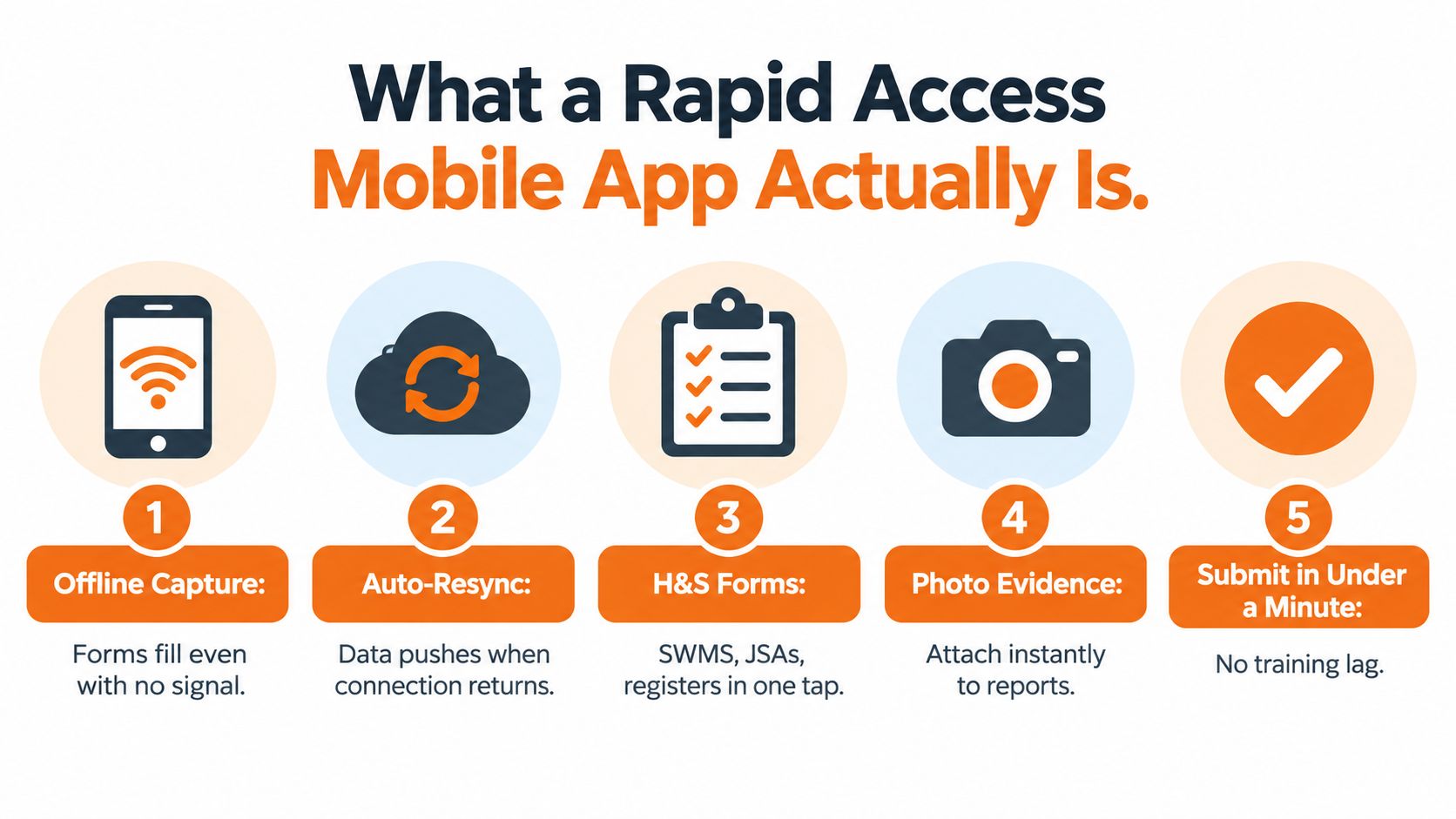
A rapid access mobile app is a field-deployed workflow that lets workers open, complete and submit WHS records from a phone or tablet, usually in under a minute for a simple task. It connects the person at the workface with the right form, evidence and follow-up action. A document viewer, shared drive or browser shortcut alone does not provide that workflow.
Rapid access depends on how the system behaves under site conditions. It must support offline work, show the user whether a record is stored locally, and synchronise it with the central register when connectivity returns. It also needs an access plan for older workers, people with limited digital confidence and workers without a personal smartphone. Larger controls, plain instructions, shared devices and a practical non-digital fallback may be required. Device ownership belongs in the operating model, not just the implementation checklist.
A practical definition includes these capabilities:
- Immediate form access: SWMS, JSAs, permits, inspections, prestarts, registers and incident forms are available from the home screen or a task-specific menu.
- Offline capture and queued synchronisation: A worker can save a form, photo or note without signal. The app shows whether the record is pending, synced or failed.
- Operational alerts: Push notifications identify new hazards, overdue corrective actions, changed documents and urgent safety messages.
- Evidence attached to the record: Photos, notes, signatures and relevant metadata stay with the report instead of being scattered across personal devices.
- Role-based access: Supervisors, workers, H&S managers and subcontractors see the workflows they need, without exposing every form or register.
- One central record: Submissions feed the H&S register, action tracking and reporting process instead of creating another isolated data store.
The PCBU remains responsible for deciding whether an incident is notifiable and for meeting the WHS notification duty. The app can capture evidence, alert the right person and support escalation, but it does not transfer that legal responsibility to software.
A generic PDF app may open a SWMS without recording acknowledgement, identifying the site, routing an action or retaining an audit trail. A shared drive may store the latest document without working offline or showing which corrective actions remain open.
The design principle aligns with a modern business development framework. Start with the field action and design the office record around it.
Core Features That Matter in the Field
Feature lists are useful only when each feature supports a real task. A daily prestart, near-miss report and corrective action close-out place different demands on the app, even though all three may use the same phone.
Access must match the task
A supervisor completing a prestart shouldn't search through a general form library. The app should recognise the selected site, project or work group and present the relevant form quickly. Cached SWMS, permits and JSAs should remain available where the site has unreliable reception, subject to document control rules.
Offline capture is the harder test. The system needs local storage, a visible queue and automatic synchronisation when signal returns. Shared devices create another control point. If two workers use the same tablet, the app should keep each person's identity attached to the correct record and handle a conflict if both users edit the same item.
Push alerts have value when they're connected to a defined action. A notification about an unguarded edge should identify the responsible person, the site and the required response. An alert about an overdue action should escalate according to the organisation's rules. Push notifications don't replace emergency communication or direct regulator contact.
Photo and signature capture should be part of the form, not an afterthought. A worker reporting a damaged guardrail can add a photo and note in one workflow. A supervisor closing the action can attach a second photo and sign off the verification. GPS or site metadata may help establish context, but organisations should decide when location data is necessary and how it will be managed.
Multi-site switching matters for H&S managers who move between projects. The user should be able to change sites without submitting a record to the wrong register. QR-coded form launches can be useful at controlled entry points, but the process must have an alternative for a broken code, a flat device or a worker without a compatible phone.
| Feature | Field task it supports | Compliance or reporting outcome |
|---|---|---|
| Cached forms | Open a SWMS or JSA at the workface | Workers can access the controlled document without returning to the office |
| Offline capture | Record a hazard in a basement or remote area | The observation remains available for later synchronisation |
| Push alerting | Notify the accountable supervisor about a hazard | The action has an assigned owner and an escalation path |
| Photo and signature evidence | Show the original condition and completed fix | The record contains evidence for review and audit |
| Multi-site access | Select the correct project before submitting | Reports feed the appropriate register |
| Role permissions | Give contractors limited access to assigned workflows | Users see relevant forms while accountability remains identifiable |
Use the workplace inspection checklist essentials as a prompt for the inspection tasks your app must support. Then compare those tasks with the mobile workflow available through Safety Space mobile safety inspections, rather than judging software by the number of menu items it displays.
Benefits for H&S Managers, Site Staff and the Business
The benefit depends on where a person sits in the workflow. A site worker needs a quick way to record an observation. An H&S manager needs reliable visibility and evidence. The business needs controls that remain usable when projects, contractors and operating conditions change.
H&S managers
A rapid access system can reduce the delay between a hazard being seen and an accountable person receiving the task. It can also give the H&S manager a live view of open actions across sites instead of relying on separate spreadsheets, emails and verbal updates.
That visibility is useful only when the underlying records are trustworthy. The manager should be able to see who submitted the report, which site it relates to, when the action was assigned, what evidence was added and who verified the close-out. A clean chronology is more useful than a dashboard filled with unverified status labels.
For a serious incident, the mobile form can help capture facts at the workface while witnesses, locations and treatment details are still available. It doesn't make the notification decision or contact the regulator. Those responsibilities remain with the PCBU.
Site staff
Workers and supervisors benefit when the form reflects the job. A concrete crew may need a prestart, plant check and hazard report. A maintenance team may need an isolation record, permit and close-out photo. Giving both groups the same large generic form usually creates unnecessary fields and encourages late completion.
Mobile access can also remove trips to the site office. A worker can report a blocked emergency exit, attach a photo and continue with the task after the area is made safe. The system should still allow a verbal report or direct escalation where the condition requires immediate action.
The business
The business gains a more consistent operating record when the correct SWMS, induction material and action history are available across projects. New workers and subcontractors can be directed to the current process instead of receiving different paper versions from different supervisors.
The cultural effect is practical. Reporting becomes a short field action rather than an administrative chore reserved for the end of a shift. That doesn't guarantee better behaviour, but it removes one common reason for delayed reporting.
| Audience | Primary benefit | Operational outcome |
|---|---|---|
| H&S manager | Central visibility of records and actions | Fewer manual follow-ups and clearer escalation |
| Site supervisor | Fast access to task-specific forms | Prestarts, observations and close-outs happen at the workface |
| Worker | Simple reporting with photo evidence | Hazards can be raised when they are first seen |
| Contractor coordinator | Controlled access across projects | Subcontractor records remain attached to the relevant site |
| Business owner | Consistent evidence and document control | Management can review recurring issues and unresolved actions |
A Hazard Report From Site to Close-Out
A supervisor sees an unguarded edge on a level three slab during a concrete pour. The immediate control comes first. The crew is kept clear, the area is isolated where required, and the supervisor opens the hazard form on a phone.
The supervisor selects the project, takes a geo-tagged photo and writes a two-line note describing the edge and the exposure. The app saves the record locally if the connection is unavailable. The supervisor shouldn't have to remember the details and recreate the report from a desktop later.
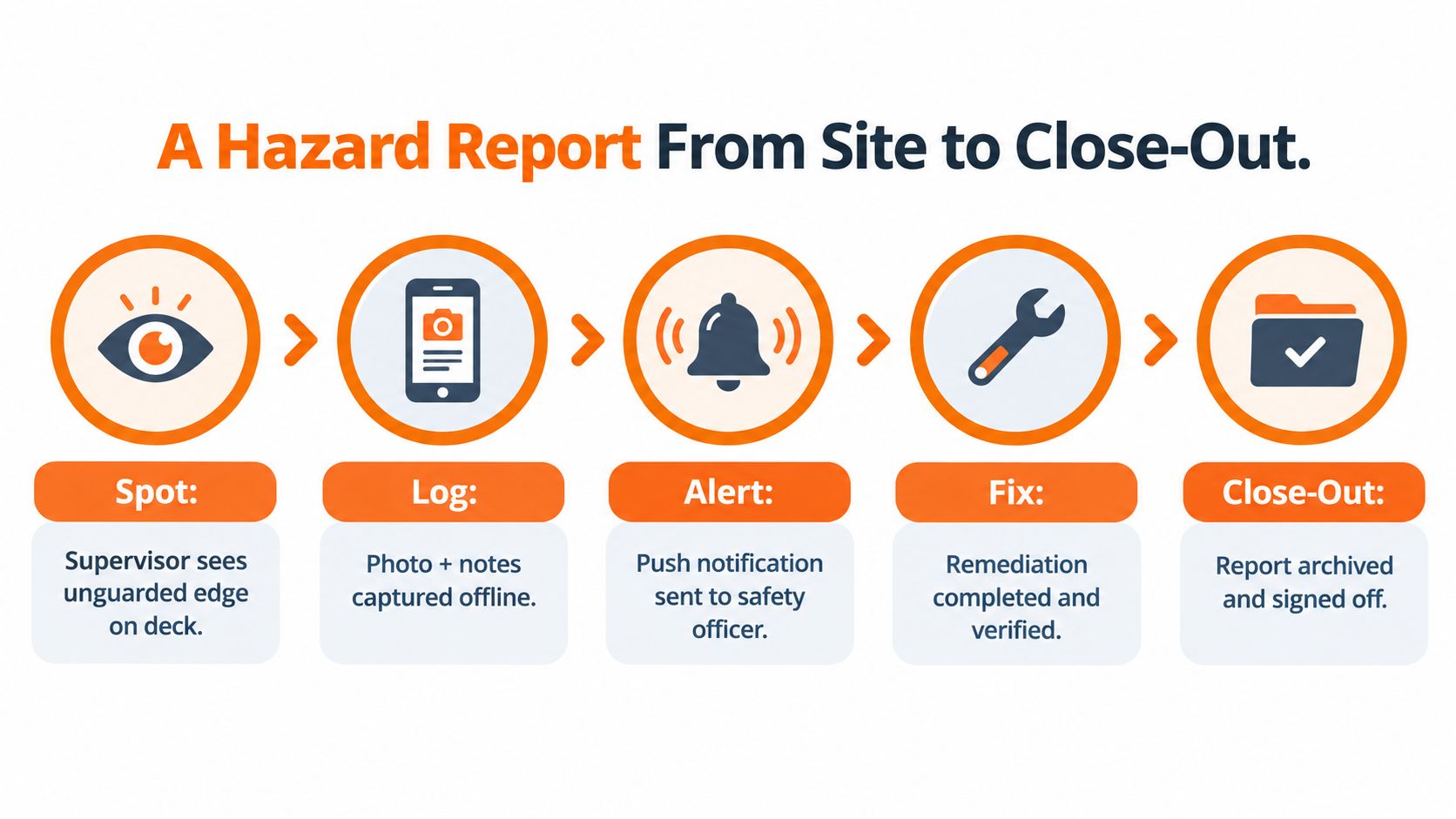
When reception returns, the record synchronises with the central register. The system routes the item to the responsible supervisor and sends a push alert. The action should state what needs to happen, who owns it and when it must be reviewed. A vague notification such as “please investigate” leaves too much room for the issue to disappear.
The supervisor installs the required edge protection and adds a closure photo. The H&S lead checks the evidence, records a short sign-off comment and closes the action. If the system supports version history, the record should preserve the original photo, the corrective evidence and the sequence of status changes.
This chain holds the value. The app isn't merely collecting a hazard report. It connects observation, control, assignment, verification and record retention. A manager can then identify whether the issue was controlled immediately, whether the accountable person acted, and whether the close-out was independently checked.
The report may also support an assessment if the event escalates into a notifiable incident under sections 35 to 39 of the WHS Act. Safe Work Australia states that a PCBU must notify the relevant WHS regulator immediately after becoming aware of a death, serious work-related injury or illness, or dangerous incident, using the fastest possible means such as telephone, email or an online form where available. The required information includes what happened, when and where it happened, who was affected, treatment provided and actions taken at the site. The hazard and incident report form can help structure the initial record, but entering an event into an app doesn't replace direct notification to the relevant state, territory or Commonwealth regulator.
Where Most Rapid Access Apps Fall Short
Weak reception is where marketing claims meet site conditions. Basements, remote civil projects, regional builds and industrial structures can interrupt mobile service. An app that needs a live connection for every form is a web form in disguise.
Australian research from RMIT found that workers valued instant access to safety information but encountered reception failures, including in basements. The evaluation also identified reluctance among some workers to use personal smartphones and lower mobile access among older workers. Its recommendations included checking workforce comfort and providing supervisor-owned smartphones or shared tablets where necessary. The RMIT evaluation of mobile WHS knowledge-sharing technology is useful because it treats deployment as a people and infrastructure issue, not just a software purchase.
Offline must mean more than cached screens
Test the complete workflow with the device in flight mode. Open the form, add a note, attach a photo, save it, close the app and restore the connection. Then check whether the record synchronises without duplication or silent loss.
Safe Work Australia's model code warns that mobile phones cannot be relied upon in many locations and says coverage should be confirmed before work begins. It also requires an alternative communication method that allows isolated workers to call for help at any time. The Managing the work environment and facilities model code supports a clear rule: a mobile app may improve administration, but it mustn't become the emergency communication system.
Usability determines adoption
Older workers, workers with disability, people with limited English and workers who don't use smartphones confidently need more than a small-screen version of an office form. Use readable fonts, large tap targets, plain English prompts, translated induction content and assisted sign-in. Dictated notes can help where typing is slow or unsafe.
Australia's Digital Inclusion Standard calls for accessible design, simplified language, multilingual support, real-person testing and continued non-digital channels. That means the site needs a defined response when someone can't authenticate, scan a QR code or complete a form. Treating inability as non-compliance creates bad records and poor workforce trust.
Shared tablets need user separation, clear sign-out and a recovery process for forgotten PINs. Multilingual crews need labels and prompts they can understand. Every site also needs a paper or radio fallback. If the app fails and the team can't produce a clean form or communicate through another channel, the rapid access claim ends at the first outage.
Choosing and Rolling Out a Rapid Access Mobile App
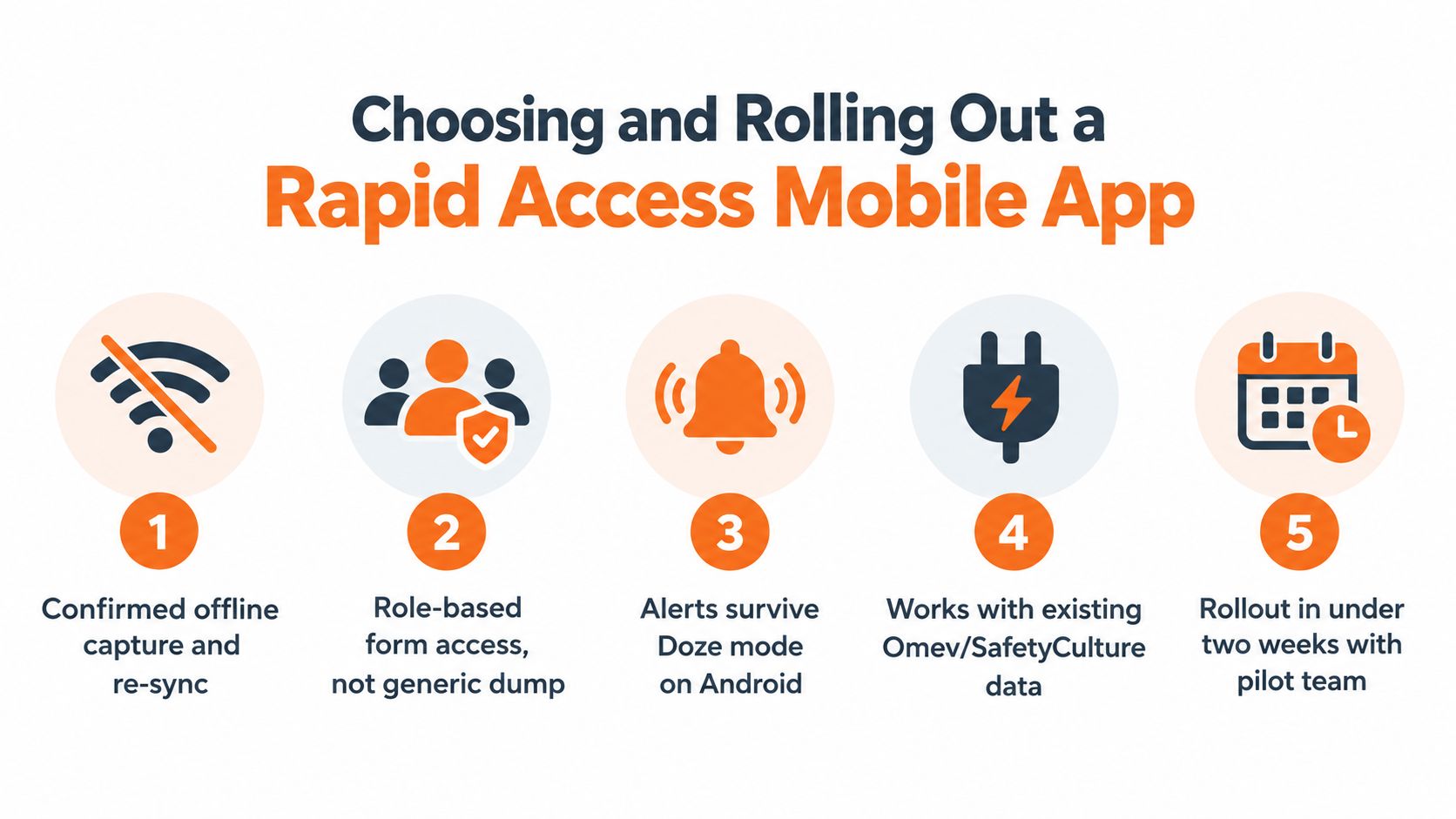
Selection should start with a site test, not a sales presentation. Ask the supplier to demonstrate the full process without reception, on an older device, with a shared tablet and with a user who isn't comfortable navigating a smartphone.
Use these five tests:
- Confirm offline capture and re-sync. Check that forms, photos and signatures queue locally, show their status and synchronise without creating duplicate records.
- Check role-based access. Supervisors should see their sites and forms. Contractors should receive the access they need without entering every administrative register.
- Test alert delivery. Confirm how alerts behave under Android Doze mode, battery saver settings and poor connectivity. Define a non-digital escalation path for urgent matters.
- Verify evidence and export. Photos and signatures should retain their relationship to the record. The system should export a regulator-ready PDF or equivalent record when required.
- Review notification controls. The workflow should record who was notified, when the escalation occurred and what information was retained for the PCBU's review.
Red flags include a web-only wrapper, a single-language interface, no visible unsent queue and no way to produce a usable record when the service is unavailable. Also reject any product that presents internal submission as a substitute for contacting the regulator.
A same-day rollout plan can be simple:
- Map the top ten forms: Start with the records workers complete most often, such as prestarts, inspections, hazard reports, permits and incident forms.
- Pilot one high-risk site: Include older devices, shared devices, subcontractors and locations with weak reception.
- Test inclusive access: Train supervisors and at least one older or non-smartphone crew member. Watch the workflow rather than assuming attendance equals competence.
- Set escalation rules: Write down who makes the notifiable incident assessment, who contacts the regulator and which backup communication method applies.
- Review the first 30 days: Examine submission failures, unsent records, wrong-site entries, overdue actions and close-out times.
The product should fit the operation. A practical guide to building construction apps can help teams think about field conditions before they commit to a feature list. For organisations comparing implementation options, a workplace inspection app should be judged against the same offline, accessibility and evidence requirements.
Western Australia adds a specific notification requirement under the Work Health and Safety Act 2020. A PCBU must notify WorkSafe WA immediately after becoming aware of a notifiable incident, by the fastest possible means. Notification may be by telephone or in writing, and if the regulator requests written notice after a telephone notification, the PCBU must provide it within 48 hours of that request. The WA WHS Act 2020 makes the point clearly. The app can retain the initial record and help produce the required information, but the PCBU still owns the duty.
Safety Space provides a customisable mobile H&S platform for incident, near-miss, inspection and safety record workflows, with offline capture and synchronisation when connectivity returns. Visit Safety Space to assess whether its mobile reporting, multi-site oversight and configurable forms fit your Australian operation.
Ready to Transform Your Safety Management?
Discover how Safety Space can help you implement the strategies discussed in this article.
Explore Safety Space FeaturesRelated Topics
Safety Space Features
Explore all the AI-powered features that make Safety Space the complete workplace safety solution.
Articles & Resources
Explore our complete collection of workplace safety articles, tools, and resources.