
Let's get straight to the point. Risk and compliance software is a digital system built to fix the chaos of messy spreadsheets, overflowing binders, and disconnected safety processes.
It’s the central command for your entire safety operation.
Your Digital Control Room for Safety
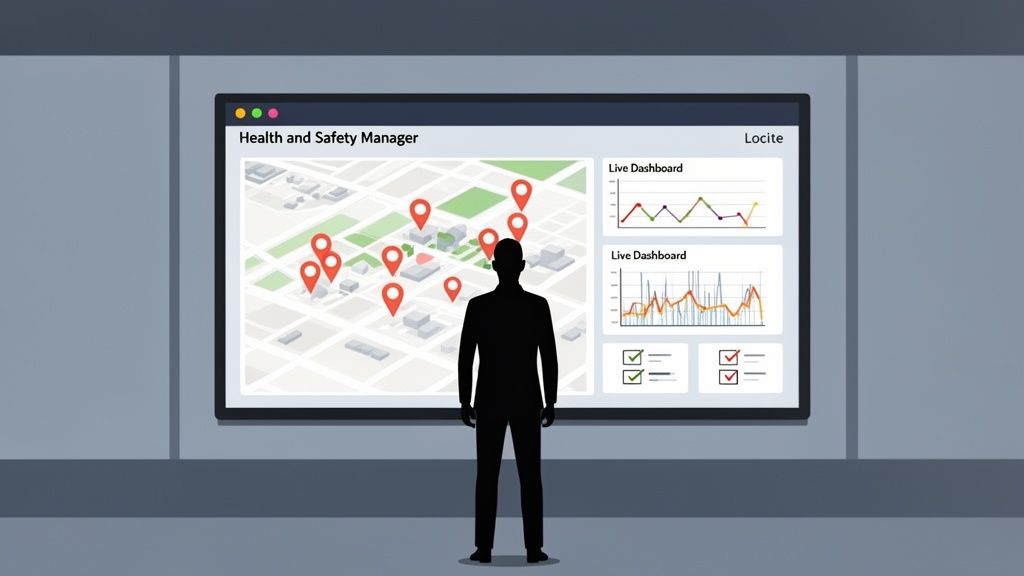
If you’re a manager in construction or manufacturing, you know the daily grind. You’re constantly chasing down incident reports, trying to confirm a contractor’s tickets are still valid, or scrambling to pull together binders for an unexpected audit.
This old way of working isn't just inefficient; it’s dangerous. Critical information gets buried, trends are impossible to spot, and proving you've done the right thing becomes a massive headache.
This is the problem that risk and compliance software solves. It pulls all your critical safety information out of filing cabinets and scattered network folders and organises it into a single, accessible system.
From Paper Chasing to Proactive Platform
Imagine this: instead of relying on paper forms that get lost or damaged, your team uses a phone or tablet to log everything directly on-site. An incident report, a site inspection, or a toolbox talk can be completed in minutes, complete with photos and digital signatures.
That data is instantly available to anyone who needs it, whether they’re in the site office or at head office hundreds of kilometres away. It’s like having a live, clear view of safety performance across every one of your sites and teams.
What Does It Actually Do?
At its heart, this kind of software gives you the tools to manage a few key areas far more effectively:
- Track Incidents: Log injuries, near misses, and hazards the moment they happen, not days or weeks later.
- Manage Audits: Schedule and run inspections with digital checklists, then automatically assign and track any corrective actions that come up.
- Monitor Contractors: Keep one central, up-to-date record of all subcontractor credentials, inductions, and on-site performance.
- Prove Compliance: Instantly generate reports that show you’re meeting legal and industry standards, with a clear, undeniable audit trail.
The real win here is shifting your team’s focus from chasing paperwork to actively preventing problems. When all your data is in one place, it becomes much easier to see recurring issues or potential risks before they turn into serious incidents.
This move to a central system isn't just about going digital; it's a fundamental step in modernising how you operate. To really get why these platforms are so useful, it helps to understand the core principles of security risk management. For Health and Safety Managers, a reliable system means less time stuck behind a desk and more time out on the floor, actually making the workplace safer.
What Really Matters in Software for High-Risk Industries
Generic, off-the-shelf software doesn’t understand the realities of construction and manufacturing. When your daily operations involve heavy machinery, shifting logistics, and tight deadlines, you need tools that actually solve problems on the ground, not just tick a box in an office.
The right risk and compliance software isn't about buzzwords; it's built with specific, practical modules that deliver real value in these high-stakes environments. Let's break down the features that make a difference to your day-to-day safety and compliance.
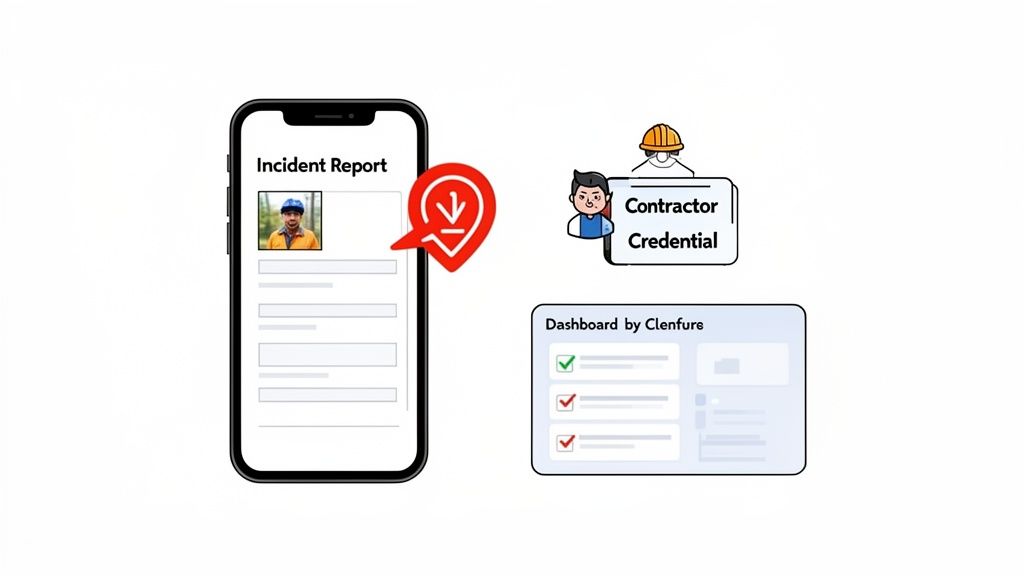
From Old Methods to New Software: A Practical Comparison
The shift from paper and spreadsheets to a dedicated software platform isn't just about going digital. It's about fundamentally changing how safety is managed. It moves your team from being reactive record-keepers to proactive problem-solvers.
This table shows what that change looks like in practice for everyday safety tasks.
| Safety Task | Traditional Method (Paper or Spreadsheets) | Risk and Compliance Software Method |
|---|---|---|
| Incident Reporting | Paper form filled out hours later. Details are forgotten. The report sits on a desk for days before being entered into a spreadsheet. | An incident is logged on a mobile phone at the scene in minutes. Photos and witness details are captured instantly. Key managers are notified immediately. |
| Site Inspections | A supervisor walks around with a clipboard and a paper checklist. Findings are scribbled down and later typed up. Assigning actions is a separate, manual process. | The supervisor uses a tablet with a digital checklist. Findings are logged with photos. Corrective actions are assigned to the maintenance team with a deadline before they even leave the area. |
| Contractor Onboarding | Chasing contractors for insurance certificates and licenses via email and phone. A spreadsheet is used to track expiry dates (if you're lucky). | Contractors upload their credentials to a central portal. The system automatically flags expiring documents. Inductions are completed online before they arrive on site. |
| Safety Oversight | The Head of Safety relies on weekly or monthly reports from each site, which are often out of date by the time they are received. | A live dashboard shows key safety metrics across all sites. An upward trend in near-misses at one location can be spotted and addressed the same day. |
This isn't just a minor upgrade. It’s a complete overhaul of your safety workflow, giving you control and visibility you simply can't achieve with outdated methods.
Instant and Accurate Incident Reporting
The old way of reporting incidents is broken. A worker fills out a paper form, it sits in a supervisor's truck, and by the time it reaches the office, crucial details are fuzzy or lost completely. That lag creates a massive blind spot in your operations.
Modern software closes that gap. With a mobile-first incident reporting tool, a supervisor can log a near-miss or injury right from their phone, on the spot.
- Photo and Video Uploads: They can attach pictures of the scene, giving you clear, visual context that a written description could never match.
- Instant Notifications: The Health and Safety Manager and Operations Director get an immediate alert, allowing for a rapid, informed response.
- Structured Data Entry: Digital forms guarantee all the essential information is captured consistently, every single time. No more incomplete or illegible reports.
This isn't just about being faster; it's about getting better information to make smarter decisions. You shift from reacting to old news to addressing issues almost as they happen.
Mobile Audits and On-the-Spot Fixes
Regular site inspections are the backbone of compliance, but managing them with clipboards and Excel is an administrative nightmare. Just trying to track what’s been checked, what was found, and whether it’s been fixed is a full-time job.
A dedicated audit and inspection module puts the entire process in your team's hands. A supervisor can grab a tablet, pull up a digital checklist, and record findings as they walk the site.
The real power here is assigning corrective actions immediately. If a safety rail is loose, the supervisor can create a task, assign it to the maintenance team, set a deadline, and attach a photo, all before leaving that spot.
This creates a closed-loop system of accountability. Nothing gets forgotten or falls through the cracks. The software tracks the issue from the moment it's identified right through to resolution, giving you a clear audit trail that proves you're on top of your risks.
Centralised Contractor Management
For most construction and manufacturing businesses, subcontractors are a huge part of the workforce and a huge compliance risk. Are their certifications up to date? Have they done the site induction? Keeping tabs on this for dozens of contractors across multiple sites is next to impossible with manual systems.
A solid contractor management module acts as your single source of truth. It lets you:
- Store and Track Credentials: Keep digital copies of all necessary licenses, insurance certificates, and qualifications. The system can even send automatic alerts when a document is about to expire.
- Manage Inductions: Ensure every single contractor has completed the required site-specific safety training before they set foot on site.
- Monitor Performance: Log any safety breaches or performance issues to create a historical record that helps you make better hiring decisions in the future.
This gives you the confidence that every person on your site is compliant, which reduces your liability and simply makes your projects run smoother. If you want to dig deeper, our guide to enterprise risk assessment software covers how to track these third-party risks in more detail.
AI-Assisted Forms and Real-Time Oversight
Two of the newer advancements in this space are making a massive impact. First, AI-assisted forms are cutting admin time. For instance, the software can pre-fill known details like the site location or equipment serial numbers, or even suggest an incident classification based on the description provided. It's a small thing that saves time and improves data accuracy.
Second, real-time dashboards provide a level of multi-site oversight that was once impossible. An Operations Manager can see live safety metrics from all their sites on a single screen. This means they can spot negative trends, compare performance between locations, and drill down into specific issues without leaving their desk, arming them with the info they need to act decisively.
What Are the Real-World Payoffs for Your Operation?
Let's be honest, bringing in new software only makes sense if it delivers clear, practical results. The goal isn't just to swap paper forms for digital ones; it's about seeing real outcomes that directly improve your efficiency, oversight, and bottom line. We're talking about real-world improvements you can actually see and measure.
The first and most immediate win is a massive cut in administrative busywork. Think about it: your team is likely burning hours chasing signatures, manually entering data from paper forms, and trying to build reports from a dozen different spreadsheets. This isn't just inefficient, it’s a huge drain on your most valuable resource: your people.
By automating routine tasks and centralising all your safety data, the right software gives your team that time back. Suddenly, your Health and Safety Manager is out on the factory floor or the construction site preventing incidents, not buried under a mountain of paperwork trying to document them after they’ve already happened.
Get a True Bird's-Eye View of All Your Sites
For any director or operations manager juggling multiple projects, keeping a clear view of performance is a constant battle. You can't be everywhere at once, and relying on second-hand reports that are days or even weeks old means you're always playing catch-up.
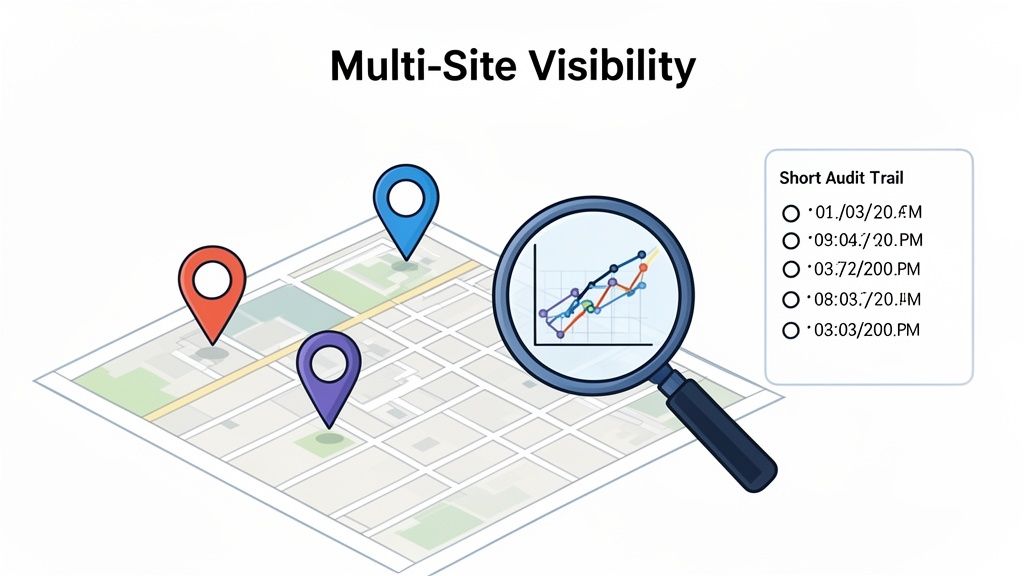
This is where centralised software completely changes the game. It gives you a single, live dashboard showing you what's happening across every single location.
Imagine being able to:
- Spot troubling trends before they blow up: See a spike in near-misses at one plant and step in before it leads to a serious injury.
- Compare site performance with real data: Figure out which construction sites are nailing their safety checks and which ones might need more support.
- Pull up information instantly: Get a site’s full audit history or a contractor’s compliance status in seconds, right in the middle of a management meeting.
This isn't just about data; it's about shifting from managing in the dark to making sharp, informed decisions. It's how you stop small issues from spiralling into major incidents, work stoppages, or costly regulatory fines.
Lock in Accountability with Bulletproof Audit Trails
When an incident occurs, proving you did everything right is non-negotiable. Investigators will want to see exactly what happened, who was involved, and what you did about it. With paper-based systems, this can turn into a nightmare of hunting for lost forms and trying to piece together a timeline from sketchy records.
Risk and compliance software creates an automatic, unchangeable audit trail for every single action.
Every form submitted, every corrective action assigned, and every document uploaded is time-stamped and tied to a specific user. This creates a crystal-clear, defensible record that proves who did what and when, something that’s invaluable during an investigation or legal challenge.
This built-in accountability isn't just for outsiders. It clarifies responsibilities within your own team, making sure assigned tasks actually get completed and nothing falls through the cracks. It reinforces a structure where everyone knows their role in keeping the worksite safe and compliant.
To see how this connects to your specific operations, it's worth exploring the different types of risk control software available. Understanding the tools helps you connect these high-level benefits to the actual features that will drive them.
How to Choose the Right Software for Your Business
Picking the right risk and compliance software feels like a massive decision, but it doesn't have to be a headache. The trick is to ignore the flashy sales pitches and focus squarely on what will actually work for your team, day in and day out. After all, a system your crew refuses to use is just an expensive paperweight.
This practical checklist is built for SME owners and managers in tough industries like construction and manufacturing. It cuts through the noise to help you ask the right questions and find a tool that fits your real-world needs and budget.
It's no surprise that the market for these platforms is booming. The Australian governance, risk, and compliance (GRC) platform market hit USD 1.4 billion and is on track to reach USD 3.7 billion by 2033. This isn't just hype; it's a direct response to boards paying closer attention, rising cyber threats, and constantly changing Australian laws. For any business looking to stay protected, integrated GRC software is becoming non-negotiable.
Core Functionality and Customisation
Your business isn't a cookie-cutter operation, so your software shouldn't be either. Before you sign anything, you have to be confident the platform can mould to your existing workflows, not force you to change how you work.
Get straight to the point and ask vendors:
- Can we customise our forms and checklists? You need to be able to take your current paper forms, like site inspections or incident reports, and digitise them without losing a single important field.
- How does it handle subcontractor compliance? For anyone in construction, this is a deal-breaker. The system has to track contractor credentials, inductions, and performance across every single project, without fail.
- Does it support multi-site reporting? If you’re juggling more than one location, you need one central dashboard that gives you a bird's-eye view of everything, without pulling endless separate reports.
The goal is simple: find a system that bends to your processes. A rigid, one-size-fits-all solution will only cause friction and frustration, leading to your team ignoring it and you wasting your investment.
Usability and Field Access
Here’s the most critical test: will your people in the field actually use it? If the mobile app is clunky, slow, or a nightmare to navigate, your site supervisors will be back to their paper notebooks before you know it.
Gauge the user-friendliness with these checks:
- Is it built for mobile first? The experience on a phone or tablet has to be dead simple. Think big buttons, logical navigation, and the ability to keep working even when mobile reception is patchy.
- How quickly can someone complete a basic task? Don't just take their word for it, ask for a live demo. Time how long it actually takes to log an incident or finish a site audit on a phone. It must be faster and easier than doing it on paper.
- What does onboarding and training involve? A good partner will provide hands-on training to get your key staff up and running fast, feeling confident from day one.
Pricing, Setup and Support
Finally, you need the full picture of the total cost of ownership and what kind of partner you're getting. Hidden fees and non-existent support can quickly turn a promising software choice into a long-term problem.
Get clarity on these financial and support details:
- What’s the pricing model? Is it per user, per site, or tiered? Look for providers offering flexible monthly contracts instead of locking you into rigid, multi-year commitments.
- What level of setup support is included? Will they help you migrate your existing data and build out your custom forms, or will you be left to figure it all out on your own?
- What does ongoing support actually look like? When you hit a snag, can you talk to a real person who gets your industry, or are you just another ticket in a generic help desk queue?
Making the right choice comes down to matching the software’s capabilities to your operational reality. For more guidance, check out our detailed look at what to expect from dedicated software for risk management.
A Simple Roadmap for Getting Started
Bringing new risk and compliance software into your business shouldn't be a painful overhaul. The best approach is a gradual, planned one that gets your team on board, proves the system’s worth from the get-go, and avoids the chaos of a "big bang" launch.
Think of it as turning a massive change into a series of small, manageable wins. This practical roadmap shows you how to do it smoothly.
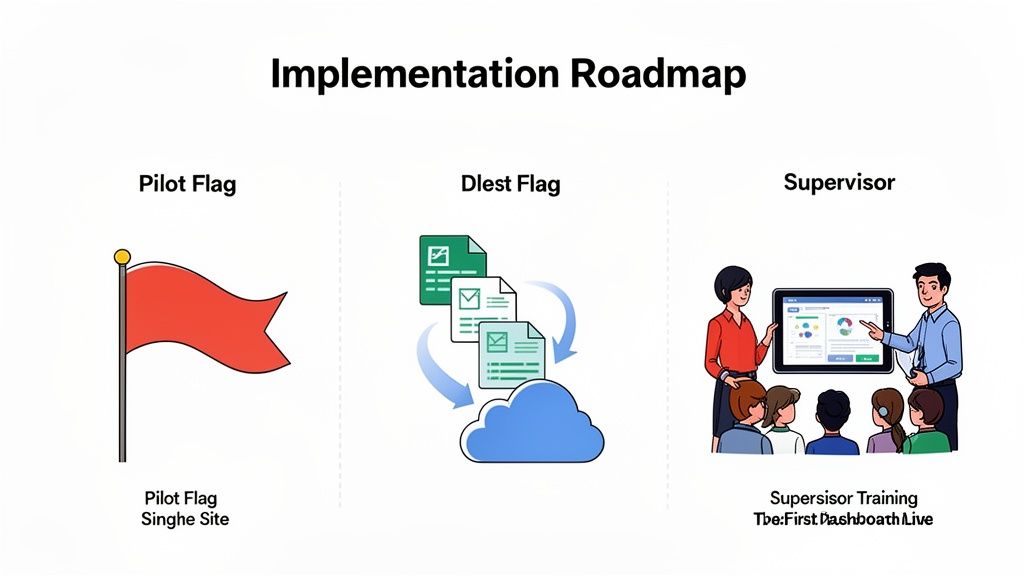
The trick is to avoid a massive, company-wide launch on day one. Instead, treat it like testing a new piece of equipment on a single project before you roll it out everywhere. This simple strategy minimises your risk and builds real momentum.
Start Small With a Pilot Program
Don’t try to boil the ocean. The smartest move you can make is to launch a pilot program at a single site or with just one high-impact module. This lets you iron out any kinks on a small, controllable scale.
For most businesses, the incident reporting module is the perfect place to start. It’s a process everyone gets, and the benefits of digitising it, like instant photo evidence and real-time alerts, are immediately obvious. Nail this one module, and you’ll create a powerful success story for the rest of the business and build genuine confidence in your team.
A successful pilot creates internal champions. When one site supervisor starts raving about how much easier their inspections are, other teams will want in. The change starts pulling itself forward instead of you having to push it uphill.
Manage Your Data Migration
Getting your old records out of spreadsheets, Word docs, and filing cabinets and into the new system is a non-negotiable step. Clean data from day one is essential for trustworthy reporting. Don't underestimate the effort this takes.
Your plan needs to cover:
- Data Cleaning: Before a single file is moved, clean up your existing spreadsheets. Get rid of duplicate entries, standardise names (e.g., is it "Site A" or "Project A"?), and fill in any glaring gaps.
- Prioritised Transfer: You don’t need every record from the last decade moved over immediately. Focus on what’s active and relevant now: current contractor details, open corrective actions, and incident logs from the past 12-24 months.
- Vendor Assistance: Lean on your software provider here. They have the tools to map your old spreadsheet columns to the new system fields, which will save you dozens of hours of soul-crushing manual data entry.
Focus on Practical Team Training
Your software is only ever as good as the people using it. Training shouldn’t be a generic, one-size-fits-all webinar. It needs to be hands-on, role-specific, and focused on one thing: making their job easier.
Hold short, practical sessions with your supervisors and key workers. Show a site manager exactly how to complete their daily pre-start checklist on a tablet. Walk the maintenance crew through closing out a corrective action right there on their phones. The goal is to make them feel confident with the core tasks they do every single day.
Set Up Your First Dashboards
Finally, don't wait weeks or months to see the payoff. As soon as that first trickle of data starts flowing in from your pilot program, work with your provider to get your first dashboards and reports up and running.
Start by tracking a few metrics that actually matter to your operation. Think number of incidents reported, the average time to close a corrective action, or the completion rate of daily inspections. Seeing this data pop up in real-time is the moment it all clicks. It proves the value of the system and delivers the clear, immediate insights you were promised from the start.
How Safety Space Steps In
It's one thing to know what good risk and compliance software should do, but it’s another to see it solve the problems you face every single day. We built Safety Space from the ground up to handle the realities of construction and manufacturing, moving past textbook theory to give you practical tools that actually work on-site and in the office.
Our platform isn't just a jumble of different modules bolted together; it’s a single, all-in-one system. This integrated approach is what gives Operations Managers the real-time monitoring and multi-site oversight they need to get a true picture of performance. You can finally stop chasing down individual site reports and start seeing live, consolidated data on one clear dashboard.
Built for How You Really Work
We get it, no two businesses operate the same way. That's why Safety Space is fully customisable. We don't force you into a rigid system that clashes with your existing processes. Instead, we help you digitise the forms, checklists, and workflows you already use, making sure the system bends to you, not the other way around.
This flexibility is a lifesaver when you're managing the organised chaos of a modern workforce. Our subcontractor management tools were designed specifically for the construction industry, where trying to track tickets, inductions, and performance across multiple projects is a constant headache.
The platform creates a single, reliable source of truth for every worker on every site. This cuts down on confusion and dramatically reduces your compliance risk.
Getting this right is more important than ever, especially as compliance becomes a major roadblock to growth. A recent survey found that 56% of Australian executives said compliance challenges were hurting their ability to expand, with technology and data privacy as top concerns. Safety Space hits these issues head-on by providing a secure, organised system. You can read more about the findings from PwC's compliance survey here.
Cut the Admin and Get Started Fast
One of the biggest drains on any team is administrative overload. Our AI-powered form completion helps by intelligently pre-filling routine information, which not only reduces errors but also gives your team back precious time. It’s a simple, practical feature that cuts down on paperwork, freeing up your supervisors to focus on what matters: keeping people safe.
We also make it easy to get up and running. Our flexible monthly subscription model means you’re not locked into long, expensive contracts, perfect for businesses that need to stay agile. To make sure you succeed from day one, we kick things off with a free demo and a full Health and Safety consultation. This ensures your system is configured correctly for your unique operational needs, setting you up for a smooth and effective rollout right from the start.
Common Questions Answered
When you're looking at bringing in a new system, a lot of practical questions come up. Here are some of the most common ones we hear from managers in construction and manufacturing, along with some straight answers.
How Long Does It Take to Get a System Like This Running?
This is probably the most common question, and the honest answer is: it varies. But the key to a smooth start is forgetting the idea of a "big bang" launch where everything changes overnight. That approach just creates chaos and pushes people away.
A much smarter way to go is a phased rollout. Start small. Pick one critical area, like incident reporting for a single site, and get that up and running. You can often get a pilot program like this live in just a few weeks. It gives your team a quick win, they see the value immediately, and it builds momentum for the next step.
From there, a full rollout across multiple sites with all the bells and whistles might take a couple of months. The final timeline really depends on how much you want to customise and how much historical data you need to bring across.
Will My Workers in the Field Actually Use It?
Yes, but with one huge condition: it has to be incredibly simple and actually make their job easier. Field adoption is 100% dependent on user-friendliness. If a supervisor can knock out a site inspection on their phone with a few taps, faster than they ever could with a clipboard, they'll use it. End of story.
This means the software can't just be a desktop program squeezed onto a small screen. It needs to be designed for mobile from the ground up.
- Think big buttons that are easy to hit with dirty fingers.
- Simple, logical menus that you don't need a manual to figure out.
- It absolutely must work offline for those black spots with no reception.
The trick is to show your team how it saves them time and gets rid of paperwork headaches. Once they see it as a tool that helps them get the job done, not just another bit of admin, you won't have to force them to use it.
Is This Affordable for a Small or Medium-Sized Business?
Absolutely. The days of buying expensive software licences and maintaining your own servers are long gone. Modern risk and compliance software is nearly always a subscription service, what the tech world calls SaaS (Software as a Service).
This model blows the doors open for small and medium businesses. Instead of a massive upfront cost that kills your cash flow, you pay a predictable monthly or annual fee. It allows you to scale up or down as your business grows or changes, so you're not locked into a rigid, five-year contract that no longer makes sense.
When you weigh that against the hours you’ll save on paperwork, not to mention the eye-watering cost of a non-compliance fine or a preventable work stoppage, the return on investment becomes crystal clear, very quickly.
Ready to see how a simple, all-in-one system could look in your business? Safety Space offers a fully customisable platform designed for the real-world needs of construction and manufacturing. Get a free demo and see how you can simplify your compliance for good.
Ready to Transform Your Safety Management?
Discover how Safety Space can help you implement the strategies discussed in this article.
Explore Safety Space FeaturesRelated Topics
Safety Space Features
Explore all the AI-powered features that make Safety Space the complete workplace safety solution.
Articles & Resources
Explore our complete collection of workplace safety articles, tools, and resources.