
Let's be honest, most worksites are a barely controlled chaos of paperwork. Checklists, permits, and toolbox talks live in folders, ute gloveboxes, or buried on a desk back at the office. A worksite safety app is designed to bring order to that chaos.
So, What Exactly Is a Worksite Safety App?
Think of it as the single source of truth for your entire crew. It takes all those scattered paper forms, verbal instructions, and hazy memories and puts them onto a single, organised platform that everyone can access from their phone or tablet.
This isn't about adding another layer of tech for the sake of it. It's about making things simpler. Instead of chasing a supervisor for a sign-off or wondering if a subcontractor actually completed their induction, all that information is logged in one place. It creates a clear, time-stamped record of who did what, when, and where.
From Paper Nightmares to Digital Clarity
The old paper-based system is slow, full of holes, and makes finding a specific report a nightmare, especially when an inspector is standing right in front of you. A worksite safety app flips that on its head.
Imagine this: a supervisor assigns a pre-start check to a machine operator through the app. The operator does the check on their phone, snaps a photo of a worn-out hydraulic line, and submits the report. Instantly, the supervisor gets a notification. That record is automatically filed, dated, and available to anyone who needs to see it.
The practical advantages are immediate:
- Speed: Information flows from the site to the office in real-time. No more delays.
- Accuracy: Digital forms with required fields mean no more incomplete or illegible reports.
- Accessibility: Any authorised person can find any record in seconds, whether they're on-site or in the head office.
A huge driver for this shift is keeping up with your legal obligations. Understanding and proving you meet Australian workplace safety standards is non-negotiable. These digital tools give you a structured, provable way to document your compliance activities, turning a potential audit headache into a simple verification process.
A Foundation for Real Accountability
When tasks are assigned, reports are filed, or checks are completed, the app logs the user and the exact time. This creates a powerful and transparent system of accountability that benefits everyone.
If a subcontractor claims they did their induction, the app shows precisely when they signed off. If an incident happens, a report can be filed on the spot with photos, leaving no room for "he said, she said" arguments later. This is a game-changer when you're trying to coordinate multiple teams. A well-designed worker safety app, like the one we've built, is designed specifically to support this level of detail.
This digital trail isn't about catching people out. It’s about creating a clear and fair system where everyone understands their responsibilities and management can confirm that critical procedures are being followed consistently across every project and team.
What Features Actually Get Used on Site?
Let's cut through the sales pitches for a moment. The real test of any worksite app is whether your team actually uses it day-to-day. Plenty of features look slick in a demo but fall flat on a noisy, muddy construction site or a busy factory floor.
So, what are the tools that genuinely make a difference? The right ones create a clear line of sight from the site office to the front line, turning safety management from a guessing game into an organised, trackable system.
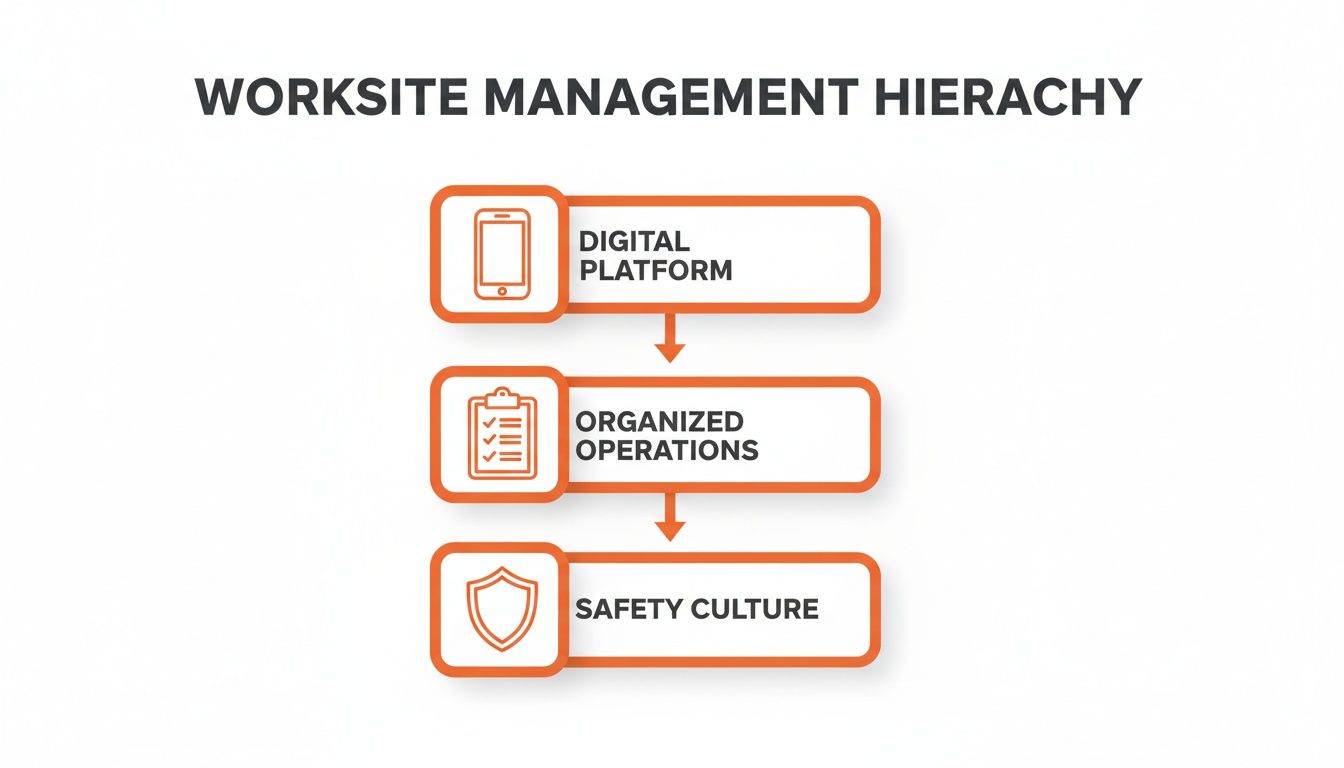
This diagram shows it perfectly: a solid digital foundation is what supports organised operations, and that's what builds a strong system of working.
To get a clearer picture of how specific app functions translate to real-world benefits, we've put together a simple table.
Key App Features and Their On-Site Benefits
| Feature | What It Does | Why It's Useful on a Worksite |
|---|---|---|
| Real-Time Monitoring | Provides a live dashboard of all safety activities, from pre-starts to hazard reports. | Gives supervisors eyes everywhere without having to physically be there, letting them spot risks early. |
| AI-Powered Forms | Uses voice-to-text and auto-populates recurring details on digital forms and reports. | Turns a 20-minute paperwork chore into a quick 5-minute task, freeing up skilled workers. |
| Multi-Site & Subbie Oversight | Centralises compliance docs, inductions, and daily reports from all projects and subcontractors. | A manager in the head office can verify subbie compliance and track progress without driving to site. |
| Collaboration & Accountability | Creates a time-stamped digital record of tasks, communications, and incident reports. | Eliminates "he said, she said" arguments and provides a clear, factual record to resolve disputes fairly. |
These features aren't just about digitising what you already do. They change how information flows, saving time and giving your team the tools they need to stay safe and productive.
H3: See Everything in Real Time
One of the biggest headaches for any supervisor is not being able to be everywhere at once. Real-time monitoring is the solution. It gives you a live feed of what's happening across the site, right on your phone or tablet. This isn't about micromanagement; it's about spotting a small issue before it gets bigger.
Imagine a project manager quickly checking if all pre-start checks on the excavators have been done. They can see which crews have completed their toolbox talks and which are running behind, all without walking for miles or making a dozen phone calls. That immediate visibility keeps the project ticking along and confirms everyone is following procedure.
H3: Ditch the Clipboard with AI
Paperwork is a notorious time-sink. Filling out forms by hand, chasing signatures, and filing them back at the office can easily chew up hours of a skilled worker's day. This is where AI-powered form completion really shines.
Instead of fumbling with a pen, an operator can use voice-to-text to fill out an inspection report on their phone. The AI can then instantly auto-populate fields like the date, location, and equipment ID. What was once a 20-minute ordeal is now a five-minute task, giving your crew more time to focus on the actual job they're paid to do.
The best safety apps don't just put your old paper forms on a screen. They use smart tech to make the whole process faster and more accurate, giving precious time back to your team.
H3: Keep Tabs on Multiple Sites and Subbies
For companies juggling several projects at once, keeping everyone on the same page is a constant battle. A manager in the main office needs a clear view of what’s happening on a remote site without having to drive out there every day. A good worksite safety app delivers that clarity.
With tools for multi-site and subcontractor oversight, a manager can:
- Check Subbie Compliance: Quickly confirm that every subcontractor has uploaded their current licenses, insurance certificates, and completed site-specific inductions before they even step on site.
- Monitor Progress Remotely: Access daily reports, site photos, and completed checklists from any location to see how a project is tracking against its timeline.
- Standardise a Better Way of Working: Push out updated safe work procedures or new forms to all sites at once, ensuring every team is working from the same playbook.
This centralisation stops crucial information from getting buried in messy email chains or text threads. It creates a single source of truth for every project, no matter where it is.
H3: Build a Clear Record of Who Did What
When things go wrong, disputes and miscommunications can quickly derail a project. One of the most powerful benefits of a worksite app is that it automatically creates a clear, time-stamped record of everything that happens. This isn't about playing the blame game; it’s about having total clarity.
When a task is assigned, the app logs who it went to and when they completed it. If an incident happens, a report can be filed on the spot, complete with photos and witness details. Many top-tier apps include customisable workplace incident reporting templates to make this fast and foolproof. This digital paper trail helps resolve disagreements quickly and fairly, keeping everyone focused on getting the job done.
How to Choose the Right App for Your Business
Picking the right worksite app can feel like a huge task, but it boils down to a few practical questions. The goal is to find a tool that fits how your team works in the real world, not just one with a long list of shiny features you'll never touch. You need to look past the sales pitch and focus on what will genuinely help your crew on a busy, noisy site.
Let's be honest: the best app for your business is the one that actually gets used. If it’s clunky, slow, or fights against your existing processes, your team will ignore it. Then you’re right back where you started, chasing paperwork.
Can Your Team Actually Use It?
The single most important factor is ease of use. Seriously. If your least tech-savvy worker can't figure out the basics in five minutes, it’s a non-starter. Before you even think about signing a contract, demand a trial and get a few of your crew to test it on their own phones.
See if they can knock over these simple tasks without a heap of guidance:
- Find and fill out a daily pre-start checklist.
- Log a quick hazard report, complete with a photo.
- Pull up a Safe Work Method Statement (SWMS) for a specific job.
If they’re struggling, the app is probably too complicated for your worksite. A good user interface should be intuitive, with big buttons and clear instructions that make sense when there's machinery roaring in the background.
Does It Fit Your Way of Working?
No two businesses are the same. Your forms, your workflows, and your compliance documents are unique to you. A rigid, one-size-fits-all app will just create headaches by forcing you to change your proven processes to fit its own limitations.
Look for real customisation options. A flexible worksite safety app should let you:
- Digitise your existing paper forms without having to ditch important fields.
- Build custom workflows that make sense, like sending plant repair requests straight to the maintenance team.
- Tweak reporting dashboards to track the metrics that actually matter to your business.
This kind of adaptability ensures the software serves you, not the other way around. It lets you build on the solid systems you already have, just making them faster and more efficient.
Does It Play Well with Other Software?
Your business is likely already using other software for project management, accounting, or payroll. An app that operates in its own little bubble just creates more work, forcing you to manually shuffle data from one system to another.
Integration capability is non-negotiable. Find out if the app can connect with the tools you already rely on. For instance, can it pull project data from your project management software or push timesheet info to your accounting platform? This sort of connectivity saves an enormous amount of admin time and cuts down the risk of human error from double-handling data.
Choosing the right software isn't just about the app itself, it's about how it slots into your entire operational ecosystem. A tool that connects your systems creates a single source of truth, leading to much sharper decision-making.
What Happens When You Need Help?
Even the most straightforward software has its moments. When a problem pops up mid-project, you need to know you can get fast, reliable support from a real person. A support team that hides behind an email address with a 24-hour response time simply won’t cut it when things are grinding to a halt.
Before you buy, put their customer support to the test. Ask about their support hours, typical response times, and whether you can actually speak to someone. Good support is a critical feature, not a nice-to-have, especially when you're getting set up.
Likewise, make sure the pricing is clear and transparent, with no nasty surprises or hidden fees for extra users or data storage. Understanding the total cost of ownership is a crucial part of making a smart investment. To make an informed choice, it's always a good idea to compare different options, and you can learn more about what to look for in our guide to health and safety management software.
A Simple Roadmap for Rolling Out a Worksite App
Introducing a new app on a worksite isn’t something you announce at a toolbox talk and hope for the best. A rushed, top-down mandate is the fastest way to make sure nobody uses it. What works is a gradual, supportive rollout that gets your key people involved right from the start, building momentum that brings everyone else along.
The goal here is simple: show the crew that this tool makes their jobs easier, not just adds another chore. That means proving its value in a real-world setting before pushing it out to everyone.
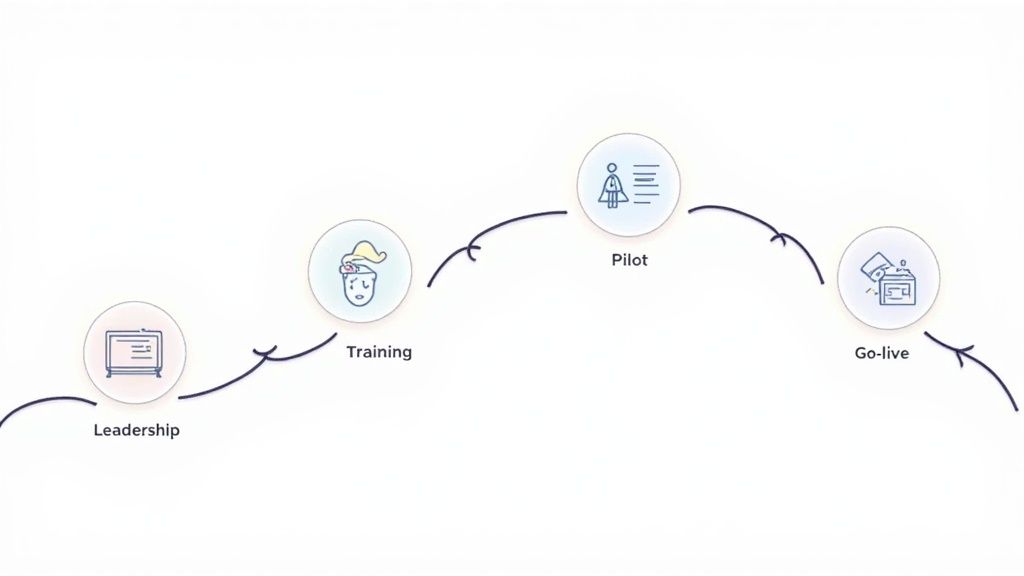
Step 1 Start with Your Site Leaders
Before you even think about showing the app to the wider team, get your influencers on board. We’re talking about your supervisors, leading hands, and project managers, the people on the ground who everyone else actually listens to.
Sit down with them. Explain why you’re bringing this in. Don't talk about corporate goals; focus on the problems it solves for them personally, like cutting down their paperwork or giving them an instant snapshot of what’s happening on site. Get their honest feedback and listen to their concerns.
These leaders are your champions. If they see the value, their attitude sets the tone for the entire crew. Their buy-in is the most critical piece of the puzzle.
Step 2 Run a Small, Controlled Pilot Program
Whatever you do, don't try to roll the app out across all your projects at once. Pick one specific, manageable project to run a pilot program. This small-scale test is your chance to work out all the kinks in a low-risk environment.
Your pilot needs to be a proper test of the app's core functions in a real worksite setting.
- Select the Right Team: Choose a crew that's generally open to new ideas and a supervisor who's already on board.
- Define Clear Goals: Decide exactly what success looks like. For instance, your goal might be to digitise all pre-start checks and hazard reports for that one project.
- Gather Constant Feedback: Check in with the team regularly. Ask them what’s working, what’s clunky, and what they find confusing. This feedback is gold for fine-tuning the setup before the main launch.
Think of the pilot as a dress rehearsal. It’s your chance to fix problems, adjust workflows, and build a success story you can share with the rest of the company to prove the benefits.
Step 3 Provide Practical, Hands-On Training
Forget generic, classroom-style training. It just doesn't work for this. Your team needs to see exactly how the worksite safety app applies to their specific daily tasks. Training should be short, practical, and hands-on, ideally right there on site.
Focus on the "what's in it for me" for each role. Show machine operators how it makes their pre-starts faster. Let supervisors see how they can approve permits from their phone instead of trekking across the site. Get them using the app on their own devices to complete a few simple, familiar tasks.
This approach makes the training relevant and proves the tool’s value immediately. When someone sees it can save them 15 minutes a day, they're much more likely to adopt it. Getting new tools adopted is a massive hurdle; a recent study found that only 14% of Australian organisations had successfully scaled AI tools, which just shows how vital a thoughtful rollout is. You can read the full analysis of AI adoption trends to see why this matters.
Step 4 Manage the Switch from Paper to Digital
Finally, you need a clear plan to phase out the old paper systems. Trying to run two systems at once just creates confusion and double the work. Once your pilot is done and you've refined the process, set a firm but reasonable "go-live" date for the wider team.
Communicate the date clearly and remind everyone of the benefits. Make sure people know where to go for help if they get stuck. You might have a brief transition period where paper forms are still available, but the end goal is to make the app the single source of truth for your worksite operations.
Measuring the Return on Your Investment
Switching to a worksite app is a business decision, and like any smart business decision, it needs to pay for itself. But how do you actually measure the payback? It’s not just about feeling more organised; the real value shows up in tangible gains you can track in dollars, hours, and project outcomes.
The goal is to move from abstract benefits to concrete numbers. By tracking a few key performance indicators (KPIs), you can build a clear picture of how the app is impacting your bottom line and your operational efficiency. This isn’t complicated data science; it’s about watching the right numbers.
Moving Beyond Guesswork to Hard Metrics
The most immediate return often comes from time saved. Think about the daily administrative grind: supervisors filling out paper forms, workers waiting for permits, and office staff manually keying in data from a crumpled sheet. A worksite safety app directly attacks this wasted time.
Start tracking these simple but powerful metrics:
- Time Spent on Paperwork: Before you make the switch, measure how long it takes a supervisor to complete daily reports, pre-starts, and site diaries. After the app is in place, measure it again. Seeing that time drop from 60 minutes to just 15 minutes per day adds up incredibly quickly across a team.
- Incident Reporting Speed: Clock the time from when an incident occurs to when a formal report is logged and seen by management. Faster reporting means faster responses, which is critical for cutting down on potential downtime and mitigating further risk.
- Project Completion Rates: Delays often stem from poor communication or lost information. A centralised platform reduces these friction points, helping projects stay on schedule and, more importantly, on budget.
This data gives you a clear, evidence-based case for the app's value. When you can walk into a management meeting and say, "We’re saving each supervisor five hours a week," the investment speaks for itself.
The Financial Impact of Better Documentation
Good record-keeping does more than just keep you organised; it's a direct shield for your finances. When every action, check, and sign-off is digitally logged with a timestamp and user ID, you build an airtight defence against disputes and claims.
This digital trail becomes your best mate in a few key areas:
- Lowering Insurance Premiums: Insurers love good data. When you can demonstrate a consistent, documented system for managing your worksite, you present a lower risk profile. This can directly lead to more favourable premiums.
- Reducing Subcontractor Disputes: Arguments over whether work was completed to spec or if site rules were followed can be costly. With the app, you have a clear, indisputable record to resolve these issues quickly, often avoiding expensive legal headaches.
- Strengthening Compliance: A well-organised digital system makes it ridiculously simple to prove compliance during an audit, helping you avoid hefty fines for incomplete or missing paperwork.
The true financial return isn't just about efficiency gains. It’s about risk mitigation. Every dispute you avoid and every compliance check you pass with ease is money saved.
Automating these processes is fast becoming standard practice. For instance, recent data from a detailed Salesforce report shows Australian businesses using AI agents saw a 119% increase in their creation, while customers interacting with them reported 64% higher satisfaction. This highlights a clear trend: smart systems improve outcomes, a principle that applies directly to managing worksite operations.
Ultimately, a quality worksite app should provide a clear return on investment, no questions asked. The right platform not only improves daily operations but also offers serious long-term financial protection. For those evaluating their options, our overview of health and safety software can provide additional context on what to look for.
Real-World Examples in Manufacturing and Construction
Theory is one thing, but let's see how a worksite app actually performs in the real world. We'll step onto the floor of a busy factory and then onto a bustling construction site to see how this kind of tool solves daily operational headaches without getting in the way.
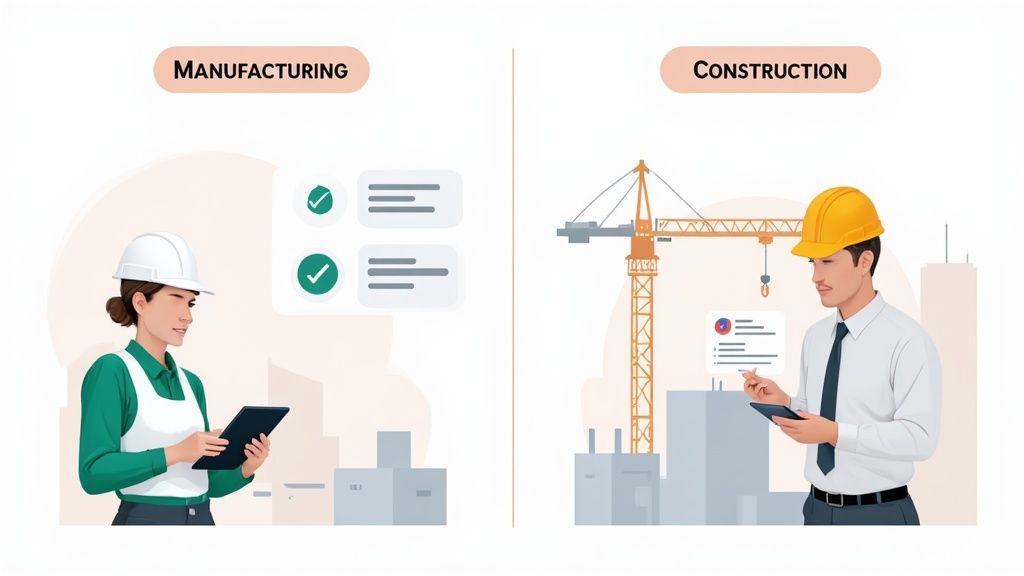
We'll follow a supervisor through their day, showing exactly how the right tool helps them get ahead of common problems instead of constantly playing catch-up.
On the Manufacturing Floor
Meet Sarah, a shift supervisor at a metal fabrication plant. Her morning used to be a frantic paper chase, hunting down pre-start checklists for the CNC machines and press brakes. Now, she starts her day with a clear, live dashboard on her tablet.
Before an operator even touches a machine, they complete a digital pre-start check on their phone. It’s quick and simple. If they spot a hydraulic fluid leak, they can snap a photo right there and attach it directly to the report. Sarah gets an instant notification.
This small change in workflow has a massive impact:
- Faster Maintenance: Instead of a vague verbal report, the maintenance team gets a precise, photo-documented ticket telling them exactly what and where the problem is.
- Perfect Records: Every check is automatically filed, time-stamped, and linked to the specific asset. The audit trail is flawless.
- Consistent Production: Issues are caught and fixed before they become major breakdowns, keeping the production line humming.
Later that day, a quality control issue is flagged. Using the app, Sarah can instantly pull up the complete maintenance history for the machine in question, see who operated it, and review the last inspection report. What used to take her hours of digging through folders now takes about 30 seconds.
On the Construction Site
Now, let's head over to a multi-storey construction project managed by Dave. His biggest challenge has always been the constant flow of subcontractors. Keeping track of their inductions, licences, and Safe Work Method Statements (SWMS) felt like a full-time job in itself.
A new plumbing crew arrives on site. Before they can even think about starting, Dave has them scan a QR code at the site entrance. This brings up the site induction right on their phones, which they complete on the spot. Dave’s app updates in real time, showing their entire crew as inducted and ready to go.
He then uses the app to verify their credentials.
Dave no longer has to sift through emails or a flimsy filing cabinet to check compliance. He simply pulls up the subcontractor’s profile in the app and can instantly confirm that their public liability insurance is current and their SWMS for the high-risk work has been uploaded and approved.
During the daily toolbox talk, Dave uses the app to log attendance and document the topics discussed. When it’s time to issue a hot work permit, he does it digitally, assigning it to the specific crew and location. This creates a clear, visible record of who is authorised to perform high-risk tasks and where, giving him total command of all site activities from a single device.
Got Questions About Worksite Safety Apps?
Stepping into new worksite technology always sparks a few questions. We get it. Here are some straight-up answers to the queries we hear most often from teams thinking about making the switch.
How Much Training Does My Team Actually Need?
Honestly, not a lot. A well-designed app is intuitive. Your crew should be able to pick up the essentials in no time.
Good training isn't about a marathon session covering every single button and feature. It's about showing your team how to do their specific daily tasks, like a pre-start check or logging a hazard. A short, hands-on session focused on real workflows is usually all it takes. The goal is for them to see the tool as a help, not a chore, so the training has to be quick and relevant to their job.
What Happens if We Have a Dodgy Internet Connection?
Any decent worksite app is built for the real world, and that includes remote sites with spotty reception. The key is offline functionality.
When a worker completes a form without a signal, the data is saved securely on their device. The moment their phone or tablet reconnects to Wi-Fi or mobile data, the app automatically syncs everything back to the main system. It's a non-negotiable feature that means no information ever gets lost, no matter how far off the grid your project is.
Can This App Get Rid of All Our Safety Paperwork?
The real aim is smarter management, not just eliminating every single piece of paper. A worksite safety app is designed to digitise your most critical documents so you can find and track them instantly.
Think of it as moving your filing cabinet onto your phone. SWMS, incident reports, inductions, and checklists are all kept in one secure, searchable hub. You might still keep some physical documents, but the app becomes the core tool for managing your day-to-day safety records.
Ready to see how a worksite app can simplify your operations and strengthen compliance? Book a free demo with Safety Space and our experts will show you how to set up a system that fits your exact needs. Get started today at safetyspace.co.
Ready to Transform Your Safety Management?
Discover how Safety Space can help you implement the strategies discussed in this article.
Explore Safety Space FeaturesRelated Topics
Safety Space Features
Explore all the AI-powered features that make Safety Space the complete workplace safety solution.
Articles & Resources
Explore our complete collection of workplace safety articles, tools, and resources.