
Buying the platform with the longest feature list is poor advice for housing work. It rewards vendors for modules a supervisor never opens on a lot, and it says nothing about the two jobs that matter in the field. The supervisor has to verify who may work today, and close a fall control before the next trade arrives.
The best safety software for residential builders isn't the system with the most registers. It's the system that holds up on a live lot with rotating trades, patchy coverage and a principal contractor who must produce records later. Pick the builder situation first. Test the software against that situation, not against a generic checklist.
Table of Contents
- Shortlist Safety Software by Builder Situation
- Controls and Contractor Checks Residential Sites Need
- Indicators That Show Field Control Is Working
- A Week on Multi-Lot Housing Sites
- Contract Terms and the SWMS Pilot
- Choose Software for the Next Housing Release
Shortlist Safety Software by Builder Situation
Start with a decision that can be made this week. Mark the one row below that matches the next release of homes, then test only that row. A volume builder juggling many live lots and a small builder running a few inspections don't need the same setup, admin load or reporting.
| Builder situation | Shortlist for | Reject if | Pilot test |
|---|---|---|---|
| Volume house builder, many live lots | Records by lot, open actions by trade and hazard, site list for managers | Only a company-wide PDF library | Supervisor closes a ladder or low-roof action on that lot today |
| Many small subcontractors | Induction, licence, insurance and SWMS sign-on tied to person and site, with expiry chase | Document folder with no expiry follow-up | Expired insurance blocks sign-in before work |
| Regional or weak-coverage sites | Offline forms with photos and signatures, then sync and time stamp | Browser-only forms | Inspection completed with no signal still shows a time stamp after sync |
| Principal contractor due diligence | Audit trail, current SWMS, and who was authorised | Editable spreadsheets | Export one project's evidence without rebuilding it |
| Small team, few users | Simple inspections and actions with low admin | Suite that needs a dedicated administrator | Three people run inspections without a project team |
How to read the table
Shortlist for names the capability that must work first. Everything else is secondary until that capability passes in the field. Reject if names the setup that looks tidy in the office and fails on site. A shared drive full of SWMS PDFs, for example, doesn't tell a supervisor whether the carpenter on Lot 14 has read the current version.
Pilot test is the pass mark. It should be run on a live lot, by the supervisor who'll use the system, without the vendor's sales engineer doing the tapping. If the test needs office help, printed forms or a spreadsheet on the side, it hasn't passed.
The shortlist is by profile for a reason. Each vendor's claims must come from its own website, checked at the time of purchase. Award no points for a feature mentioned in a demo but not published, and don't score prices that aren't publicly listed.
Cost pressure makes this discipline matter. Labour sequence, trade availability, rework and delay all shape what a home costs, and readers comparing markets can see similar pressures in the Colorado building cost drivers work from Trail Star Development. For an Australian builder, the point is narrower. Software that forces a second admin process adds cost to every lot. Software that lets a supervisor create, assign, verify and close a control at the point of work removes that second handling.
Practical rule: If a feature can't be tied to a row in the table and a pilot test on a named lot, it doesn't belong in the buying decision.
That leaves one question for the operations manager to settle before any demo. Which row describes the business on its busiest week, not its quietest? Shortlist for that week. A system that copes when five trades overlap will cope on a slow Tuesday. The reverse isn't true.
Controls and Contractor Checks Residential Sites Need
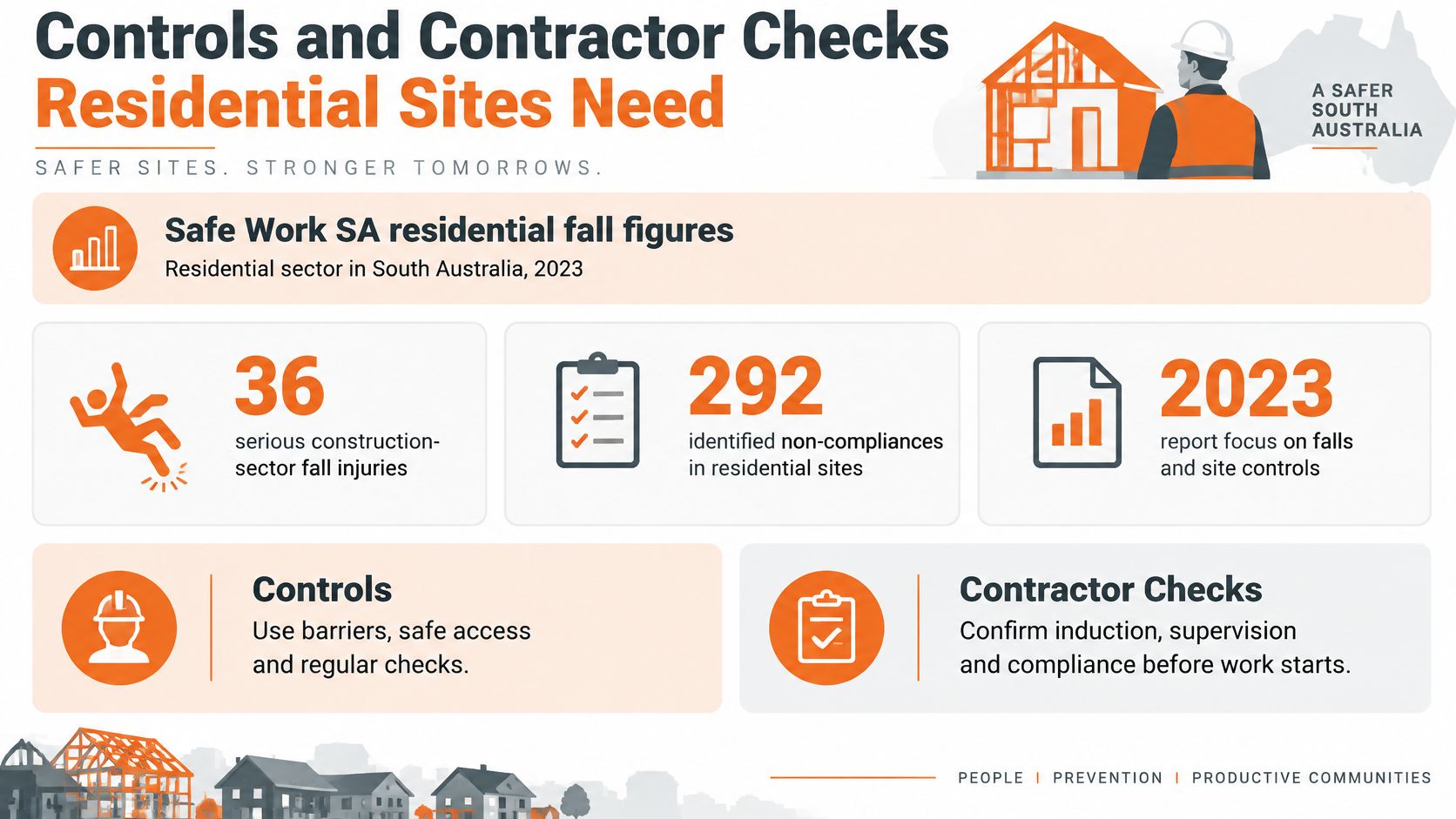
Residential fall risk often sits close to the ground, so configure software for ladders, low roofs, carpentry edges and incomplete access. Safe Work SA reported 36 serious construction-sector fall injuries in South Australia's residential sector in 2023, alongside 292 identified non-compliances in residential construction, compared with 58 in commercial construction and 6 in civil construction. The regulator also reported that 83% of serious falls occurred from below 3 metres, with ladder misuse the largest contributor at 35 incidents. These figures make low-height controls a practical priority, not a minor inspection category.
A configuration built around tower-crane work can leave the common housing-site failure modes under-checked. Supervisors need checks that identify the specific lot, access point or edge, and show whether a defect was controlled and closed.
Configure around low-height work
Set up a mobile hazard register, inspections, SWMS or JSA sign-on, corrective-action tracking and auditable records. Each control should carry a photo, site or lot reference, named owner and due date. High-risk overdue actions need escalation built into the workflow, so they do not depend on a manager remembering to chase them.
- Hazard register by lot: Record the exact edge, access point or plant item, rather than logging the hazard against the company generally.
- Inspection with mandatory fields: Require photos and worker acknowledgement where both are needed to evidence the control.
- Corrective action to closure: Assign the action, verify the fix and close it at the point of work, retaining a time-stamped record.
- Dashboard split that matches supervision: Display open controls by trade, project and hazard type, so managers can identify which lots need attention.
A PDF SWMS folder can evidence that documents were stored, but by itself it cannot show that controls were in place, understood by workers or checked after a defect was raised. The operating test is whether a supervisor can follow the record from finding to verified closure.
Verify readiness, don't just store documents
Contractor readiness requires current, usable evidence before work starts. A 2025 survey of 518 professionals in high-risk Australian industries, including construction found that 65% were only somewhat confident or not confident in verifying contractor safety standards before work began. Respondents most often requested tools for managing inductions, training and competency (38%), mobile apps and digital credential checks (29%), and contractor-management systems designed for the task (21%). The report also found that 56% of surveyed organisations reported having only 'some' risk systems, despite nine in ten respondents feeling safe most or all of the time.
Use those concerns to define a gate test, not to choose software by feature count. Compare the workflow against the practical requirements in contractor management software for Australian builders. Licence verification still requires a person to check the relevant details: the R.E. and Sons Landscaping verification guide sets out the basic discipline of confirming a contractor's licence rather than accepting a card at face value. Software should retain the result and make it available when access is checked.
| Test | Pass | Fail |
|---|---|---|
| Induction and competency | A worker cannot start until the site induction and required tickets are current | Certificates are stored but not checked before work |
| Insurance and licences | Expiries trigger follow-up, and an expired record blocks sign-in before work begins | Admin finds the lapse after the worker is on the tools |
| SWMS acknowledgement | The named worker acknowledges the current SWMS for the high-risk task | A company SWMS is uploaded once and never acknowledged by the worker |
| Offline and QR check | The supervisor can confirm status on site without signal, including through QR sign-in | The check only works on office Wi-Fi |
| Authorisation record | An export shows who was authorised for which work and when | A spreadsheet can be edited after the event |
The gate test is direct: can a supervisor stop a worker with incomplete records on the lot, without calling head office to establish what is on file? If not, the system stores documents but does not support an effective access decision.
For New Zealand sites, test the same field process against local duties. Under the Health and Safety at Work Act 2015, a principal contractor on a multi-PCBU housing site still needs to know who is authorised and which controls remain open. Australian WHS wording and duties do not automatically transfer, so check WorkSafe NZ guidance before adapting a template.
Indicators That Show Field Control Is Working
A single compliance percentage is the weakest number on a housing dashboard. It can sit at green while ladder actions age on three lots, because the average buries the lots that matter. It can also reward a builder for scheduling fewer inspections.
Serious injuries on one residential project are infrequent, which makes them a poor steering measure week to week. Safe Work Australia's WHS data reporting guidance warns that injury rates may not be comparable for small businesses and that organisations may instead need to compare their present results with their own historical data. It also recommends combining incidents and inspections with worker surveys, consultation feedback and qualitative information.
That warning rules out using a national rate as a target for one builder. A low incident count can coexist with weak controls, and an apparent safety score may reflect under-reporting or small sample sizes. The software should make that uncertainty visible instead of hiding it behind a headline score.
Five measures worth reviewing
| Measure | What it shows | Weak reading |
|---|---|---|
| Inspection completion rate | Whether planned checks on falls, plant and housekeeping actually happen | High score only because few inspections were scheduled |
| Overdue high-risk actions | Controls still open on ladders, edges, electrical work or plant | Aged actions hidden inside a green company score |
| Worker participation rate | Pre-starts, toolbox talks and SWMS sign-on by the people on the lot | Office staff completing forms for the field |
| Repeat-hazard rate | Same finding returning by trade or supervisor | A falling incident count while the same hazard remains |
| Median closure time | How fast a control is verified and closed | Fast closure with no photo or supervisor check |
Each measure needs a project-level and subcontractor-level view. Company averages tell an operations manager that something moved. Lot, trade and supervisor views tell the manager where to go on Monday morning. The distinction between measures that predict trouble and measures that record it afterwards is covered in leading and lagging indicators for WHS reporting, and the pilot should be built on the leading side of that line.
Three supporting records keep the five measures honest:
- Toolbox participation by name: Attendance tied to the workers on that lot, not a headcount typed in later.
- Training currency: Tickets and licences shown against the task the worker is booked for, with expiry visible before the day.
- Linked records: A hazard that connects to an inspection finding, an assigned action and a verified closure, in one chain.
A measure that can't be broken down by lot and trade can't direct a supervisor. It can only reassure a meeting.
History matters as much as the current week. Preserve project-level trend data so successive homes can be compared by supervisor and trade. A repeat ladder finding across six lots under one carpentry crew is a purchasing and supervision decision. It's invisible if each project closes and the records scatter into separate folders.
Settle the export before the pilot starts. The operations meeting needs the five measures produced from the system without a manual rebuild in a spreadsheet. If an administrator has to reconstruct the numbers each month, the numbers will eventually stop matching the field.
A Week on Multi-Lot Housing Sites
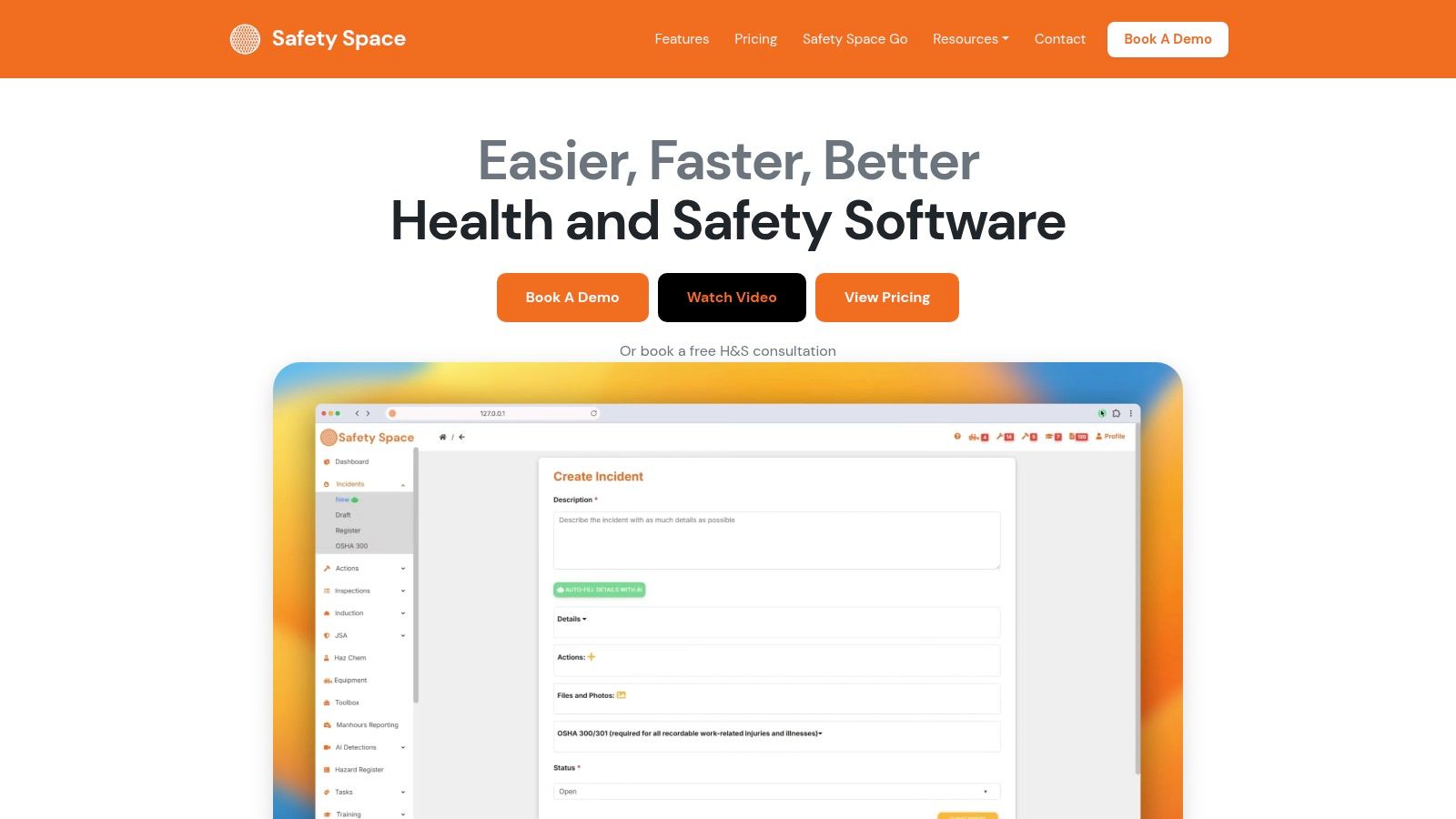
A multi-lot housing programme can have framing on one lot, roofing on another and fit-out trades moving between both. The practical test for safety software is whether a supervisor can confirm who may work, check controls at the workface and leave records the PCBU can produce later. The week's sequence matters: check open risks first, then verify fixes and keep contractor requirements from holding up work.
Monday and Tuesday
Monday starts with the live lot list. The construction manager checks for high-risk actions carried over from the previous week. If edge protection or a ladder issue remains open, that lot needs attention before a trade is booked to start there. Otherwise, the crew may work around an unresolved control.
Tuesday takes the supervisor to the lot with a phone. At the workface, the supervisor completes a height inspection, attaches a photo and assigns the fix to a named person. If an access ladder is tied off incorrectly, the framing leading hand receives a same-day action. Closure requires a second photo, so the record shows the corrected condition rather than relying on a verbal update.
Safety Space runs inspection forms in a browser or in its iOS and Android apps, which work offline. Its inspection builder supports photo capture. In the mobile app, supervisors can submit forms with photos, signatures and actions, complete assigned actions, read library documents and view assigned tasks. The inspection record can sit alongside the site or project's hazard registers, corrective actions and SWMS with worker sign-on.
Wednesday and Thursday
Wednesday brings a contractor issue forward, before it reaches the gate. A subcontractor booked for Thursday has not finished the induction, and their insurance is close to expiry. Automated follow-ups chase missing contractor documents and renewals, while contractors can complete inductions before arriving on site. That gives the builder time to resolve the gap before the crew reaches the site shed.
Thursday tests sign-in under normal site pressure. Workers arrive at several lots within the same hour, and mobile coverage is poor at the far end of the estate. QR site sign-in and inductions for staff, contractors and visitors need to work offline and sync later with the timestamp intact. If the process fails without a signal, workers may bypass it.
A useful example of a housing business organising safety management across its sites is how a home builder organised safety management across its sites. The practical sequence is to keep records with each site, assign actions to people and chase contractor documents before they expire.
Field test: If a form can't be finished in a driveway with no signal, it won't be finished at all. It'll be reconstructed in the ute on Friday.
Friday
Friday is for checking whether assigned fixes were completed. The manager reviews open actions by trade and lot on a dashboard, uses the map view across sites and checks which high-risk items remained open during the week. Repeat findings linked to the same trade can be raised with that subcontractor before the next release is sequenced.
The week's records connect the Monday review, Tuesday inspection, Wednesday contractor follow-up and Friday check. That gives the PCBU a traceable account of what was found, who was responsible for action and whether the control was verified. No one needs to retype the same information or guess which spreadsheet version holds the record.
Contract Terms and the SWMS Pilot
Compare proposals by what drives the fee, not by the headline monthly figure. Two quotes can look similar but diverge when a second estate starts or subcontractor numbers rise during a busy quarter. Put the charging basis, setup work and exit terms in writing before the pilot.
Safety Space prices its full product according to sites, users and modules. It offers a monthly contract customers can cancel, and its team handles system setup. Its free plan allows 3 active forms, with archived versions excluded from that limit. For specific requirements, Safety Space offers a personal consultation to recommend suitable pricing options.
Questions for every proposal
- Fee basis: Does the charge follow sites, users, modules or a mix? Which cost grows fastest as lots are added?
- Minimums: Is there a minimum user count, and do subcontractor sign-ins count as users?
- Quiet months: Does a month with two lots handed over cost the same as one at full capacity?
- Exit: Can the builder cancel, and can records be exported in a readable format?
- Setup: Who configures forms, SWMS templates and contractor workflows?
- Support: Is support included, or charged later as project work?
A low per-user price with a high minimum can cost a small builder more than a site-based fee. For a volume builder adding estates, the reverse may apply. Pricing pages rarely show how those terms play out across changing site numbers, so ask for the answers in writing before committing.
Build the SWMS duty into go-live
The pilot should test whether the system supports the PCBU's SWMS duties in practice. Under Australian WHS rules on safe work method statements, a PCBU carrying out high-risk construction work must prepare a SWMS before work starts, ensure the work is carried out in accordance with it, and review it when required. The SWMS must identify the work, hazards and control measures. The linked spreadsheet concerns work-related injury statistics, not SWMS duties, so check the relevant regulator's guidance for the requirements that apply to the project.
The Queensland Work Health and Safety Regulation 2011 identifies 18 categories of high-risk construction work. Confirm the applicable list with the relevant state or territory regulator rather than using Queensland's list as a substitute elsewhere. Housing examples include work where a person could fall more than 2 metres, demolition, asbestos disturbance, and tilt-up or precast concrete work. Other categories include work in or near a confined space, trenches deeper than 1.5 metres, and powered mobile plant near a road or traffic corridor. Roofing and framing commonly involve fall risks.
Run the pilot on two live sites with one trade that has fall exposure. Set the acceptance criteria before it starts: the system must retain version control, record named worker acknowledgement and reviews, and make the current SWMS available where the work happens. Agree the five project measures in advance, then judge the pilot against those measures. The practical test is whether a supervisor can verify who may work and whether controls are closed, with records the PCBU can produce later.
Choose Software for the Next Housing Release
The right fit depends on where control is failing. For builders coordinating subcontractors across multiple housing lots, choose software that makes it possible to verify work eligibility and produce a usable record when asked. A broad feature list matters less than whether supervisors and office staff can maintain that control without adding paperwork.
Where the immediate gap is evidence for falls from low height, prioritise worker acknowledgement, photos and closure time over chemical registers or ISO modules. Those functions help establish who acknowledged the SWMS, whether a hazard was recorded and whether the corrective action was closed. The best safety software for residential builders is the system that supports those checks in day-to-day site work and keeps the resulting records organised.
A small team with occasional subcontractors can start with inspections and corrective actions, then add contractor management if regular trade work makes document follow-up difficult. Match the modules to the problem the builder needs to control, rather than buying a broad suite that the site team will not use.
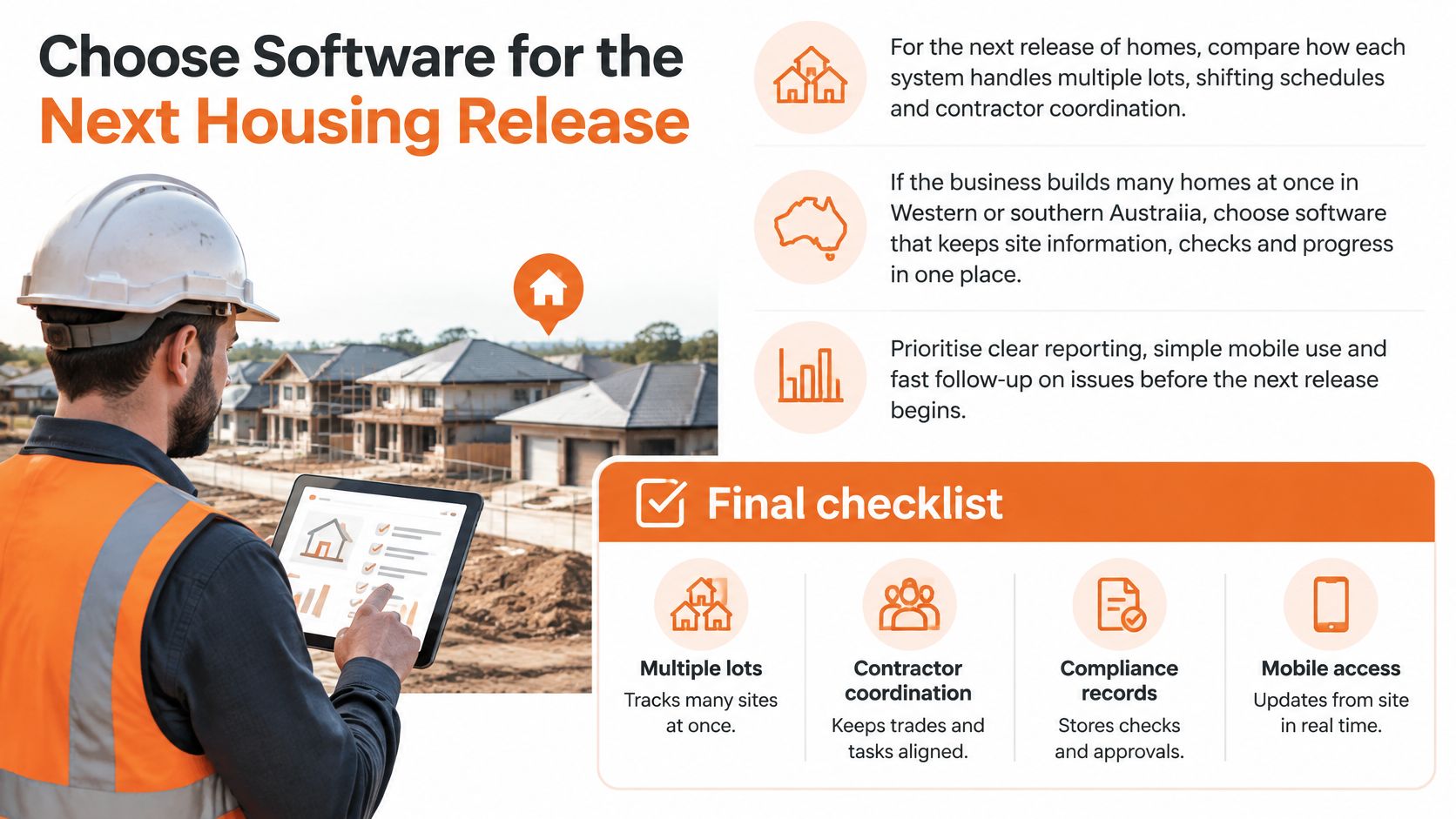
After the four-week review, set a go/no-go threshold for each of the five project measures agreed before the pilot. Proceed only if the results show the system meets those thresholds and the records are usable for the PCBU's due diligence.
Safety Space provides hazard registers, inspections, corrective actions, SWMS sign-on and contractor inductions, with records organised by site and apps that work offline. Set up a pilot on two live sites and assess it against the agreed measures. Visit Safety Space to see how its platform supports residential construction safety management.
Ready to Transform Your Safety Management?
Discover how Safety Space can help you implement the strategies discussed in this article.
Explore Safety Space FeaturesRelated Topics
Safety Space Features
Explore all the AI-powered features that make Safety Space the complete workplace safety solution.
Articles & Resources
Explore our complete collection of workplace safety articles, tools, and resources.