
A subcontractor is ready to start, the supervisor is chasing a current SWMS, and the latest inspection still has an overdue action attached. If those records sit in separate folders, spreadsheets and messages, the problem isn't a lack of documents. It's the difficulty of proving that the right people saw the right controls, and that someone followed up.
The best WHS compliance software for construction is the system that supports those tasks at the site, not just the one with the longest feature list. Compare platforms against the evidence a construction PCBU must produce: current SWMS, worker consultation and sign-on, contractor records, incident retention and corrective-action close-out.
| Construction job to evidence | What the software should support | Operational outcome to measure |
|---|---|---|
| High-risk work controls | Current, version-controlled SWMS with worker access and sign-on | Workers acknowledge the applicable version before work starts |
| Site inspections and hazards | Mobile capture, photos, assigned actions and due dates | Scheduled inspections completed and high-risk actions closed |
| Contractor readiness | Inductions, licences, insurance records and expiry reminders | Required records are current before site access |
| Incident management | Event capture, notification records and controlled retention | Evidence is retrievable by site, project and event |
| Management review | Site-level dashboards and exportable audit trails | Repeat hazards and overdue actions are visible to decision-makers |
Table of Contents
- What Construction H&S Managers Actually Need From Software
- Why Australian Construction Cannot Rely on a Document Folder
- Must-Have Features for Construction WHS Software
- Weighted Scoring Template for Shortlisting Vendors
- Implementation and Onboarding Plan That Sticks
- ROI and Compliance Risk Reduction in Real Numbers
- Questions to Ask WHS Software Vendors Before You Sign
- Practical Checklist for Your Next Vendor Demo
What Construction H&S Managers Actually Need From Software
On a residential build or a commercial project, the software decision starts with the work that keeps landing back on the H&S manager's desk. A supervisor needs to confirm that workers have signed onto the current SWMS. A subcontractor coordinator needs to check that required documents are current. Someone must assign corrective actions, chase close-out and retrieve a clean record when a client or regulator asks for evidence.
A useful evaluation translates each recurring task into a capability and a result. Don't start by counting modules. Start by asking where the handoffs fail: who prepares the record, who reviews it, who needs access on site, and how the business can show that the action was completed.
Follow the evidence from planning to close-out
For each workflow, map the record from start to finish. A SWMS should be linked to the work, available to workers, revised when necessary and supported by evidence of consultation and acknowledgement. An inspection finding should identify the hazard, the control, the responsible person and the due date. An incident record should preserve the details and any required notification evidence.
Then test whether the record can be found by site, project, subcontractor and hazard type. A searchable, time-stamped trail is more useful than a pile of signed forms that someone has to assemble after an event.
Practical rule: If the system makes a supervisor enter the same information twice, the workflow probably won't survive a busy site.
The right choice fits the way crews and subcontractors work. It should support mobile use, deal sensibly with unreliable connectivity, and let the business see what is still open without asking every site to send a separate spreadsheet. Those are operational requirements, not optional conveniences.
Why Australian Construction Cannot Rely on a Document Folder
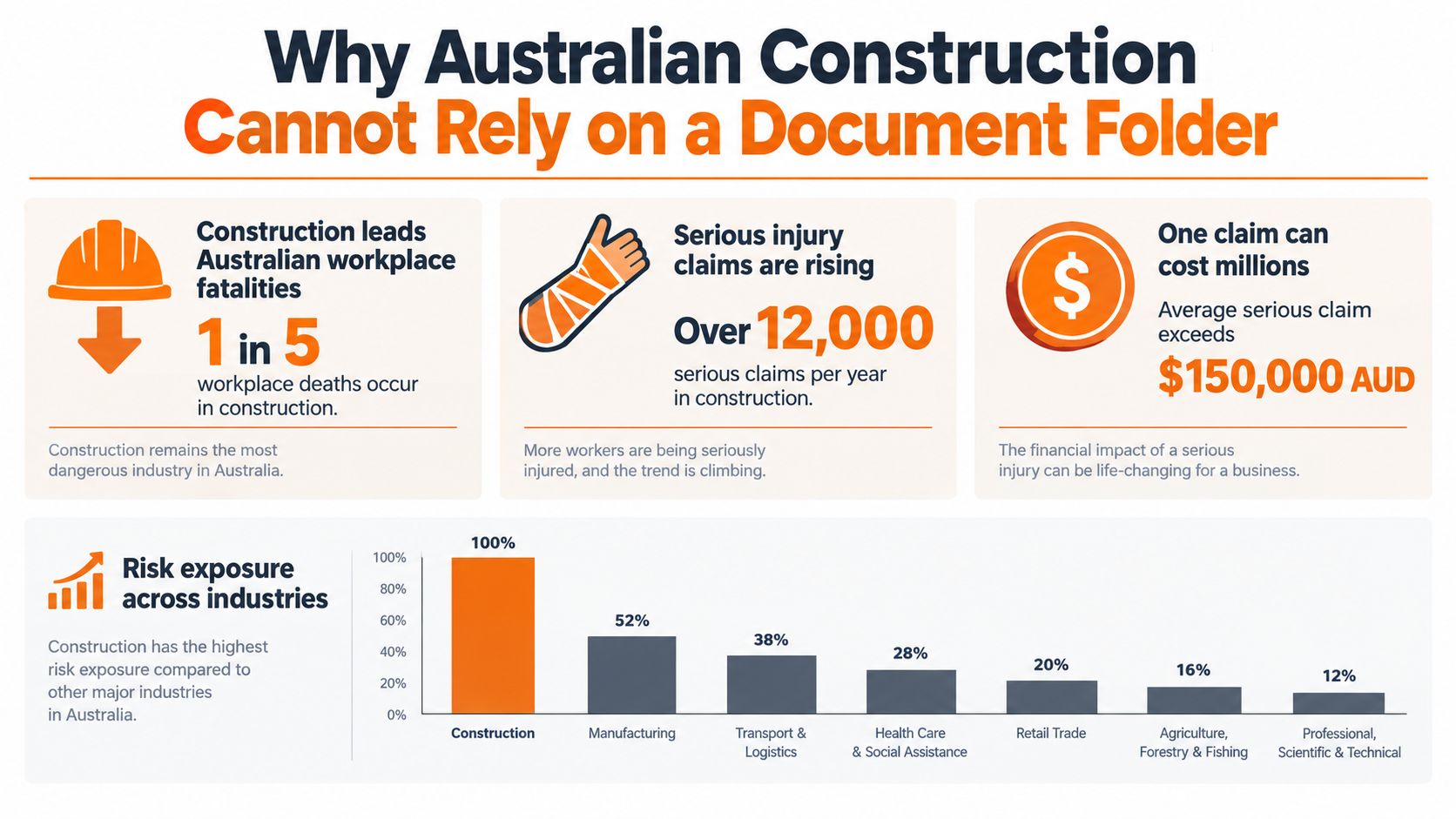
A worker is injured, and the supervisor needs to establish which controls were in place, who was responsible and whether the work had changed. A folder may hold the documents, but it cannot show how the evidence connects or whether required actions were completed.
Safe Work Australia recorded 188 traumatic workplace fatalities nationally in 2024, including 37 in construction. Its national report also recorded 146,700 serious workers' compensation claims involving at least one week of lost time in 2023–24. Construction accounted for part of the six industries responsible for 80% of traumatic-injury fatalities and 61% of serious claims (Safe Work Australia's national WHS statistics).
Claims and exposure change the software test
WorkCover WA reported construction claims increased 20.8% between 2020–21 and 2023–24p, with an average of 1,884 lost-time claims across that period. In 2022–23, construction recorded 9.2 lost-time claims per million hours worked, compared with 6.9 across the scheme overall. In 2023–24p, the average construction claim cost was A$77,994, versus A$64,738 for the scheme, a difference of A$13,256 per claim (WorkCover WA's construction industry statistical report).
Those figures do not mean software prevents every incident. They do show why a folder alone falls short: a PDF cannot assign an action, flag an overdue control or show whether changed site conditions triggered a review. A PCBU needs evidence it can trace across work planning, SWMS sign-on, control revisions, incidents and close-out, with records retained when required.
For a practical outline of construction health and safety regulations, consider how each duty can be evidenced on site. The same records should support broader health and safety management systems, rather than sit apart from them.
Must-Have Features for Construction WHS Software
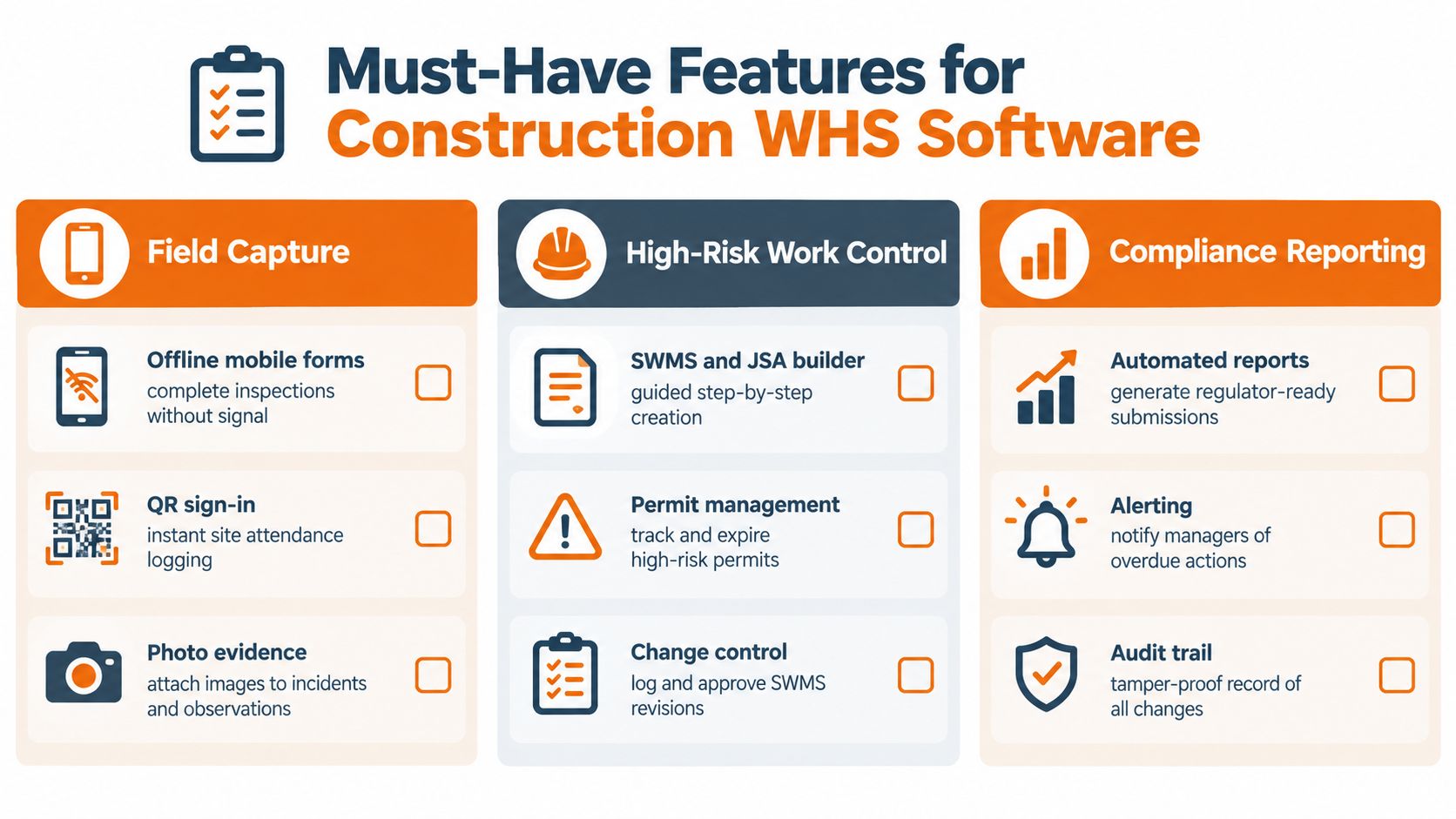
A construction-grade platform should make required work easier to do correctly, then preserve evidence that it happened. Start with field capture. Supervisors and workers need mobile forms for inspections, hazards and incidents, with offline capability where connectivity is unreliable. Photo evidence should stay attached to the relevant record, not disappear into a phone's camera roll.
Control work, people and changes
SWMS and worker consultation: Safe Work Australia says a SWMS must be prepared, or arranged, before high-risk construction work starts. The PCBU must ensure the work follows it, provide a copy to the principal contractor before work begins, and review or revise it when necessary. The statement needs to identify the high-risk activities, hazards and risks, controls, and how controls will be implemented, monitored and reviewed (Safe Work Australia's construction work model code).
Workers and health and safety representatives must be consulted during preparation and review. If consultation hasn't occurred during planning, it must happen when the SWMS is first made available, such as through workplace-specific training or a toolbox talk. The system should therefore record who was consulted, when, and which version workers acknowledged (Safe Work Australia's model code on construction work).
A platform should keep historical SWMS versions and make the applicable one accessible while work is underway. Safe Work Australia's construction code says the SWMS must remain readily accessible until the work is complete, or for at least two years after a notifiable incident (construction work model code).
Make site records usable
Contractor inductions, licence and training expiry reminders, insurance documents, permits, equipment records and QR sign-in should be linked to the relevant site or project. Incident workflows need to capture event details, assign investigation and corrective-action tasks, and preserve notification evidence. For background on how safety-monitoring approaches fit into field operations, 3rd-i safety monitoring for teams offers a related perspective.
Dashboards should show open actions, overdue high-risk controls, repeat hazards and inspection completion by project. For contractor processes, compare the system's records and access workflows with the needs covered in contractor management software in Australia.
One requirement is often missed: jurisdiction-specific change control. South Australia will lower the fall threshold for high-risk construction work from more than three metres to more than two metres on 1 July 2026, aligning with the national model law (SafeWork SA's amendment information). Ask how the system handles local triggers, revised templates, version approval and worker re-sign-on when rules change.
Weighted Scoring Template for Shortlisting Vendors
A structured scorecard helps the buyer distinguish a polished demo from a system that can support real site work. Use the same scenarios for every shortlisted platform, and score only what the vendor demonstrates or documents. A feature mentioned in a presentation isn't proof that it works offline or produces an auditable record.
Use a 0–2 scale: 0 means the capability is absent or unsupported; 1 means it exists but has a material limitation; 2 means the vendor demonstrates it against the construction workflow. Evidence can come from a live demo, written product documentation or a relevant customer reference.
| Criterion | Weight | What to verify | Score 0-2 |
|---|---|---|---|
| High-risk work control | 25% | SWMS version history, site access, worker sign-on and revision records | |
| Field usability | 20% | Mobile forms, offline capture, photo evidence and reliable synchronisation | |
| Contractor and subcontractor management | 15% | Inductions, insurance and credential records, expiry reminders and suitable access | |
| Incident and notifiable-event handling | 15% | Event capture, assigned follow-up, notification evidence and retention controls | |
| Reporting and dashboards | 10% | Views by site or project, overdue actions, repeat hazards and exportable records | |
| Integrations and data export | 5% | Practical data transfer, usable exports and clear exit arrangements | |
| Security and access control | 5% | Role permissions, access management and available single sign-on | |
| Total cost of ownership | 5% | Setup, configuration, support, licences, integrations and internal administration |
Multiply each raw score by its weight, then total the results. The percentages here are suggested evaluation weights, not industry benchmarks. Adjust them to match the business's site profile and risk controls, but keep the same weights across vendors.
A high score shouldn't override a failure on a critical control. If the system can't retain the correct SWMS version or provide usable offline evidence, a strong score for reporting or interface design won't fix that gap. Record the demonstration evidence beside each score so management can see why a platform ranked as it did.
Implementation and Onboarding Plan That Sticks
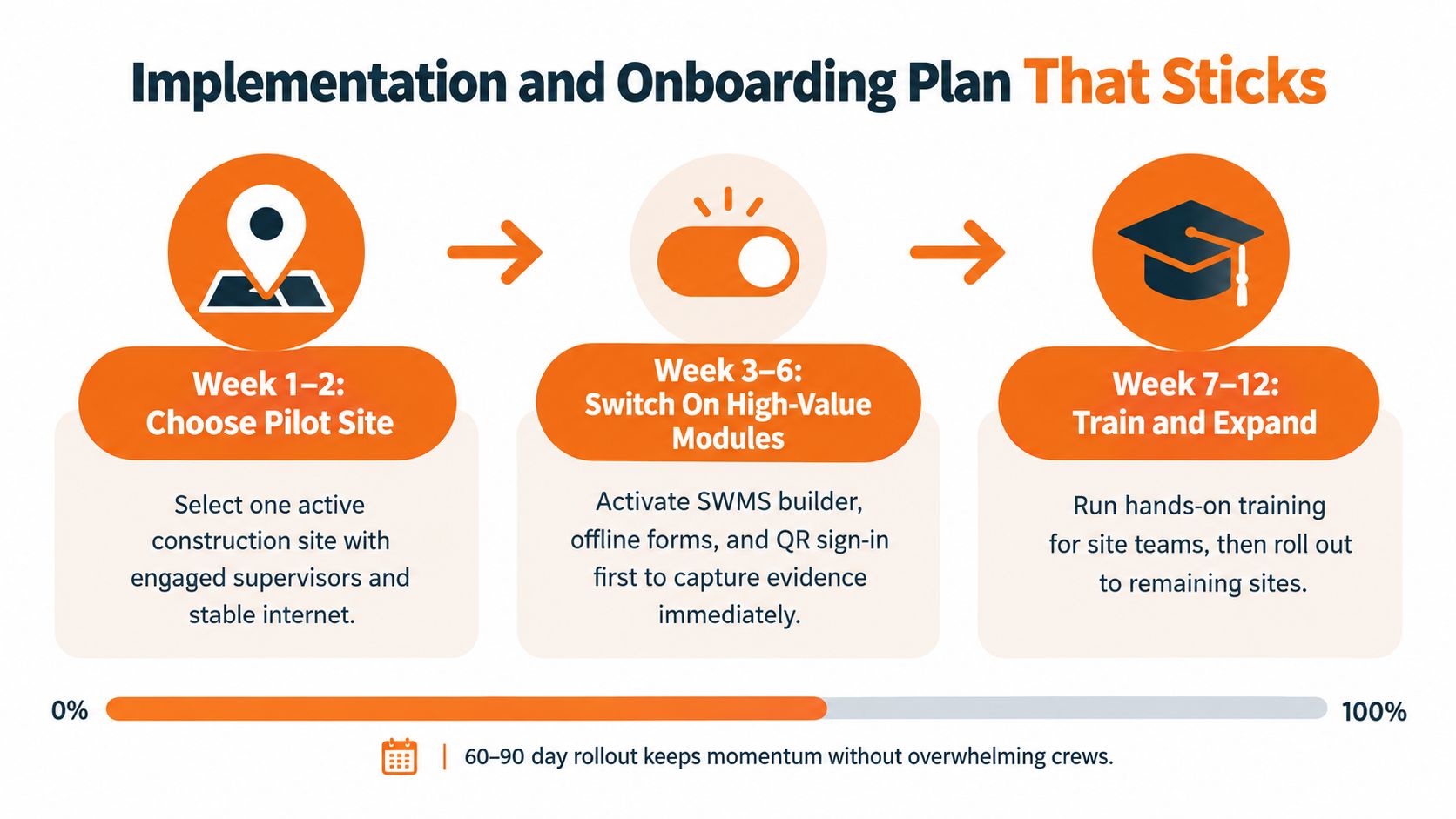
A rollout succeeds when site teams can complete familiar safety work without creating a parallel system. A staged 60–90 day rollout gives the business time to test real workflows, adjust forms and train the people who will use them.
Pilot one site, then expand
Choose an active site with a supervisor willing to test the process and a representative mix of subcontractors. Map the current paper or spreadsheet workflow before configuring forms. If the digital inspection asks different questions or takes longer than the existing process, crews will keep the old version.
Start with records that must be easy to retrieve: incidents, SWMS access and sign-on, and contractor onboarding. Test offline capture in the places workers use the app, then check how records synchronise when connectivity returns. Don't assume the process is sound because it worked in the site office.
Train supervisors first, using live tasks rather than a generic product tour. Then bring subcontractors into the workflow and explain what they need to complete, when it's required and who can help if they can't access the system. QR sign-in or limited contractor access can reduce friction, but only if the process works for the people arriving at the gate.
Site test: Ask a supervisor to complete a real inspection, assign an action and find the record again without help.
Once the pilot works, expand to scheduled inspections, training and licence registers, equipment records and dashboards. Keep a short feedback loop with site teams so the project can correct confusing forms before they spread across other jobs.
Before signing, ask the vendor what its team configures, what the customer must prepare, which support is included, and whether changes to forms or workflows incur extra charges. Confirm who owns data migration, user setup and field training. Those details affect whether the system becomes routine work or another office task.
ROI and Compliance Risk Reduction in Real Numbers
A software business case should start with work the PCBU can measure, not a promise that the system will prevent a set number of injuries. Compare implementation costs against claim exposure, action close-out, inspection completion and administrative effort. The useful question is whether the system improves the evidence trail for SWMS sign-on, control revisions, contractor currency and incident records, and whether those improvements reduce time spent chasing or retrieving records.
WorkCover WA reported an average construction claim cost of A$77,994 for 2023–24p, compared with A$64,738 across the scheme overall (WorkCover WA's construction industry statistical report, cited earlier). Treat these figures as context, not a forecast of savings. Use your own claim history, insurer information and project data to estimate financial exposure.
Build the worksheet from your own baseline
Record the current position before rollout and compare it with the same measures after teams have adopted the system:
- Corrective actions: Track how long actions remain open and how many high-risk actions pass their due dates.
- Inspections: Measure the share of scheduled inspections completed and recorded on time.
- Administration: Estimate supervisor and H&S staff hours spent chasing forms, checking expiry dates and preparing audit evidence.
- Repeat hazards: Review whether the same hazard types recur across sites or projects.
- Implementation costs: Include configuration, training, integration, licences and staff time spent maintaining the system.
Estimate recovered administration time using your business's loaded labour cost. Keep forecast avoided claims separate from confirmed savings, and show the assumptions clearly. Fewer overdue actions can demonstrate better follow-through. They do not prove that a particular injury was prevented.
A serious event can expose the cost of incomplete or hard-to-find records. Check whether the record shows the control, responsible person, date, revision and close-out. A software subscription alone does not establish that those controls were followed or evidenced. Include the time needed to retrieve and verify records in the baseline, then measure it again after adoption. For the process side of the business case, see workflow automation benefits.
Questions to Ask WHS Software Vendors Before You Sign
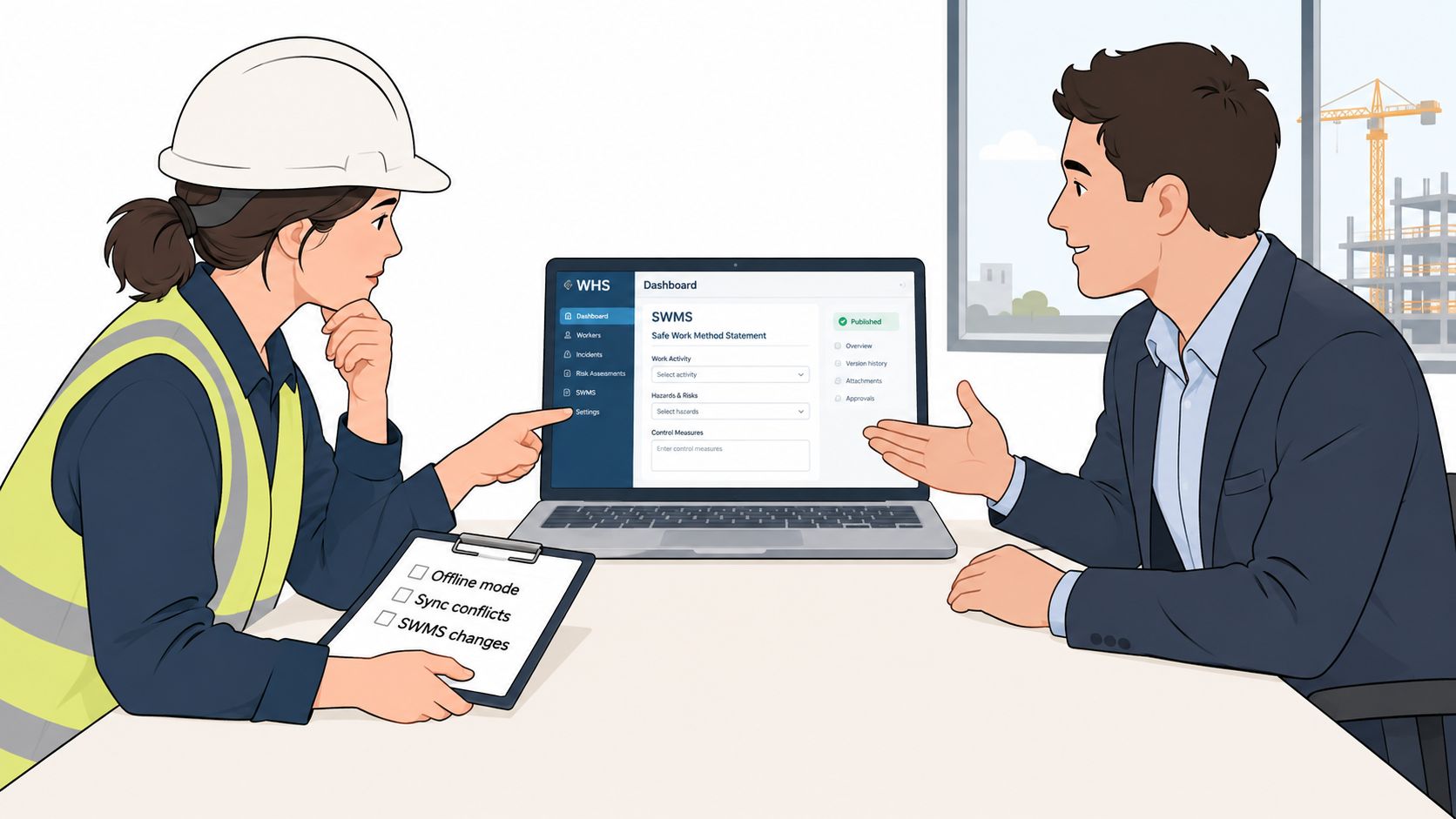
A demo shows what a platform can do under favourable conditions. Procurement should test what happens when a site loses connectivity, a subcontractor's documents expire, or a regulator asks for a complete incident record.
Put these questions into the demo
- SWMS control: Can workers access and sign onto the current project version, and can the system record consultation and re-sign-on after a revision?
- Local rules: How are jurisdiction-specific templates and trigger changes managed, approved and communicated?
- Offline behaviour: What can workers complete without signal, and how does the system handle conflicting edits when records sync?
- Contractor access: Can subcontractors provide required documents without receiving unnecessary access to internal records?
- Evidence export: Can the vendor produce a usable record with timestamps, revisions, signatures and attached photos for a particular site or incident?
- Retention: How will notifiable-incident records and supporting evidence be retained and controlled for the full required period?
Safe Work Australia guidance requires PCBUs to retain records of notifiable incidents for at least five years from the day notification was made. Incident software should capture event details, preserve the notification record and keep supporting evidence accessible for later regulator or internal review (Safe Work Australia's incident notification guidance).
Also ask about SSO, role-based access, integrations, data export and exit terms. Confirm whether implementation support, form changes and user training are included or billed separately. These are contract questions as much as product questions.
At shortlist stage, Safety Space is one option to assess for SWMS sign-on, offline mobile use, contractor management with insurance reminders, and version-controlled records by site. Run those workflows in the demo rather than assuming that a feature label covers the required evidence.
Practical Checklist for Your Next Vendor Demo
Use the same evidence request and site scenario with every vendor. Keep notes on what was demonstrated, what needs follow-up and which records the business would own.
Before the demo
- Request sample SWMS revision history, inspection exports and incident records.
- Confirm offline capabilities, data export formats, support scope and implementation responsibilities.
- Prepare a real site workflow with the forms and contractor records currently in use.
During the demo
- Complete a SWMS sign-on while offline, then reconnect and inspect the saved record.
- Change a SWMS and verify that the system records the revision and worker acknowledgement.
- Enter a contractor insurance expiry and check whether the right person receives a reminder.
- Create a notifiable-incident record and inspect its notification evidence, retention settings and export.
- Assign an inspection action to a named person and check how overdue work appears on a dashboard.
After the demo
- Ask for a customer reference with a similar site and subcontractor profile.
- Review access controls, data ownership, export rights and contract exit terms.
- Compare the demonstrated evidence against the weighted scorecard before selecting a platform.
If construction teams need site-based SWMS sign-on, offline mobile forms, contractor records and version-controlled evidence, Safety Space provides a cloud-based WHS system with records organised by site or project. Review the workflows against the business's own construction requirements, then arrange a demonstration of the controls that matter most.
Ready to Transform Your Safety Management?
Discover how Safety Space can help you implement the strategies discussed in this article.
Explore Safety Space FeaturesRelated Topics
Safety Space Features
Explore all the AI-powered features that make Safety Space the complete workplace safety solution.
Articles & Resources
Explore our complete collection of workplace safety articles, tools, and resources.