
Ever felt like you're playing whack-a-mole with risks? A problem pops up on the factory floor, you fix it, and another one appears in your supply chain. For many businesses in high-risk sectors like manufacturing and construction, managing risk with scattered spreadsheets and paper forms feels exactly like that: a disconnected, reactive game you can never quite win.
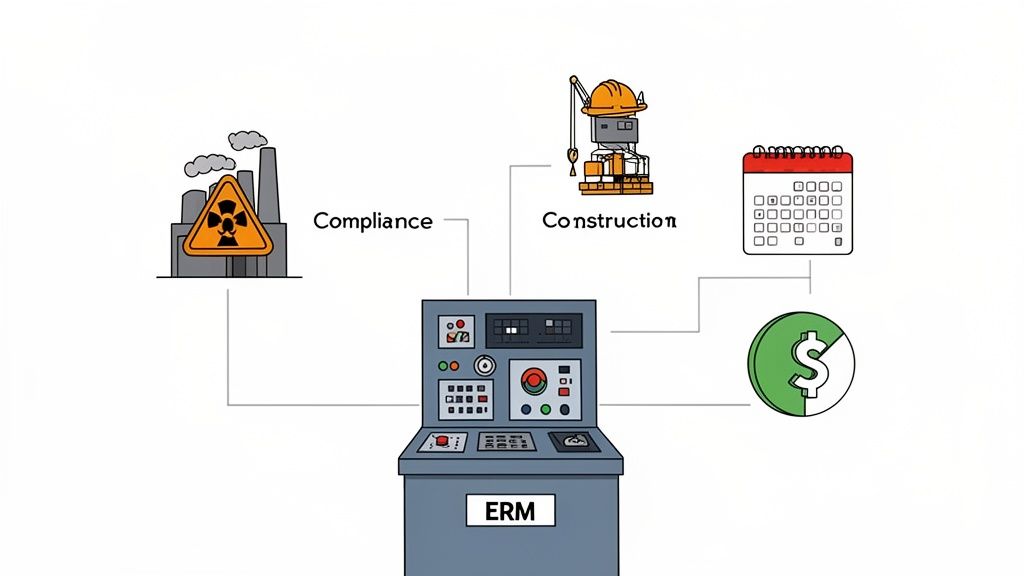
This is where Enterprise Risk Management (ERM) software comes in. It acts like a central control room for your entire operation. It pulls everything into one place, giving you a complete, real-time view of what could go wrong and what to do about it.
What Is ERM Software and Why Should You Care?
At its heart, ERM software is a tool that helps your business systematically spot, assess, and handle potential risks across every single department. It’s not just about ticking compliance boxes. It’s about seeing the connections between seemingly unrelated events.
Think about it this way: a faulty piece of machinery on-site isn't just an equipment issue. It's a production risk (hello, downtime), a financial risk (repair costs add up), and a massive worker safety risk. ERM software helps you see this entire chain of consequences from a single dashboard, connecting the dots before a small issue snowballs.
Old Methods vs Modern ERM Software
Let's be honest, many organisations still lean on complex spreadsheets to track hazards and incidents. While they feel familiar, they're fundamentally disconnected and reactive. They're great at logging what’s already happened but fall short when it comes to spotting patterns or heading off future problems.
Here’s a quick comparison of the old way versus the new.
| Aspect | Traditional Methods (Paper or Spreadsheets) | Modern ERM Software |
|---|---|---|
| Data View | Siloed and fragmented. Each department has its own sheet. | Centralised dashboard with a unified, enterprise-wide view. |
| Reporting | Manual and time-consuming. Often outdated by the time it's ready. | Automated, real-time reporting with customisable dashboards. |
| Response | Reactive. You're logging incidents after they occur. | Proactive. Predictive analytics help identify risks before they get worse. |
| Collaboration | Difficult. Relies on emails and meetings to share information. | Direct. Teams collaborate within the platform, assigning tasks and tracking progress. |
| Visibility | Limited. It's hard to see the bigger picture or connect the dots. | Complete. Full visibility for everyone, from site supervisors to the C-suite. |
As you can see, ERM software fundamentally shifts the approach from simply logging incidents to actively preventing them. It creates a live, interactive map of your risk landscape, helping managers to get ahead of the curve. You can find more practical steps on making this switch in our guide covering software for risk management.
A Unified View of Risk
One of the biggest wins with this kind of software is centralisation. It organises information so that everyone, from the site supervisor to the operations director, is looking at the exact same data. This shared view is the foundation for making smart, coordinated decisions.
This is a game-changer for businesses juggling multiple sites or a long list of subcontractors. A manager can instantly see if a subbie has submitted the right certifications or if a specific site has a recurring issue with near-misses, all without digging through a mountain of emails or separate files.
Instead of managing risk in isolated silos, ERM software creates a single source of truth. It ensures that a small problem identified in one department is visible to others it might affect, preventing it from growing into a major operational failure.
This interconnected approach is only becoming more critical. The Australian risk management market was valued at USD 270 million, with much of that driven by construction and manufacturing firms needing better tools to handle compliance and digital threats. This market is expected to grow to USD 782.48 million by 2033 as more businesses realise the old way just doesn't cut it anymore.
Often, you'll hear ERM software referred to as GRC platforms, because they bring Governance, Risk, and Compliance into one system. By putting all your risk-related information in one place, you finally get the clarity needed to protect your people, your projects, and your bottom line.
The Core Features Every Operations Manager Needs
When you start looking at enterprise risk management software, you're not just buying a single program. You're investing in a toolkit. Each tool is designed to solve a specific, practical problem, whether that's on a busy factory floor or a sprawling construction site.
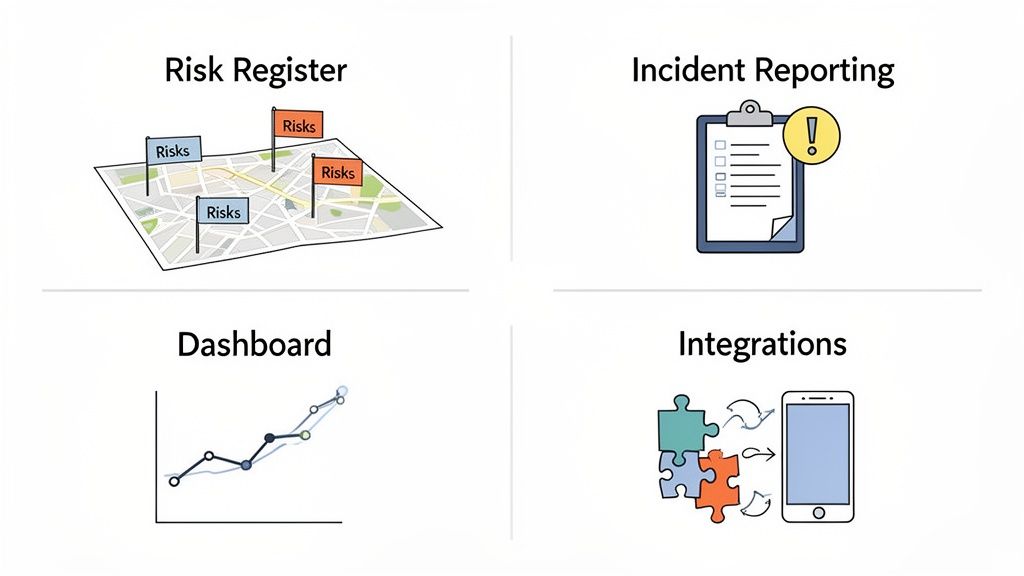
Forget the abstract jargon for a moment. Let's break down the four essential features every operations manager should demand and see how they actually work in the real world.
A Live Map of Your Hazards
First up, and most fundamental, is the Risk Register. This isn't the static spreadsheet you grudgingly update once a month. A modern risk register is a live, breathing map of every potential hazard across your entire operation.
Imagine you’re running a large manufacturing plant. A supervisor spots a recurring fluid leak near a high-traffic walkway. Instead of scribbling a note or sending an email that gets lost, they pull out their phone. They log the risk right there, snap a photo, and assign an initial severity score. Done.
That simple entry instantly becomes a trackable, accountable item. The system can automatically ping the maintenance manager, assign a corrective action, and set a deadline. That risk stays visible on the central dashboard until it’s officially closed out. No more guessing games.
This approach gives you a few powerful advantages:
- Real-time visibility: The floor supervisor and the plant manager see the exact same information, the second it’s logged.
- Clear ownership: Tasks are assigned to specific people with due dates, wiping out the old "I thought someone else was handling it" excuse.
- A powerful historical log: Every risk, and the story of how it was fixed, is recorded. This builds an invaluable knowledge base for preventing the same problems from happening again.
Capturing Incidents Where They Happen
When something does go wrong, the Incident Reporting module is your go-to for immediate response and investigation. This is about moving away from paper forms filled out hours after the fact and towards instant, accurate data captured directly at the source.
Picture a construction project where a subcontractor has a near-miss with heavy machinery. The site foreman can use their phone to open an incident report on the spot, capturing critical details while they're still fresh in everyone's mind.
Good incident reporting isn't about pointing fingers. It's a structured investigation that helps you find the root cause, so you can make sure the same thing doesn’t happen again next week on a different part of the site.
The software guides them through a logical process, prompting for photos, witness statements, and the initial actions taken to make the area safe. Later, that initial report becomes the foundation for a full investigation, tracking all the corrective actions until they're completed and verified.
Turning Data into Smart Decisions
All this data you're collecting is worthless if you can't make sense of it. This is where Dashboards and Analytics come in. This feature is the brains of the operation, taking all the raw numbers from your risk register and incident reports and turning them into simple, visual charts that tell a story.
Instead of spending hours building reports by hand, you can see trends at a glance. A dashboard might show that a specific type of near-miss is spiking in one area of your factory, or that one construction site is falling behind on closing out its safety actions.
This visual approach helps you spot patterns you'd otherwise completely miss. For example, a chart might reveal that minor hand injuries consistently happen on Tuesday mornings. That prompts a practical question: what's different about Tuesdays? It’s this kind of data-driven insight that lets you fix the small problems before they grow into serious incidents.
Connecting All Your Systems
Finally, Integrations are what stop your risk management platform from becoming just another information silo. To be truly effective, it needs to talk to the other systems you already rely on every day.
This could mean linking your ERM software to your HR system to automatically track employee training records. Or maybe it connects to your project management software, ensuring a risk assessment is a mandatory step for every new job. The goal is to create a single source of truth where safety and operational data work together, not against each other.
The push for these connected systems is only getting stronger. The adoption of enterprise risk management software in Australia is picking up pace, especially in high-risk sectors like manufacturing and construction. It’s part of a wider software market boom projected to grow from USD 15,737.1 million to USD 40,255.1 million by 2030. For managers on the front line, this trend highlights the growing need for integrated tools that offer real-time insights and predictive analysis. You can explore more data on Australia's software market growth and its impact.
What This Actually Looks Like on Site
The features packed into enterprise risk management software sound impressive, but they mean nothing if they don't deliver real results on the ground. For industries like construction and manufacturing, where margins are thin and hazards are a daily reality, the benefits have to be practical and immediate.
It’s about moving past the tech specs and seeing how this kind of software fundamentally changes how you see and manage your operations. You stop lurching from one problem to the next and start getting ahead of them. This shift doesn't just improve your safety stats; it directly impacts productivity, compliance, and your bottom line.
Gaining a Single Source of Truth
One of the first things you’ll notice is the ability to see everything in one place. If you're a manager juggling multiple construction sites or a sprawling factory floor, you know the chaos of trying to track subcontractor compliance, daily safety checks, and incident reports. The information is everywhere, scattered across emails, paper forms, and a dozen different spreadsheets.
Good enterprise risk management software cuts straight through that noise, giving you a single, live dashboard. A construction supervisor in southern Australia can instantly check that a new subcontractor has uploaded all their required certifications before they even set foot on site. That simple check prevents the massive risk of non-compliance with Work Health and Safety (WHS) laws, which can hit a business with fines up to AUD 3 million for a single stuff-up.
In the same way, a plant manager can get a real-time overview of all active machine maintenance requests. They can immediately flag any overdue tasks that could lead to equipment failure and thousands in lost production. This is what unified visibility is all about. It turns operational oversight from a guessing game into a precise, data-driven activity.
Automating the Compliance Headache
Let’s face it, meeting complex Australian WHS regulations is a huge drain on time and resources. The paperwork alone can feel like a full-time job, covering everything from incident logs and risk assessments to training records and compliance audits. If you fall behind, you’re not just creating risk, you're opening the business up to serious legal and financial pain.
ERM software simplifies this by automating a huge chunk of the record-keeping and reporting. When an incident is logged, the system can automatically generate the required compliance forms and ping the relevant managers and safety officers. This simple step ensures nothing falls through the cracks and gives you a clear, auditable trail for every action you take.
We saw this with a manufacturer in southern Australia who used ERM software to automate their entire compliance reporting process. The result? They cut the administrative time spent on paperwork by over 60% and walked into regulatory inspections with complete confidence, knowing every record was accurate and ready to go.
Spotting Hazards Before They Bite
Here’s where it gets really powerful. The best benefit of modern ERM software is its ability to help you become truly proactive. By pulling in and analysing data from across your operations, the system can spot subtle patterns and emerging trends that would be impossible for a person to see in a mountain of raw data.
This is where the software stops being a simple record-keeping tool and becomes a strategic asset. It helps you answer the critical questions: "Are we seeing more near-misses of a certain type on the second shift?" or "Which machines are most often linked to minor incidents?"
A construction firm in Western Australia is a perfect example. By digging into incident and near-miss data from their ERM platform, they noticed that a specific type of scaffolding error was being reported again and again across multiple sites. That insight allowed them to roll out targeted training and update their setup procedures. Within six months, they saw a 40% reduction in scaffolding-related near-misses.
This proactive approach is fast becoming the standard, not the exception. The enterprise risk management software segment already makes up a dominant 28.4% of the global market, and it's only growing in importance here in Australia. We're facing our own unique threats, too. For instance, the OAIC reported 63 data breaches from government agencies in just one month, showing why we need solutions that manage both digital and physical risks. To get a better handle on these trends, you can explore detailed insights on the global risk management software market.
How to Successfully Implement ERM Software
Rolling out new software can feel like a massive undertaking, but a successful ERM system launch doesn't have to be chaos. The secret is a practical, step-by-step approach that gets everyone on board and proves its value quickly. When you treat it less like an IT project and more like a genuine business improvement, you sidestep the usual headaches.
A smooth implementation all comes down to having a clear plan. Without one, you risk ending up with a powerful tool that nobody uses properly, or worse, a system that doesn't actually fix the problems you bought it to solve. It’s about planning the work, then working the plan.
Set Clear and Specific Goals
Before you touch a single setting, you need to define what a "win" looks like for your business. Don't just aim to "improve safety." That's too vague. Get specific. Are you trying to slash the time it takes to close out incident investigations? Or maybe your goal is to reduce the number of non-compliant subcontractors on your sites by 50%?
Jot down three to five concrete problems you expect the software to solve. These goals will steer every decision you make, from how you configure forms to the way you train your team. A clear target keeps everyone focused on the real-world results you need.
Build the Right Implementation Team
This is not a job for the IT department alone. Your implementation team needs people from the sharp end of the business who live and breathe the day-to-day realities of your operations. This team should be small but mighty, including:
- An Operations Lead: Someone from the factory floor or a construction site who knows the current processes inside and out.
- A Safety Coordinator: The person who eats, sleeps, and breathes WHS compliance and can make sure the system is set up to meet regulatory demands.
- An IT Representative: To handle the technical side of things, especially when it comes to migrating data and connecting with other systems.
This mix of expertise ensures the final setup is both technically sound and genuinely useful for the people who will rely on it every single day. You can get a better feel for user needs by reviewing a modern work safety app and its features.
Plan Your Data Migration Carefully
Getting your existing data out of spreadsheets and into a new system is often the trickiest part of the whole process. Don't underestimate it. Start by cleaning up your current records. Get rid of duplicates, fix inconsistencies, and standardise your formats. You'll also need to decide what historical data is essential to bring over and what can be archived.
A clean data migration is critical. It means your team can trust the information in the new software from day one, ensuring your dashboards and reports are accurate right from the start.
This diagram shows the core benefits your organisation will gain from a well-implemented ERM system, moving from simple oversight to proactive management.
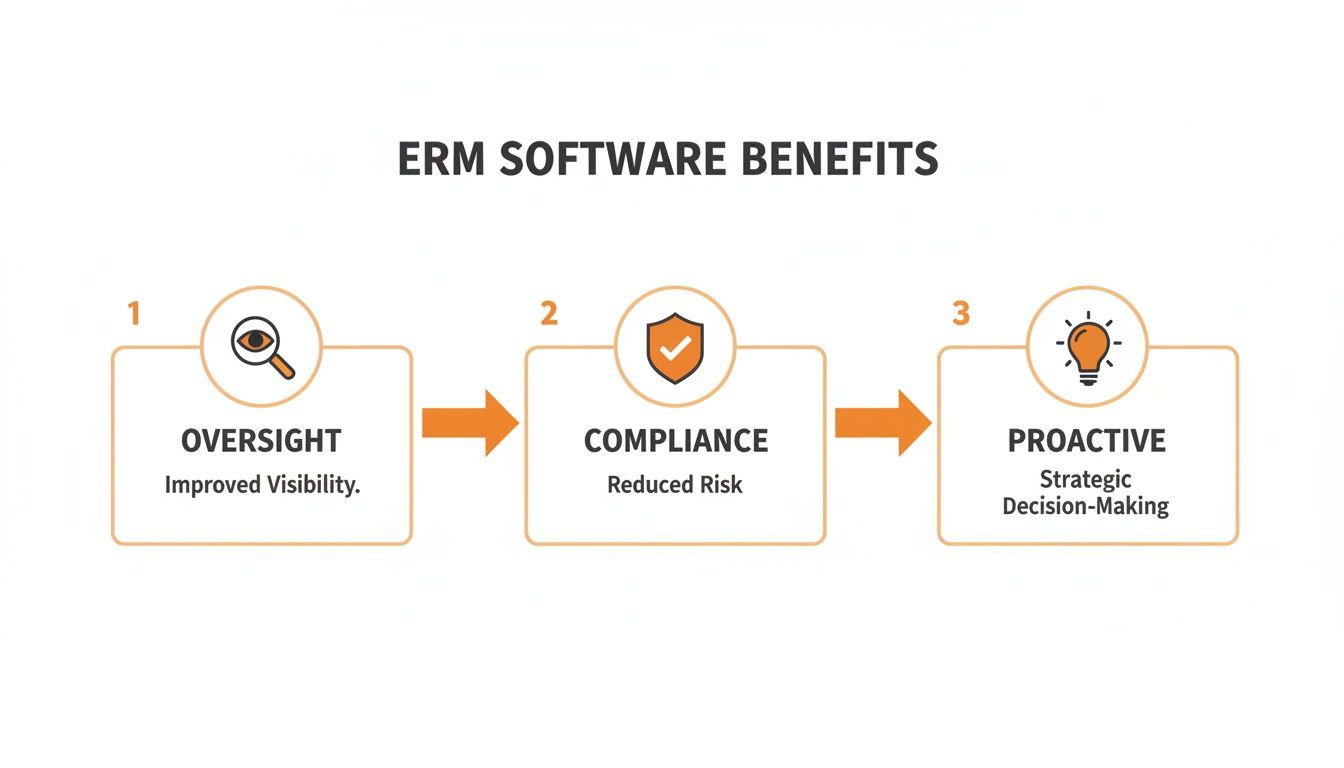
This journey from better oversight to proactive decision-making is only possible when the initial setup is done right.
Start Small with a Phased Rollout
Finally, fight the urge to launch the new software across the entire company all at once. The smartest approach is a phased rollout.
Start with a single department or one construction site. This creates a controlled environment where you can work out any bugs, refine your training, and gather honest feedback from a small group of users before going wide.
This "pilot program" approach lets you prove the value of the ERM software on a small scale. Once you have a success story to share, getting buy-in from the rest of the organisation becomes a whole lot easier, setting you up for a successful company-wide launch.
A Simple Checklist for Choosing the Right ERM Software
Picking the right enterprise risk management software is a huge decision. Get it wrong, and you’re stuck with an expensive system nobody uses, which is just a massive waste of time and money. But get it right, and it becomes the central nervous system for protecting your people and your projects.
The trick is to avoid the common pitfalls, like buying a system that’s overly complex for your team or so generic it doesn’t understand the difference between an office and a construction site. To do that, you need to go into conversations with vendors armed with the right questions.
This checklist is built specifically for operations and H&S managers in construction and manufacturing. Use it to cut through the sales pitch and find a practical partner for your business, a tool that solves your real-world problems, not just one that looks slick in a demo.
To make this even easier, we've organised the key questions into a simple table. It covers everything from making sure the software is a good fit for your industry to checking its on-site usability and the support you'll get after you sign on the dotted line.
ERM Software Buying Checklist
| Question Category | Key Questions to Ask | Why It Matters |
|---|---|---|
| Industry Fit | Is this software actually built for construction/manufacturing? Can you show me examples of other companies in our industry using it? | Generic software doesn't understand your unique risks (e.g., high-risk machinery, subcontractor management). You need a tool that speaks your language. |
| Customisation | Can we digitise our existing safety forms (SWMS, JSAs, inspections) without needing a developer? How easily can we adapt workflows to match our current processes? | The software should adapt to your proven processes, not force you to change them. If you can't use your own forms, adoption will be a constant battle. |
| Field Usability | Can a worker on-site report a hazard or complete a pre-start in under a minute on their phone? How does the mobile app work in low-light or noisy environments? | If it isn't dead simple, your team won't use it. Complexity is the enemy of adoption on a busy site or factory floor. |
| Offline Access | Does the mobile app work fully offline? Can our team complete and save forms in areas with no reception, and will it sync automatically later? | Many sites in Australia have patchy internet. Without reliable offline functionality, data gets lost, and your team gets frustrated. |
| Contractor Management | How does the system handle subcontractor compliance? Can we track their certifications, manage inductions, and collect their safety docs in one place? | Managing a complex web of contractors on paper is an administrative nightmare. The system should centralise this to reduce your risk and admin load. |
| Local Support | Do you have an Australian-based support team? What are your support hours and guaranteed response times? | When something goes wrong, you need fast, local help from people who understand your context, not a call centre in a different time zone. |
| Pricing Transparency | Can you provide a full breakdown of all costs? What about setup fees, per-user licences, data storage limits, and charges for future updates? | Hidden costs can blow your budget. A trustworthy vendor will be completely upfront about the total cost of ownership. |
This isn't just about ticking boxes. It’s about finding a software provider who genuinely understands the operational realities of high-risk industries. A good partner will have clear, confident answers to these questions because they've built their platform to solve these exact problems. If a vendor struggles or gives vague answers, it’s a major red flag that their solution might not be the right fit for your business.
How to Measure ROI and Prove Its Value
Let’s be honest. Justifying any new business investment comes down to one critical question: what’s the return? When it comes to enterprise risk management software, the answer isn't always a single, neat number on a spreadsheet. Proving its value is about looking at both the hard financial savings and the softer, but equally important, operational gains.
To build a solid business case, you need to connect the software's cost directly to how it protects your people, profits, and productivity. This isn't just about dodging bad outcomes; it's about building a more resilient and efficient operation from the ground up.
Calculating the Hard ROI
Hard returns are the tangible, measurable cost savings you can directly link back to the software. These are the numbers that get the CFO’s attention because you’re speaking their language. The logic is simple: preventing just one serious incident can often pay for the software for years to come.
Your calculation should focus on a few key areas:
- Reduced Incident Costs: Tally up the average cost of a workplace incident. Think worker compensation claims, medical bills, equipment repair costs, and production downtime. A 15% reduction in incidents year-over-year translates into a significant, reportable saving.
- Avoiding Regulatory Fines: Non-compliance with Australian WHS regulations can lead to eye-watering fines. Documenting how the software automates your compliance tracking and record-keeping gives you a clear monetary value tied to risk avoidance.
- Lower Insurance Premiums: Many insurers offer better premiums to businesses that can show they have a robust risk management process. Your ERM software provides the perfect, indisputable audit trail to prove it.
By quantifying these direct savings, you shift the conversation from "software is a cost" to "this software is an investment that protects our bottom line." It frames the purchase as a necessary operational tool, not an optional extra.
Uncovering the Soft ROI
Soft returns are less about direct cash savings and more about operational efficiency, better morale, and smarter decision-making. While they’re harder to assign a specific dollar value to, they are critical for showing the software's full impact on the business.
Think about the value of time. If your supervisors currently spend five hours a week drowning in safety paperwork, and the software cuts that down to one, you’ve just reclaimed 200 hours of productive time per supervisor, per year. That's time they can spend back on the floor, managing their teams and stopping problems before they start.
This is where you can find some of the biggest wins for your operations. If you're looking for more details on this, you might find our guide on health and safety software useful.
A Simple Formula for Your Business Case
To pull this all together, you can use a basic formula to build your argument. It doesn't need to be complicated to be effective.
ROI = (Cost Savings + Efficiency Gains) - Software Cost
- Cost Savings: Add up the hard returns. Estimate your potential reductions in incident costs, fines, and insurance premiums.
- Efficiency Gains: Put a value on the soft returns. Calculate the cost of administrative hours saved and the value of faster project turnarounds due to less downtime.
- Software Cost: Factor in the total cost of the software, including subscription fees and any initial setup or training charges.
When you present a clear, logical case that balances hard numbers with practical, real-world operational improvements, the value becomes undeniable. It shows that investing in enterprise risk management software is a smart, forward-thinking decision that delivers returns right across the business.
Got Questions About ERM Software? We’ve Got Answers.
Jumping into enterprise risk management software always brings up a few practical questions. It’s a big decision, so you want to be sure about the setup, the cost, and how it’ll actually work for your crew day-to-day.
Here are some of the most common things we get asked by managers in construction and manufacturing.
How Long Does It Take to Set Up?
Honestly, it’s faster than you might think. For a single site or a specific department, you can often get a basic system up and running in just a few weeks. That’s enough time to get your safety forms, risk matrix, and user permissions configured and ready to go.
A full, company-wide rollout is a bigger job, naturally. That might take a few months, especially if you’re pulling in years of data from old spreadsheets or linking it up with other business systems. The real key is to start small with a focused pilot program. Get some early wins on the board and build from there.
Is This Software Just for Big Companies?
Not anymore. While massive corporations have been using enterprise risk management software for ages, modern systems are now built to be accessible and affordable for small and medium-sized businesses (SMEs). Most of the best providers use flexible, subscription-based pricing that grows with you.
The benefits are just as real for an SME, if not more so. It gives you a proper, structured way to handle compliance and operational risks without needing a whole department of people. The right software puts the same powerful tools in your hands that the big players use to stay safe and efficient.
How Does This Software Handle Data Security?
This is non-negotiable, especially with the sensitive information you’re storing. Any reputable ERM software provider puts security front and centre. You should be looking for platforms that use industry-best practices to lock your data down.
A few things are absolutely critical here:
- Data Encryption: All your information has to be encrypted, both when it’s stored on a server (at rest) and when it’s being sent between devices (in transit).
- Secure Australian Hosting: Your data should be kept in secure, local data centres. This is vital for complying with Australian privacy laws.
- Role-Based Access Controls: You need total control over who sees what. This ensures sensitive details from an incident report, for example, are kept completely confidential and only accessible to those who need to know.
Can It Work Offline?
Yes, and for construction and manufacturing, this is a must-have. We all know what it’s like on-site, especially in regional or remote parts of Australia where internet access can be patchy at best. A good enterprise risk management software platform will always have a mobile app with full offline capability.
It’s simple. Your team can do their inspections, log hazards, and fill out forms on a phone or tablet, even with zero signal. The app just saves everything locally. As soon as they’re back in range of Wi-Fi or a mobile signal, it all syncs up automatically with the main system. No lost data, no excuses.
Ready to see how a practical, user-friendly system can actually transform your risk management? Safety Space offers a fully customisable platform designed for the real-world demands of your industry. Book a free demo and see how you can simplify compliance and protect your operations.
Ready to Transform Your Safety Management?
Discover how Safety Space can help you implement the strategies discussed in this article.
Explore Safety Space FeaturesRelated Topics
Safety Space Features
Explore all the AI-powered features that make Safety Space the complete workplace safety solution.
Articles & Resources
Explore our complete collection of workplace safety articles, tools, and resources.