
The crew's ready, the plant's isolated, and the supervisor's still waiting for a permit that's sitting in an email thread or a site folder. That gap is where most permit systems fail. The best permit to work software isn't judged by template counts or form design. It's judged by whether a permit stays tied to the SWMS, the named workers, the consultation record and the close-out, from issue to handover to suspension and back again. Anything less is a digital copy of a paper form with the same gaps, plus a login.
Table of Contents
- What Permit to Work Software Must Prove
- How Buyers Should Test a Permit System
- Permit Controls That Separate Useful Systems
- Running Permits in One WHS System
- Matching Permit Software to Your Operation
- Going Live Without Paper Workarounds
- Checklist Before You Choose Permit Software
What Permit to Work Software Must Prove
A residential crew needs to enter a pit. An industrial crew needs to open a tank. In both cases, the permit has to prove specific things before work starts, and different things after work finishes. Confined space entry is the clearest Australian test because the model code leaves little room for interpretation.
The Confined Space Test
A PCBU must not allow or direct a worker to enter a confined space unless a competent person has issued a permit for that occasion. The permit must identify the space, record the names of authorised entrants and the period of work, describe controls from the risk assessment, and carry a completion acknowledgement confirming the work's finished and everyone has left. Those requirements are set out in Safe Work Australia's model code of practice for confined spaces.
That shape matters for software selection. A system that stores a generic approval form doesn't meet it. The record needs named worker authorisation, a defined validity period, control verification and a formal close-out step, all on one permit instance.
Practical rule: If yesterday's permit can be copied forward without rechecking today's crew, conditions and controls, the system is archiving forms, not controlling work.
Why a Copied Permit Fails
Scope changes. A different entrant arrives, the atmosphere test is older, the isolation point moves, rain changes access. A copied permit still names the old crew and the old period, so it can't prove who was authorised for this entry, on this occasion, under these controls. An auditor reconstructing the job later finds a signature, not a decision trail.
Useful software forces the questions a competent person has to answer anyway:
- Which space, which task: The permit identifies the particular location and work, not the whole site.
- Who may enter: Entrants are named, not covered by a gang or company name.
- When it expires: Start and end times are explicit, so an expired permit can't run into the next shift.
- How it ends: Close-out records that work is complete and all entrants have exited.
Jurisdiction changes the labels, not the logic. New Zealand operations work under the Health and Safety at Work Act 2015 and WorkSafe NZ expectations rather than PCBU duties under the WHS Act. US operations map the same workflow to OSHA employer duties. In each case, the permit still has to connect a specific job, specific people, current controls and a verified finish. Software that can't hold that chain together shouldn't get to the pricing conversation.
How Buyers Should Test a Permit System
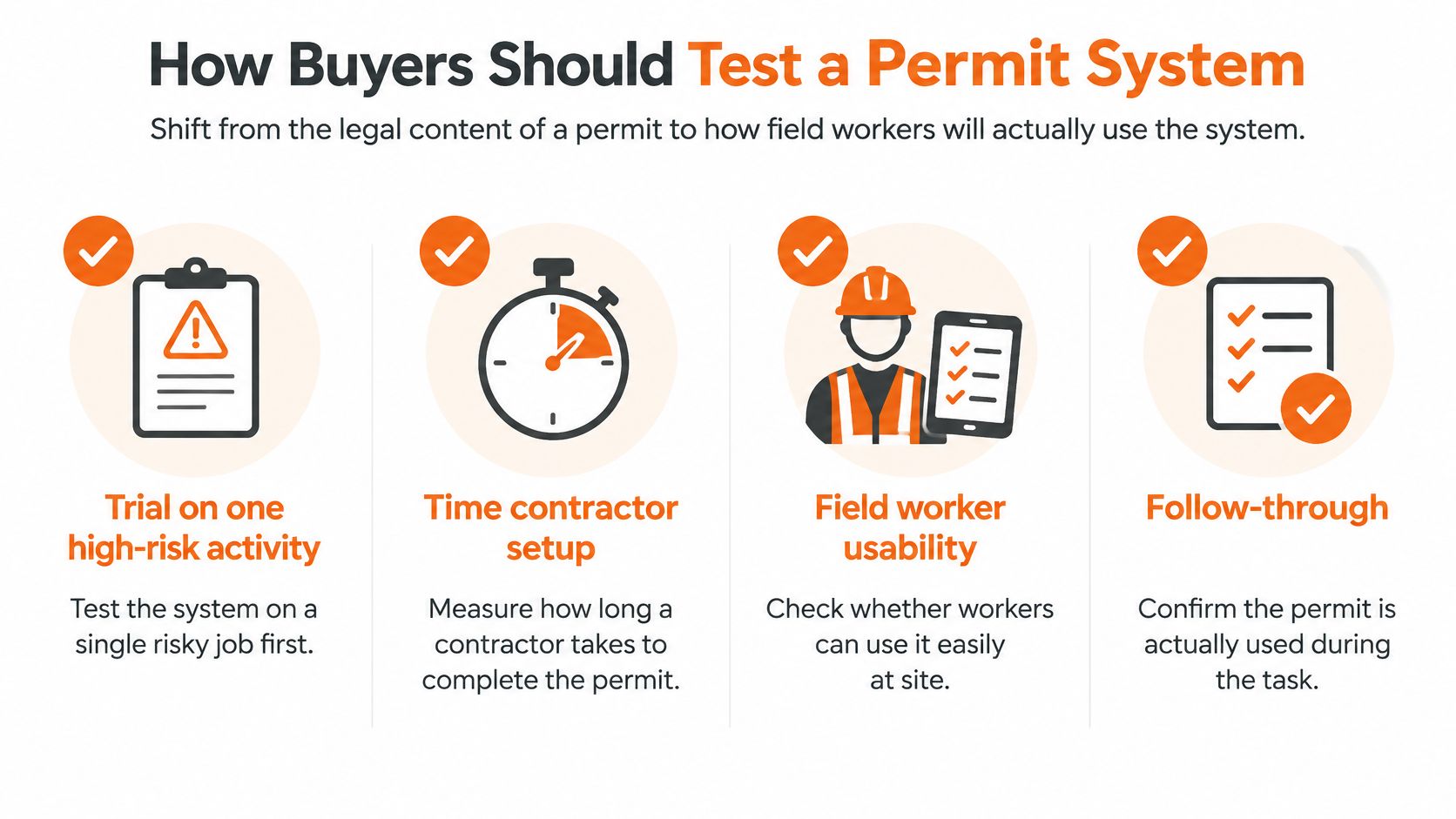
A permit system doesn't fail in the demo. It fails at 6.40am when a contractor can't find the current permit, can't read the controls on a phone screen, and starts work on a verbal OK while someone fixes the login. Buyers should test for that morning, not for administrator features.
Australian evidence explains why. Research summarised by the Australian Institute of Health and Safety found only 41% of frontline workers found their safety software easy to understand, falling to 30% in larger organisations, and 23% of Australian businesses still used paper for critical safety tasks, as reported in the AIHS summary of digital safety system usability research. Low usability doesn't produce complaints. It produces paper workarounds that run alongside the paid system indefinitely.
A One-Week Field Trial
Pick one high-risk activity and run real permits through it. Hand the device to the contractor supervisor, not the H&S manager who configured the form. Then measure outcomes, not impressions.
- Time to sign on: Clock how long a worker takes to open the current permit, read the controls in plain language and sign on. Long load times or buried controls fail the test.
- Approval visibility: Confirm a supervisor can see who authorised the work, under what role, and when. Role-based approval and immutable timestamps should be visible without opening an admin screen.
- Status clarity: Suspend the permit mid-task, then close it. Active, suspended and closed states must read differently at a glance, with no ambiguity about whether work may proceed.
- Offline behaviour: Create and approve a permit with connectivity off. Reconnect and check what syncs, what conflicts and what wins.
- Error recovery: Abandon a half-finished permit and return to it. Forcing a restart from zero guarantees shortcuts under time pressure.
Who Must Be in the Trial
Contractors and frontline workers are the test, not an afterthought. Managers value unified systems, but the crew decides whether the system gets used or bypassed. A structured check against a permit to work audit checklist helps keep the trial focused on evidence rather than vendor claims.
Automatic reminders for expiring permits matter too, but only if the basics pass. A system that reminds people about a permit they couldn't complete in the first place fixes nothing. Pass or fail the field trial first. Discuss modules and price after.
Permit Controls That Separate Useful Systems
Most vendor lists look identical. Confined space, hot work, isolation, excavation, work at height. The template list isn't the difference. The difference is what the permit connects to once it's issued, and whether head office can see open permits across sites and subcontractors without ringing around.
Australian contractors keep naming the same friction. In an ACA Research survey of 167 Australian construction contractors, 74% cited keeping up with changing safety regulations as a compliance barrier, 73% struggled to capture required data consistently and 71% found reporting complex, as reported in Sourceable's coverage of the ACA Research survey. 60% said safety data has limited value unless consolidated on one platform. A permit sitting in a separate app, disconnected from the SWMS and the corrective actions, reproduces exactly that problem.
Standalone Form Versus Linked Record
A standalone digital form captures a signature. A linked permit holds the risk assessment, the approval history, worker sign-on, any corrective actions raised during the job, and a searchable trail through issue, handover, suspension and close-out. When something goes wrong at handover between shifts, the second record answers questions. The first one starts an argument.
| Control | What to test | Paper workaround it should remove |
|---|---|---|
| Linked SWMS or JSA | Open the current risk assessment from the live permit | SWMS in the ute, permit in the office |
| Approval history | Reconstruct who authorised, suspended and closed the job | Chasing signatures across email threads |
| Worker sign-on | Add and remove named workers during the shift | Attendance sheet detached from the permit |
| Isolation steps | Verify each isolation point against the permit before entry | Verbal confirmation with no record |
| Corrective actions | Raise an action from the permit and track it to closure | Notebook actions nobody follows up |
| Exportable trail | Produce the full record for an auditor in minutes | Rebuilding the file from three folders |
Isolation deserves specific attention on electrical work. Practical guidance on how to manage overloaded circuits in workplaces is a useful reminder that the hazard doesn't pause while paperwork catches up. The permit should show the isolation state, not assume it.
Multi-Site and Subcontractor Control
Records fragment fastest across projects. Head office needs one view of which permits are open where, and contractor documents shouldn't sit in a separate inbox away from the job record. Integrations and APIs matter for one reason only, stopping re-keying between systems.
Pricing rarely settles the comparison early. Many platforms don't publish a price because cost depends on sites, users and modules. Buyers comparing quotes before testing the controls in the table usually end up paying twice, once for the software and again in supervisor time working around it.
Running Permits in One WHS System
A crew is ready to start, but the permit issuer finds the SWMS in one system, worker sign-on in another and contractor documents in an inbox. The risk is not a shortage of templates. It is losing the link between the approved work, the named crew and the record of close-out.
Safety Space is cloud WHS software for Australia, New Zealand and the United States. Its permit approvals sit alongside SWMS and JSAs, worker sign-on, hazard and chemical registers with SDS files, inspections and corrective actions. That setup lets the issuer check related records from the permit workflow. The field test is whether those records stay connected as work changes, not merely whether they can be stored in the same system.
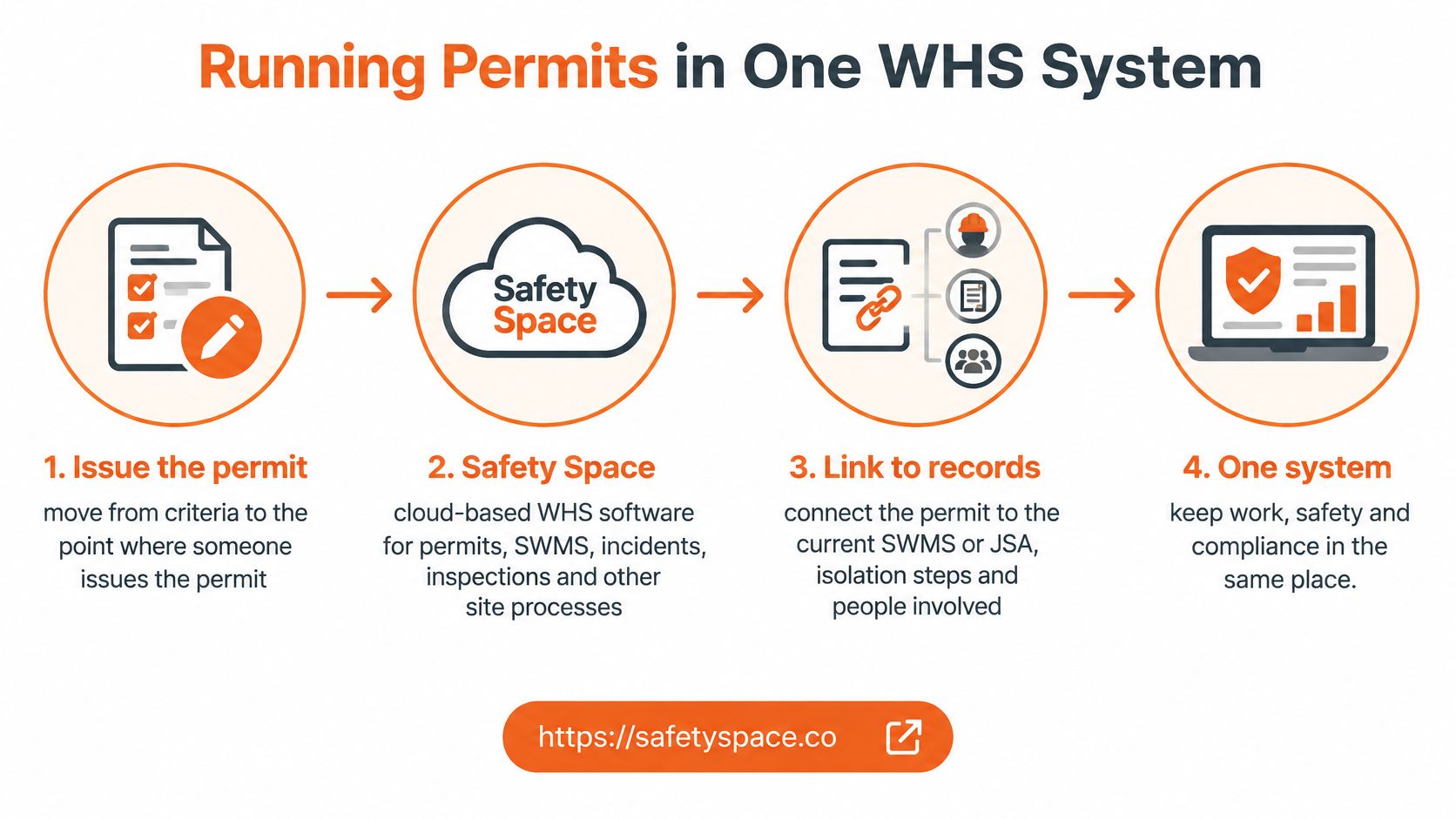
How the Pieces Fit at Issue Point
Office staff use a browser; field workers can use iOS and Android apps offline. Test offline use at the actual work location: check that workers can access the current permit, record sign-on and sync changes once connected. Records can be organised by site or project, with dashboards and a map view for managers overseeing open work.
Contractor management holds insurance and other documents and can send expiry reminders. Before authorisation, the issuer still needs to confirm that the relevant documents are current and apply to the contractor doing the work.
- Permits and approvals: Keep approval records with the risk documents they depend on.
- SWMS sign-on: Record which named workers have signed on to the relevant SWMS or JSA.
- Chemical register: Keep SDS files accessible alongside work involving those substances.
- Corrective actions: Link actions raised during permitted work to the site record and track them through closure.
AI, With a Named Reviewer
The platform can draft SWMS, toolbox talks and inspection forms, extract details from an uploaded SDS, and populate an incident report from a written description. A competent person must review generated material against the actual hazards, controls and crew before it is accepted. Treating a draft as evidence of approval leaves a gap in the permit record.
Pricing depends on sites, users and modules, with a monthly contract that can be cancelled. Vendor-led setup and support are included. Safety Space Go is free for up to 3 users, or A$19 per user per month with a 12-user minimum. Confirm which plan covers the permit controls your operation needs, then test the workflow with a real permit, from issue through worker sign-on to close-out.
Matching Permit Software to Your Operation
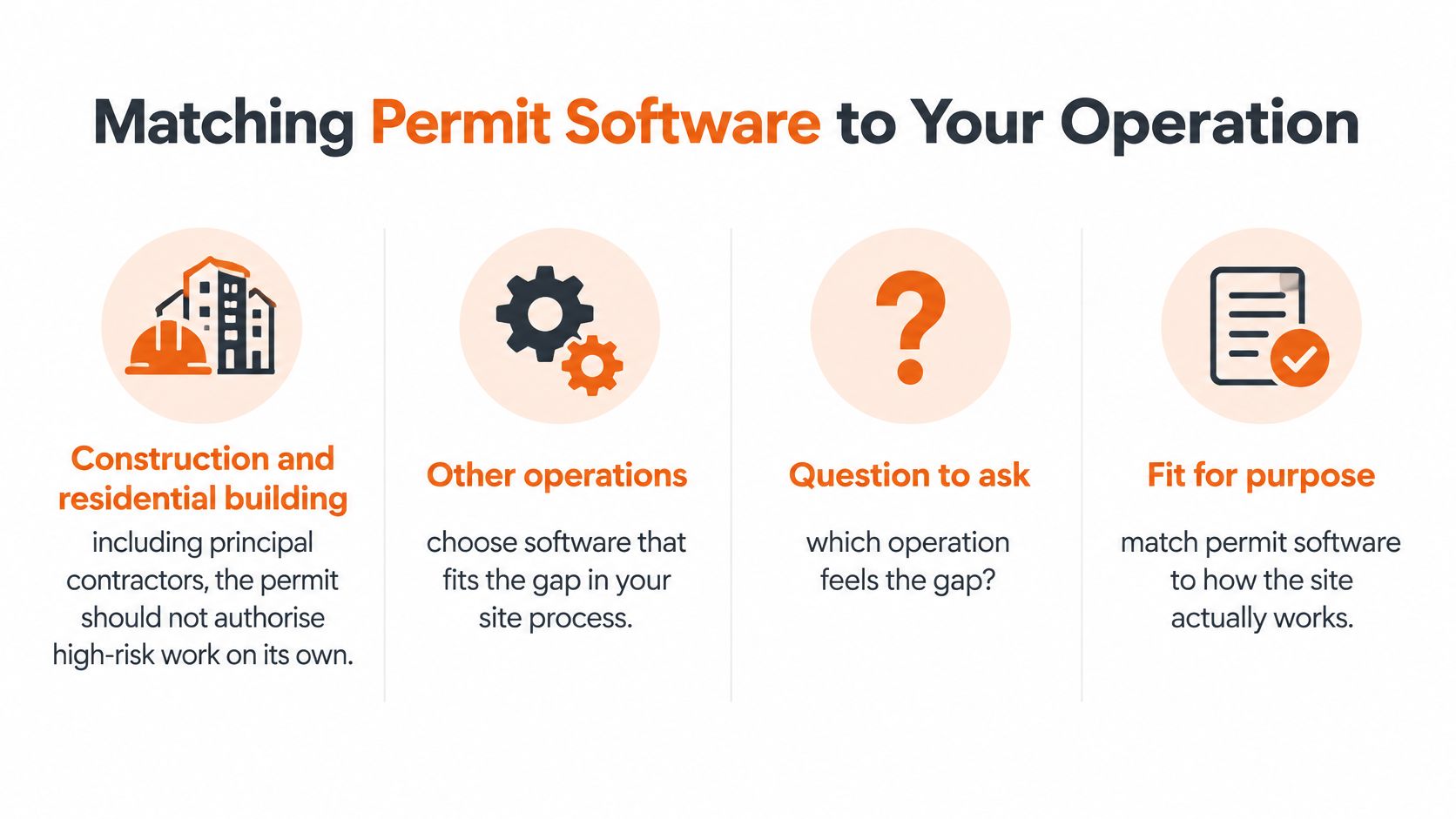
The same software behaves differently on a housing estate, a fixed plant and a cleaning run across twelve small sites. Buyers get better results matching controls to the operation that feels the gap than chasing a single winner for every industry.
Construction and Residential Building
High-risk construction work covers 18 activities in the WHS Regulations that require a SWMS, and a principal contractor must obtain the SWMS before that work starts on a construction project, as set out in Safe Work Australia's SWMS information sheet. Permit software on a construction site should therefore refuse to authorise work where the required SWMS hasn't been prepared or supplied.
Consultation is part of the same test. South Australia's regulator states a SWMS must be prepared before work starts, developed in consultation with relevant workers and health and safety representatives, and reviewed when work changes or controls prove ineffective, per SafeWork SA guidance on safe work method statements. So the software question isn't whether a SWMS can be attached. It's whether a change in scope, crew, plant, location or conditions forces a fresh review and records who authorised the change.
Licensing adds a jurisdictional layer. High-risk work licensing is administered by state and territory regulators, so a national builder needs site-specific competency records attached to each permit rather than held centrally and assumed current. Guidance on comparing contractor management software in Australia is relevant here because the permit is only as good as the contractor documents behind it.
Manufacturing, Waste and Fixed Plant
Fixed sites run repeat permits on the same plant. The pressure points differ. Isolation handovers between shifts, repeat confined space entries on known vessels, and a chemical register with current SDS files sitting next to the permit matter more than project setup. The failure mode is complacency. A permit copied from last month's identical job skips the check that this entry, with this crew, is still controlled.
Cleaning, Facilities and Smaller Service Businesses
Multi-site service work needs less, switched on properly. Simple contractor and visitor induction, QR site sign-in and a small set of permit types beat a heavy project configuration that site supervisors won't maintain. Businesses scoping external help for industrial sites sometimes need to find warehouse cleaning services that can work within a permit regime rather than around it. Either way, the incoming crew still needs induction records and named sign-on before high-risk tasks start.
A permit that can't see the SWMS, the licence and the induction record isn't controlling the job. It's recording that a job happened.
Going Live Without Paper Workarounds
Selection and implementation are different jobs. Software that passed a trial can still fail at go-live if the rollout loads every permit type, every site and every historical form at once. Crews respond to that kind of launch by keeping a notebook.
A Narrow First Rollout
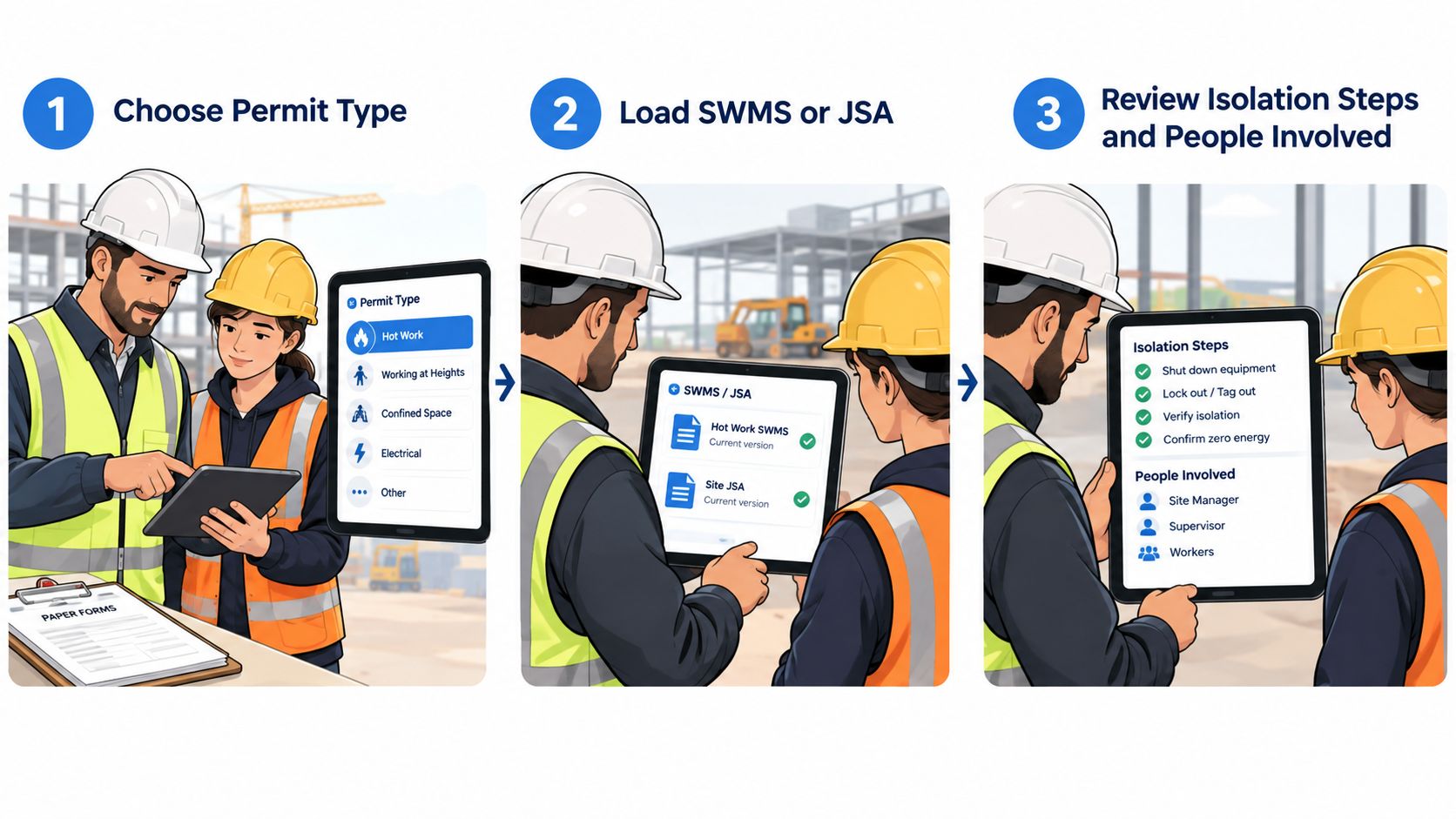
Start with one permit type on one site. Load the current SWMS or JSA, the isolation steps and the people authorised to approve. Run live permits with the actual crew, including a subcontract supervisor, because subcontractors surface access and sign-on problems that internal staff work around.
Offline Rules Agreed in Advance
Offline work needs decisions made before the network drops, not during a job.
- Creation and approval offline: Confirm a permit can be raised, approved and signed onto with no coverage.
- Sync conflicts: Decide which version wins when two devices edit the same permit. Two current versions of one permit is worse than paper.
- Fallback procedure: Document what happens if the app and the network both fail, so the site follows an agreed process instead of inventing one.
- Status on reconnect: Verify that suspended permits don't reappear as active after sync.
Reading on the practical benefits of workflow automation helps frame which steps automation should handle, such as reminders and status changes, and which steps must stay human.
AI Governance at the Workface
Australian parliamentary research on workplace digital transformation identified gaps in regulatory frameworks and workplace protections, and recommended stronger workforce capability, transparency, accountability and procedural fairness for AI and automated decision-making, as summarised in VOCEDplus Highlights from May 2025. Translated to permits, that means clear rules.
AI may draft wording. It must not change hazards, isolations or the authorised crew without disclosure. A named competent person reviews the output, version history shows what changed, and workers need a genuine way to challenge a wrong control before signing on. A worker who can't question a generated control will stop reading controls. At that point the permit protects the file, not the crew.
Checklist Before You Choose Permit Software
Run one real job through each shortlisted system. A confined space entry makes a useful test because the permit requirements are specific. Use the actual SWMS, crew and site conditions, not sample data. The test should show whether the permit stays connected to the current assessment, named workers, consultation and close-out.
For confined space work, Safe Work Australia's model code requires a new permit for each occasion. It must identify the space, entrants and work period, record controls, and confirm everyone has exited. Use those requirements to assess the system.
The Pilot Checklist
- A new permit for each occasion: The system creates a unique permit instance and requires entry conditions to be checked again.
- A complete record: The space or task, named workers, validity period and controls from the current assessment are recorded together.
- A verified close-out: The process confirms the work is finished and every entrant has left.
- A SWMS gate: The permit cannot be issued until the required SWMS is attached and obtained by the relevant workers.
- A change trigger: Changes to the crew, plant, location or conditions send the permit back for review and reauthorisation.
- Frontline usability: A worker can complete sign-on without help, including offline, and can distinguish active, suspended and closed permits.
- Contractor visibility: Insurance and competency documents are accessible from the same job record.
- An audit-ready export: The approval history can be followed without vendor assistance.
Commercials Last
Compare price after the system passes the operational checks. Confirm what setup and support include, how fees change with sites and users, and whether the contract allows monthly cancellation. Set aside pricing claims about other vendors that cannot be verified.
End the pilot with a clear decision and a short list of gaps. Ask the vendor to address those gaps in the product, not in a spreadsheet workaround. If a required control depends on a workaround before purchase, it is likely to remain a weakness after rollout.
Safety Space keeps permits to work in the same system as SWMS sign-on, contractor documents, chemical registers and corrective actions. Its iOS and Android apps support field crews offline, with records organised by site. Pricing is monthly and based on sites, users and modules; the team handles setup and support. Visit Safety Space to see how a real permit runs from issue to close-out.
Ready to Transform Your Safety Management?
Discover how Safety Space can help you implement the strategies discussed in this article.
Explore Safety Space FeaturesRelated Topics
Safety Space Features
Explore all the AI-powered features that make Safety Space the complete workplace safety solution.
Articles & Resources
Explore our complete collection of workplace safety articles, tools, and resources.