
Document control in construction is the governed process of creating, approving, issuing and withdrawing project and WHS documents so workers use only the current, authorised version. Moving PDFs into a shared cloud folder doesn't achieve that by itself.
The useful test isn't whether a document exists online. It's whether a supervisor can identify the approved instruction for the work, retrieve it where the work happens and recognise when it no longer applies. A tidy office filing system can still fail that test.
Table of Contents
- The Difference Between Storage and Actual Control
- Records That Require Strict Version Management
- Building a Compliant Approval Workflow
- Managing Safe Work Method Statements at the Workface
- Overcoming the Offline Access Failure Mode
- Auditing Your Current Document Control System
The Difference Between Storage and Actual Control
A shared folder answers a storage question: where is the file? Document control answers operational questions: who approved it, which work does it cover, when did it take effect and what happened to the previous revision?
The technical objective is configuration integrity. Drawings, specifications and work instructions need to remain aligned with the approved scope and actual work. AS ISO 22263:2021 provides an Australian framework for organising construction project information, covering process-related and product-related information rather than treating every file as an isolated attachment.
The difference shows up at the point of use
Consider a revised penetration drawing. The designer has issued a change, but the subcontractor's foreperson still has the earlier PDF saved on a tablet. The office register may be correct while the crew's working information is wrong.
The same failure can affect a SWMS or plant procedure. Approval alone doesn't establish control if workers can still select an obsolete instruction without recognising it.
| Storage-focused approach | Controlled approach |
|---|---|
| Files are available in folders | Documents have an identifiable approval and issue status |
| Users choose the newest-looking filename | The authorised revision is clearly designated |
| Old files remain beside new files | Superseded material is separated from active instructions |
| Emails explain what changed | Distribution and change records remain retrievable |
A folder-based arrangement can support a small project if someone maintains the register, permissions and distribution rules. Dedicated software can handle more of that administration, but it won't fix unclear responsibilities or uncontrolled exports.
Practical rule: A document isn't controlled merely because someone can find it. Its authority and applicability must also be clear.
Control needs an owner
A practical system assigns responsibility for the document's content, approval and issue. These responsibilities may sit with different people. A document controller shouldn't have to decide whether an engineering change is technically acceptable.
The answer to what is document control in construction therefore goes beyond filing. It is the operating discipline that connects authorised information with the people making decisions on site.
That distinction matters for small businesses without a dedicated document controller. The responsibility can sit within an existing role, but it still needs an owner. Leaving it to whoever last touched the folder creates an administrative gap exactly where site teams need certainty.
Records That Require Strict Version Management
Not every project file needs the same treatment. A draft meeting agenda doesn't carry the same consequences as an issued structural drawing, an energisation procedure or a permit authorising work.
The useful distinction is between instructions that govern work and records that prove what occurred. Instructions need controlled revision and withdrawal. Completed records need protection against untraceable alteration, together with reliable retrieval and retention.
Separate active instructions from completed evidence
Design drawings, specifications, engineering change requests, SWMS, safe work procedures and inspection and test plans belong in the active-control group. Their status affects what workers build, inspect or do next.
Completed inspection results, incident reports, training evidence and toolbox-talk records serve a different purpose. Teams should preserve the original evidence and record subsequent corrections transparently, rather than replacing the file without notice.
NSW construction WHS management guidance includes management plans, SWMS, permits, plant records, Safety Data Sheets, training records, inspections and audit reports within document and records controls. For Transport for NSW projects, it specifies general WHS record retention of at least 5 years after construction completion, with health-monitoring records retained for 30 years from creation.
Construction Record Retention Requirements
| Record Type | Minimum Retention Period | Governing Context |
|---|---|---|
| General project WHS records | At least 5 years after construction completion, under the NSW guidance linked above | Transport for NSW project requirements |
| Health-monitoring records | 30 years from the date made, under the same NSW guidance | Transport for NSW project requirements |
| Respirable crystalline silica exposure-related records | 30 years, under Queensland silica-processing guidance | Relevant Queensland crystalline silica processing requirements |
| Drawings, specifications and commercial records | Confirm the applicable contract and legal requirements | No universal period should be assumed |
The Queensland guidance also requires relevant exposure information to be available to affected workers. That makes long-term searchability important, not just long-term storage.
Set retention by record class
A project-closeout rule that deletes everything together is a poor fit for these different obligations. A retention schedule should identify the record category, applicable requirement, retention trigger, responsible person and authorised disposal process.
- Keep related evidence connected. Plant records should remain associated with the relevant equipment, not only the project folder.
- Restrict sensitive information. Health records need different access arrangements from general site instructions.
- Check before disposal. Unresolved incidents, disputes or enquiries should prompt review before records are deleted.
These distinctions also suit manufacturing, cleaning, facilities and waste operations. The documents differ, but active instructions and historical evidence still need different controls.
Building a Compliant Approval Workflow
A filename containing a date and the word “final” isn't an approval workflow. Teams need explicit decision gates between drafting, technical review, authorisation and issue.
South Australia's construction master specifications require a project-specific Information Management System Plan covering matters such as transmission, operating protocols, registers, security, access and naming conventions. They also require controlled-document amendments to be submitted before implementation, with submissions creating contractual hold points where specified.
Establish the decision gates
The workflow should make it difficult to mistake a submission for permission to proceed.
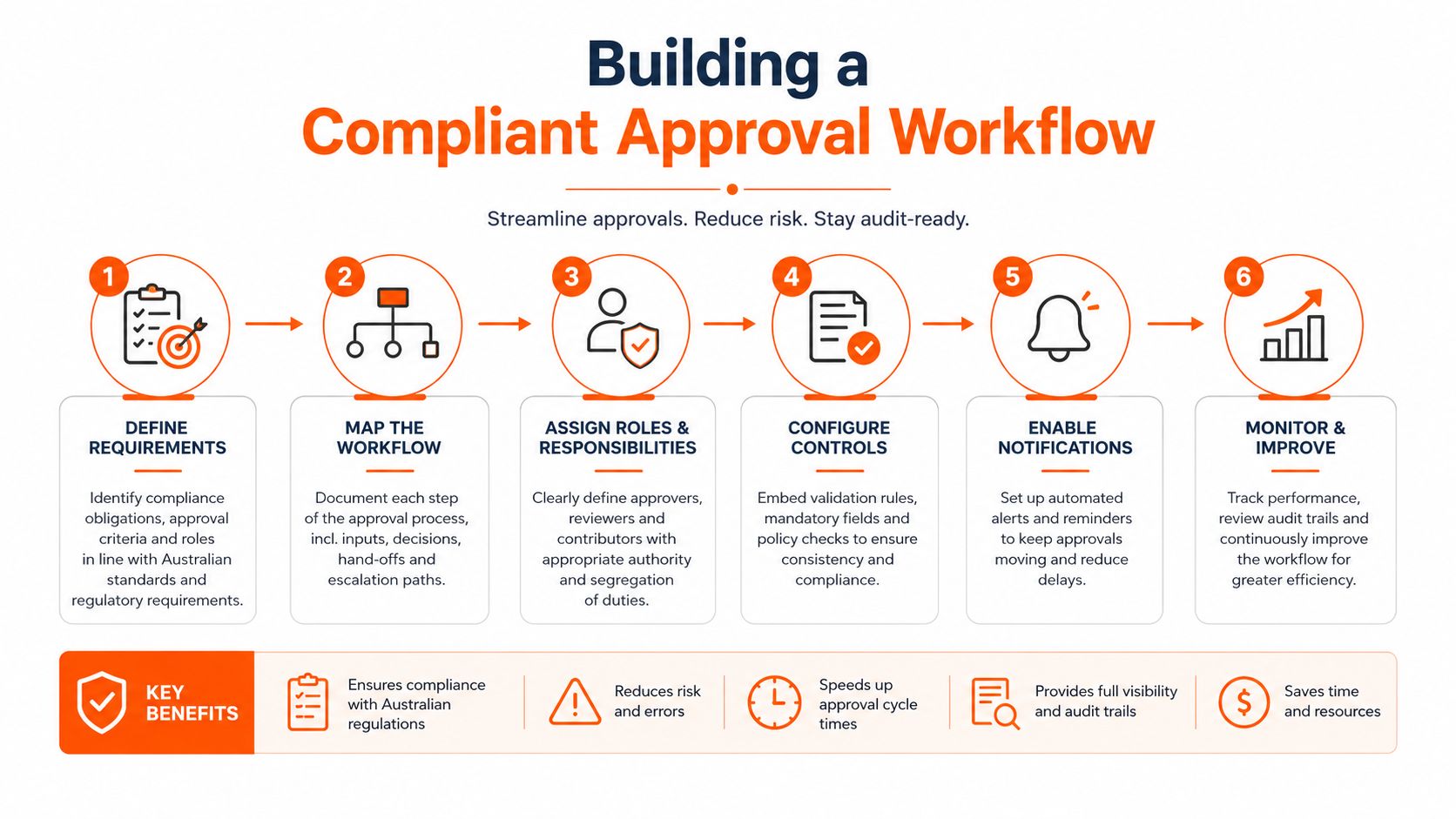
- Identify and classify. Allocate the document identifier, project, owner, document type and relevant activity.
- Draft with a change description. Record what changed and why. A reviewer shouldn't need to compare entire files to locate the amendment.
- Route for competent review. Technical suitability and WHS implications may require different reviewers.
- Record authorisation. Capture the approver, decision, approved revision and effective date. Rejected submissions stay outside the issued set.
- Issue through the agreed channel. Record recipients and preserve the transmittal. Filing the approval email separately from the document weakens retrieval.
- Supersede and retain. Archive the previous revision, update the active register and address copies already distributed.
Match software to the workflow
A controlled repository can automate status changes and supersession, but teams still need to configure the rules. In particular, “uploaded”, “reviewed” and “approved for use” must remain separate states.
Safety Space is one option for managing document control and SOPs alongside site or project records, using browser access and mobile apps that work offline. Product selection should include a demonstration of the full approval-to-field sequence, not just a demonstration of uploading a PDF.
For organisations handling US contract documentation, Drawra on AIA change orders provides additional context for AIA change-order processes. Australian teams should keep that contract-specific material separate from their local WHS approval requirements.
The trade-off is administrative effort versus decision risk. Excessive approval layers can encourage workarounds, while unchecked self-approval removes useful scrutiny. Review pathways should reflect the document's consequences and the authority required to approve it.
An urgent change still needs a defined route. Teams should specify who can authorise it, how workers receive it and how the temporary arrangement enters the permanent record.
Managing Safe Work Method Statements at the Workface
A generic procedure cannot stand in for a task-relevant SWMS. The document needs to describe the high risk construction work, the associated hazards and the controls to be implemented.
Safe Work Australia's guidance on elevating work platforms reinforces that connection between high risk activities, hazards and control measures. For document control, the practical response is to associate each SWMS with the relevant site, activity, contractor and work method.
Availability means availability to the people doing the work
Under the model Code of Practice for construction work, a SWMS must be readily accessible to people carrying out the relevant high risk construction work and to inspectors. It must remain available until that work finishes, and a connected notifiable incident extends retention to at least two years from the incident date.
Electronic storage is permitted where the SWMS can be accessed quickly. If it isn't held at the workplace, it must be kept somewhere from which it can be delivered promptly.
A SWMS stored in the office is not evidence that the crew could retrieve and use it at the workface.
A supervisor's pre-start check should therefore go beyond confirming that a subcontractor submitted paperwork. It should establish that the document describes the planned work and that the people carrying it out can access the applicable version.
- Check the work method. The selected plant, sequence and work area should match the document.
- Confirm the controls. Required exclusion zones, permits and other arrangements should be achievable under actual conditions.
- Verify worker access. A link that opens only for office administrators is not a workable field-access arrangement.
- Keep acknowledgement meaningful. Worker sign-on should relate to the applicable document, not an unidentified attachment.
Changes require a deliberate response
A different item of plant, changed access route or altered environment can make the existing method unsuitable. The recommended response is to pause the affected activity, assess the change and revise and re-communicate the SWMS where necessary.
The revision record should explain the reason for the change. Previous versions should remain available as historical evidence rather than being overwritten.
The practical guidance on SWMS for construction can support that task-specific review. It should sit alongside the project's actual risk assessment, not replace it.
For New Zealand operations, document arrangements need to be checked against the Health and Safety at Work Act 2015 and WorkSafe NZ guidance. Australian SWMS terminology and retention rules should not be copied into a New Zealand site-specific safety plan without checking their applicability.
Overcoming the Offline Access Failure Mode
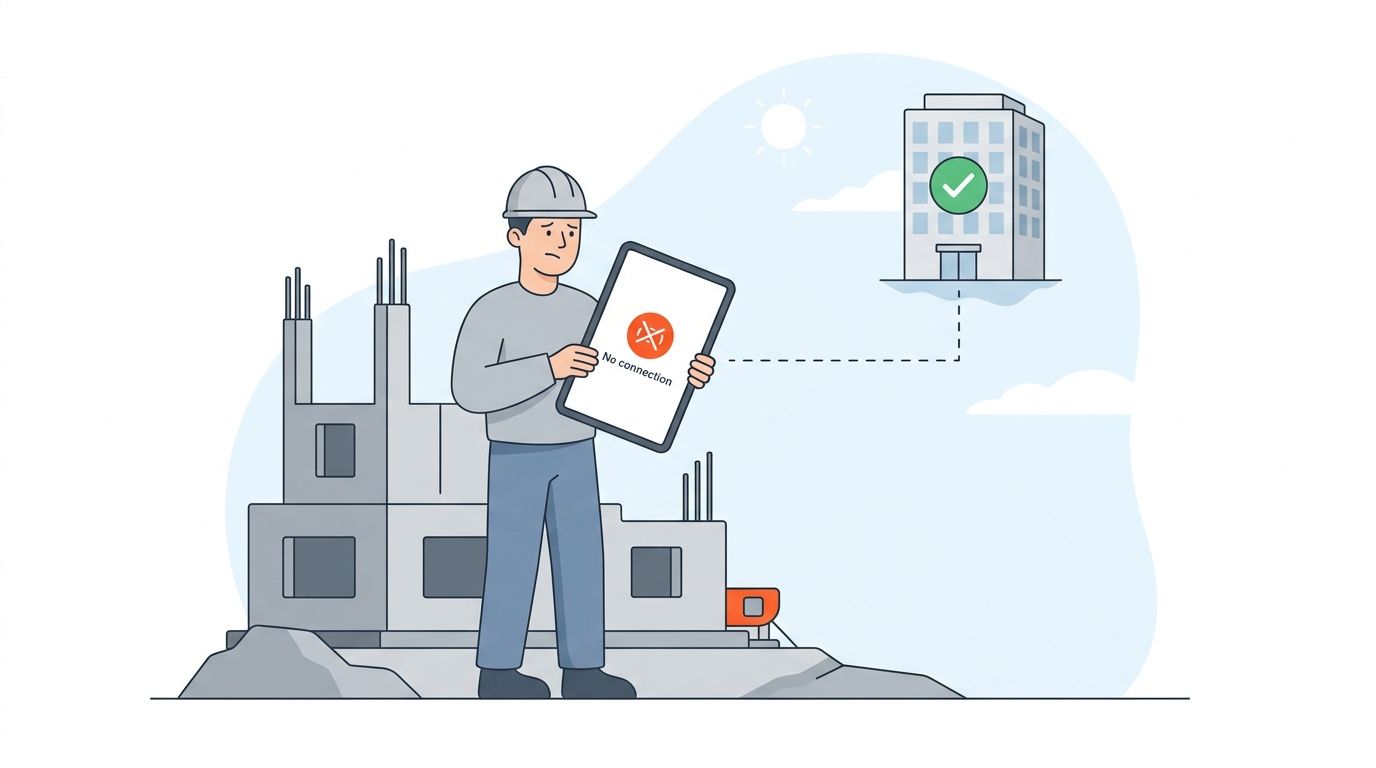
A cloud-only system has a clear weakness: it depends on a working connection at the moment information is needed. A basement plant room, remote work area or interrupted mobile service can expose that weakness even when the office system is functioning normally.
Offline access is a controlled-copy problem, not just a download feature. The system must distinguish a previously approved local copy from a copy that remains suitable for the next task.
Compare the field arrangements
| Arrangement | Useful capability | Failure to manage |
|---|---|---|
| Live cloud folder | Access to centrally stored files while connected | No retrieval when the connection fails |
| Manually downloaded PDFs | Local reading without internet | Unclear update status and uncontrolled duplication |
| Managed offline access | Local documents with later synchronisation | Requires visible sync status and a change-response procedure |
| Controlled paper issue | Readable without a device or signal | Manual replacement and withdrawal of issued copies |
Paper isn't automatically the wrong answer. For an isolated activity, a deliberately issued paper pack may be more dependable than an untested digital arrangement. The burden falls on the issuer to track and replace it.
Main Roads WA's contract record-keeping code calls for an agreed filing plan and index, titling conventions, tracking and sharing arrangements, access controls, electronic security, business continuity and disaster recovery. Those expectations support a broader test than whether a folder opens during an office demonstration.
Design the disconnected-work procedure
Before mobilisation, the recommended workflow is to provision the subcontractor's access and verify the relevant work pack on the actual device. Permissions should expose the material needed for the assignment without opening unrelated confidential records.
The disconnected-work procedure should address:
- Last successful synchronisation. Workers need a visible indication of when the device last checked for updates.
- Changes during disconnection. A nominated person needs a way to communicate safety-critical changes outside the application.
- Uncertain status. A supervisor should withhold the affected task where the applicable instruction cannot be confirmed.
- Reconnection. The system should reconcile queued records and replace superseded local material without concealing conflicts.
Field test: Successful offline access means more than opening yesterday's PDF. It includes knowing when that copy can no longer be relied on.
The mobile field-access option is relevant to this assessment. Any proposed arrangement should be tested in flight mode, with the intended user permissions, before the site depends on it.
Auditing Your Current Document Control System
A useful document-control audit follows a real work activity. It doesn't stop at checking whether a procedure exists.
WorkSafe Western Australia recommends unique identifying numbers for controlled documents and says organisations should ensure only current documentation is available to workers. That provides a direct basis for testing the gap between the register and the workface.
Follow the evidence from approval to use
Select an active task and ask the supervisor to retrieve the instruction being used. Then trace that document back through its approval, distribution and revision history.
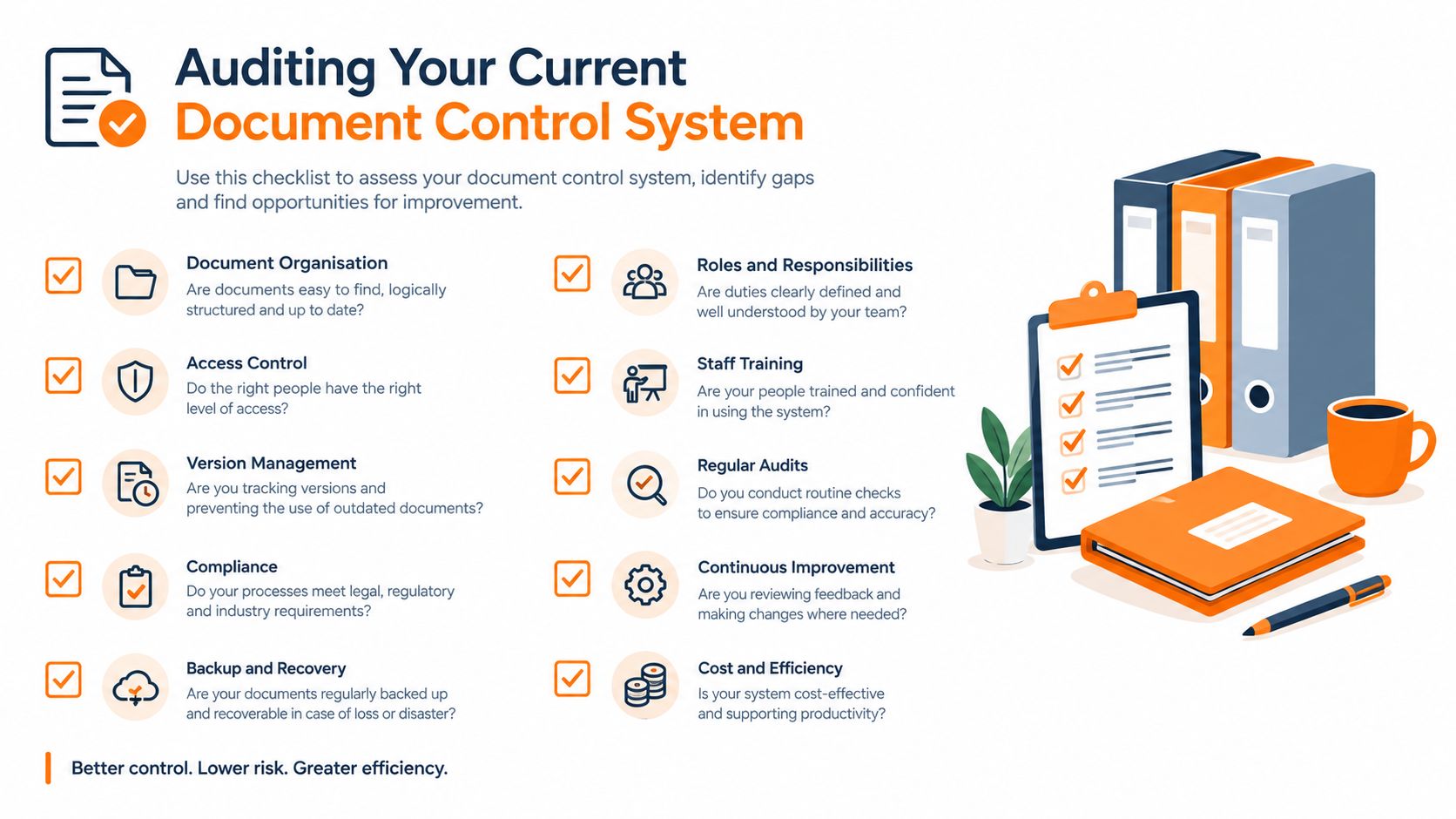
- Check identity and scope. The register entry and field copy should refer to the same document, revision and activity.
- Challenge obsolete-copy withdrawal. Inspect downloaded files, printed packs, shared folders and attachments. Confirm that historical copies cannot be mistaken for working instructions.
- Test ordinary permissions. Use a worker or subcontractor account rather than an administrator's login.
- Simulate disconnection. Repeat retrieval without connectivity and examine what the device says about document status.
- Request an evidence export. Ask for the approval, issue history, relevant acknowledgements and associated inspection records. Assess whether the package is understandable without its usual administrator.
- Inspect retention settings. Confirm that long-term health and exposure records aren't subject to routine project-folder deletion.
- Check recovery arrangements. Identify who can restore records after a device loss, account problem or system interruption.
Turn findings into assigned corrections
A mock regulator request is particularly useful. The audit should assess whether the business can reconstruct which instruction applied at the time of work, not merely produce the latest revision.
An audit trail can support that reconstruction, but event logs need context. A file-opening event doesn't establish understanding, and an approval entry doesn't establish that the approved method was followed.
Each finding should name the failed control, its operational consequence, the person responsible and the evidence needed for closure. “Retrain staff” is too vague if the actual problem is that subcontractor accounts cannot open issued documents.
The final verification should happen on site. A corrected register is an administrative result; successful retrieval by the intended worker is the operational result.
Safety Space offers document control and SOPs alongside SWMS, inspections and corrective actions, with browser access and offline-capable mobile apps. Teams can visit the site to arrange a demonstration using an actual approval, field-access and record-retrieval scenario from their own operation.
Ready to Transform Your Safety Management?
Discover how Safety Space can help you implement the strategies discussed in this article.
Explore Safety Space FeaturesRelated Topics
Safety Space Features
Explore all the AI-powered features that make Safety Space the complete workplace safety solution.
Articles & Resources
Explore our complete collection of workplace safety articles, tools, and resources.